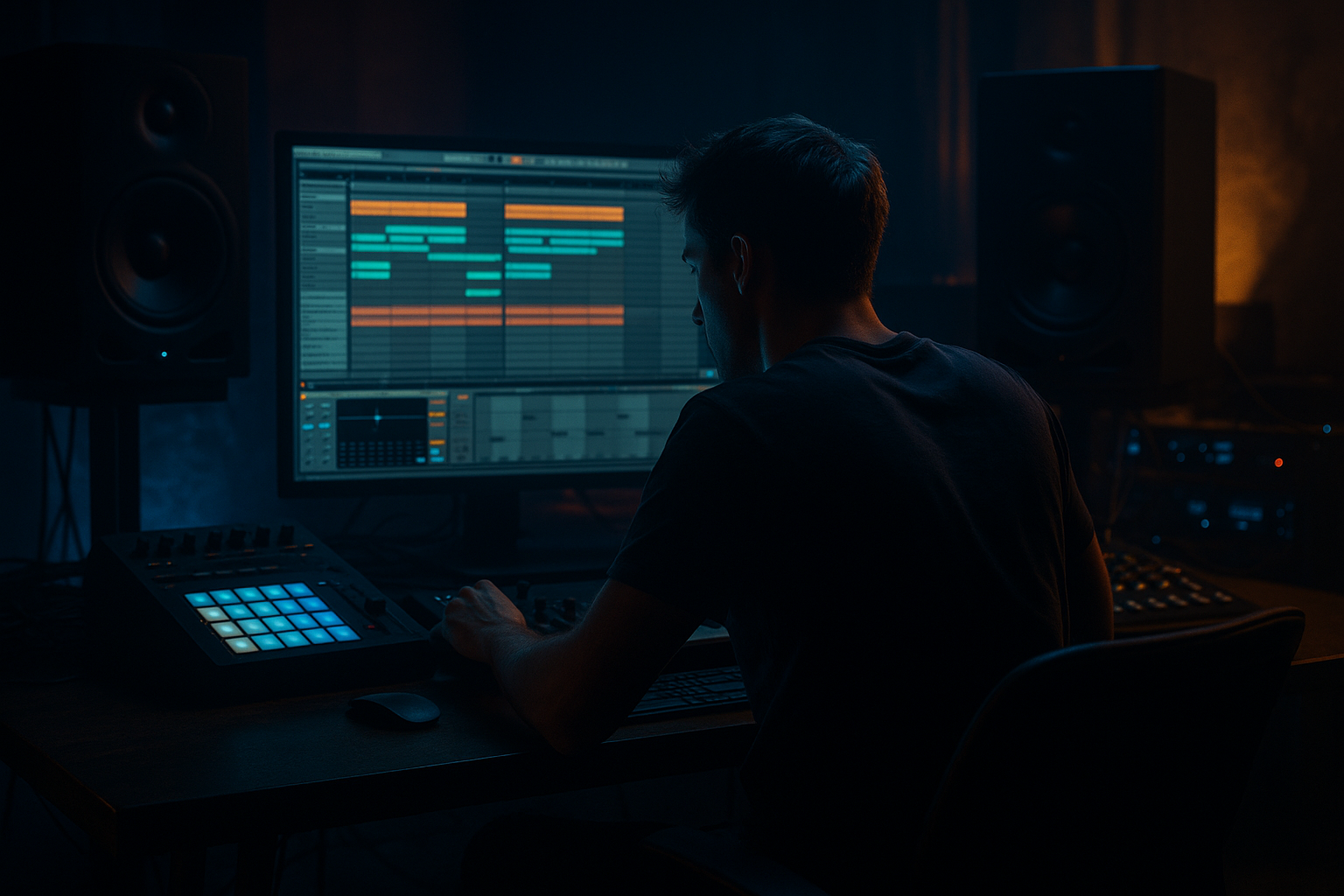
Main tutorial
Lesson Overview
Amen Science ragga cut slice system is a fast, musical way to turn one classic breakbeat into a rolling, high-energy DnB drum pattern that feels alive instead of looped. In Ableton Live 12, the goal is to take an Amen break, slice it into usable hits and phrases, then reshape those slices into a tight roller foundation with ragga-style movement and that “timeless” jungle-to-modern DnB momentum.
This technique sits right in the core of a track’s drum identity. For rollers, you want a pattern that keeps driving without feeling cluttered. For jungle-flavoured DnB, you want the break to breathe, stutter, answer itself, and push forward like a conversation between the kick, snare, hats, and ghost notes. That’s what the cut slice system gives you: control over feel, not just a loop.
Why it matters: in DnB, especially rollers and darker bass music, the drum break is not just percussion — it is the engine. A well-cut Amen can create swing, tension, syncopation, and forward motion while leaving space for the bassline to breathe. If the drums are locked in, everything else feels stronger.
---
What You Will Build
By the end of this lesson, you will have:
- A sliced Amen break laid out in Ableton Live 12 using Simpler
- A ragga-inspired cut pattern with chops that feel like a live drummer teasing the groove
- A roller-ready drum loop with ghost notes, fills, and controlled variation
- A simple drum bus with EQ, compression, and saturation for weight and cohesion
- A basic arrangement idea for intro, drop, and switch-up sections
- A drum foundation that works under sub-heavy DnB basslines, Reese layers, or dark neuro movement
- Using too many slices at once
- Letting the Amen become messy and unclear
- Over-compressing the break
- Ignoring bass space
- Making every bar identical
- Too much stereo widening in the low end
- Choosing slices randomly without listening
- Use Saturator before the drum bus compressor for a tougher Amen tone. Small drive amounts can make the break feel more “recorded” and less clean.
- Layer a tight top loop very quietly under the Amen if you need extra hat energy. Keep it subtle so the break still leads.
- Automate Auto Filter on the break bus for tension before drops. A slow low-pass opening works well in intro sections.
- Add slight frequency control with EQ Eight around the upper mids if the break gets sharp after saturation.
- Use Drum Buss with care for extra smack. A little drive and transient shaping can make the break punch through dark bass patches.
- Resample your best 2-bar phrase and then chop it again. That second generation of edits often sounds more original and more “finished.”
- Keep the sub clean and separate. If your bassline is huge, let the break dominate the midrange rhythm while the sub stays simple.
- Try call-and-response phrasing: one bar busy, one bar stripped. This is especially effective in rollers and darker liquid-leaning DnB.
- Slice the Amen in Simpler and keep the important hits easy to play.
- Build a sparse ragga cut pattern first, then add ghost notes and fills.
- Keep the snare anchor strong so the break still feels like a DnB loop.
- Use Groove, timing nudges, and subtle processing to create swing and momentum.
- Shape the break with EQ Eight, Drum Buss, and gentle compression.
- Arrange in 2- or 4-bar phrases so the track feels like a real roller, not just a loop.
- Leave room for the bassline — that space is what makes the break hit harder.
Musically, the result should feel like this: a 4- or 8-bar loop where the main snare lands strong on the backbeat, but the Amen slices around it keep the groove moving. The break should hint at old-school jungle energy while still sitting cleanly in a modern Ableton DnB mix.
---
Step-by-Step Walkthrough
1. Choose the right Amen source and set the project up for drum focus
Start by dragging in a clean Amen break sample. Keep it simple: one good break is enough for this lesson. If your sample is noisy, that’s fine — jungle and DnB often like a bit of grit — but avoid a file that is already heavily crushed or stretched.
Set your project tempo between 170 and 174 BPM. For a modern roller, 172 BPM is a great default. This keeps the Amen feeling energetic without turning into overworked breakcore.
Create two audio tracks:
- One for the original break reference
- One for the sliced version you will build
Also create a return track or group for drum processing later. Staying organized early makes it easier to move fast, which matters in DnB workflow.
2. Load the Amen into Simpler and switch to Slice mode
Drop the Amen into Simpler on a MIDI track. In Ableton Live 12, set Simpler to Slice mode. This is the key move: instead of treating the break as one audio file, you are converting it into playable slices.
Use these slice settings:
- Slicing by Transient for a natural drum edit feel
- Or 1/16 if the break is messy and you want more grid control
- Set Warp off inside Simpler if the sample already sits well at your project tempo
For beginner-friendly results, Transient slicing is usually the best starting point because it follows the actual drum hits. You want the kick, snare, hat, and ghost notes available as individual pieces.
Play the pads/MIDI notes and listen to what each slice contains. In most Amen breaks, you’ll find:
- Strong snare hits
- Short ghost snare or hat details
- Kick fragments
- Tiny in-between textures that give the break its swing
3. Map the useful slices into a simple ragga cut pattern
Now write a basic 1-bar MIDI pattern with a few repeated slice hits. Keep it sparse at first. The “ragga cut” idea comes from creating a chopped, call-and-response rhythm rather than a straight loop.
Start with this structure:
- Place the main snare slice on beats 2 and 4 or just reinforce those points
- Add a kick slice on beat 1
- Insert one or two ghost slices just before or after the snare
- Use a short hat or shuffle slice to connect gaps
A strong beginner pattern might look like:
- Beat 1: kick slice
- Just before beat 2: ghost slice
- Beat 2: main snare slice
- Between 2 and 3: quick hat slice
- Beat 3: kick or low break fragment
- Just before beat 4: ghost slice
- Beat 4: main snare slice
The goal is not to cram in everything. It is to create motion. In DnB, momentum comes from small rhythmic details, not constant density.
Why this works in DnB: the ear locks onto the snare backbeat, while the chopped fragments create forward pull between the strong hits. That’s exactly what keeps a roller moving without sounding static.
4. Use Groove and note placement to get the feel right
Drag a groove from Ableton’s Groove Pool if you want the break to feel more human. A small amount of swing can make the Amen feel less robotic.
Good beginner starting points:
- Swing amount around 54–58%
- Timing amount around 10–25%
- Velocity variation enabled if available from the groove
You can also manually shift a few MIDI notes:
- Move ghost notes slightly late for laid-back swing
- Keep the main snare hits tight
- Push one or two kick fragments slightly early if the groove needs urgency
In rollers, tiny timing differences matter a lot. A ghost note placed a hair late can create that “dragging forward” feeling that makes the break breathe. Avoid moving everything around randomly. Keep the main anchors solid.
5. Shape the slices with Simpler controls for tighter drum punch
Open Simpler and tighten the sound. Since this is a cut system, you want the slices short and controlled.
Try these starting settings:
- Fade: very low or off if the slices are already clean
- Start position: nudged slightly if any slice has too much pre-hit noise
- Filter: low-pass slightly if the break is too bright
- Volume envelope: short decay for tighter chops
If some slices ring too long, shorten them by adjusting the sample end or using MIDI note lengths. For old-school jungle movement, a little tail is fine. For modern roller clarity, the chops should be crisp.
If you want more aggression, add Saturator after Simpler:
- Drive around 2–6 dB
- Soft Clip on if needed
- Keep the output level under control
This gives the Amen a denser, more “finished” tone without flattening the groove.
6. Build variation with second-bar edits and fill slices
A timeless roller almost never repeats the exact same 1-bar break forever. Create a second bar with small changes.
Add one or two of these:
- Replace a ghost hit with a snare flam-like slice
- Leave a tiny gap before the bar reset
- Add a quick three-hit cut near the end of the bar
- Drop out one kick and let the bass breathe
A very practical arrangement move is:
- Bar 1: main groove
- Bar 2: main groove plus one extra slice fill
- Bar 3: main groove
- Bar 4: stripped groove or transition fill
This keeps the listener engaged without sounding like a full drum solo. In DnB, variation is often subtle. The drum loop should evolve just enough to support the bassline and arrangement.
If you want a stronger fill, use a short slice triplet or a quick 1/32 note pickup at the end of the 4th bar. Keep fills tight so they do not interfere with DJ-friendly flow.
7. Process the break on a drum bus with stock Ableton devices
Route the sliced Amen track into a drum group and add a simple processing chain. This helps glue the chops together.
Good beginner-friendly chain:
- EQ Eight
- Drum Buss
- Glue Compressor or Compressor
- Optional Utility for mono control
Suggested starting settings:
- EQ Eight: high-pass very gently around 25–35 Hz to clean rumble
- EQ Eight: reduce harshness slightly around 4–8 kHz if needed
- Drum Buss: drive lightly, around 5–15% depending on taste
- Glue Compressor: mild compression, around 1–2 dB gain reduction on peaks
- Utility: keep low end centered by checking mono behavior
Do not over-compress the break. DnB drums need punch and motion. If you squash too much, the groove loses life. The bus should make the slices feel connected, not crushed.
8. Lock the bass to the drum pocket
Even though this lesson is about breakbeats, the Amen only really shines when the bassline leaves room for it. In DnB, the kick-snare pattern and bass phrasing should talk to each other.
If you are using a sub-heavy bass or Reese:
- Keep the sub mostly mono
- Let the bass duck slightly under the main snare
- Avoid bass notes landing exactly on every ghost kick unless you want a more aggressive neuro feel
A useful Ableton stock workflow is to use Compressor on the bass with sidechain from the drum track or snare group. Keep it subtle:
- Ratio around 2:1 to 4:1
- Fast attack
- Release tuned to the groove
For a roller, the bass should feel like it is weaving between the drums, not fighting them. This is where the ragga cut system helps: the chopped break creates little holes for bass notes to answer back.
9. Arrange the break like a DnB track, not just a loop
Take your 1- or 2-bar loop and place it into a simple arrangement.
A practical structure:
- Intro: filtered break or drum ambience only
- Build: add the full Amen cut pattern gradually
- Drop: full drum loop with bassline
- Switch-up: remove one element and add a fill or different slice rhythm
- Second drop: bring back the main groove with extra energy
Use Auto Filter for intro and transition movement:
- Slowly open the filter from dark to full
- Automate resonance lightly for tension
- Keep transitions short and DJ-friendly
Example musical context: in an 8-bar intro, you might start with only ghost slices and a low-passed break, then bring in the main snare pattern at bar 5, and finally hit the full bass drop at bar 9. This creates a proper mix-in/mix-out setup for DJ use and makes the track feel intentional.
10. Resample if you want a more unified, finished drum sound
Once your pattern feels good, record it as audio. This is a classic DnB workflow move because it lets you see the groove, edit the waveform, and commit to the vibe.
Create a new audio track and resample the drum loop. Then you can:
- Trim the audio more cleanly
- Add tiny fades
- Reverse a single fill slice
- Duplicate a strong phrase for arrangement
If the resampled loop feels too static, go back and change one or two slices rather than rebuilding everything. The best beginner approach is to iterate, not restart. Small edits add up fast in breakbeat music.
---
Common Mistakes
Fix: start with 4–6 important hits before adding extra detail.
Fix: keep the snare anchor strong and reduce unnecessary overlapping slices.
Fix: aim for glue, not destruction. If the groove flattens, back off the compressor.
Fix: leave room around the main snare hits and keep sub movement disciplined.
Fix: change one fill, ghost note, or gap every 2 or 4 bars.
Fix: keep low frequencies mono and let width come from hats, atmospheres, and tops.
Fix: audition each slice and build a pattern from hits that actually support the groove.
---
Pro Tips for Darker / Heavier DnB
---
Mini Practice Exercise
Set a 15-minute timer and do this:
1. Load one Amen break into Simpler and slice by transients.
2. Build a 1-bar pattern with:
- one strong kick
- one main snare anchor
- two ghost notes
- one short connecting slice
3. Duplicate it to 2 bars and change just one thing in bar 2.
4. Add EQ Eight and Drum Buss on the drum group.
5. Bounce or resample the loop.
6. Listen back and ask:
- Is the snare clear?
- Does the loop move forward?
- Is there space for a bassline?
7. Make one final change:
- remove a slice if it feels crowded
- or add one ghost note if it feels too empty
If you finish early, create a 4-bar version with a tiny fill in bar 4. That’s enough to start building an actual drop section.
---
Recap
If you can make one Amen loop feel alive, you are already learning one of the most important drum & bass drum-writing skills.

