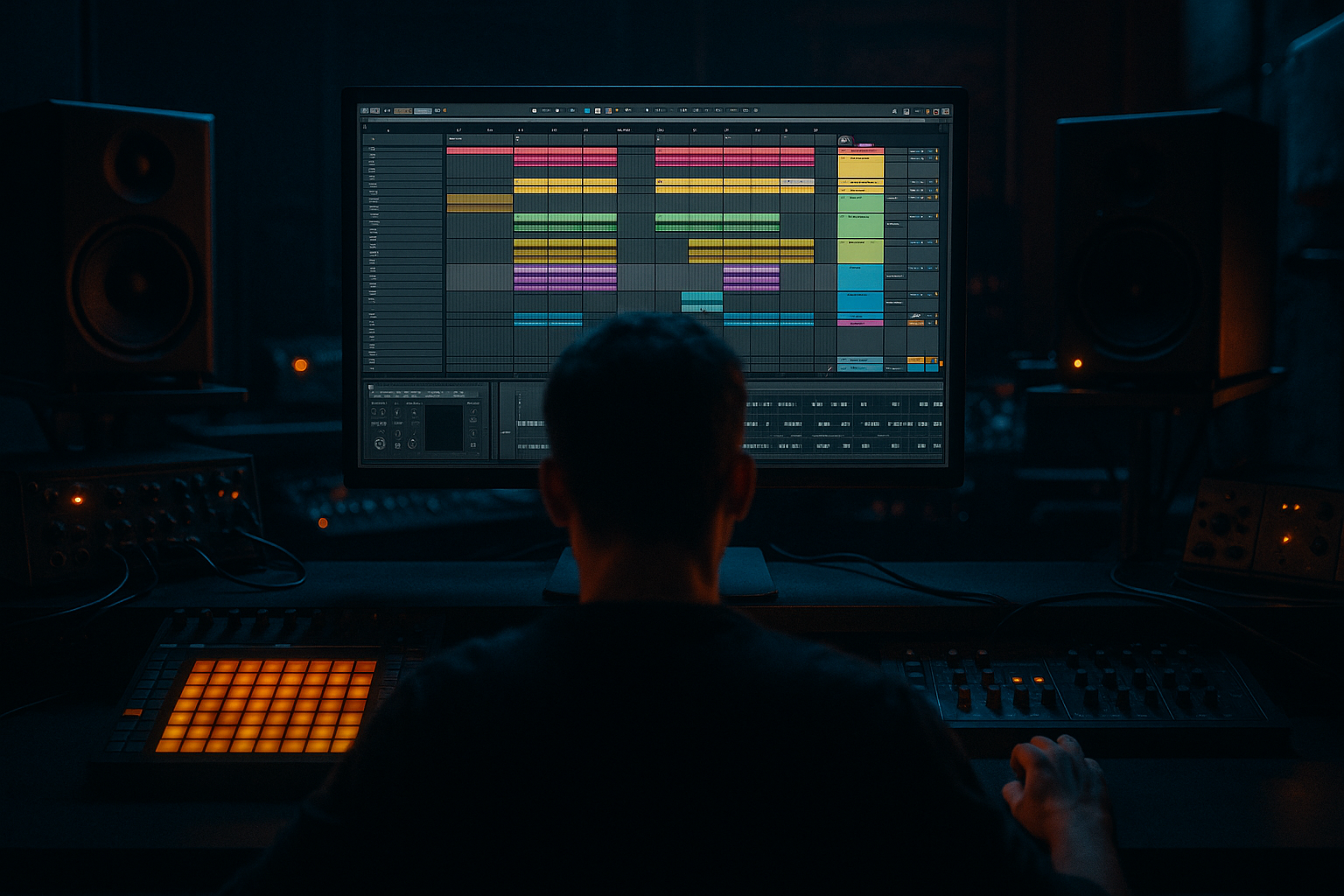
Main tutorial
Lesson Overview
In Drum & Bass, the snare is not just a backbeat marker — it’s the moment the track “stands up.” For an Amen-style pattern, the snare snap has to cut through a dense break, support the groove, and still leave room for a floor-shaking sub and reese without turning the drop into a harsh mess. This lesson is about designing and arranging a snare snap that feels like classic jungle energy, but engineered for modern low-end pressure in Ableton Live 12.
We’re not just slapping a snare on beat 2 and 4. We’re shaping a layered transient that punches through distorted bass, sits inside a break-driven rhythm, and creates contrast in the arrangement. In dark rollers, neuro-influenced halftime, and jungle-influenced drop sections, that snare snap often becomes the “anchor” that lets the bass move aggressively while the listener still feels the grid. That’s why this technique matters: it gives your drop weight, identity, and replay value.
The goal here is a snare that has:
- a tight, bright snap for definition
- a short body that feels physical, not papery
- controlled harshness so it survives heavy saturation on the bass bus
- enough room in the arrangement to feel huge without eating the sub
- a break-derived snare layer with natural texture
- a synthetic snap layer for front-edge attack
- a short noise or click layer for cut-through
- a shaped drum rack chain that glues the layers into one weaponized transient
- a parallel “crack” return for aggression
- arrangement automation so the snare feels bigger at the drop and more tense in switch-ups
- jungle-style break edits
- rollers with sparse kick/snare phrasing
- neuro-friendly bass sections where the snare must remain readable against moving mids
- darker halftime sections where the snare needs to feel huge and cinematic
- Switch to Slice mode if you want to audition multiple break hits quickly
- Or use Classic mode if you’re focusing on one snare hit and want to shape it like a sample instrument
- a sharp stick attack
- some short wood/crack character
- not too much ring in the 200–400 Hz region
- Use Transpose to tune the snare by ±1 to ±3 semitones if needed
- Shorten the sample in Simpler so the tail is tight, especially if the original break has too much room tone
- Choose a Noise oscillator or a sine with a very fast pitch envelope
- If using noise, keep the envelope extremely short
- If using a pitched attack, pitch it downward quickly so it behaves like a snap instead of a tone
- Attack: 0 ms
- Decay: 30–80 ms
- Sustain: 0
- Release: very short
- Use a high-pass filter so the layer doesn’t cloud the low mids
- One oscillator with noise or a very bright waveform
- Amp envelope with a fast decay
- Filter focused on upper mids
- EQ Eight
- Drum Buss
- Saturator
- Glue Compressor or Compressor
- High-pass around 90–130 Hz to remove any unwanted low-end rumble
- Small cut around 250–450 Hz if the snare boxiness starts fighting the bass
- Gentle boost around 2–5 kHz for crack
- If needed, a tiny lift around 8–10 kHz for air
- Drive: 5–20%
- Crunch: subtle, around 5–15% if you want more edge
- Transients: slightly positive for bite, but don’t overdo it
- Boom: usually off or very low for this style unless you want a heavier, more tuned jungle hit
- Soft Clip on
- Drive: 2–6 dB as a starting range
- Try Color mode only if the snare needs extra thickness
- Ratio: 2:1 or 4:1
- Attack: 3–10 ms to let the snap through
- Release: Auto or 0.1–0.3 s depending on the groove
- Aim for just a few dB of gain reduction
- Saturator or Overdrive for harmonic push
- EQ Eight to filter out the low mids before distortion if needed
- Compressor to flatten the transient slightly
- a short Reverb only if you want a very controlled room impression
- EQ Eight: high-pass around 200 Hz
- Saturator: Drive 6–12 dB
- Compressor: fast attack, medium release
- EQ Eight: tame harshness around 6–8 kHz if needed
- Keep decay tight enough that the hit feels complete within the beat
- If the snare overlaps with the sub peak, shorten it by a few milliseconds
- Use a very subtle gate or transient-focused compressor if the sample has a messy tail
- In a 174 BPM roller, keep the snare crisp and dry in the first 16 bars
- In the drop extension, open a reverb send or parallel crack layer for bars 17–24
- Pull it back down before the next bass switch so the arrangement breathes
- very low-velocity ghost hits before the main snare
- tiny late hits after the snare for swing
- short reversed or re-triggered fragments to create momentum
- Try a classic MPC-style groove lightly, around 10–25%
- Keep timing deviation subtle so the snare doesn’t drift out of the pocket
- Use velocity variation to make ghost notes feel intentional
- Main snare on 2 and 4
- Ghost snare 1/16 before beat 2 at low velocity
- Small break tick after beat 4 to lead into the next bar
- Filter the snare bus slightly with Auto Filter or EQ Eight
- Reduce the parallel crack return
- Use a short riser or tension FX leading into the downbeat
- Open the snare’s top end
- Bring in the full layered snare and parallel crack
- Let the first hit land with less bass activity right before it, so the listener feels the impact
- Automate a slight increase in reverb send or delay throw on the snare for one or two hits
- Mute the synthetic snap layer for a bar, then bring it back for contrast
- Add a fill where the snare is repeated with reduced decay, creating urgency
- Keep sub mono
- Sidechain bass gently to the snare if the bass sustain is masking the hit
- Use EQ Eight on the bass to carve a small pocket around the snare’s body area, usually 180–300 Hz depending on tuning
- If the snare is too sharp, tame 6–8 kHz with a narrow cut
- If the bass has too much upper-mid bark, reduce it during snare moments with automation or multiband-style control via Macro mapping
- Making the snare too long
- Overloading the low mids
- Using too much reverb
- Layering multiple snare samples with conflicting transients
- Ignoring mono compatibility
- Making the snare bright but weak
- Letting the bass mask the transient
- Resample the full snare chain to audio and re-process it. A second generation of saturation can add thickness and glue that feels more “record-like.”
- Try very subtle frequency modulation on the synthetic snap layer using Operator or Auto Filter automation for movement between sections.
- Use Drum Buss transient shaping only on the snare top layer, not the whole drum group, if the break needs to stay natural.
- For neuro or dark rollers, automate a tiny increase in Saturator drive on the snare during the last four bars of a phrase. It creates lift without changing the pattern.
- Add a short, dark room reverb with low cut and high cut to place the snare in a space, then automate it down during the drop for maximum punch.
- If the snare feels too polite, duplicate the snap layer and tune it a semitone up or down, then blend it very quietly for extra psychoacoustic edge.
- Use clip gain and gain staging before processing. A well-fed snare bus will saturate more musically than one that is already clipped badly.
- Keep the sub and snare emotionally separated: sub is movement and weight, snare is impact and attitude. If both fight for the same emotional role, the drop loses force.
Why this works in DnB: fast tempos leave very little time for transients to register, so the snare must communicate impact instantly. A well-designed Amen-style snap creates perceived loudness without needing excessive low-mid energy, which keeps the sub clean and the groove sharp.
What You Will Build
You’ll build a layered Amen-style snare snap designed for a heavy DnB drop in Ableton Live 12:
By the end, you’ll have a snare that can sit inside:
Step-by-Step Walkthrough
1. Build the snare core from an Amen break source
Start by importing a clean Amen break slice into a new audio track or Drum Rack. If you already have a favorite Amen recording, use that. If not, choose a break with a crisp snare hit and enough room tone to shape.
In Simpler:
For the snare layer, find a hit with a strong transient but not too much cymbal spill. The best candidates usually have:
Warp it lightly only if needed. If the sample already has the right feel, keep it more natural. In DnB, overly warped old breaks can lose their bite and smear the transient.
Suggested starting move:
This layer is your “jungle truth.” It provides authenticity and a slightly imperfect human edge.
2. Add a synthetic snap layer for controlled attack
Create a second layer in the same Drum Rack or on a separate audio track. This layer is about precision, not realism.
Use Operator for a fast transient or a very short noise burst:
A practical starting point in Operator:
If you prefer simpler workflow, try Analog:
This layer should be felt more than heard. It gives the snare its modern, deliberate edge, especially once the bass starts moving underneath it.
Why this matters in DnB: a break snare alone can disappear in heavy low-end arrangements. The synthetic attack helps the snare survive saturation, mono summing, and dense bass harmonics without needing excessive volume.
3. Design the snap with transient shaping and saturation
Now combine your layers and process them as a single snare bus. Group the snare layers and insert the following stock devices in order:
EQ Eight:
Drum Buss:
Saturator:
Glue Compressor:
The point is to make the snare feel denser, not smaller. A good Amen-style snap needs presence and aggression without turning into a brittle click.
4. Build a parallel crack return for extra aggression
For heavier DnB, parallel processing is where the snare gets its “can’t-ignore-me” character.
Create a Return track or duplicate the snare bus and heavily process the duplicate:
A very effective stock chain:
Blend this return low, usually around -18 to -12 dB relative to the dry snare. The parallel channel should create density and attitude, not obviously sound like “more effects.”
Advanced move: automate the send amount so the crack return increases during drops and switch-ups, then retreats in breakdowns. That gives the snare a performance curve instead of a static tone.
5. Shape the envelope so the snare leaves room for the sub
In DnB, snare length matters more than most producers think. If the snare tail hangs too long, it masks the next bass movement or kick, especially in fast patterns. If it’s too short, the groove feels cheap.
Use Simpler’s envelope controls or Ableton’s Auto Filter/Utility chain to shape the tail:
If your bass is doing fast call-and-response phrases, the snare should occupy its own pocket. A common professional move is to make the snare slightly shorter in busier sections and slightly wider/longer in open sections. That can be automated with device on/off, send levels, or macro controls.
Arrangement example:
6. Lock the snare into the groove with break edits and ghost notes
Now place the snare inside the full drum pattern. For Amen-style DnB, the snare often works best when it feels like part of a break edit rather than a isolated two-and-four hit.
Use the original break slices to create ghost notes around the main snare:
In Ableton Live 12, use Groove Pool if you want to preserve a human feel:
A practical pattern idea:
This helps the snare feel like it belongs to a living break, not a grid-locked sample. That’s very important in jungle and darker rollers where rhythmic identity is part of the sound design.
7. Arrange the snare as a drop-design event
The snare should evolve through the arrangement. Don’t use the exact same snare tone from intro to outro unless you want a very stripped DJ tool.
Before the drop:
At the drop:
During switch-ups:
This is especially strong in darker DnB. A clean snare-drop relationship makes the bass feel larger because the ear has a clear anchor point.
8. Mix it against the bass so the floor-shake survives translation
Now check the relationship between snare and sub. This is where the track becomes a proper DnB weapon.
Use Utility on the bass group to check mono compatibility. The sub should stay centered, and the snare should not be fighting the low-end energy in the 150–400 Hz range.
Mixing moves:
For advanced workflow, group bass elements into a Bass Bus and use gentle Glue Compressor sidechain keyed by the snare. The release should breathe with the groove, not pump like house music. You want a subtle duck so the snare lands cleanly.
Why this works in DnB: the kick is often less dominant than in other genres, so the snare becomes the main impact cue. Making the bass clear around the snare preserves both groove and perceived low-end weight.
Common Mistakes
Fix: shorten the decay or trim the sample tail so it clears the next bass movement.
Fix: high-pass the snare bus and cut boxiness around 250–450 Hz.
Fix: keep space FX short and filtered; DnB needs impact, not wash.
Fix: align the transient points and choose one dominant attack.
Fix: use Utility to check width and keep the core snare centered.
Fix: add body through controlled saturation and parallel density, not just a treble boost.
Fix: sidechain or carve a small EQ pocket in the bass around the snare hit.
Pro Tips for Darker / Heavier DnB
Mini Practice Exercise
Set a timer for 15 minutes and do this in Ableton Live 12:
1. Load one Amen break and isolate a strong snare hit.
2. Build a second synthetic snap layer in Operator or Analog.
3. Process both through a snare bus with EQ Eight, Drum Buss, and Saturator.
4. Add one parallel crack return and blend it quietly.
5. Program a 4-bar DnB loop at 174 BPM with snare hits on the main backbeats plus 2 ghost notes.
6. Make the bass line hit slightly less hard on the snare moments using sidechain or EQ pocketing.
7. Automate one change for bar 4: either more crack, more reverb, or a filter opening.
Goal: by the end, the snare should feel like one cohesive weapon, not three separate layers.
Recap
A great Amen-style snare snap in DnB is built from layered attack, tight envelope control, and smart arrangement placement. Keep the break’s character, add a synthetic layer for definition, and shape the whole thing with stock Ableton tools like Simpler, Operator, Drum Buss, Saturator, EQ Eight, and Glue Compressor. Then arrange it like a performance element: stronger in the drop, leaner in transitions, and always leaving room for the sub. If the snare feels huge but the low end still shakes cleanly, you’ve got the balance right.

