Main tutorial
Lesson Overview
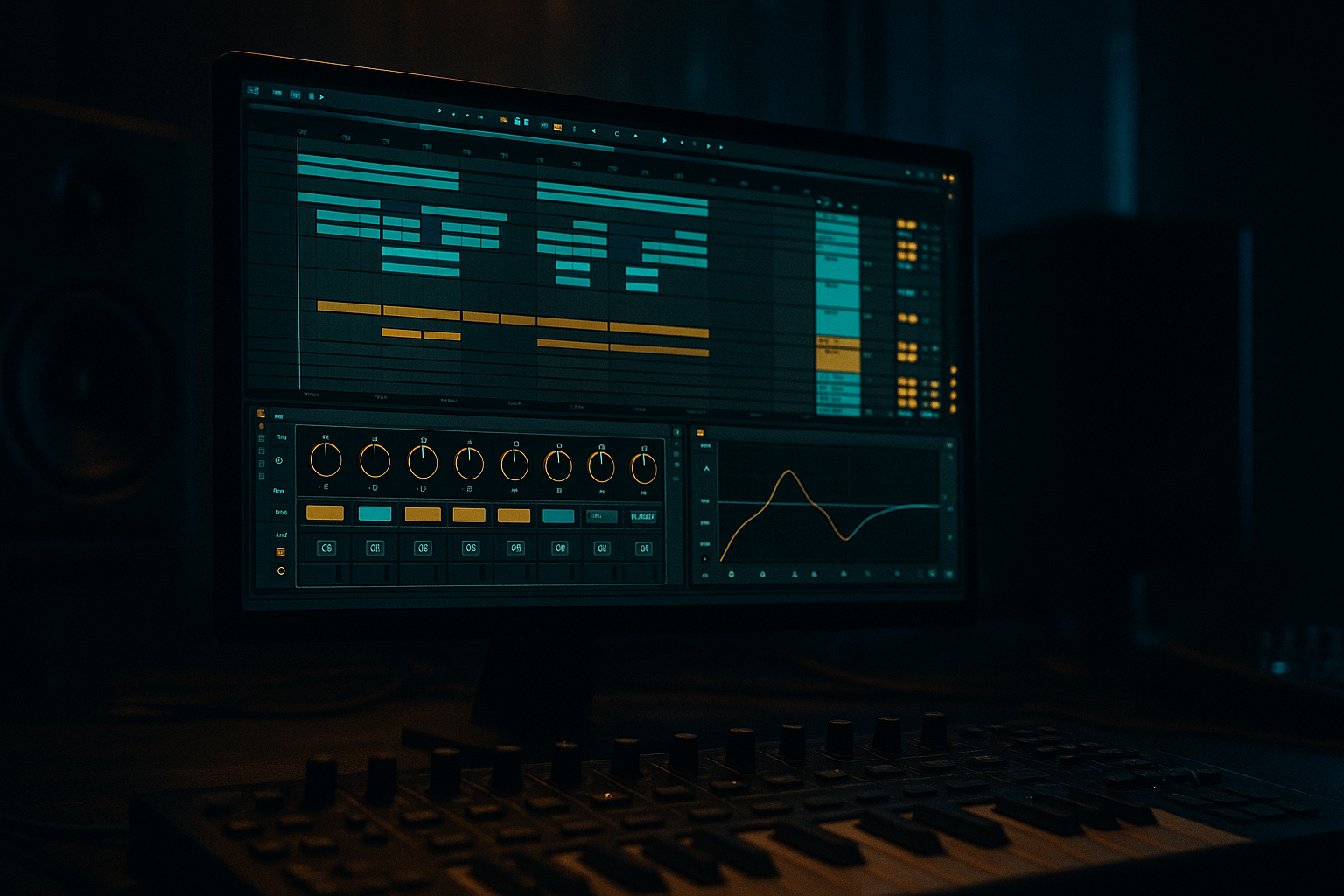
In this lesson, you’ll learn how to blend a ghost note with macro controls in Ableton Live 12 so it feels like part of the groove instead of a separate little MIDI blip. This is a super useful move in jungle / oldskool DnB atmospheres, where tiny notes, chops, and percussive bass flickers help create motion, tension, and that dusty “music is alive” feeling.
A ghost note in DnB is usually a quiet, understated note that fills space between stronger hits. In oldskool jungle, that can be a little sub pickup, a filtered reese touch, a muted synth stab, or a barely-there atmospheric bass accent. The point is not to make it obvious. The point is to make the groove feel deeper and more human.
Why does this matter? Because Drum & Bass often moves fast, and fast music can get harsh or empty if every note is too loud or too identical. A ghost note gives you:
- forward motion without crowding the mix
- call-and-response phrasing with your main bass
- atmospheric glue between drums, breaks, and bass
- a quick way to add oldskool character without rewriting the whole bassline
- sits quietly under a jungle-style bassline
- uses macro controls to move between barely audible, filtered, and more present
- can be automated in a breakdown, pre-drop, or 8-bar loop
- adds a subtle oldskool roll / atmosphere hybrid feeling
- stays controlled in mono so the low end doesn’t get messy
- your main bass hits on the downbeat
- the ghost note slips in on an offbeat or pickup
- it’s filtered, quieter, and slightly saturated
- it helps the bar feel “answered” rather than empty
- Making the ghost note too loud
- Leaving too much low end on the ghost chain
- Using too much reverb
- Not matching the rhythm to the break
- Over-automating every macro
- Letting the ghost note fight the sub
- Use Saturator with Soft Clip on the ghost chain for gritty oldskool edge, but keep Drive moderate, around 2–5 dB.
- Automate Auto Filter cutoff slowly across 4 or 8 bars to create creeping tension.
- Use a short note length with a slightly longer decay so the front of the note stays punchy while the tail feels atmospheric.
- Keep the ghost note mid-focused if your main bass is sub-heavy. That gives you weight and clarity at the same time.
- Try call-and-response phrasing: main bass on beat 1, ghost on the offbeat, main bass again at the phrase end.
- Use a tiny amount of width only on the higher, filtered layer. Keep the low end centered and solid.
- For a darker roller feel, use a very low-pass ghost note that slowly opens over 8 bars, as if it’s emerging from the fog.
- For oldskool jungle character, add subtle break-resampled atmosphere behind the ghost note and keep both tucked low in the mix.
- A ghost note in DnB should feel like a subtle groove supporter, not a second main bass.
- Use an Instrument Rack so you can control it with macros.
- Shape it with EQ Eight, Auto Filter, Saturator, and Utility.
- Keep the low end tight, centered, and under control.
- Automate macro changes across phrases to make the ghost note breathe.
- In jungle and oldskool DnB, tiny note placements and filter movement can add a lot of atmosphere fast.
We’ll build this inside Ableton Live using stock devices like Instrument Rack, Auto Filter, Saturator, Utility, and EQ Eight, then map the useful controls to macros so you can shape the ghost note quickly while arranging. This is especially handy in Atmospheres because the bass can sit behind the drums and breaks while still adding feeling and depth.
What You Will Build
By the end of this lesson, you’ll have a ghost-note layer that:
Musically, think of it like this:
A good beginner target is a 2-bar loop where the ghost note appears once or twice, tucked under the break, and gets louder only at the end of a phrase. This makes the track feel like it is breathing, which is very DnB.
Step-by-Step Walkthrough
1. Start with a simple DnB groove and choose where the ghost note belongs
Create a new MIDI track and load a basic bass instrument. For beginner-friendly results, use Operator or Wavetable. If you want a dirtier oldskool feel, Operator is great because it’s clean enough to shape but still flexible.
Build or use a simple 2-bar pattern:
- kick/snare on a standard DnB framework
- a bass hit on beat 1
- a second bass hit or response note late in the bar
- leave a small gap where the ghost note can live
In jungle and rollers, ghost notes often work best:
- before the snare as a tiny pickup
- after the main bass hit as a response
- between break chop hits to connect motion
Keep the note short for now. Start with a note length of around 1/16 to 1/8, depending on the groove.
2. Build the ghost note as a separate voice inside an Instrument Rack
Drop your bass sound onto a MIDI track, then right-click and choose Group to create an Instrument Rack. This gives you macro control over the ghost layer without destroying your main bass sound.
Inside the rack, create two chains:
- Main Bass
- Ghost Note
You can duplicate the instrument or use the same synth on both chains. For beginner workflow, keep both chains simple:
- Main Bass: cleaner, fuller, stable
- Ghost Note: filtered, quieter, more characterful
On the Ghost Note chain, add:
- EQ Eight to roll off lows
- Auto Filter to shape tone
- Saturator for subtle grit
- Utility to control level and width
This is useful because in DnB the ghost note should feel like an atmospheric event, not a second bass taking over the mix.
3. Shape the ghost note so it feels “behind” the main bass
The goal is to make the ghost note supportive. In the Ghost Note chain, try these starting settings:
- EQ Eight
- High-pass around 120–180 Hz if your ghost is mid-focused
- If the ghost is supposed to have a little low-end, keep the cut gentler, around 60–90 Hz, but be careful
- Auto Filter
- Filter type: Low Pass
- Cutoff around 300–800 Hz to start
- Resonance low to medium, around 5–20%
- Saturator
- Drive: 2–6 dB
- Soft Clip: On
- Utility
- Gain: lower the ghost chain so it sits about -10 to -18 dB under the main bass, depending on the arrangement
Why this works in DnB: fast breaks and sub-heavy basslines can quickly get crowded. By filtering and compressing the ghost into a thinner, moodier shape, it becomes part of the atmosphere rather than fighting the sub.
4. Map the key ghost-note controls to macros
Now make the sound playable and easy to arrange. Map these parameters to macros in your Instrument Rack:
- Ghost Volume
- Filter Cutoff
- Saturator Drive
- Ghost Length or Decay
- Stereo Width
If you’re using Operator, you can also map:
- Amp envelope decay
- oscillator level
- filter amount
Good beginner macro ranges:
- Ghost Volume: from very low to moderate, about -inf to -10 dB
- Filter Cutoff: around 200 Hz to 2 kHz
- Drive: 0 to 6 dB
- Width: 0% to 100%, but keep low end mono
- Decay: short to medium, so the ghost doesn’t smear the groove
Name the macros clearly. For example:
- “Ghost Level”
- “Ghost Tone”
- “Ghost Dirt”
- “Ghost Tail”
- “Stereo Air”
Clear naming helps a lot when you come back to the project later.
5. Use macro movement to blend the ghost note into the groove
This is the core of the lesson. The trick is not just having a ghost note — it’s moving the macros so the note appears, fades, and changes personality across the phrase.
In Ableton Live 12, create a 2- or 4-bar loop and automate or manually draw macro changes. Try this:
- In bar 1, keep Ghost Level low and Cutoff low
- In bar 2, raise Cutoff slightly and add a touch more Drive
- At the end of a phrase, let the ghost note open up a little more
A useful automation idea:
- Ghost Level: move from about -18 dB in the first half of the section to -12 dB at the phrase end
- Filter Cutoff: move from 400 Hz to 1.2 kHz
- Drive: move from 2 dB to 5 dB only on the final ghost hit
This creates a subtle “lift” that works beautifully before a drop or at the end of an 8-bar section.
6. Place the ghost note rhythmically like a jungle producer
In oldskool DnB, rhythm is everything. Don’t just drop the note on any free space — place it where it feels like part of the break edit.
Try these placements:
- just before the snare on beat 2 or 4
- on the “and” after a kick
- as a quick pickup into the next bar
- under a chopped break fill
Example musical context:
- You have a 2-bar loop with a chopped Amen-style break
- The main bass hits on the first beat of bar 1
- A quiet ghost note answers late in bar 1
- In bar 2, the ghost note opens slightly before the snare to help transition into the next phrase
If the note feels too obvious, move it later by a tiny amount or shorten the MIDI length. In DnB, even a small timing shift can change the whole feel.
7. Use layering to give the ghost note atmosphere without losing clarity
This is where the Atmospheres category really comes in. You can create a ghost note that feels more like a shadow or air layer than a bass note.
Add a second chain or duplicate the ghost layer and make it even thinner:
- EQ Eight: high-pass higher, around 250–400 Hz
- Reverb: very subtle, small size, short decay
- Auto Filter: band-pass or high-pass for a distant tone
- Optional Chorus-Ensemble very lightly for width
Keep the reverb quiet and filtered. If you use it, try:
- Decay: 0.6–1.5 s
- Dry/Wet: 5–12%
- Low Cut in reverb: increase it so the low end stays clean
This can be great in a breakdown or intro where you want the ghost note to feel like part of the room, not just the bassline.
8. Check the low end and make the ghost note behave in mono
DnB low end must stay disciplined. Use Utility to check the ghost layer in mono:
- turn Width to 0% on the ghost’s low-focused elements
- if the ghost has stereo texture, keep it on the higher filtered layer only
- make sure the sub area is not smeared
A good practical rule:
- anything below about 120 Hz should stay very controlled
- if the ghost note contains sub, keep it short, centered, and simple
- if the ghost note is atmospheric, remove sub completely and let the main bass handle it
This matters because when the whole track hits together, the kick, break, sub, and ghost all share the same low-end space. A clean mono check saves your mix.
9. Turn the ghost note into an arrangement tool
Once the loop feels good, use it in the arrangement to create movement. This is where the technique becomes more than sound design — it becomes composition.
Arrange it like this:
- Intro: ghost note barely audible, filtered down
- Pre-drop: open the cutoff and increase drive slightly
- Drop 1: keep it subtle so the main bass has room
- 8-bar switch-up: automate the ghost note louder or more open for one phrase
- Breakdown: let the ghost note become more atmospheric with reverb and filter motion
A classic DnB move is to make the ghost note appear more clearly during a transition, then pull it back once the drop lands. That contrast makes the drop feel bigger without adding too much new material.
Common Mistakes
Fix: lower the Ghost Volume first, then shape tone second. If you hear it as a separate bassline, it’s probably too loud.
Fix: use EQ Eight and high-pass it, or keep the low end mono and short.
Fix: in DnB, reverb can blur the groove fast. Keep it short and filtered.
Fix: move the ghost note so it “talks” to the snare or break chop instead of sitting randomly in the bar.
Fix: choose 1–2 main changes per phrase. In jungle, small changes often feel stronger than constant movement.
Fix: use separate roles. Main bass handles weight; ghost note handles texture, motion, or answer phrases.
Pro Tips for Darker / Heavier DnB
Mini Practice Exercise
Spend 10–20 minutes building one 2-bar loop:
1. Make a simple drum loop with a DnB break or kick/snare pattern.
2. Add a basic bassline using Operator or Wavetable.
3. Create an Instrument Rack with a Main Bass chain and a Ghost Note chain.
4. Add EQ Eight, Auto Filter, Saturator, and Utility to the Ghost Note chain.
5. Map at least 4 macros: Ghost Level, Ghost Tone, Ghost Dirt, and Ghost Width.
6. Place one ghost note before a snare or at the end of bar 2.
7. Automate the macros so the ghost note opens slightly at the end of the phrase.
8. Check mono and make sure the low end still feels tight.
9. Duplicate the loop and try a second version with more atmosphere and less bass.
10. Compare both versions and choose the one that feels more like a real jungle or oldskool DnB section.
If you want to push it, mute the main bass for one bar and see whether the ghost note still feels musical on its own. If it does, you’ve created a strong atmospheric layer.

