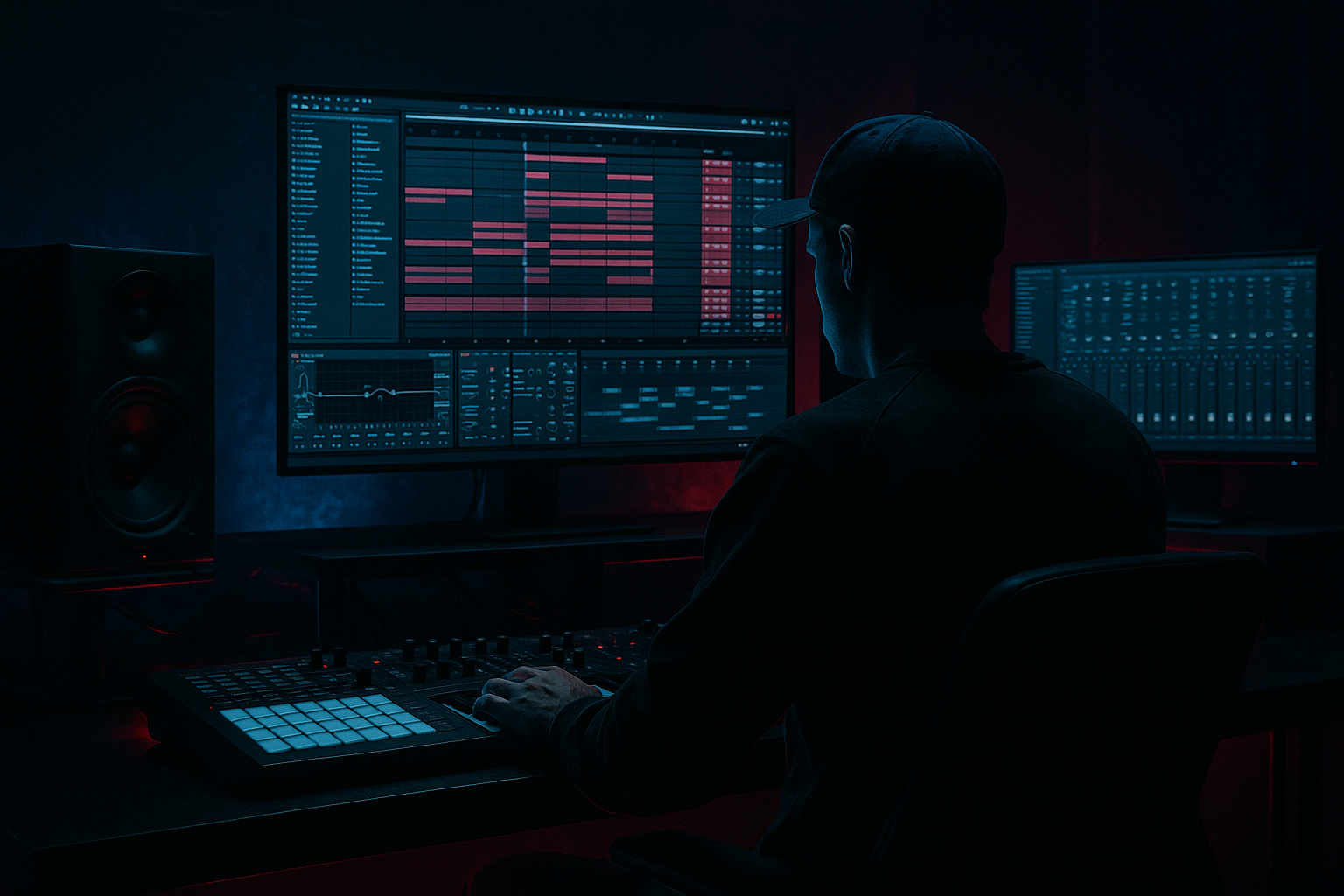
Main tutorial
Clip-Envelope Tricks Masterclass (No Third‑Party Plugins) — Drum & Bass in Ableton Live 🎛️⚡
1) Lesson overview
Clip Envelopes are one of the most DnB-friendly workflow hacks in Ableton Live: they let you create tight, rhythmic movement inside the clip, without drawing automation lanes all over your Arrangement. You’ll use them to build rolling bass motion, jungle-style micro edits, and “DJ-style” transitions—all with stock Ableton devices.
You’ll learn how to:
- Drive filter movement, distortion tone, and bass wobble using clip envelopes
- Make per-hit parameter changes (like per note saturation amount)
- Build repeatable “performance macros” that survive arrangement edits
- Create dark/heavy motion without turning your mix into mud
- Reverb: Decay 0.7–1.2s, Size 20–35%, Predelay 5–15ms
- EQ in Reverb: cut lows below 200 Hz
- Echo: 1/8 or 1/4, Feedback 25–45%
- Filter: HP around 250 Hz, LP around 6–10 kHz
- Envelope chooser: “Clip” and “Mixer” and “Device” targets
- Shape editor: draw ramps, steps, curves
- Linked/Unlinked (important!)
- Add Operator (or Wavetable if you prefer)
- Add Auto Filter
- Add Saturator
- Add EQ Eight
- Add Glue Compressor (optional for control)
- Notes: root note hits on 1, “and” of 2, 3, “and” of 4
- Vary note lengths (some short stabs, some longer).
- Click the clip → Envelopes
- Device → Auto Filter → Frequency
- Click Unlinked
- Draw a pattern:
- Keep cutoff mostly 120–900 Hz for dark rolling bass
- Use brief peaks up to 1.5–2.5 kHz for “speaking” moments (but not constant)
- Device → Saturator → Drive
- Keep it subtle: automate between 2 dB and 8–10 dB
- Draw step shapes (not ramps) to “accent” certain bass hits.
- Add Utility at end
- Set Width default 0% (mono) or 20–40%
- Clip envelope target:
- Automate width to jump to 90–120% only on select hits (like last 1/8 before a fill)
- Drop an amen-style break onto a track
- Right click → Slice to New MIDI Track
- Envelopes → Clip → Transposition
- Draw tiny dips on a few hits:
- Or do a bigger drop at the end of bar:
- Auto Filter (HP12)
- In the clip envelope:
- Choose your break clip → Envelopes
- Select Mixer → Send A (your room reverb)
- Draw short spikes (like 10–25%) on only certain snare hits or ghost notes
- Mixer → Send B (Echo)
- Add 1–2 bigger throws (20–40%) at the end of a phrase
- Envelopes → Device → Audio Effect Rack → Macro 1
- Draw a rhythmic pattern:
- Try Unlinked length 3 bars while clip is 2 bars for evolving movement.
- For bars 1–8: use Envelope A (steady)
- For bars 9–16: duplicate clip → edit envelope to add more peaks, extra send throws, and a final-bar “all-out” macro rise
- Split your bass into Sub + Mid (stock-only)
- Use Clip Envelopes on Return Sends for controlled chaos
- Gate your reverb with sidechain (stock)
- Movement without brightness
- DnB phrasing trick
- Clip envelopes are tight, reusable, and perfect for DnB because they create rhythmic motion without arrangement clutter.
- Use them to automate:
- Keep the sub stable, automate the mid layer, and phrase your intensity across 4/8/16 bars for proper rolling energy 🔥
---
2) What you will build
A mini DnB groove toolkit inside a single project:
1. Rolling Reese Bass Clip with clip-envelope-controlled:
- Auto Filter cutoff
- Saturator Drive
- Utility width (mono-to-wide moments)
2. Jungle Break Clip with:
- Clip envelope “tape-stop-ish” pitch dips
- Transient re-shaping via per-slice filter + send modulation
3. Transition Riser/Drop Clip using:
- Clip envelope mapped to a Rack Macro (filter + reverb + noise layer gain)
Everything is done with clip envelopes + stock devices (Auto Filter, Saturator, Utility, EQ Eight, Drum Rack/Simpler, Reverb, Delay, Glue Compressor).
---
3) Step-by-step walkthrough
A) Setup: your DnB session template (fast + clean)
1. Tempo: 172–176 BPM (we’ll assume 174).
2. Create tracks:
- Breaks (audio)
- Kick (audio or Drum Rack)
- Snare (audio or Drum Rack)
- Bass (Instrument or Audio)
- FX / Atmos
- Return A: Short Room (Reverb)
- Return B: Dub Delay (Echo or Delay)
Return A (Short Room Reverb):
Return B (Dub Echo):
Why: returns are perfect targets for clip envelope “moment” effects.
---
B) Clip Envelope fundamentals (the DnB way)
Open any MIDI or Audio clip → Envelope box (bottom left in Clip View).
You’ll see:
Key DnB concept:
Use Unlinked envelopes when you want a looping modulation pattern that can be a different length than the clip (hello evolving bass movement).
---
C) Trick 1 — Rolling Reese movement using clip envelopes (cutoff + drive)
#### 1) Make a Reese (stock-only)
On Bass track:
- Operator quick Reese:
- Osc A: Saw, Level 0 dB
- Osc B: Saw, Detune +7 cents
- Add Pitch Envelope tiny (optional) for bite
- Type: LP24
- Cutoff: start around 200–600 Hz
- Resonance: 0.20–0.40
- Drive (if available): small, 2–6 dB
- Mode: Analog Clip
- Drive: start 3–6 dB
- Soft Clip: On
- High-pass 30 Hz
- Optional: dip 250–400 Hz if boxy
- Attack 3 ms, Release Auto, Ratio 2:1, Soft Clip On
#### 2) Program a rolling bass pattern
Create a 1-bar MIDI clip with classic DnB syncopation:
#### 3) Clip envelope: Auto Filter Cutoff (movement)
- Set envelope length to 2 bars (even though the MIDI clip is 1 bar)
- Bar 1: quick rise at the start, then dip mid bar, rise again near end
- Bar 2: slightly different rhythm (avoid identical repeating)
Practical values:
#### 4) Clip envelope: Saturator Drive (per-hit aggression)
Why it works: in DnB, accents create momentum. Saturation drive jumps can act like velocity on steroids.
#### 5) Clip envelope: Utility Width (mono stability + wide flicks)
- Device → Utility → Width
DnB rule of thumb: wide bass is cool, wide sub is not. Keep sub info mono (more on that later).
---
D) Trick 2 — Clip-envelope “micro-edits” on breaks (jungle flavor) 🥁
#### 1) Prep a break in Simpler for control
- Slicing preset: Transient
- Creates a Drum Rack full of slices (great for jungle edits)
Now make a 1–2 bar MIDI clip triggering slices.
#### 2) Clip envelope: “Pitch dip” tape-stop moments (safe + musical)
In the clip:
- Dip -1 to -5 semitones very briefly (like 1/32–1/16)
- Ramp down to -12 semitones over 1/8 note, then snap back at the start of next bar
Tip: Keep it rare—like once every 4 or 8 bars—to keep it hype, not gimmicky.
#### 3) Clip envelope: Per-hit filter “snap” for cleaner breaks
On the Drum Rack (or on the break track), add:
- Start Frequency around 80–120 Hz
- Device → Auto Filter → Frequency
- Create quick HP jumps on messy kick overlaps or fills:
- e.g., jump to 200–350 Hz for a single slice, then return immediately
This is a surgical way to keep breaks tight while still sounding chopped.
#### 4) Clip envelope: send bursts for dubby space
Then:
This gives you arrangement-grade interest without writing long automation lanes.
---
E) Trick 3 — “One clip controls the whole drop” using Macros + clip envelopes 🎚️
This is the big brain move: clip envelopes can target Rack Macros, and a macro can control multiple devices at once.
#### 1) Build a Bass Rack macro for drop energy
On the Bass track:
1. Select Auto Filter + Saturator + EQ Eight + Utility → Cmd/Ctrl + G (Group into an Audio Effect Rack)
2. Create Macro 1: “GROWL”
3. Map:
- Auto Filter Frequency (set sensible min/max, e.g. 120 Hz → 2.2 kHz)
- Saturator Drive (2 dB → 10 dB)
- EQ Eight high shelf gain (optional: 0 → +3 dB above ~4–6 kHz)
- Utility Gain (0 → +2 dB) (careful)
Now you have one macro that increases intensity like a proper DnB drop control.
#### 2) Clip envelope the Macro for rhythm
In your bass MIDI clip:
- Keep most of the time around 30–55%
- Punch to 70–90% on key offbeats
#### 3) Arrangement idea: phrase-based variations
Copy your 2-bar bass clip across a 16-bar drop:
This keeps the drop moving without rewriting the whole bassline.
---
F) Trick 4 — Clip envelope “probability-like” variation (manual but fast)
Ableton doesn’t have per-parameter probability envelopes, but you can fake it by making multiple clips with different envelope behaviors and rotating them.
Workflow:
1. Duplicate a break clip 3–5 times
2. Change only the clip envelopes:
- Version 1: minimal send spikes
- Version 2: more pitch dips
- Version 3: extra filter snaps
3. In Arrangement, swap clips every 2 or 4 bars.
This gives variation that feels “alive” like classic jungle programming.
---
4) Common mistakes (and how to fix them)
1. Forgetting Unlinked vs Linked
- If your envelope isn’t looping how you expect, check Linked.
- For evolving DnB bass, Unlinked is often the magic.
2. Over-automating everything
- If every hit has cutoff movement + drive jumps + width jumps, it becomes noisy and tiring.
- Pick 1–2 primary modulations, 1 “spice” modulation.
3. Widening the sub
- Utility Width automation can wreck low-end translation.
- Keep sub mono; widen only upper harmonics (use EQ Eight or split chain approach).
4. Clicks/pops with audio transposition
- Big transposition snaps can click.
- Use shorter dips, or crossfade edits, or consider Simpler with proper fade settings.
5. Envelope ranges too extreme
- Map macros with sensible min/max.
- DnB is about control as much as aggression.
---
5) Pro tips for darker/heavier DnB 🖤
- Create two chains in an Audio Effect Rack:
- SUB chain: EQ Eight low-pass ~90–120 Hz, Utility Width 0%, gentle Saturator
- MID chain: EQ Eight high-pass ~90–120 Hz, Auto Filter + Saturator + Redux (tiny) for grit
- Clip-envelope the MID chain movements (cutoff/drive/width), leave SUB stable.
- Dark DnB loves space, but only in moments.
- “Throw” reverb/echo on the last snare of a 4-bar phrase—classic.
- Put Gate after Reverb on Return A
- Sidechain input: Snare (or whole Drum Bus)
- This keeps the mix punchy while still sounding huge.
- Instead of opening filters into harsh highs, automate:
- Saturator Drive
- Auto Filter resonance slightly
- EQ Eight mid notch moving subtly (clip envelope the gain of one band)
- In a 16-bar drop, increase envelope intensity every 4 bars:
- Bars 1–4: restrained
- 5–8: more drive spikes
- 9–12: add send throws
- 13–16: big macro peaks + final-bar pitch dip / fill
---
6) Mini practice exercise (15–25 minutes) 🎯
Goal: Make a 4-bar loop that feels like it’s “performing itself.”
1. Create a 2-bar Reese bass clip (Operator → Auto Filter → Saturator → Utility)
2. Add three clip envelopes:
- Auto Filter Frequency (Unlinked, 4-bar loop)
- Saturator Drive (Linked, 2-bar loop, step accents)
- Utility Width (only 2–3 moments)
3. Create a 2-bar sliced break clip (Slice to Drum Rack)
4. Add two clip envelopes on the break clip:
- Mixer Send B (Echo throws on phrase ends)
- Clip Transposition (one tasteful dip)
5. Duplicate both clips to make 4 bars and edit bar 3–4 envelopes to increase intensity.
Checkpoint: If you mute the hi-hats, the loop should still feel like it’s moving.
---
7) Recap
- Filter cutoff for groove and “talk”
- Drive for accents and aggression
- Send bursts for dubby throws
- Transposition for jungle-style edits
- Rack Macros to control multiple devices at once
If you want, tell me what kind of DnB you’re aiming for (dancefloor, neuro, jungle, minimal rollers), and I’ll suggest specific envelope rhythms and a stock-device chain that matches that subgenre.

