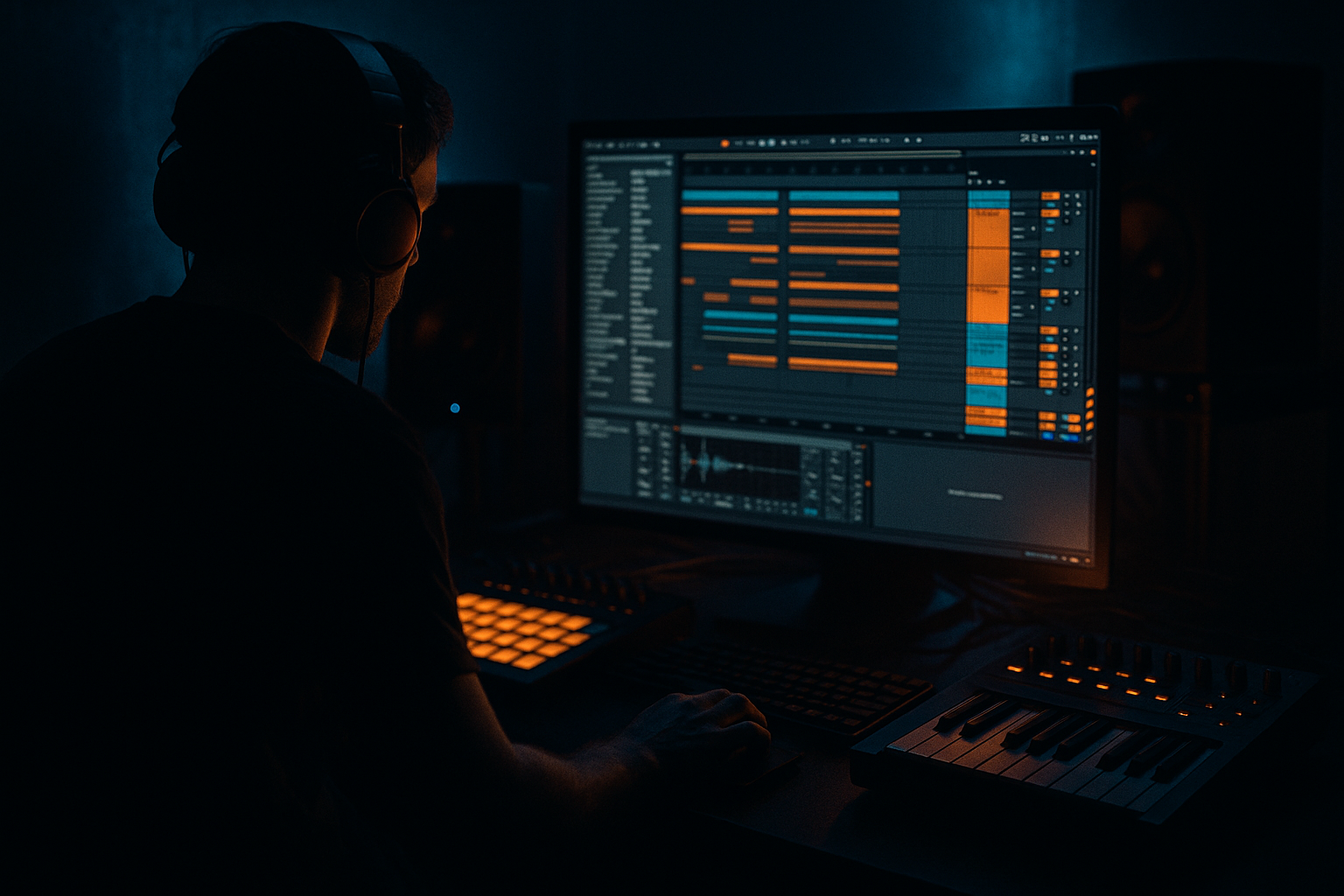
Main tutorial
Lesson Overview
In this lesson, you’re going to build an oldskool DnB drop from scratch in Ableton Live 12 with an advanced arrangement mindset: not just “make a loop,” but design a full drop that feels like it could sit in a proper jungle / roller / darker DnB track. The focus is on classic break energy, tight sub control, reese-style movement, and arrangement tension so the drop lands with impact and keeps evolving.
Oldskool DnB works because the groove is alive. The drums are syncopated and human-feeling, the bassline often answers the kick/snare pattern instead of fighting it, and the arrangement usually gives the listener enough space to anticipate the drop before hitting them with a clean, heavy payoff. That’s the core skill here: turning a few bars of drums and bass into a convincing drop section with proper phrasing, energy shifts, and DJ-friendly structure.
You’ll use Ableton stock tools to build the whole thing: Drum Rack, Simpler, Wavetable, Operator, Saturator, Drum Buss, EQ Eight, Auto Filter, Utility, Glue Compressor, Compressor, Reverb, Delay, Echo, and Resampling workflow. By the end, you’ll have a drop that feels authentic to drum & bass: not overcooked, not loop-static, and built with enough variation to carry a full arrangement. 🔥
What You Will Build
You’ll build a 16-bar oldskool DnB drop with:
- A tight intro into drop impact
- A layered breakbeat groove with ghost notes and edits
- A sub + reese bass combination that alternates between support and call-and-response
- Arrangement switch-ups every 4 or 8 bars
- Transition FX and fills that feel proper, not generic
- A mix balance that leaves headroom, low-end clarity, and punch
- Bars 1–4: first statement, sparse but confident
- Bars 5–8: groove deepens with extra drum edits and bass response
- Bars 9–12: variation, maybe a filter-open or drum fill to raise intensity
- Bars 13–16: payoff, heavier bass phrasing or denser break movement before a transition out
- Making the bass too busy
- Letting the sub get stereo or distorted
- Using a loop without phrase changes
- Over-layering the break
- Ignoring snare weight
- Too much FX wash
- Mixing with no headroom
- Use filter automation on the mid-bass, not the sub
- Try rhythmic mute automation
- Stack a quiet, distorted parallel bass
- Emphasize negative space
- Use tiny break variations
- Automate saturation subtly
- Check the drop at low volume
Musically, think something like:
The goal is a drop section that feels like a real DnB arrangement element, not just a four-bar loop repeated twice.
Step-by-Step Walkthrough
1. Set up the drop architecture before you write any notes
Start with a clean Ableton Live 12 set and immediately build the arrangement layout around the drop. For advanced DnB work, don’t begin by sound designing forever in isolation — start with form.
- Set tempo between 170–174 BPM for classic oldskool energy.
- Create markers for:
- Intro
- Build
- Drop 1
- Switch
- Drop 2 / Variation
- Outro
- Use 8-bar and 16-bar blocks. Oldskool DnB often lives and dies on phrase logic.
- Drop your reference track into a muted audio track and use it only for arrangement spacing, not sound matching.
A strong approach: make Drop 1 = 16 bars, with a clear change at bar 9. That gives you a full statement and prevents the arrangement from feeling loop-based. In DnB, the listener needs motion every few bars or the groove starts to flatten.
2. Build the drum foundation from a break, then reinforce it
Oldskool DnB is rarely just a programmed kick-snare pattern. Start with a breakbeat and then shape it into a modern, controllable drum bed.
- Drag a classic break into Simpler or an audio track and warp it lightly if needed.
- Slice it into a Drum Rack if you want full step control over hits.
- If using Simpler, try:
- Mode: Slice
- Transient detection tuned so kicks/snares are clearly separated
- Short decay on slices to keep ghost notes tight
Then layer a punchy kick and snare underneath:
- Kick: use a clean, focused sample in the 45–70 Hz body range
- Snare: layer a crackier top with a fuller mid snare
Processing chain ideas:
- EQ Eight on break: high-pass around 25–35 Hz, notch boxy resonances in the low mids
- Drum Buss lightly on the break: Drive around 5–15%, Crunch subtle, Boom low or off
- Saturator on snare layer: Soft Clip on, Drive around 2–6 dB
Why this works in DnB: the break gives you movement, swing, and history; the reinforced kick/snare gives the drop modern punch and translation on bigger systems. That combination is essential in oldskool-inspired DnB.
3. Program the core groove around the snare, not the kick
In DnB, the snare is often the anchor. Build your groove by locking the main snare hits first, then let the kick and break dance around it.
- Place your core snare on the classic 2 and 4 feel, but in a DnB context, emphasize the backbeat with ghosted break hits around it.
- Add kick placement that supports momentum rather than overfilling the pocket.
- Add ghost notes from the break at low velocity so the loop breathes.
Useful groove choices:
- A slightly swung break can give you that jungle shuffle
- Push some ghost notes a little late for a human feel
- Keep the kick pattern concise so the bass can occupy the rhythm around it
If you’re using MIDI:
- Add velocity variation on ghost notes: 25–55%
- Keep main snare hits strong: 90–127 velocity equivalent
- Use MIDI note length to control whether the break feels choppy or fluid
At this point, the drum loop should already “run” on its own. If it doesn’t feel like a groove without bass, keep refining the swing and the density before moving on.
4. Design the sub layer with restraint and discipline
For oldskool DnB, the sub should be simple, deep, and physically stable. The bass movement comes from the mid layer; the sub is there to lock the floor down.
Use Operator for a clean sub:
- Oscillator: sine
- Mono: on
- Glide/portamento: very short or off unless you want specific slides
- Filter: usually unnecessary, but you can low-pass gently if needed
Parameter suggestions:
- Keep the sub mostly in the 40–60 Hz zone depending on key
- Use a Utility on the sub chain with Bass Mono on or width at 0%
- Sidechain subtly to the kick using Compressor with a fast attack and release tuned to the groove
Bassline writing:
- Start with short, repeated notes that answer the snare and kick
- Leave holes
- In a roller context, one note can sustain over multiple drums if the pattern still breathes
- In a darker jungle drop, use stepwise movement and call-and-response phrasing
Advanced move: duplicate the sub to a parallel chain and distort only the upper harmonic copy, then low-pass it so the sub stays clean while the mids gain texture. That way you get bite without compromising the foundation.
5. Create the reese or mid-bass layer with movement and attitude
This is where the drop becomes recognizably DnB. Use Wavetable or Operator to create a reese-style bass that supports the sub and adds motion.
A good stock Wavetable starting point:
- Osc 1: saw-based wavetable
- Osc 2: slightly detuned saw or square-based source
- Unison: modest, not ridiculous
- Filter: low-pass with some resonance
- Modulation: slow LFO on filter cutoff or wavetable position
Practical settings to try:
- Filter cutoff around 200–800 Hz for a darker, moving mid layer
- Resonance low to moderate, enough to accent motion without whistling
- LFO rate: 1/4 to 1/2 bar for slower movement, or tempo-synced 1/8 for more urgency
- Saturator Drive: 3–8 dB on the mid-bass chain
Processing chain for the reese:
- EQ Eight: high-pass around 90–140 Hz to leave room for sub
- Saturator or Drum Buss for harmonics
- Auto Filter or Wavetable filter automation for phrase movement
- Utility to keep the stereo image controlled; widen only the high layer if needed
The bassline should not just play notes — it should phrase. Think in 2-bar sentences:
- Bar 1: statement
- Bar 2: response
- Bar 3: variation
- Bar 4: fill or pickup
In oldskool DnB, a one-note reese can be more effective than a busy line if the rhythm is right.
6. Use call-and-response between drums and bass
This is where the arrangement starts sounding like a track instead of a loop. In DnB, the bass should often answer the drums, especially the snare and break accents.
Try this structure across 4 bars:
- Beat 1: drum hit or short fill
- Beat 2: bass stab
- Beat 3: snare impact / break accent
- Beat 4: bass tail or pickup into next bar
Practical ways to build this in Ableton:
- Separate your bass into two MIDI clips:
- Sub clip
- Mid-bass clip
- Use automation to mute or filter the mid-bass on specific bars
- Create a “response” phrase with higher octave notes, short slides, or accented stabs
If you want a more neuro-influenced edge without losing oldskool identity:
- Make the reese open up only at the end of 2-bar phrases
- Use small filter jumps or macro automation
- Add rhythmic distortion changes every 4 bars instead of constant complexity
This works in DnB because the genre thrives on contrast. If everything is active all the time, the drop loses impact. Let the groove speak in phrases.
7. Arrange the drop in 4-bar decisions, not endless repetition
Advanced arrangement means every 4 bars should justify its existence. Build the drop like a DJ would mix it: stable enough to ride, varied enough to stay interesting.
Suggested 16-bar drop layout:
- Bars 1–4: core groove, minimal bass variation
- Bars 5–8: add extra break edits, open the reese slightly
- Bars 9–12: introduce a small fill, reverse crash, or bass answering pattern
- Bars 13–16: heavier variation, maybe more syncopated bass and a final drum pickup
Useful arrangement devices:
- Add a 1-beat drum fill at the end of bar 4 or 8
- Use reverb throws on a snare hit via send automation
- Automate Auto Filter cutoff on the bass slightly open across 8 bars
- Pull elements out for 1/2 bar to create impact when they return
For an oldskool jungle feel, you can bring in a second break layer in bars 9–12 with a different transient shape or a chopped top loop. For a darker roller, keep the variation subtler and focus on filter motion and drum fills.
Keep the drop DJ-friendly. Leave clean phrases so a selector can mix it, but make sure the energy changes enough that it feels like an evolving section rather than a static drum loop.
8. Shape transitions with stock FX and automation
Transitions matter even in a drop because they help the listener understand the structure. Use them sparingly and with intention.
Good Ableton stock options:
- Echo for short delays on snare hits or bass stabs
- Reverb on sends for space before a drop
- Auto Filter to close/open tension
- Reverse audio from resampled fills
- Simpler for one-shot impact layers and noise sweeps
Concrete move:
- Create a return track with Reverb and another with Echo
- Send only a few key hits, like the last snare before a section change
- Automate dry/wet so the effect blooms only at the transition point
A great oldskool-style trick:
- Resample 1 bar of drums
- Reverse a tiny slice
- Place it before the downbeat
- Fade it under a crash or impact
Keep transition FX short and functional. In DnB, a transition should push the groove forward, not turn the drop into an ambient breakdown.
9. Mix the drop while arranging, not after it’s “done”
If the arrangement is built without mix discipline, the drop will collapse once bass and drums share the same space. Keep the mix decisions active during composition.
Minimum checks:
- Sub in mono
- Kick and sub not fighting
- Snare still cutting through mid-bass
- Low mids controlled
- No harsh build-up around 2–5 kHz
Practical Ableton stock fixes:
- EQ Eight on bass: carve low-mid mud around 180–400 Hz if needed
- Utility on bass groups: check width, collapse low end
- Glue Compressor on drum bus: light gain reduction, around 1–2 dB on peaks
- Drum Buss on drum group for cohesion, not destruction
Headroom target:
- Leave the master peaking around -6 dB while writing
- Don’t chase loudness during the arrangement stage
Advanced workflow tip: group your drum layers and bass layers separately, then place a reference track in another channel and level-match it. If your drop sounds huge but the drums disappear, the arrangement isn’t really working yet.
10. Print, resample, and refine the details
The fastest way to make an advanced DnB drop feel finished is to resample your own work and use that audio as an editing source.
Workflow:
- Resample the drum/bass loop to audio
- Chop small sections for fills, stutters, and transitions
- Pull the audio back into a new track for fine edits
- Compare the audio loop against the MIDI version
This is especially useful for:
- Adding micro-edits
- Shifting a bass stab by a few milliseconds
- Creating a one-off fill that would be tedious to program from scratch
- Capturing “happy accidents” from the groove
If the drop feels too safe, print a version of the bass with distortion and one without, then alternate them by phrase. This gives the arrangement a more human, less looped feel. It also creates a subtle tension/release cycle that oldskool DnB does really well.
Common Mistakes
- Fix: simplify the note rhythm and let drum syncopation carry movement.
- Fix: keep the sub mono with Utility and distort only the mid layer.
- Fix: change at least one element every 4 or 8 bars: bass filter, drum fill, extra ghost notes, or a switch-up.
- Fix: if the break loses identity, pull layers back until the groove is readable again.
- Fix: the snare should hit consistently; use transient shaping, layering, and EQ to keep it central.
- Fix: keep reverbs and echoes short and section-based so the drop stays sharp.
- Fix: lower track gains and keep the master clean; DnB needs punch, not clipping chaos.
Pro Tips for Darker / Heavier DnB
- Open the reese layer across 8 bars while keeping the low end stable. That gives you motion without mud.
- Remove the bass for 1/4 bar before a snare return. The drop will feel bigger on impact.
- High-pass it aggressively and keep it tucked under the main layer. This adds grime and presence.
- The heaviest DnB drops often have holes. Leave a bass gap so the snare and break punch harder.
- Swap a ghost kick or snare pickup every second phrase. Micro-edits keep the groove alive without sounding overproduced.
- A little extra Drive in the final 4 bars can create lift and tension. Keep it controlled so the sound doesn’t crumble.
- If the kick, snare, and sub still make sense quietly, the arrangement is strong. That’s a real test for DnB translation.
Mini Practice Exercise
Set a timer for 15 minutes and build a mini 8-bar oldskool DnB drop in Ableton Live.
1. Load a break into Simpler or Drum Rack and get a tight 1-bar groove.
2. Add a separate sub in Operator using a sine wave.
3. Create a simple reese in Wavetable with one filter automation move.
4. Arrange the first 4 bars as a clear statement.
5. Make bars 5–8 different by adding:
- one drum fill
- one bass mute
- one transition FX hit
6. Use EQ Eight and Utility to keep the low end mono and controlled.
7. Resample the result and chop one tiny fill or pickup from the audio.
Goal: make the 8 bars feel like a real drop phrase, not a jam loop. If it sounds better when repeated twice, you’re on the right track.
Recap
The key to composing an oldskool DnB drop in Ableton Live 12 is phrase-driven arrangement: breakbeat groove first, sub second, reese movement third, and variation every few bars. Keep the sub mono and disciplined, let the drums breathe, and use automation and resampling to create tension, release, and switch-ups. Most importantly, build the drop as a sequence of decisions — not just a loop — and it will feel far more like a real DnB record.

