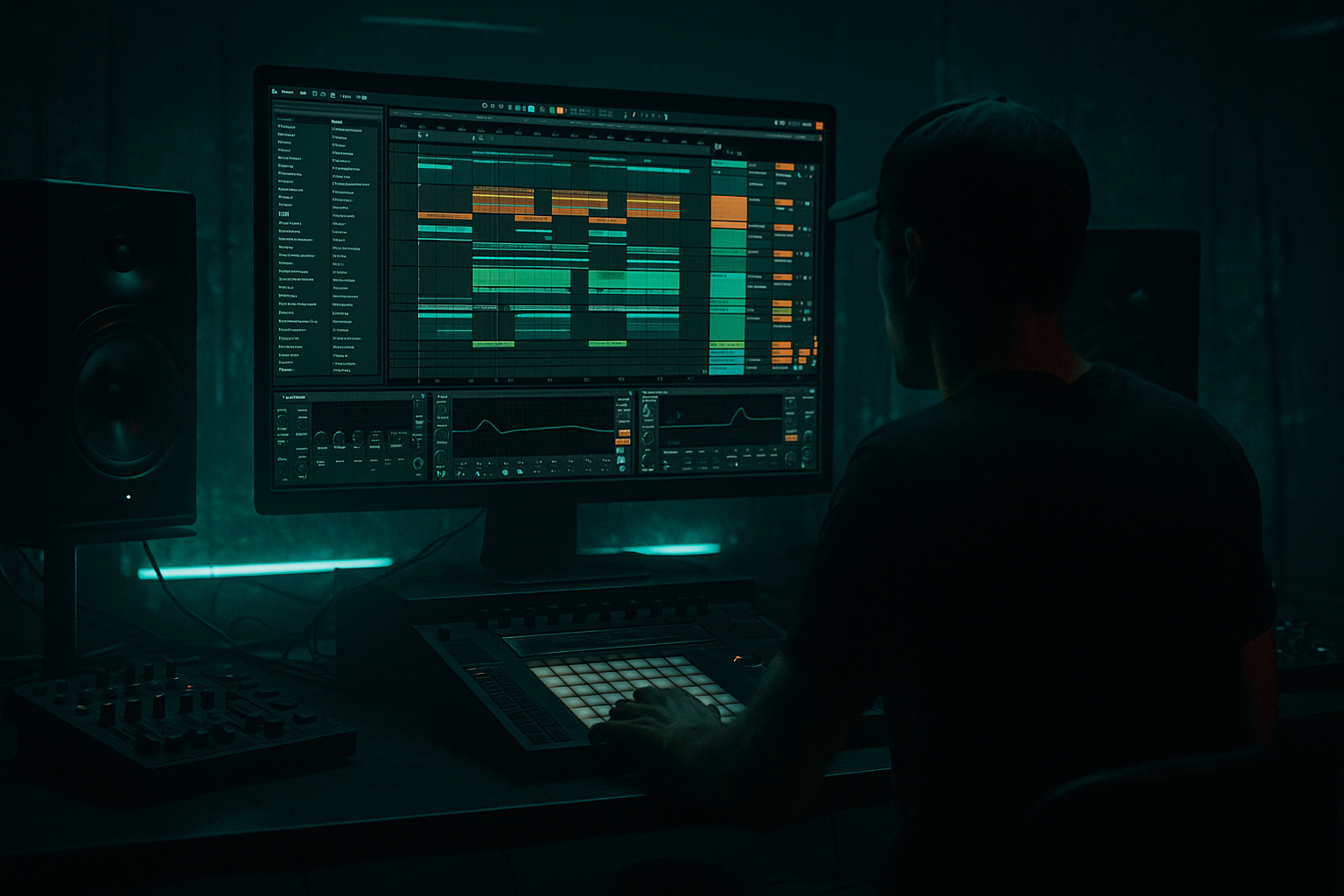
Main tutorial
Lesson Overview
This lesson is about building warm tape-style grit on sub and bass elements for jungle, oldskool DnB, rollers, and darker bass music inside Ableton Live 12, then using that texture in a way that still translates on big systems. The goal is not to “dirty up” the low end randomly — it’s to create a controlled, tape-worn bass character that feels like it came off a well-loved dubplate, while keeping the sub stable, mono-compatible, and club-ready.
In DnB mastering, this matters because the low end carries the entire record. If your sub is too clean, the track can feel sterile; too distorted, and the kick/sub relationship collapses. The sweet spot is that soft saturation, slight compression glue, and harmonic haze that makes a bassline feel larger, older, and more physical without eating the mix. Think: rewound jungle intro energy, bruised tape warmth, and a bassline that steps forward with attitude.
We’ll build a mastering-style sub enhancement chain in Ableton Live 12, then show how to apply it as a bus/process on a bass group or even the full pre-master. This is especially useful for tracks where the low end needs character: sub-heavy rollers, Reese-driven halftime, jungle cuts with chopped breaks, and murky techstep/neuro-adjacent drop sections.
Why this technique matters in DnB:
- It adds audible bass harmonics so the sub reads on smaller systems.
- It increases perceived loudness without aggressive limiting.
- It gives your bassline a more authentic tape / vinyl / dubplate feel.
- It helps the bass sit with breaks by softening transient edges and gluing the low end into the groove.
- A solid mono sub foundation below roughly 90–110 Hz
- Gentle harmonic lift in the 120–400 Hz zone for audible bass presence
- Soft tape-style compression and saturation for rounded low-end density
- Controlled stereo width above the sub region only
- A subtle sense of wobble, dust, and aged character without mud
- A final tone that suits oldskool jungle, ragga-inflected DnB, dark rollers, and deep halftime
- A rolling 2-step or break-led groove
- A bassline that alternates between sub holds and melodic movement
- A drop where the first 8 bars need to feel grimy but not overcrowded
- A DJ-friendly intro/outro that leaves room for the mix but still sounds like a record with character
- Distorting the actual sub too hard
- Letting saturation create uncontrolled low-mid mud
- Using too much width on bass harmonics
- Over-compressing the bass bus
- Pushing the master limiter to solve bass balance problems
- Ignoring arrangement context
- Layer a very quiet filtered noise or vinyl-like texture under the bass grit chain to give the low mids a “room” feel without adding obvious hiss.
- Use Resonators very subtly on a high-passed parallel bass layer to emphasize specific harmonic bands for eerie neuro/jungle color.
- For heavier rollers, let the bassline answer the break with shorter note lengths in one phrase and longer held sub notes in the next. Tape grit sounds more musical when the phrasing breathes.
- If your kick and sub are fighting, use sidechain compression on the bass group with a very moderate amount: just enough to create a pocket, not a pump.
- Try a Resampling workflow: print the grit chain, then chop it into hits and fills. This often creates more believable jungle texture than endlessly tweaking live parameters.
- In the breakdown, remove some low-mid saturation and let atmosphere take over; then reintroduce the full warm grit on the drop for a bigger perceived impact.
- If the tune feels too modern-clean, reduce pristine top-end on the bass and focus the ear on the 120–300 Hz “recorded” zone — that’s where oldskool weight often feels most authentic.
- Keep the sub mono and stable
- Add grit mainly to the upper bass / midbass
- Use Saturator, EQ Eight, Compressor, Utility, and Glue Compressor as your core tools
- Automate texture by section so the drop evolves
- Always check mono compatibility and low-end headroom
---
What You Will Build
You will build a warm, tape-style sub enhancement chain in Ableton Live 12 that works as a mastering-stage bass color process or a pre-master low-end glue bus.
The result will be a sound that has:
Musically, this works brilliantly when your track has:
---
Step-by-Step Walkthrough
1. Choose the right source to process: bass bus first, master second
For advanced DnB work, don’t start by processing the full master unless you already have a very clean arrangement. Instead, create a dedicated Bass Group that contains:
- Sub layer
- Reese / midbass layer
- Optional texture/noise layer
- Any bass FX prints or resampled fills
Route that group to a return or parallel chain, or place the chain directly on the group if you want a more direct mastering-style result.
Why this works in DnB: the sub and bass movement often need shared coloration to feel cohesive. If you distort only one layer randomly, the groove can split apart. Group processing gives the low end a unified “recorded through tape” identity.
Start by leaving at least -6 dB peak headroom on the master if you’re working in a premaster context. DnB masters need room for the later limiter stage, especially when the drop is dense with breaks and Reese harmonics.
2. Clean the sub before coloring it
Insert EQ Eight first on the bass group. Use it to define where the tape-style warmth will live.
Suggested setup:
- High-pass at 20–30 Hz with a gentle slope to remove useless rumble
- If the bass is muddy, make a small cut around 180–300 Hz by about 1–2.5 dB
- If there’s nasal boxiness, look around 400–700 Hz and reduce only what’s necessary
For a true sub-heavy jungle tune, keep the sub intact below around 80–100 Hz. For rollers or modern dark DnB, you can let a little harmonic body sit in the 110–200 Hz area so the bass feels more audible on mid-sized systems.
A useful move is to put Utility after EQ Eight and set the bass group to Mono if it isn’t already. If you want a subtle safety check, use Utility’s width control on any parallel layer, not the core sub.
Parameter suggestion:
- Mono: 100% on sub-critical material
- Width on upper bass texture layer: 110–140%, but only above the low end
3. Build the tape-style grit with Saturator, but keep it controlled
Add Saturator next. This is the main color stage. On bass and sub, you want harmonic generation, not square-wave destruction.
Try these settings as a starting point:
- Type: Soft Sine or Analog Clip
- Drive: +2 to +6 dB
- Output: trim back to match level
- Soft Clip: On
- Dry/Wet: 60–100% depending on intensity
If your bassline is a Reese or warped sub, use a little more drive on the midbass layer and less on the pure sub layer. For classic oldskool jungle, the magic is often in the upper harmonics blooming around 200–500 Hz, not in smashing the fundamental.
If the tone gets too sharp, reduce Drive before reaching for EQ. The goal is a rounded, tape-like thickness, not digital fuzz.
For extra control, use Multiband Dynamics only if the harmonic buildup is uneven across the spectrum. Keep it subtle:
- Low band ratio: around 1.2:1 to 1.5:1
- Medium attack, slower release
- Just 1–3 dB of gain reduction on peaks
4. Add gentle compression to simulate tape glue and reduce “spiky” bass movement
Place Compressor after Saturator if the bassline has sharp note jumps or if your resampled bass has inconsistent levels. This is especially helpful for call-and-response bass phrasing in jungle or rollers where the bass changes note density across 2- or 4-bar phrases.
Suggested Compressor settings:
- Ratio: 1.5:1 to 2.5:1
- Attack: 10–30 ms
- Release: 80–180 ms
- Knee: soft if available in your chosen mode
- Gain reduction: only 1–3 dB on average
If the track is already dense with breaks, keep the compressor very gentle. You want the bass to sit down into the groove, not flatten the energy.
For a more oldskool feel, a slightly slower attack lets the sub transient breathe before the glue clamps down, mimicking the rounded front edge of tape and analog chain coloration.
5. Shape the harmonic “dust” with a Parallel Rack
Create an Audio Effect Rack and build a parallel chain for harmonic dirt. This is where the character gets more advanced and more DnB-specific.
Make two chains:
- Clean Sub Chain
- Grit Chain
On the Clean Sub Chain:
- Keep it mostly untouched
- Use EQ Eight to low-pass around 90–120 Hz if necessary
- Keep Utility mono
On the Grit Chain:
- EQ Eight: high-pass around 90–140 Hz
- Saturator: Drive +4 to +8 dB
- Overdrive or Pedal: very lightly, if needed, for extra edge
- Auto Filter: gentle band-pass movement if you want motion
- Utility: reduce width if the grit is too wide in the low mids
Blend the grit chain in at a low level until the bassline gets audible on smaller speakers without sounding like obvious distortion. This parallel method is excellent for jungle bass stabs, damaged reese layers, and oldskool rewinds because it preserves the sub while adding grit on top.
Practical blend range: the grit chain often sits around -12 to -20 dB below the clean chain, depending on the source. Trust your ears and reference in mono.
6. Use Glue Compressor or Limiter only for final cohesion, not as a distortion fix
If this chain is on your bass bus or pre-master, add Glue Compressor after the color stages for a final “desk glue” feel. This is more mastering-oriented and works well when your drums and bass are already strong.
Suggested Glue Compressor settings:
- Ratio: 2:1
- Attack: 3–10 ms
- Release: Auto or 0.3–0.6 s
- Threshold: only enough for 1–2 dB gain reduction on peaks
- Soft Clip: On if you need a rounded peak shape
If you need the final top of the bass to stay controlled before limiting, use Limiter very gently after Glue Compressor. Avoid over-limiting the bass bus; DnB relies on transient contrast between breaks and bass. Too much limiting turns punch into cardboard.
In mastering terms, think of this stage as “glue the record, don’t crush the record.”
7. Automate texture and intensity across the arrangement
The strongest DnB masters don’t feel static. Even if the bass patch is the same, the density and grit can evolve over 16 or 32 bars.
Useful automation ideas:
- Saturator Drive slightly up in the second half of the drop
- Parallel grit chain level up by 1–2 dB in the second 8 bars
- Filter cutoff on the grit chain opens for impact into the drop
- Utility width opens subtly on the upper bass texture during a breakdown or switch-up
Arrangement example:
In a 32-bar drop, keep the first 8 bars tighter and darker. In bars 9–16, automate a slight increase in harmonic density to make the groove feel like it’s “warming up.” Then in bars 17–24, strip it back for contrast or introduce a call-and-response phrase. This is classic jungle/DnB tension control: the bassline breathes, but the energy keeps rising.
For oldskool vibes, automate a little more grime into the replay or second drop, as if the tune is being driven harder the longer it plays.
8. Check stereo discipline and mono compatibility like a mastering engineer
Open Utility and Spectrum on the bass chain or master. The sub should remain centered and steady, especially below 100 Hz. If the bass seems impressive in stereo but weak in mono, you’ve gone too far on width or phasey saturation.
Do this check:
- Collapse to mono
- Listen to the kick/sub relationship
- Compare level and punch before/after saturation
- Confirm the bass still reads when the upper harmonics are less audible
If mono collapses the sound too much:
- Reduce width on any parallel chain
- Reduce stereo processing on the midbass texture
- Keep the sub layer strictly mono
- Move distortion upward in frequency with EQ before saturation
Why this works in DnB: clubs, bass bins, and PA systems reward mono-stable low end. A warm tape-style bass that disappears in mono is not “vintage”; it’s just fragile.
---
Common Mistakes
Fix: keep the clean sub mostly untouched and distort a filtered parallel layer instead.
Fix: use EQ Eight before and after Saturator; trim around 200–400 Hz if the bass clouds the break.
Fix: mono the low end, and only widen the higher bass texture if needed.
Fix: keep compression to small gain reduction, especially in fast DnB where groove and transient movement matter.
Fix: balance the bass group first. Master limiting should finish, not rescue.
Fix: a gritty bassline that works in the drop may be too much in the intro or outro. Automate intensity by section.
---
Pro Tips for Darker / Heavier DnB
---
Mini Practice Exercise
Spend 10–20 minutes doing this on a 16-bar bass loop:
1. Build a clean sub layer and a Reese or midbass layer in Ableton Live 12.
2. Group them and insert EQ Eight, Saturator, Compressor, Utility in that order.
3. Make the sub strictly mono and keep the clean layer restrained below 100 Hz.
4. Add a parallel Grit Chain with high-pass EQ, stronger Saturator drive, and a slightly compressed texture.
5. Automate the grit chain level so bars 1–8 are cleaner and bars 9–16 are dirtier.
6. Check mono compatibility and adjust until the bass still feels full when collapsed.
7. Bounce the result and compare it with the dry version at matched loudness.
Goal: make the bass sound older, thicker, and more expensive without losing sub integrity or groove.
---
Recap
The core idea is simple: warm the bass like tape, but protect the sub like a mastering engineer. In Ableton Live 12, the best DnB result usually comes from clean sub control, parallel harmonic grit, gentle compression, and arrangement-based automation.
Remember:
If you get this right, your jungle and DnB basslines will feel like they’ve been through a proper system: warm, worn-in, and ready to shake the room 🔥

