Main tutorial
```markdown
Dialogue Snippets as Hooks (Arrangement View) — Advanced DnB Sampling in Ableton Live 🎙️⚡️
1. Lesson overview
Dialogue hooks are a staple in drum & bass, jungle, and rolling bass music: short spoken lines that anchor the identity of a track, create anticipation, and glue together drops, breakdowns, and reloads. In this lesson, you’ll build an arrangement-driven workflow in Ableton Live for turning raw dialogue into a tight, mix-ready hook that hits hard over 170–176 BPM.
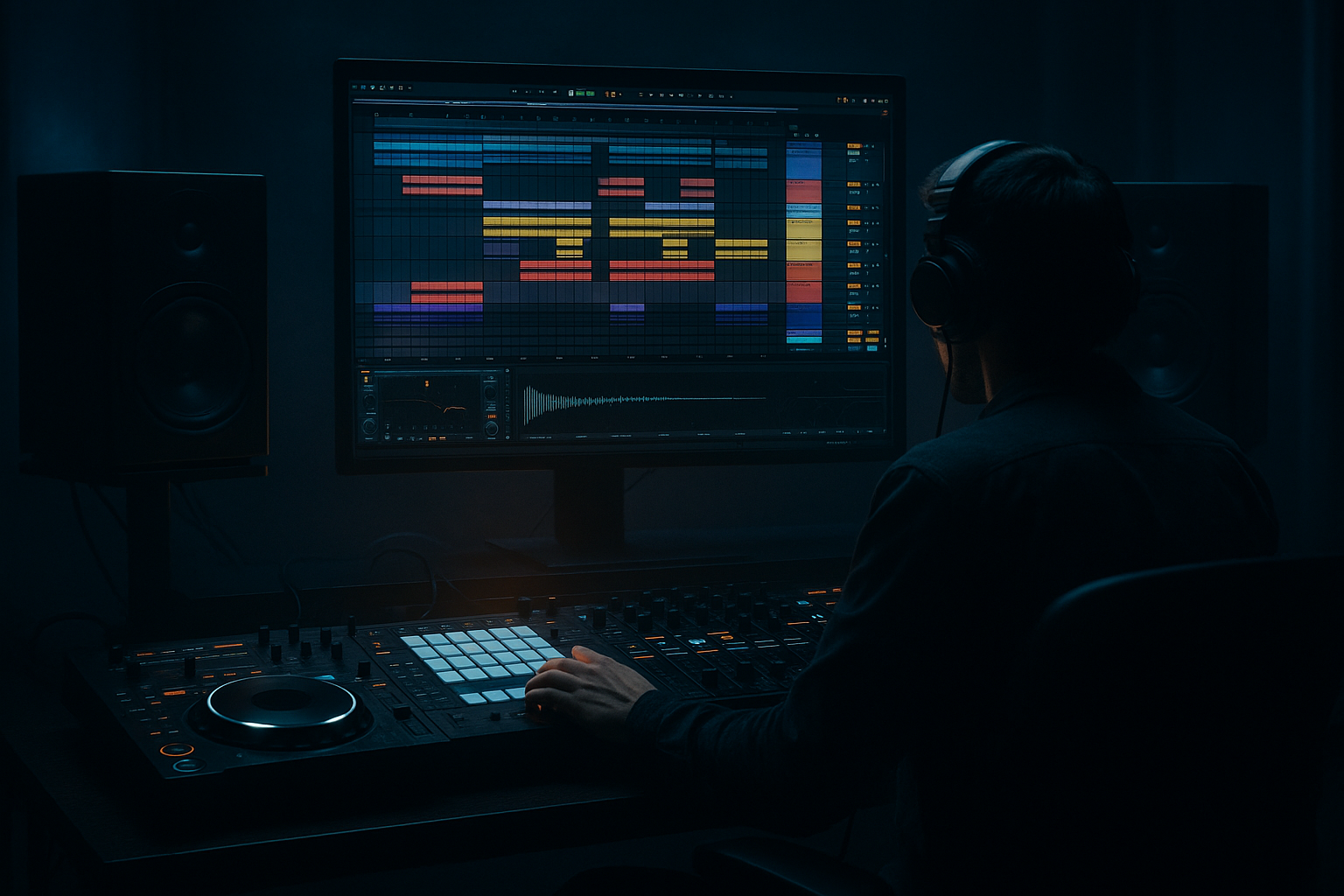
We’re staying in Arrangement View on purpose: dialogue hooks live in the timeline (call/response, drop announcements, fake-outs, pre-drop tension), and you’ll get more control than you would in a purely clip-based approach.
---
2. What you will build
You’ll produce a DnB drop hook system:
- A main dialogue catchphrase (1–2 seconds) that repeats in key sections
- A pre-drop teaser (heavily filtered + reverbed)
- A drop callout (tight, punchy, transient-forward)
- A post-drop ear-candy tail (stutter/delay throws)
- A clean dialogue bus chain that keeps vocals aggressive without masking snares
- Drop bar 1: full hook (statement)
- Drop bar 9: shorter chopped version (response)
- Drop bar 17: silence (let drums breathe)
- Drop bar 25: hook returns with a delay throw
- HPF: `90–140 Hz`, 24 dB slope (keep sub clean)
- Cut mud: `250–450 Hz` (2–4 dB if needed)
- Presence: small boost `2.5–5 kHz` (1–3 dB) if it’s dull
- De-harsh: dip `6–9 kHz` if sibilant
- Drive: `5–15`
- Crunch: `5–25` (watch hi-hat harshness)
- Damp: adjust to taste
- Boom: OFF or very low (dialogue rarely needs it)
- Mode: `Analog Clip`
- Drive: `2–6 dB`
- Soft Clip: ON
- Output: level-match (don’t just make it louder)
- Attack: `3 ms`
- Release: `Auto` or `0.1 s`
- Ratio: `4:1`
- Aim for GR: `2–5 dB` on peaks
- Ceiling: `-0.8 dB`
- Use only to catch spikes, not to crush.
- Sidechain: ON
- Input: your Drum Bus (or the Snare track if you want it to duck mainly on snare hits)
- Ratio: `2:1` to `4:1`
- Attack: `1–5 ms`
- Release: `60–120 ms`
- Aim for: `1–3 dB` ducking
- Over-warping the dialogue → phasey/metallic artifacts. Fix only what drifts.
- Too much reverb in the drop → smears your snare and kills impact.
- No midrange carving → hook fights the bass growl and leads.
- Hook repeats too often → becomes annoying fast at 174 BPM.
- Ignoring consonants → speech sounds “behind the beat.” DnB needs crisp starts.
- Pitch it down tastefully: Try `-2 to -5 semitones` with Complex Pro (Formants ON). Darker but still intelligible.
- Parallel smash bus: Create a Return with:
- Noise gate for intimidation: Use Gate keyed by the dialogue itself to tighten room tone between words.
- Call-and-response with bass: Leave a gap after the hook so a bass stab answers it (classic neuro/rollers interplay).
- Mono-check always: Dialogue should remain readable in mono. Use Utility to test.
- Is the hook audible on small speakers?
- Does the snare still feel dominant?
- Does the hook feel intentional rather than pasted on?
- You built a timeline-controlled dialogue hook workflow in Arrangement View.
- You created teaser vs drop versions with different processing goals.
- You used stock Ableton devices (EQ Eight, Drum Buss, Saturator, Glue, Echo, Hybrid Reverb, Utility) to make dialogue punchy, dark, and mix-safe.
- You arranged variations so the hook supports the energy arc of a proper DnB tune—without becoming repetitive.
Target vibe: dark/rolling DnB with a touch of jungle attitude 😈
---
3. Step-by-step walkthrough
Step 0 — Prep your session (DnB-ready)
1. Set tempo: `174 BPM` (classic rolling pace).
2. Arrangement markers: Create locators:
- Intro (0:00)
- Build (0:32)
- Drop 1 (1:04)
- Breakdown (1:52)
- Drop 2 (2:24)
3. Group your drums & bass early:
- Drums group
- Bass group
- Music group
- Vox group (we’ll build this)
Why: dialogue hooks work best when they’re arranged like instrumentation—planned repetition + variation.
---
Step 1 — Import + choose a usable snippet (fast curation)
1. Drag your dialogue audio into Arrangement View on a new audio track: `VOX RAW`.
2. Enable Warp.
3. In the Clip View:
- Warp Mode: `Complex Pro`
- Formants: ON
- Envelope: Start at `120` (adjust later)
4. Listen for a phrase with:
- Clear consonants (T/K/P sounds)
- A strong emotional tone (threat, urgency, swagger)
- Minimal background noise (or at least consistent noise)
DnB tip: Hooks work best when the rhythm of the speech naturally fits 2-bar or 4-bar phrasing.
---
Step 2 — Tight cut + transient-friendly editing
1. Slice the phrase precisely:
- Zoom in, cut on zero crossings where possible.
- Remove breaths only if they distract—sometimes breaths add grit.
2. Add fades:
- 2–5 ms fade-in (prevents clicks)
- 10–30 ms fade-out (controls tails)
3. Consolidate your main hook:
- Select the phrase → `Cmd/Ctrl + J`
- Rename the clip: `HOOK_MAIN`
Goal: You want a clip that can be repeated without sounding sloppy.
---
Step 3 — Make timing lock to the groove (without sounding “warped”)
1. Set the clip’s Seg. BPM roughly to match the dialogue cadence.
2. Use Warp markers sparingly:
- Anchor the first word on the grid (often 1.1.1 or 1.3.1).
- Fix only obvious drift (don’t over-warp; it causes artifacts).
3. If you want a more “cut-up jungle” vibe:
- Switch Warp Mode to `Tones`
- Adjust Grain Size ~ `10–25`
- This gives a textured, time-stretched character.
Workflow suggestion: get one perfect “on-grid” version first. You’ll create loose/late variations later for swagger.
---
Step 4 — Duplicate into a hook lane (Arrangement-first structure)
1. Duplicate the track twice:
- `VOX HOOK (DROP)`
- `VOX TEASER (BUILD)`
2. In Arrangement View, place:
- TEASER: 2 bars before Drop (e.g., 1:00–1:04)
- HOOK: bar 1 of the drop and then every 8 or 16 bars (don’t overuse)
DnB arrangement idea:
---
Step 5 — Build a solid “DnB dialogue” device chain (Ableton stock)
On `VOX HOOK (DROP)`, use this chain (in order):
#### 1) EQ Eight (cleanup + pocketing)
#### 2) Drum Buss (for aggression)
#### 3) Saturator (controlled grit)
#### 4) Glue Compressor (pin it in place)
#### 5) Limiter (safety)
Why this works in DnB: Your drums are loud and fast; dialogue needs midrange authority without random peaks.
---
Step 6 — Create the pre-drop teaser (tension design)
On `VOX TEASER (BUILD)`, start from the same chain but modify:
1. Auto Filter (movement)
- Type: `LP 24`
- Cutoff: automate from ~`1.2 kHz` down to `250 Hz` over 2 bars
- Resonance: `0.7–1.2` (careful—DnB systems exaggerate resonant sweeps)
2. Hybrid Reverb (space + dread 🕳️)
- Algo or Convolution: either works; try Convolution for realism
- Decay: `2.5–6 s`
- Pre-delay: `20–40 ms`
- High cut: `4–8 kHz` (keep it dark)
- Mix: use a Return if possible (cleaner control)
3. Utility (stereo discipline)
- Bass Mono: ON
- Width: `80–120%` (if it gets too wide, reduce)
Automation idea: fade the teaser reverb OUT right before the drop so your first snare hits clean.
---
Step 7 — Stutters + “throw” effects (Arrangement automation moves)
DnB hooks shine when they “answer” the drums. Two powerful Arrangement View tricks:
#### A) Stutter edit (manual, clean)
1. Duplicate the hook clip.
2. Slice a consonant hit (like “t”, “k”, “p”) into 1/16 or 1/32 pieces.
3. Repeat the slice 2–4 times right before the snare.
DnB placement: last 1/2 bar before drop, or bar 8 → bar 9 transition.
#### B) Delay throw (send automation)
1. Create a Return track: `A - VOX THROW`
2. Put Echo on Return A:
- Time: `1/8` or `1/4`
- Feedback: `25–45%`
- Filter: HP around `250 Hz`, LP around `6 kHz`
- Mod: subtle (2–5) for movement
3. In Arrangement, automate the `VOX HOOK` send to Return A:
- Normally at `-inf`
- Spike to `-12 to -6 dB` on the last word only
- Immediately back down
Result: a classic “one-word throw” that fills space without cluttering the whole bar.
---
Step 8 — Sidechain the dialogue to the drums (so it sits in a loud mix)
On the Vox Group, add Compressor (not Glue for this):
Why: keeps your hook audible at all times while avoiding snare masking—crucial in rolling DnB.
---
Step 9 — Create variation across the arrangement (don’t loop it like a beginner)
In Arrangement View, commit to at least 3 variations:
1. HOOK_FULL (clean + punchy)
2. HOOK_DISTORT (heavier for Drop 2)
- Add Redux lightly:
- Bit Reduction: `10–14`
- Downsample: subtle (or OFF)
- Mix via Dry/Wet ~ `5–15%`
3. HOOK_PHONE (breakdown/intro)
- EQ Eight band-pass:
- HP ~ `300 Hz`
- LP ~ `3 kHz`
- Add a touch of Vinyl Distortion (very low) for vibe
DnB arrangement trick: Drop 2 hook often hits harder if it’s meaner (more saturation + less reverb) than Drop 1.
---
4. Common mistakes
---
5. Pro tips for darker/heavier DnB 😈
- Saturator (Drive 8–12)
- Glue Compressor (fast attack)
- EQ Eight (band-pass 300 Hz–6 kHz)
Blend in quietly for density.
---
6. Mini practice exercise (15–25 minutes)
1. Pick a 1–2 second phrase (or record one on your phone).
2. Create:
- A teaser 2 bars pre-drop (Auto Filter + Hybrid Reverb)
- A drop hook (EQ Eight → Drum Buss → Saturator → Glue)
- A 1-word Echo throw at the end of bar 8
3. Arrange it across a 32-bar drop:
- Bars 1–2: full hook
- Bars 9–10: chopped hook (stutter)
- Bars 17–18: no hook
- Bars 25–26: distorted hook
4. Sidechain the Vox Group to drums for 1–3 dB ducking.
Deliverable: bounce a quick 60-second demo and check:
---
7. Recap ✅
If you want, tell me what subgenre you’re aiming for (rollers, neuro, jump-up, jungle) and what kind of dialogue (movie, grime vocal, spoken word). I’ll suggest exact bar placements and a tighter device chain for that vibe.
```

