Main tutorial
Lesson Overview
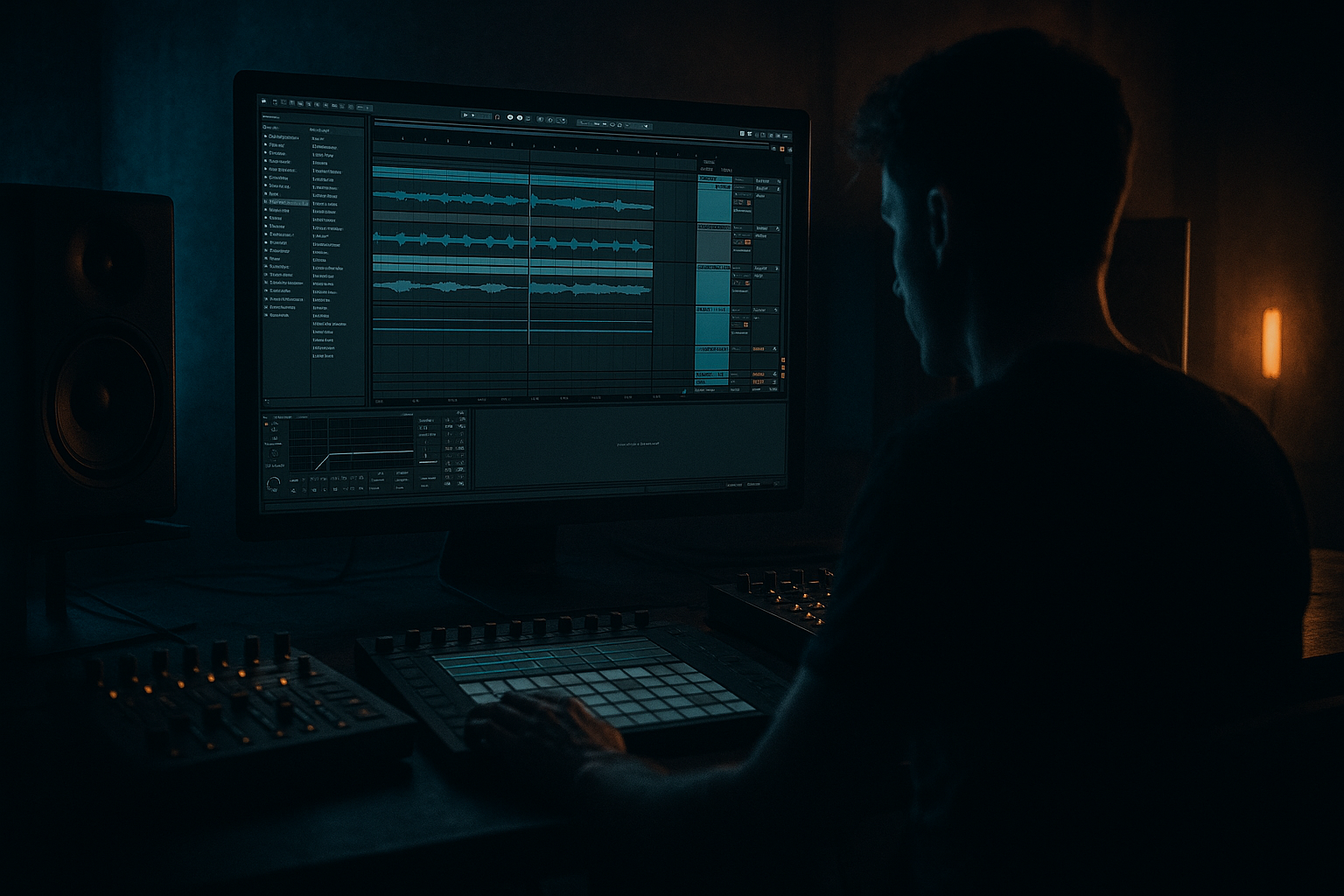
This lesson is about building a dubwise chopped-vinyl texture inside Ableton Live 12 that sits in a deep jungle / darker rollers context without turning into vague “lo-fi ambience.” The goal is a texture that feels like it came from a worn dub plate or a late-night record pull: unstable, spectral, rhythmic, and full of character, but still controlled enough to live behind drums and bass.
In a DnB track, this kind of atmosphere usually lives in the intro, breakdown, pre-drop tension, between drum phrases, and as a low-level bed under the first or second drop. It matters musically because it gives your tune a sense of place and history; it matters technically because it adds movement and grit without competing with the sub, snare, or break transients. For deep jungle and dubwise material, the atmosphere should feel like it’s breathing with the groove, not floating outside it.
By the end, you should be able to make a texture that sounds like a chopped vinyl loop with dub delay smears, filtered crackle, time-worn pitch drift, and stereo depth that collapses safely to mono. A successful result should feel murky and alive, with enough rhythmic identity that you can recognize it in the mix, but not so much detail that it starts fighting the break or masking the bassline.
What You Will Build
You will build a 16-bar chopped-vinyl atmosphere layer that has:
- a worn, dusty vinyl character
- short, deliberate chops that imply a loop rather than a pad
- dub-style space from delays and filtering
- subtle pitch instability and stereo movement
- enough midrange texture to read on club systems, but no low-end clutter
- mix-ready control so it can sit under a jungle arrangement without eating headroom
- Treat the atmosphere like a side-character in the mix hierarchy. The break and bass must stay dominant. If you want menace, use the atmosphere to suggest danger in the gaps rather than filling every gap.
- Automate darkness, not just brightness. A slow close-down of the filter into a drop can feel heavier than simply boosting the source. Darkness before impact makes the drums feel bigger.
- Use resampling to capture happy accidents. Print a pass when the delay feedback lands in a useful way. Then edit the audio for the best fragment. Printed texture often sounds more believable than endlessly live modulation.
- Keep the low-end fake out under control. If you want a weighty illusion, let the atmosphere hint at bass through harmonics above the sub region instead of adding real low-end energy.
- Create tension with negative space. A chopped-vinyl bed that drops out for half a bar before the snare can feel more threatening than a constantly present drone.
- Make the second drop slightly meaner. Bring back the atmosphere with a harsher chop, a darker filter shape, or a shorter delay decay so it feels evolved rather than repeated.
- If the track is neuro-leaning, reduce obvious nostalgia and increase mechanical precision. Keep the vinyl texture present, but edit it tighter and narrower so it supports the machine-weight of the rhythm.
- Use only Ableton stock devices.
- Start from one short audio sample.
- Keep all low frequencies below roughly 150–250 Hz removed.
- Use no more than one delay and one modulation device.
- Resample the result into audio and make at least two edits.
- Can you still hear the snare crack clearly when the atmosphere plays?
- Does the texture feel like chopped vinyl, not just a blurred pad?
- Does it stay intelligible in mono?
- Does the pre-drop version create more tension without getting louder than the drums?
Think of it as a supporting character, not a lead. It should feel like a half-remembered record fragment drifting across the bars, with the groove of the drums still clearly dominant. In a finished tune, this should be polished enough to leave in the arrangement, automate into the build, and expose in the breakdown without needing emergency cleanup later.
Step-by-Step Walkthrough
1. Start with a source that has real harmonic dust, not a clean pad
The best starting point is an audio clip with some old-record or found-sound quality: a short phrase, a broken chord, a horn stab, a vocal tail, a single guitar hit, or even a tiny bit of sampled vinyl noise with musical content. If you already have vinyl crackle, great — but don’t build only from noise. You want something with midrange identity so the chops feel like fragments of a musical event.
In Ableton, drop the source onto an audio track and trim it to a useful 1–2 bar region. If it’s too clean, process it first with Simpler or directly as audio. If the source is harmonically rich, keep it modestly filtered at this stage rather than over-committing to heavy distortion right away.
Why this works in DnB: jungle atmospheres need texture that can survive fast drums. A pure pad often smears into the mix; a chopped sample has edges and rhythm, so it reads through break edits and bass movement.
What to listen for:
- whether the source has a “grain” in the 300 Hz–3 kHz region
- whether the sample still feels interesting when looped for 4 bars
- whether the noise floor and tonal content complement the tune’s mood
2. Turn the source into a rhythmic object with Simpler or slicing
Put the sample into Simpler and use it as a chopped source rather than a sustained texture. If the material has strong transient moments, use Slice mode and trigger the fragments across MIDI. If it’s more like a continuous loop, keep it in Classic mode and carve it with envelope and filter movement.
For a chopped-vinyl feel, I usually prefer Slice mode when the source has visible hits, because the gaps between slices create that “edited record loop” sensation. Use short slice lengths and leave space between triggers. If the sample is less percussive and more wash-like, stay in Classic and shape the loop with volume and filter envelopes.
Suggested starting points:
- amp envelope attack: very short, around 0–10 ms
- release: 50–200 ms depending on how smeared you want it
- filter cutoff: somewhere in the 600 Hz to 4 kHz region to taste
- resonance: moderate, not enough to whistle
- glide/portamento: minimal or off, unless you want an intentional tape-sway effect
A versus B decision:
- A: Slice mode = more chopped, more rhythmic, more “sampled from a record”
- B: Classic mode = more fluid, more dub fog, better if you want a bed under drums
Choose A if the atmosphere should punctuate the groove. Choose B if the atmosphere should smear behind the drums and bass.
3. Build the vinyl character with a tight stock-device chain
A very usable stock chain here is:
Simpler → Saturator → Auto Filter → EQ Eight → Reverb
Or, for a dirtier version:
Simpler → Redux → Saturator → Auto Filter → Delay → EQ Eight
Use Saturator first to thicken the mids. Drive modestly — often around 1 to 4 dB is enough. If the texture starts to spit too hard in the upper mids, back off and move the color downstream with filtering instead. Redux can be effective in tiny amounts, but keep it restrained; if you reduce bit depth too much, the texture becomes brittle and starts fighting the snare.
With Auto Filter, roll the low end away aggressively. For this kind of layer, the important range is usually the upper bass to midrange. Start with a high-pass around 120–250 Hz, then adjust by ear based on the bassline and drum kit. If the track is already dense, you may need to high-pass even higher.
In EQ Eight, remove any boxy buildup around 200–500 Hz if the atmosphere clouds the drums. Add a small, wide lift somewhere around 1.5–4 kHz only if the chopped detail has gone dull after filtering.
Why this works: the saturation gives you harmonic “record” density, the filter makes space, and EQ keeps the texture in its lane so it can add character without muddying the low-end architecture.
4. Impose a dub timing language with delay, but don’t let it run the arrangement
Use Echo or Delay to create the dubwise tail, but treat it like a performance effect, not a permanent wash. Set the timing to a musically useful subdivision: 1/8, dotted 1/8, or 1/4 depending on the energy you need. For deep jungle, dotted values often give the right push-pull without sounding generic.
Keep feedback controlled:
- short dub accents: around 15–30% feedback
- deeper wash: 30–45% feedback, but only if filtered hard
Filter the delay return or use the device’s tone controls so the repeats don’t fight the snare crack or vocal presence. Dark repeats around the 1–5 kHz zone often work well when the source is already noisy. If the delay begins to cloud the kick/snare interaction, reduce feedback before reducing the dry signal.
What to listen for:
- whether the repeats create a call-and-response with the drum grid
- whether the delay adds space without swallowing the chop rhythm
- whether the tail still feels controlled when the drop arrives
If the delay starts to smear the groove, shorten the feedback and automate send amount only on transition bars. In DnB, a dub delay that is always on can quickly flatten the arrangement.
5. Add movement that feels like worn vinyl, not random modulation
You want subtle instability, not obvious wobble. Use Shaper or Auto Pan very lightly if you want drift, or automate a narrow filter movement over 4 or 8 bars. Another very effective option is to use Chorus-Ensemble sparingly for width and slight pitch smear, but keep it subtle enough that the source still feels like one record object.
A reliable movement blueprint:
- filter cutoff slowly opening and closing over 8 bars
- tiny volume dips on offbeats to imply chopped editing
- occasional pitch offset changes if the source is in Simpler and the vibe calls for it
- very light stereo drift, not a wide chorus cloud
For a chopped-vinyl atmosphere, think in phrases, not LFO spam. A small change every 2 or 4 bars is often stronger than continuous motion because it feels arranged rather than “preset animated.”
Stop here if the texture already reads as a character layer with enough groove. At this point, if it can sit under a break loop without distracting from the snare and ghost notes, commit it to audio and move on. Printed audio helps you stop over-tweaking and lets you edit the chops more decisively.
6. Resample and edit the chops like a drum phrase
This is where the idea becomes track-ready. Record or resample the processed atmosphere to a new audio track and cut it into 2-bar, 1-bar, and 1/2-bar fragments. Treat these like rhythmic phrases. You can then rearrange the fragments to answer the drums or leave holes for the bassline.
A good pattern for jungle atmosphere is:
- bars 1–2: sparse chop with space
- bars 3–4: a slightly busier phrase or a delay tail
- bars 5–6: strip back to negative space
- bars 7–8: bring back the most recognisable fragment before the drop
Use fades to avoid clicks, but don’t over-smooth the edits. A little roughness helps the record illusion. If you want the chop to feel tighter to the drums, nudge a slice slightly early or late by a few milliseconds. Tiny timing shifts can make the atmosphere lock into the swing of the break without becoming quantized mush.
Workflow efficiency tip: once you have one strong 8-bar chop performance, duplicate it and make only 2–3 targeted edits for variation. Don’t rebuild the whole texture from scratch every section — the power is in controlled variation, not constant reinvention.
7. Check it against drums and bass before you get attached
Bring the break and sub/bassline into the session early. This is a crucial context check. The atmosphere must support the tune, not just sound expensive in solo.
In context, ask:
- does the chop leave the snare transient clear?
- does the low-mid texture cloud the bass note definition?
- does the atmosphere make the groove feel deeper, or just busier?
If the bassline is a reese or moving low-mid bass, keep the atmosphere’s main energy above the bass’s core body. A useful move is to use EQ Eight with a sharper cut below 150–250 Hz and, if needed, a gentle dip around the bass’s most crowded low-mid region. The exact spot depends on your arrangement, but the idea is always the same: make room for the tune’s weight-bearing elements.
Mix-clarity note: check the atmosphere in mono if it has any stereo processing. If the core identity disappears in mono, you’ve made it too wide or too phasey. In a club, the sub and drum center matter more than stereo sparkle.
8. Choose the flavour: murky bed or punctuating feature
This is an important artistic decision point.
- Murky bed: keep the atmosphere lower in level, heavily filtered, with more continuous tail and less obvious chop. This suits deeper rollers, stealthy jungle intros, and tracks where the break and bass are the main event.
- Punctuating feature: make the chop more obvious, automate it in and out, and let specific fragments answer the snare or a call-and-response bass phrase. This suits darker dancefloor tracks, intro-to-drop transitions, and second-drop evolution.
If you choose the murky bed approach, keep the texture almost subliminal in the drop and bring it forward in the breakdown. If you choose the punctuating feature approach, the chops should feel intentional enough that a DJ can hear the section change immediately.
A successful result should sound like a dubwise atmosphere that is clearly present but never bossy — enough identity to create mood, enough restraint to preserve drum punch.
9. Automate the arrangement so the atmosphere earns its moments
This texture should not sit at the same intensity for the entire tune. Automate the filter, send amount, and clip gain so the atmosphere evolves across sections.
A practical arrangement example:
- Intro 1–8 bars: filtered version, sparse chops, delay send low
- Pre-drop 4 bars: open the filter gradually and raise delay send
- First drop: tuck it behind the drums and bass, using only short fragments
- Breakdown: bring the most recognisable chop back, with longer delay feedback
- Second drop: either strip it down for weight or reintroduce a new chop pattern for progression
This gives the atmosphere a DJ-friendly arc. You are not just decorating the track; you are creating phrase markers that help the mix breathe and reset.
What to listen for:
- whether the buildup feels like tension is increasing, not merely brightening
- whether the first drop still hits harder because the atmosphere stepped back
- whether the second drop earns its own identity instead of repeating the first
10. Finalize with controlled saturation and level discipline
After resampling and arranging, do one last pass with Saturator or Glue Compressor only if needed. The aim is not to make the atmosphere louder in isolation; it’s to keep the texture stable at a low level so it doesn’t jump out unpredictably.
Keep gain conservative. If the atmosphere is stealing attention from the snare or bass, pull it down before adding more processing. A lot of “heavier” atmosphere in DnB is actually just better level discipline and more precise frequency placement.
If the layer still feels too clean, add a touch more saturation or a slightly darker delay. If it feels too dirty, reduce the highs a little and smooth the chop envelope. The right end state is not “impressive solo tone”; it’s a credible atmospheric bed that supports the tune’s weight and motion.
Common Mistakes
1. Making the atmosphere too full-range
- Why it hurts: it competes with sub, kick, and snare body, which weakens the track immediately.
- Fix: use EQ Eight or Auto Filter to high-pass aggressively, usually somewhere above 120 Hz, and cut muddy low-mids if needed.
2. Using too much delay feedback
- Why it hurts: the wash piles up and blurs drum transients, especially in fast DnB phrasing.
- Fix: reduce feedback to a more controlled range, and automate send only on transition bars or breakdowns.
3. Over-widening the texture
- Why it hurts: wide phasey atmosphere can collapse badly in mono and leave the center feeling empty.
- Fix: keep the core identity narrow enough to survive mono, and check the result with a mono test before committing.
4. Choosing a source with no midrange character
- Why it hurts: a flat pad or sterile noise loop won’t read as “chopped vinyl,” even with effects.
- Fix: start from a sample with harmonic dust, transient detail, or obvious texture; then process it into atmosphere.
5. Letting the chops be rhythmically random
- Why it hurts: the layer sounds like unfinished sound design instead of a musical part.
- Fix: place chops in 2- or 4-bar phrases so they interact with the break and bassline like an arranged element.
6. Overprocessing before the groove is working
- Why it hurts: you can bury the identity of the sample under distortion and filtering before you know if the rhythm is right.
- Fix: build the chop pattern first, then add saturation, delay, and modulation once the phrase already feels musical.
7. Not checking the atmosphere against drums and bass
- Why it hurts: solo mode lies. What sounds lush alone can destroy the actual drop.
- Fix: audition it with the full drum/bass context early, and trim frequency or level immediately if it crowds the groove.
Pro Tips for Darker / Heavier DnB
Mini Practice Exercise
Goal: Build a chopped-vinyl atmosphere that can sit under a jungle break and bassline without masking the snare or sub.
Time box: 15 minutes
Constraints:
Deliverable:
A 16-bar atmospheric phrase with one sparse intro version and one denser pre-drop version.
Quick self-check:
Recap
Build the atmosphere from a sample with real character, chop it into phrases, and process it with controlled saturation, filtering, and dub delay. Keep the low end out of the way, edit it like part of the drum arrangement, and resample once the identity is working. In DnB, the best chopped-vinyl atmosphere doesn’t just sound vintage — it tightens the groove, deepens the space, and makes the drop feel earned.

