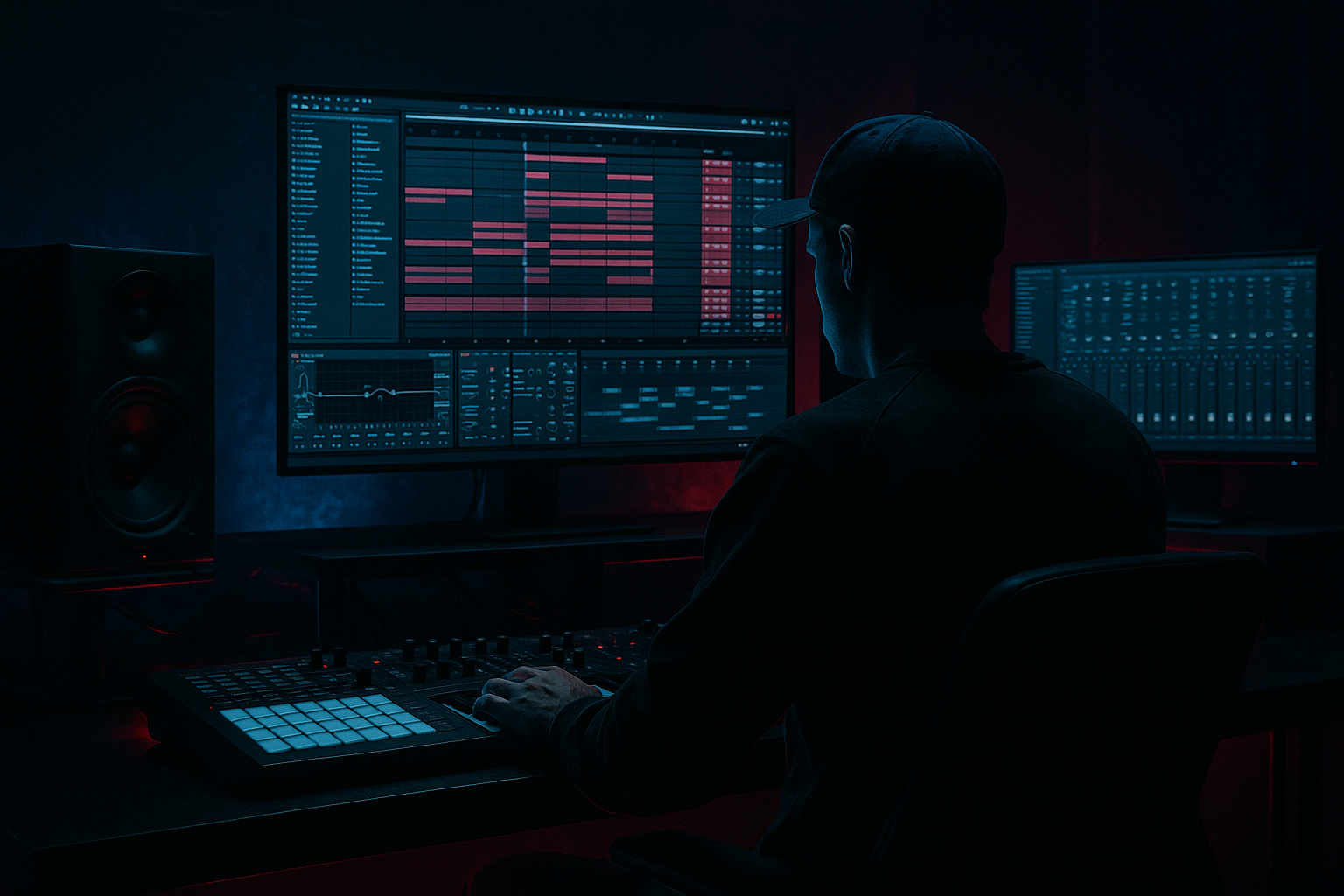
Main tutorial
```markdown
Future Jungle Blueprint: Impact Resample in Ableton Live 12 🔥🥁
Advanced Sound Design for Drum & Bass / Jungle
---
1. Lesson overview
Impact resampling is one of the most “future jungle” ways to make hits feel massive without relying on pre-made cinematic booms. In DnB, impact isn’t just a single sample—it’s a stacked transient + sub-thump + mid character + spatial tail, then resampled, re-shaped, and re-layered so it punches through busy breaks and rolling basslines.
In this lesson you’ll build a reusable Impact Resample Rack in Ableton Live 12 using mostly stock devices, then print variations you can drop into intros, drops, fills, and switch-ups.
---
2. What you will build
You’ll create:
- A 4-layer impact (Transient / Body / Sub / Tail)
- A resampling workflow to “print” your impacts into a single audio file
- A set of 3–6 variations (clean, distorted, stretched, reversed, gated)
- A DnB-ready arrangement use: pre-drop impact, drop marker, and fill hit
- Hybrid Reverb, Reverb, Echo, Saturator, Roar, Glue Compressor, EQ Eight, Drum Buss, Limiter
- Roar:
- EQ Eight:
- Transient shaping:
- Add Gate after reverb:
- Compressor on Tail audio track, Sidechain from Drum Bus (or Kick)
- Ratio 4:1
- Attack 2–10 ms
- Release 80–160 ms
- Aim for 3–6 dB ducking on tails
- Make impacts key-aware: tune sub layer to root/fifth, but detune Body by -10 to -30 cents for menace.
- Mid growl layer (optional): add a 5th chain using Wavetable with a gritty wavetable + short amp env. High-pass at 150–250 Hz.
- Parallel distortion only on mids:
- Use Roar’s feedback carefully for industrial edge (tiny amounts). Print versions at different drive levels.
- Transient emphasis without harshness: boost attack using Drum Buss Transients rather than EQ’ing lots of 8–10k.
- Print through bus context: audition impacts while breaks + bass are playing. An impact that sounds huge solo can disappear in the drop.
- You built an impact as a layered instrument, not a single sample.
- You used stock Ableton devices (Simpler/Operator/Hybrid Reverb/Roar/Glue/EQ/Drum Buss) to shape each layer.
- You resampled the result to audio for fast editing and variation.
- You created multiple DnB-ready versions and placed them like a real jungle arrangement tool.
Deliverable: a small folder of your own impacts that sound consistent with your track (key, tone, grit, space).
---
3. Step-by-step walkthrough
Step 0 — Session setup (so it feels like real DnB production)
1. Set tempo to 165–174 BPM (try 170).
2. Create these tracks:
- IMP_SRC (MIDI) – where we build the impact stack
- IMP_PRINT (Audio) – where we resample
- DRUM BUS and MUSIC BUS (optional but recommended)
3. Set your Return tracks:
- A: ShortVerb (tight room / plate)
- B: LongVerb (big tail)
- C: Delay/Space (optional)
Stock devices suggested:
---
Step 1 — Build the impact stack (the “Future Jungle” way)
#### 1A) Create an Impact Instrument Rack 🧱
On IMP_SRC (MIDI):
1. Drop an Instrument Rack
2. Create 4 chains named:
- Transient
- Body
- Sub
- Tail
You’ll trigger everything with a single MIDI note (usually C1 or C2).
---
#### 1B) Transient chain (cut through breaks)
Goal: short, sharp click/crack to read on small speakers.
1. Add Simpler (One-Shot mode).
2. Load a tight transient source:
- rimshot, stick click, snare tick, vinyl click, foley snap, or a short hat cut
3. Settings:
- Warp: Off (for clean transient)
- Fade In: 0.3–1.0 ms (avoid clicks)
- Filter: HP 200–600 Hz (keep it crispy)
4. Add Saturator:
- Drive: 2–6 dB
- Soft Clip: On
5. Add EQ Eight:
- Small boost around 3–6 kHz if needed (+1 to +3 dB)
- Optional notch if harsh around 7–9 kHz
DnB tip: If your breaks are already bright, keep transient more mid-focused (2–4 kHz) so it doesn’t fight hats.
---
#### 1C) Body chain (the “hit” character)
Goal: a punchy mid that feels like metal/wood/room impact.
1. Add Simpler
2. Load a short hit:
- tom hit, snare layer, door slam, drum hit, processed kick top, foley thud
3. Settings:
- Warp: Beats (optional if you want slight crunch)
- Decay (via Amp Env): 80–200 ms
4. Add Roar (or Saturator if you want simpler):
- Mode: Soft Sine / Warm (start clean)
- Drive: 5–15% (taste)
- Use Roar’s Tone to avoid fizz
5. Add Glue Compressor:
- Attack: 10 ms
- Release: Auto
- Ratio: 4:1
- Aim for 1–3 dB gain reduction
---
#### 1D) Sub chain (the chest thump)
Goal: controlled low-end “boom” that doesn’t wreck your master.
Option A (super controlled): synth it.
1. Add Operator
2. Osc A: Sine
3. Pitch Envelope:
- Enable Pitch Env
- Amount: +12 to +24 st
- Decay: 40–120 ms
4. Amp Envelope:
- Attack: 0 ms
- Decay: 120–250 ms
- Sustain: -inf
- Release: 50–120 ms
5. Add EQ Eight:
- Low-pass around 90–140 Hz (to keep it subby)
6. Add Limiter (on the chain, not the master):
- Ceiling -1 dB
- This prevents rogue sub peaks during resampling
Option B: sample-based sub (works too), but Operator gives you consistency and tuning.
Keying: Tune the sub to your track’s root (common: F, F#, G). Future jungle often hits root or fifth for impacts.
---
#### 1E) Tail chain (the “future” space)
Goal: a textured, controlled reverb tail that feels wide but not messy.
1. Add Simpler with a noise/texture source:
- vinyl noise burst, short cymbal swell, filtered break slice, or even a reversed clap
2. Add Auto Filter:
- Band-pass around 600 Hz – 6 kHz
- Modulate slightly with LFO (subtle movement)
3. Add Hybrid Reverb:
- Start with Convolution (Room/Plate) + a bit of Algorithmic
- Decay: 1.5–3.5s
- Pre-delay: 10–25 ms
- Low Cut: 200–400 Hz
- High Cut: 7–12 kHz
- Mix: 40–70% (since this is a tail layer)
4. Add Utility:
- Width: 140–170% (keep sub mono elsewhere)
5. Add Gate (optional but very jungle):
- Set so tail breathes and doesn’t smear into the next bar
- Threshold: adjust until it closes right after the phrase
---
Step 2 — Glue the stack together (bus processing inside the rack)
On the Instrument Rack (after chains), add:
1. EQ Eight (gentle shaping):
- HP at 25–35 Hz (24 dB/oct)
- Small dip 200–350 Hz if muddy
2. Drum Buss:
- Drive: 0–10%
- Boom: 20–40 Hz (very careful)
- Damp: 5–20 kHz as needed
- Transients: +5 to +15 if you want more smack
3. Glue Compressor (light):
- Attack 3–10 ms
- Release Auto
- GR 1–2 dB
4. Limiter (safety):
- Ceiling -0.8 dB
Goal: The rack should sound impactful before printing, but not “mastered-to-death.”
---
Step 3 — Resample correctly (print like a pro) 🎛️➡️🎧
This is where the magic happens: committing the stack into audio you can edit like a weapon.
#### 3A) Routing
1. On IMP_PRINT (Audio) set Audio From: `IMP_SRC`
2. Set monitoring to In
3. Arm IMP_PRINT
#### 3B) Print multiple hits in one take
1. Create a 4-bar MIDI clip on IMP_SRC:
- Bar 1: main impact (velocity 110–127)
- Bar 2: slightly lower velocity (95–110)
- Bar 3: add a 1/16 flam (two notes close together) for a “crack”
- Bar 4: alternate note pitch (+3 or +5 semitones) for variation
2. Record the audio onto IMP_PRINT.
#### 3C) Turn the take into a mini sample pack
1. In the recorded audio clip:
- Consolidate each hit (Cmd/Ctrl+J) into separate clips
2. For each clip:
- Trim tight at the start (keep ~2–5 ms pre-roll)
- Add fades (2–10 ms) to avoid clicks
3. Rename them:
- `IMP_FJ_170_F#_Clean_01`, etc.
---
Step 4 — Create “Future Jungle” variations (fast)
Duplicate the printed clips and process the audio not the rack.
#### Variation A: Crunch + weight (classic modern jungle)
On the audio clip:
- Drive moderate
- Filter to avoid fizzy top
- Keep sub clean; roll off harshness if needed
- Use Drum Buss Transients +5 to +20 (careful)
#### Variation B: Time-stretched ghost impact (pre-drop tension)
1. Turn Warp On for the clip
2. Warp mode: Complex Pro
3. Stretch to 2x length
4. Add Auto Filter sweep down into the drop (automate cutoff)
#### Variation C: Reverse swell into impact (jungle staple)
1. Duplicate clip
2. Reverse it
3. Add Reverb/Hybrid Reverb 15–25% wet
4. Resample again if needed so it’s one clean file
#### Variation D: Gated tail (tight in busy break sections)
- Fast release for rhythmic chop
- Or sidechain the gate with a ghost kick pattern (very effective at 170)
---
Step 5 — Arrange it like DnB (where impacts actually matter)
Here are 3 placements that work in rolling jungle/DnB:
1. Pre-drop marker (1 bar before drop)
- Reverse swell + short impact at beat 4
- High-pass the tail so it doesn’t mask the drop kick/snare
2. Drop hit (bar 1 beat 1)
- Full impact (all layers) but tail ducked under drums using sidechain compression
3. Fill punctuation (end of 8/16 bars)
- Shorter impact (Transient + Body only)
- Use as a “phrase stamp” after break edits
Stock sidechain tool:
Starting settings:
---
4. Common mistakes
1. Sub layer too long
Makes your mix pump in a bad way and kills headroom. Keep sub decay ~120–250 ms for most DnB.
2. Tail has low-end
Reverb below ~200–300 Hz will smear your bass and kick. High-pass tails aggressively.
3. Transient fights the snare
If your impact transient peaks around the same band as your snare crack (often 3–5 kHz), it’ll feel smaller overall. Carve space.
4. Printing too hot
If you slam the rack into 0 dBFS before resampling, you’re committing distortion you can’t undo. Print with headroom (peaks around -6 to -3 dBFS).
5. One impact for the whole track
Future jungle thrives on micro-variation. Print a set and rotate them every 8/16 bars.
---
5. Pro tips for darker/heavier DnB 😈
Split with EQ Eight (or multiband via racks) → distort 200 Hz–5 kHz → keep sub clean.
---
6. Mini practice exercise (15 minutes) ⏱️
1. Build the 4-chain rack (Transient/Body/Sub/Tail).
2. Print 6 hits:
- 2 clean
- 2 distorted (Roar)
- 1 reversed swell
- 1 time-stretched “ghost” impact
3. Place them in a basic 32-bar DnB structure:
- Bar 1: intro marker impact (lighter)
- Bar 17: drop impact (full)
- Bar 25: switch-up impact (distorted)
4. Bounce a quick preview and check:
- Does the drop impact still punch with full break + bass?
- Is your tail masking the first snare?
---
7. Recap ✅
If you want, tell me your target vibe (e.g., ’94 jungle raw, techstep darkness, modern roller clean) and your track key/tempo, and I’ll give you a tailored rack recipe + exact macro mappings for fast performance control in Live 12.
```

