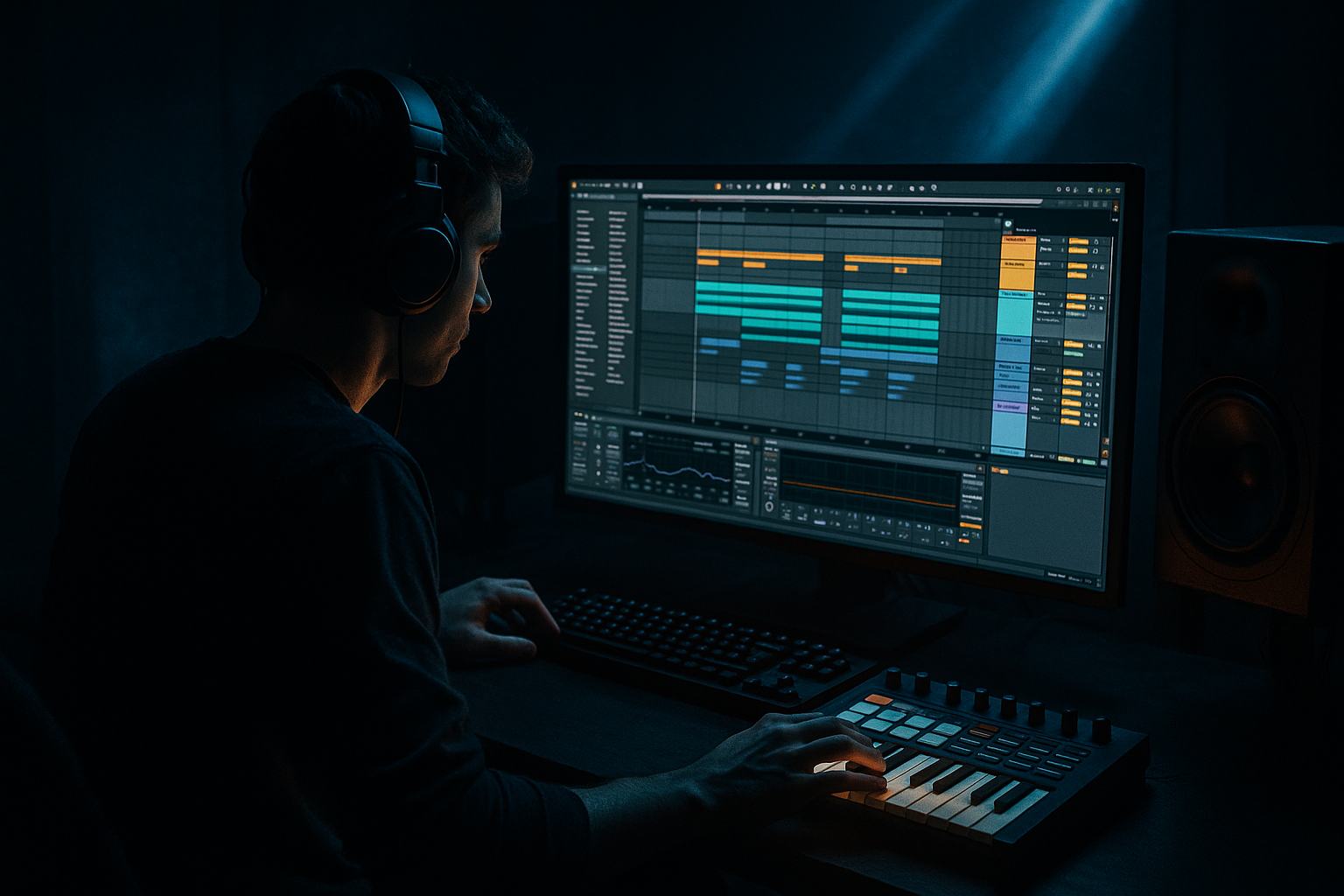
Main tutorial
Lesson Overview
“Hot Pants” style ragga vocals are one of the fastest ways to inject oldskool jungle attitude into a modern DnB idea — but only if the vocal texture is tight enough to sit on top of a floor-shaking low end without smearing the groove. In this lesson, you’ll learn how to turn a raw ragga vocal sample into a controlled, punchy, rhythmically alive texture inside Ableton Live 12, so it works with a heavy sub, rolling drums, and a dark bassline rather than fighting them.
This technique matters because ragga vocals in DnB are rarely meant to dominate the whole mix like a lead singer. In jungle, rollers, neuro-leaning edits, and darker bass music, the vocal is often a weapon: a short hook, a chopped phrase, a call-and-response accent, or a gritty texture that adds identity right before the drop or through the breakdown. The key is “tighten the texture” — shaping the vocal so it feels energetic and percussive, while staying out of the sub region and leaving room for the kick, snare, and bass movement.
We’ll focus on a workflow that uses Ableton stock devices, fast resampling, and practical arrangement thinking. You’ll end up with a vocal layer that feels like classic “Hot Pants” energy: raw, rhythmic, slightly rude 😈, but clean enough to survive in a modern club mix.
What You Will Build
By the end of this lesson, you’ll have:
- A chopped ragga vocal texture built from a “Hot Pants” style sample
- A tight vocal chain with EQ, compression, saturation, transient control, and space management
- A resampled vocal hit or loop that can be played like an instrument
- A version that works in a jungle intro, a pre-drop tension section, or as a drop-time accent
- A mix that keeps the low end powerful and mono-focused while the vocal stays exciting but controlled
- A few automation moves that make the vocal feel animated without cluttering the track
- Leaving too much low end in the vocal
- Over-reverbing the ragga sample
- Making the vocal too wide
- Chopping without musical logic
- Processing the vocal before checking the drum/bass balance
- Too many syllables in the drop
- Layer a second, filtered vocal texture
- Use Drum Rack slicing like percussion
- Resample through saturation, then trim again
- Pair the vocal with a bass call-and-response
- Use short delay throws instead of constant delay
- Keep the sub and vocal in different jobs
- Add tension with formant-preserving pitch moves cautiously
- Ragga vocals in DnB work best when they’re tight, rhythmic, and selective.
- Clean the sample with EQ, compression, saturation, and space control inside Ableton Live.
- Slice and resample so the vocal becomes a playable texture, not just a loose clip.
- Place vocal hits around the drums and bass like an arrangement tool.
- Keep the low end mono, the vocal focused, and the automation purposeful.
- In jungle and oldskool DnB, the most effective vocal move is often the one that leaves room for the drop.
Musically, the result should feel like this: a dark 174 BPM roller with a heavy sub and a reese under it, where the vocal stabs answer the snare or ride above the break edits, adding ragga personality without muddying the bass. Think intro tease, then a short phrase in the drop every 4 or 8 bars, or a chopped hook that reinforces the groove in the second half of the drop.
Step-by-Step Walkthrough
1. Choose and prepare the vocal for DnB phrasing
Start by importing a ragga vocal phrase into an Audio Track. “Hot Pants” style material works best when it has attitude, clear consonants, and a few short rhythmic shapes rather than long lyrical lines.
In Clip View:
- Turn Warp on
- Use Complex Pro if the sample is melodic or broad; use Repitch or Beats if it’s already percussive and you want a more oldskool texture
- Set the clip to the project tempo, typically 170–174 BPM for jungle/oldskool DnB vibes
- Trim the clip so you isolate the strongest syllables, shout-outs, or call phrases
Tightening starts here. Don’t keep too much tail. In DnB, vocal clutter eats groove fast because the drums and bass are already moving hard. Aim for phrases that can hit like percussion.
Practical move: slice the sample into 1-shot sections or shorter regions, especially if the vocal has a natural rhythmic bounce you can trigger in gaps between kick/snare hits.
2. Build a clean vocal processing chain with stock devices
On the vocal channel, build a focused Ableton chain:
- EQ Eight
- Compressor or Glue Compressor
- Saturator
- Utility
- Optional: Gate or Auto Filter
Suggested starting settings:
- EQ Eight: high-pass around 120–180 Hz to remove low rumble and keep the sub zone clear
- EQ Eight: if the vocal is boxy, cut 200–400 Hz by 2–4 dB with a medium Q
- EQ Eight: if it’s harsh, tame 2.5–5 kHz by 1–3 dB, especially on shouty syllables
- Glue Compressor: ratio 2:1, attack 10–30 ms, release Auto or 100 ms, aiming for 2–4 dB gain reduction
- Saturator: Drive 2–6 dB, Soft Clip on, to add density and help the vocal read on smaller systems
- Utility: reduce width to 0–50% if the vocal will be layered with wide FX or bass movement
Why this works in DnB: the vocal needs to punch through dense drums without occupying the sub bass zone. EQ cleans out unnecessary low-end energy; compression evens out the phrase so it feels like one tight instrument; saturation makes it audible without needing extra volume.
3. Slice the phrase into rhythmic weapons
If the vocal has multiple useful syllables, right-click the clip and choose Slice to New MIDI Track. For DnB, slicing turns a loose ragga phrase into something you can “play” like a drum pattern or hook.
Use slicing settings that make sense for the source:
- Slice by Transients for rhythmic vocals
- Slice by 1/8 or 1/16 if the phrase is already tight and you want manual control
Once sliced:
- Load the resulting Drum Rack
- Program a simple 1- or 2-bar phrase that answers the snare or fills empty spaces between break hits
- Leave gaps for the kick and snare to breathe
- Repeat only the most characterful slices; don’t over-sequence the whole phrase
Good DnB phrasing example:
- Bar 1: vocal stab on beat 1 “Hot”
- Bar 1: second stab on the “and” of 2
- Bar 2: longer phrase on the last half-bar before the snare fill
- Bar 3/4: call-and-response with a bass hit or break edit
Keep it sparse. Ragga vocals in jungle often work because they’re strategically placed, not because they’re constantly present.
4. Tighten timing with groove and clip edits
The vocal should lock to the drum pocket, not float like a pop vocal. In DnB, even a loose vocal can feel amateur if it ignores the break.
Try these moves:
- Nudge slices slightly ahead of the beat for urgency, or slightly behind for weight
- Use Groove Pool with a swing from a classic break if your drums have swing
- Apply Groove Amount around 20–50% so the vocal inherits some bounce without losing clarity
- Shorten clip fades to avoid clicks on chopped syllables
- Tighten note lengths in the MIDI editor if you’re triggering slices from Drum Rack
If you’re working with a break-driven oldskool vibe, align the vocal accents to the energy of the break rather than rigid grid perfection. A vocal hit that lands with the snare ghost or just after the snare can feel more authentic than one that’s mechanically on the grid.
5. Shape the texture with transient and space control
To get the “tight texture” part right, the vocal needs a defined front edge and a controlled tail.
Use these stock tools:
- Transient shaping with Drum Buss or Compressor behavior
- Gate if the sample has noisy tail or room spill
- Auto Filter for movement without clutter
- Reverb, but only as a send or very short insert
Suggested settings:
- Drum Buss: Drive 2–8%, Boom off or very subtle, Transients 10–30% for more bite
- Gate: set threshold so the phrase closes quickly between syllables
- Auto Filter: high-pass modulation with resonance around 0.7–1.5 for tension moves
- Reverb send: short decay around 0.4–1.2 s, pre-delay 10–25 ms, low cut above 250 Hz
The goal is not a big dreamy vocal. The goal is a focused ragga texture that feels rhythmic and slightly aggressive. If the vocal tail is too long, it will blur your snare roll and smear the bassline.
6. Resample the vocal into a single playable instrument
Once the processing and timing feel good, resample the vocal into a new audio track. This is a classic DnB workflow because it commits the sound and makes it easier to arrange quickly.
Steps:
- Set the input of a new audio track to Resampling
- Record one or two bars of the best vocal phrase with the processing active
- Consolidate the cleanest moments into usable clips
- Warp the new recording if needed, but keep edits minimal
Why resample? Because DnB decisions get easier when you stop treating the vocal like raw source and start treating it like a finished texture. You can then reverse tiny sections, cut fills, or duplicate hits for drop design without reopening the whole chain.
After resampling, try:
- Reverse one slice for a transition
- Duplicate a phrase and drop it an octave with Transpose if the sample still holds character
- Use fades to make each hit clean and DJ-friendly
7. Place the vocal in the arrangement like a DJ tool
A strong DnB arrangement uses the vocal as a marker, not wallpaper. Put the ragga texture in places that support tension and impact.
Arrangement ideas:
- Intro: filtered vocal tease over breaks and atmosphere, with no sub yet
- Pre-drop: repeated chopped phrase that builds anticipation
- Drop 1: one short vocal answer every 4 bars, leaving the bassline room
- Mid-drop switch-up: a half-bar vocal fill before a new drum pattern or bass variation
- Breakdown: longer vocal tail with more reverb, then strip it back before the return
A good context example: in a 174 BPM jungle tune with a Reese bass and amen-style break edits, place the “Hot Pants” vocal on the final beat of bar 7 leading into bar 8. That gives the listener a recognizable call before the next phrase lands. Then remove it for 4 bars so the low end feels bigger when it returns.
In darker rollers, you can also use the vocal as a counter-rhythm to the bass movement: when the bassline answers on offbeats, the vocal can hit on the downbeat or late in the bar for contrast.
8. Mix it against the sub and drums, not in isolation
This is where the whole idea either works or collapses. Check the vocal against the sub, kick, snare, and break top.
Practical mix moves:
- Keep the sub mono and centered with Utility
- Make sure the vocal doesn’t live below about 120 Hz
- Sidechain the vocal slightly to the kick or snare if it masks the transient
- Use EQ Eight to carve out any nasty midrange build-up around 300–700 Hz
- Check the mix in mono to ensure the vocal still reads and doesn’t vanish
If the vocal is fighting the snare, try a small dip around 1.5–3 kHz on the vocal or reduce the snare reverb tail. If it fights the bass, high-pass more aggressively or shorten the vocal tail. In DnB, clarity is often about subtraction, not adding more layers.
For a tighter club result:
- Vocal peak level should sit clearly above the drums in the phrase, but not dominate the master
- Leave enough headroom on the master so the low end can hit without clipping the vocal boosts
9. Automate energy, not volume chaos
Use automation to make the vocal evolve across the track, especially in darker DnB where repetition is the point but monotony is the enemy.
Good automation moves:
- Auto Filter cutoff opening over 8 or 16 bars in the intro
- Reverb send increasing just on the last word before a drop
- Saturator Drive rising slightly in the second half of the drop for extra attitude
- Utility gain down 1–2 dB during dense bass sections, up slightly during breaks
- Reverse or delay-style pre-hit phrase before a switch-up
A useful rule: automate enough to keep the vocal alive, but not so much that it feels like a lead pop hook. For jungle and oldskool DnB, the vocal should feel like part of the system, not a separate song.
Common Mistakes
- Fix: high-pass more aggressively with EQ Eight, often somewhere between 120–180 Hz, sometimes higher if the sample is muddy.
- Fix: use short reverb on a send or keep the insert reverb subtle. Long tails blur drum detail and weaken the drop.
- Fix: keep the vocal mostly center-focused. If you want width, add it to a duplicated FX layer, not the main phrase.
- Fix: place vocal hits around the snare, break accents, and bass answers. If it doesn’t groove with the drums, it won’t work in DnB.
- Fix: always audition the vocal in the full mix. A great vocal solo can still ruin the drop.
- Fix: reduce the phrase to its strongest moments. Oldskool DnB relies on impact and spacing.
Pro Tips for Darker / Heavier DnB
- Duplicate the vocal, low-pass it with Auto Filter around 1.5–4 kHz, distort it lightly, and tuck it behind the main phrase for menace.
- Treat certain consonants as hats or ghost hits. A sharp “t” or “p” can reinforce break detail.
- A second resample pass with Saturator or Drum Buss can make the vocal feel more glued and less sample-like.
- Let the vocal hit on bar 1, then answer with a bass stab or reese movement on bar 1.5. That push-pull is very DnB.
- A single delayed word before a drop can sound huge without cluttering the groove. Try Ping Pong Delay with short feedback and automate it on only one phrase.
- The sub should be physical. The vocal should be character. Don’t let the vocal become low or boomy trying to sound “big.”
- If you transpose, check that the vocal still sounds convincing against the bass. In darker DnB, a slightly lowered ragga phrase can sound dangerous, but too much pitch shift can wreck intelligibility.
Mini Practice Exercise
Spend 10–20 minutes making a ragga vocal texture that fits a heavy DnB loop:
1. Load a 2-bar drum and bass loop at 174 BPM.
2. Import a “Hot Pants” style vocal phrase and trim it to 1–2 strong words or a short chant.
3. High-pass it with EQ Eight, compress it lightly, and add a little Saturator.
4. Slice it to MIDI or manually chop it into 3–6 usable hits.
5. Program a simple response pattern that leaves space for the snare.
6. Resample one clean pass.
7. Add one automation move: filter opening, reverb throw, or drive increase.
8. Test the loop in mono and adjust until the vocal supports the low end instead of masking it.
Goal: by the end, you should have one tight vocal phrase that can sit in a drop, an intro, or a switch-up without messing up the drum/bass balance.

