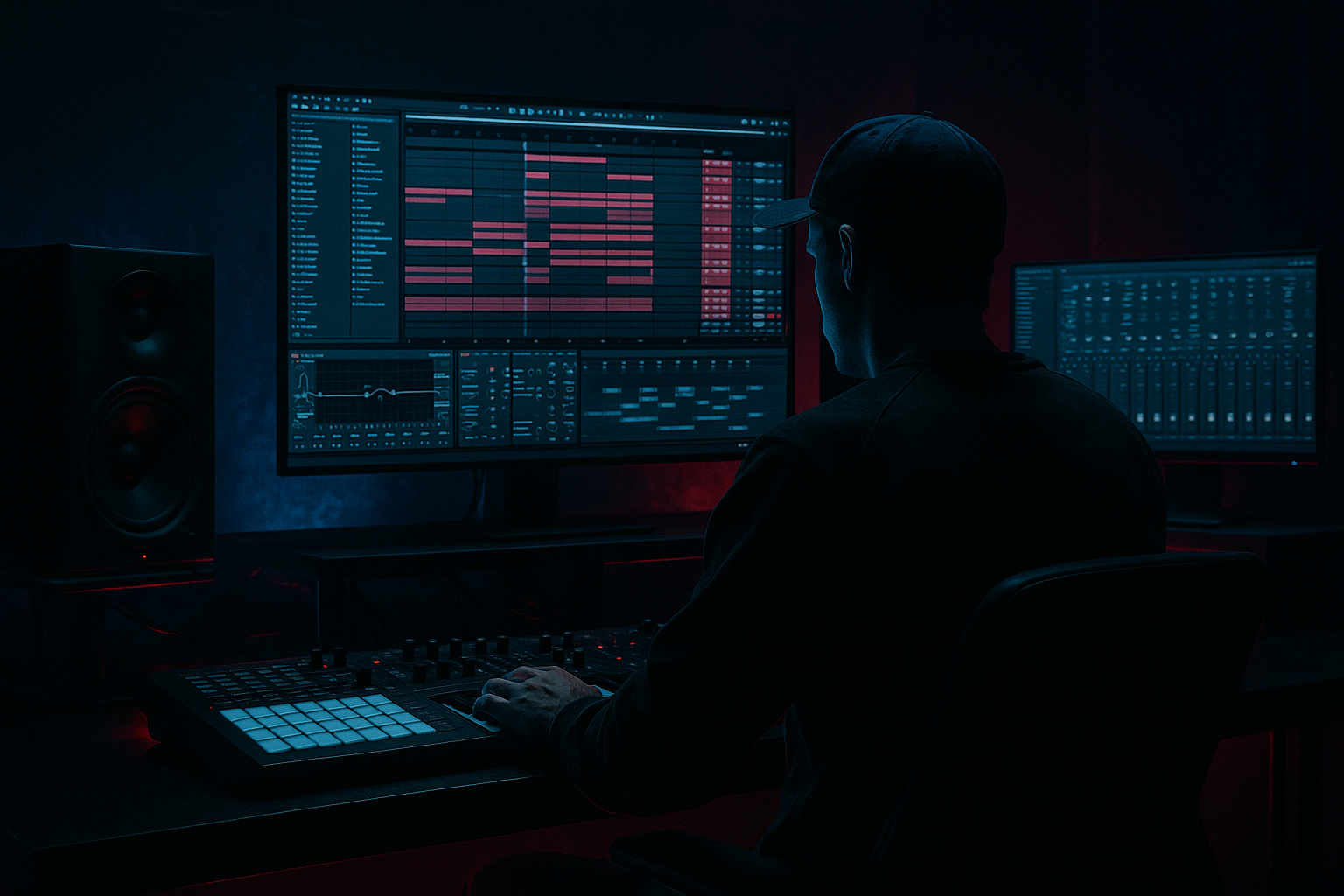
Main tutorial
Lesson Overview
A sunrise-set amen variation is not just a cleaner breakbeat — it’s a storytelling drum moment. In Drum & Bass, especially when you’re writing for an early-morning or emotional roller, the Amen break often carries the whole mood: nostalgia, motion, grit, and release. The trick is not to over-polish it. You want it to feel human, alive, slightly unstable, and emotionally forward, while still sitting in a modern DnB arrangement.
In this lesson, you’ll learn how to take a standard Amen-style loop and turn it into a humanized, sunrise-ready variation inside Ableton Live 12 using stock tools. We’ll focus on subtle timing shifts, velocity shaping, ghost notes, FX movement, and arrangement choices that make the break feel like it’s breathing with the track instead of looping mechanically. This is especially useful in rollers, liquid-leaning jungle, atmospheric DnB, and emotional neuro intro sections where the break needs to feel tactile without losing momentum.
Why this matters in DnB: the genre is built on pressure and release. If your drums are too perfect, you lose the “hand-played” tension that makes jungle and early DnB feel soulful. If they’re too loose, the track falls apart. Humanizing an Amen variation gives you that middle ground: groove with identity.
What You Will Build
You’ll build a sunrise-style Amen variation that feels:
- slightly swung and human, not rigidly quantized
- dynamically shaped with ghost notes and velocity contrast
- spacious enough for pads, reeses, and vocal texture
- punchy enough to still hit as a DnB drum statement
- emotionally lifted with tasteful FX movement and filter automation
- a halftime or full-time atmospheric intro drum loop
- a breakdown tension bed before a drop
- a second-drop variation with emotional lift
- an edit-ready layer for DJ-friendly arrangement
- Over-humanizing the timing
- Adding too much reverb
- Losing the snare anchor
- Letting ghost notes clutter the groove
- Distorting the whole break bus too hard
- Ignoring arrangement
- Darken the top layer, not the main attack
- Resample your edited break
- Use subtle parallel crunch
- Pair the break with a restrained Reese
- Use call-and-response phrasing
- Automate filter opening on fills
- Keep the sub separate
- Humanizing an Amen in Ableton Live means small timing shifts, velocity contrast, and selective edits
- Keep the snare as the anchor and humanize the spaces around it
- Use Groove Pool, Simpler, Drum Rack, EQ Eight, Saturator, Drum Buss, Auto Filter, and Echo to shape feel and atmosphere
- For sunrise emotion, favor space, movement, and controlled brightness over heavy processing
- Make the break evolve across the arrangement so it supports tension, release, and DJ-friendly phrasing
- Always check mono, low-end separation, and drum/bass balance before calling it finished
The final result will be a 16-bar drum phrase that works as:
You’ll use Ableton stock devices like Simpler, Drum Rack, EQ Eight, Saturator, Drum Buss, Auto Filter, Echo, Utility, Groove Pool, and Compressor to shape the break into something more expressive and less loop-like.
Step-by-Step Walkthrough
1. Start with a clean Amen source and set the arrangement context
Drag your Amen break into an audio track or pad it into Simpler if you want easier slicing. For this lesson, keep it in a 16-bar loop so you can hear how the humanization evolves over time.
Set your project around 174–176 BPM if you’re aiming for modern DnB. If this is for a sunrise set mood, choose a key or harmonic bed that supports warmth — think soft pads, a Reese with restrained top end, or a broken chord atmosphere.
Before you edit the break, decide the role:
- Intro tension: more space, fewer hits
- Drop support: more chop, more energy
- Breakdown emotional lift: more ghost notes, softer transients, more room feel
This matters because humanization should match the arrangement. A sunrise set often benefits from longer phrases and emotional breathing room, so we’ll avoid over-filling the loop.
2. Slice the Amen into playable pieces with Simpler or Slice to New MIDI Track
If your Amen is audio, right-click the clip and use Slice to New MIDI Track. In the slice settings, use:
- Transient slicing for clean hit separation
- 1/16 if the sample is already tight and you want a grid-friendly edit
- Warp mode: Beats if you keep it as audio and need timing stability
If you prefer working in MIDI, load it into Simpler in Slice mode. This gives you more control over individual hits and velocity behavior.
Once sliced, identify the key break elements:
- kick
- snare
- ghost snare or quieter backbeat hits
- hats and shuffles
- tail fragments and noisy transients
This is where humanization starts: don’t treat the Amen as one clip. Treat it like a mini drum performance.
3. Build a variation, not a loop clone
Duplicate the original Amen pattern to a second clip and start creating a variation for every 2 or 4 bars. In Drum & Bass, repeating the exact same break for too long can flatten the energy. Instead, make one version slightly more open and another slightly more urgent.
Practical edits:
- remove one hat hit in bar 2 or 4 to create air
- delay a ghost snare by a few milliseconds to feel more “played”
- move one kick slightly early for forward drive
- mute one top-rattle or tail hit so the next section breathes
In Ableton, nudge notes with the arrow keys or use the Track Delay only if you need an overall offset. For micro-humanization, move individual MIDI notes by tiny amounts rather than shifting the whole clip.
Good starting offsets:
- ghost hits: +5 to +15 ms late
- urgent kick pickups: -3 to -8 ms early
- hats: vary around 0 to +10 ms
- occasional snare accents: keep dead on-grid for stability
Why this works in DnB: the listener locks to the backbeat and sub relationship, while the in-between details create feel. Small timing imperfections add soul without reducing impact.
4. Shape velocity for emotional contrast
This is one of the most important parts of humanizing an Amen. In Ableton’s MIDI editor, vary note velocity so the break doesn’t sound like a machine repeating the same strike intensity.
Try this structure:
- main snare hits: 95–115 velocity
- ghost snares: 25–60
- hats and shuffles: 30–80
- occasional accent hats: 85–100
If the sample is audio, you can still simulate velocity through clip gain, volume automation, or layering with a quieter parallel break. But if you’re in Simpler or Drum Rack, velocity is the fastest path.
Use Velocity MIDI effect if you want to compress or expand dynamics gently. A subtle setup can help:
- Drive: 0% or off
- Random: very low, around 5–10%
- Out Hi / Out Low to constrain the range if needed
For sunrise emotion, the goal is expressive contrast: strong hits feel uplifting, while the softer ghost notes give the break a reflective, human quality.
5. Add groove with Groove Pool, but keep the snare authority
Open Ableton’s Groove Pool and test a subtle shuffle or MPC-style groove. Don’t overdo it — you want movement, not a broken pocket.
Good starting points:
- Swing amount: around 52–58%
- Timing: apply lightly, especially to hats and ghost notes
- Velocity: use a little if the break feels too flat
Important: preserve the main snare placement. In DnB, the snare often acts as the anchor. If you swing it too much, the entire break can lose its spine.
A good workflow:
- apply groove to the full clip
- then reduce groove influence on the snare by editing those notes manually
- keep top-end elements more loose than the main snare/kick skeleton
This gives you a break that feels human while still hitting like a proper DnB drum statement.
6. Use FX to create sunrise emotion without washing out the break
This is where the “sunrise set” identity really comes in. You’re not trying to make the break huge and shiny; you’re trying to make it feel expansive, a little glowing, and emotionally charged.
Start with a return track or a parallel chain for FX:
- Echo with low feedback and filtered repeats
- Reverb with short-to-medium decay
- Auto Filter for movement
- Hybrid Reverb if you want more atmospheric depth, but keep it controlled
Suggested starting settings:
- Echo time: 1/8 or dotted 1/8
- Feedback: 10–25%
- Filter on Echo: roll off lows below 300–500 Hz
- Reverb decay: 1.2–2.5 s
- Reverb low cut: around 250 Hz
- Wet level: keep subtle, 5–15% on the send
Automate Auto Filter on the break bus or return:
- low-pass opening from 1.5 kHz to 10–14 kHz
- resonance low to moderate, around 0.3–0.8
- slight filter movement during 4- or 8-bar transitions
For sunrise emotion, use these FX sparingly so the break stays upfront but gains a sense of air and depth. You want the listener to feel the room open up, not drown in reverb.
7. Shape the break bus with Drum Buss, Saturator, and EQ Eight
Group your Amen layers or clip chain into a Drum Bus. This is where the break gets cohesion.
Try this chain order:
- EQ Eight
- Saturator
- Drum Buss
- optional Compressor
EQ Eight:
- cut muddy low mids around 200–400 Hz if the break feels boxy
- high-pass gently around 25–35 Hz to clean sub-rumble
- tame harsh top-end only if needed, usually around 7–10 kHz
Saturator:
- Soft Clip on
- Drive: 1–4 dB
- Use subtle warming, not obvious distortion
Drum Buss:
- Drive: 5–20
- Crunch: very small amounts, especially if you want more bite
- Transients: push slightly positive if the break is too flat
- Boom: only if the kick in the break needs more weight, and keep it tuned carefully
Optional Compressor:
- light glue, not hard pumping
- ratio around 2:1
- attack 10–30 ms
- release 50–120 ms
Why this works in DnB: the drum bus creates a single, cohesive “recorded performance” feel, which is especially valuable when you’re humanizing an Amen. It keeps the variation sounding intentional rather than chopped randomly.
8. Add controlled imperfections with micro-edits and ghost layers
Now add the details that make the loop feel lived-in. Copy a few quiet fragments of the Amen into new lanes:
- a faint snare tail on bar 2 or 4
- a lightly filtered hat roll before a phrase change
- a chopped slice that hits just before the downbeat
- a reversed or echoed fragment for transition texture
You can use:
- Simpler in Classic mode for quick one-shot pitch/filter shaping
- Auto Filter to darken ghost layers
- Utility to narrow or mono the bottom layer
- Clip Gain or note velocity to keep these additions subtle
Useful approach:
- keep the main break dry and punchy
- place atmospheric fragments on a parallel track or low send
- filter ghost layers above 200–300 Hz to avoid low-end clutter
If you want a darker, more underground feel while still preserving sunrise emotion, use a ghost layer with a low-pass filter that slowly opens over 8 bars. That gives you tension and release without needing a big riser.
9. Automate arrangement movement for 8- and 16-bar phrasing
This is where the break becomes part of the song, not just a loop. In DnB, especially in sunrise-set styles, arrangement movement matters as much as the drum sound.
Try this 16-bar structure:
- Bars 1–4: stripped Amen, filtered top end, light atmosphere
- Bars 5–8: add ghost notes, open hats, slightly louder snare accents
- Bars 9–12: bring in full break energy, reduce filtering
- Bars 13–16: switch up one fill or reverse fragment to lead into the next section
Automate:
- Auto Filter cutoff
- send amount to Echo
- drum bus wet/dry if you have a parallel chain
- clip gain for one or two transitional hits
For DJ-friendly arrangement, leave at least one section where the break is simpler and less crowded. That makes it easier to mix into the next tune and gives the sunrise emotional arc room to breathe.
10. Check the low end, mono compatibility, and snare focus
Humanizing a break can sometimes make the low end messy. Make sure your kick/sub relationship still works.
Use Utility on the drum bus or break layer:
- set Bass Mono in the low-frequency region if needed via your routing approach
- keep the break itself mostly mono-compatible
- widen only the top textures, not the core punch
If the break has too much low-end spill:
- high-pass the break channel a little more
- reduce boom or low saturation
- separate the sub bass from the Amen entirely
In DnB, the snare usually needs to feel centered, solid, and emotionally strong. If the snare gets buried under FX, the whole groove weakens.
Common Mistakes
- Fix: keep changes tiny. If the break sounds sloppy, reduce offsets and re-check against the snare grid.
- Fix: use sends, filter the return, and keep the wet signal low. Sunrise emotion needs space, not wash.
- Fix: keep main snare hits consistent in timing and level. Humanize the in-between hits more than the backbeat.
- Fix: mute anything that doesn’t support the phrase. A good Amen variation is selective, not busy.
- Fix: use subtle Saturator or Drum Buss settings. If the top end becomes brittle, back off and EQ instead.
- Fix: make sure your humanized break changes across 4-, 8-, or 16-bar sections. Repetition without evolution kills energy.
Pro Tips for Darker / Heavier DnB
- Keep the main break punchy, but low-pass any extra texture layers around 6–10 kHz for a more underground feel.
- Once you like the humanized variation, resample it to audio. This lets you make additional micro-cuts, reverses, and automation moves faster.
- Send the break to a return with Saturator + EQ Eight and blend it quietly. This adds density without flattening transients.
- A controlled Reese under the break creates tension. Keep the Reese mid-focused and mono-safe below the low mids.
- Let the break answer a vocal chop, pad stab, or bass motif. This is especially effective in sunrise rollers where emotion builds through repetition with variation.
- A small open on the final hit of each 8-bar phrase can create a lift that feels huge in a club, even if it’s only a few dB of brightness.
- The Amen can carry attitude, but the sub should stay clean and intentional. That separation is crucial in heavy DnB.
Mini Practice Exercise
Spend 10–20 minutes building one sunrise-friendly Amen variation:
1. Load an Amen break into Simpler or slice it to MIDI.
2. Create a 4-bar loop with one main variation every bar.
3. Change at least 6 note velocities so ghost notes and accents are clearly different.
4. Nudge at least 3 hits slightly off the grid by a few milliseconds.
5. Add one Echo return with filtered repeats and one Auto Filter automation lane.
6. Run the break through Drum Buss or Saturator with subtle drive.
7. Duplicate the loop and make a second version that is slightly more open for the next 4 bars.
8. Bounce the result to audio and listen in mono once.
Goal: by the end, you should have a break that feels like it was played by a person, not drawn by a mouse.

