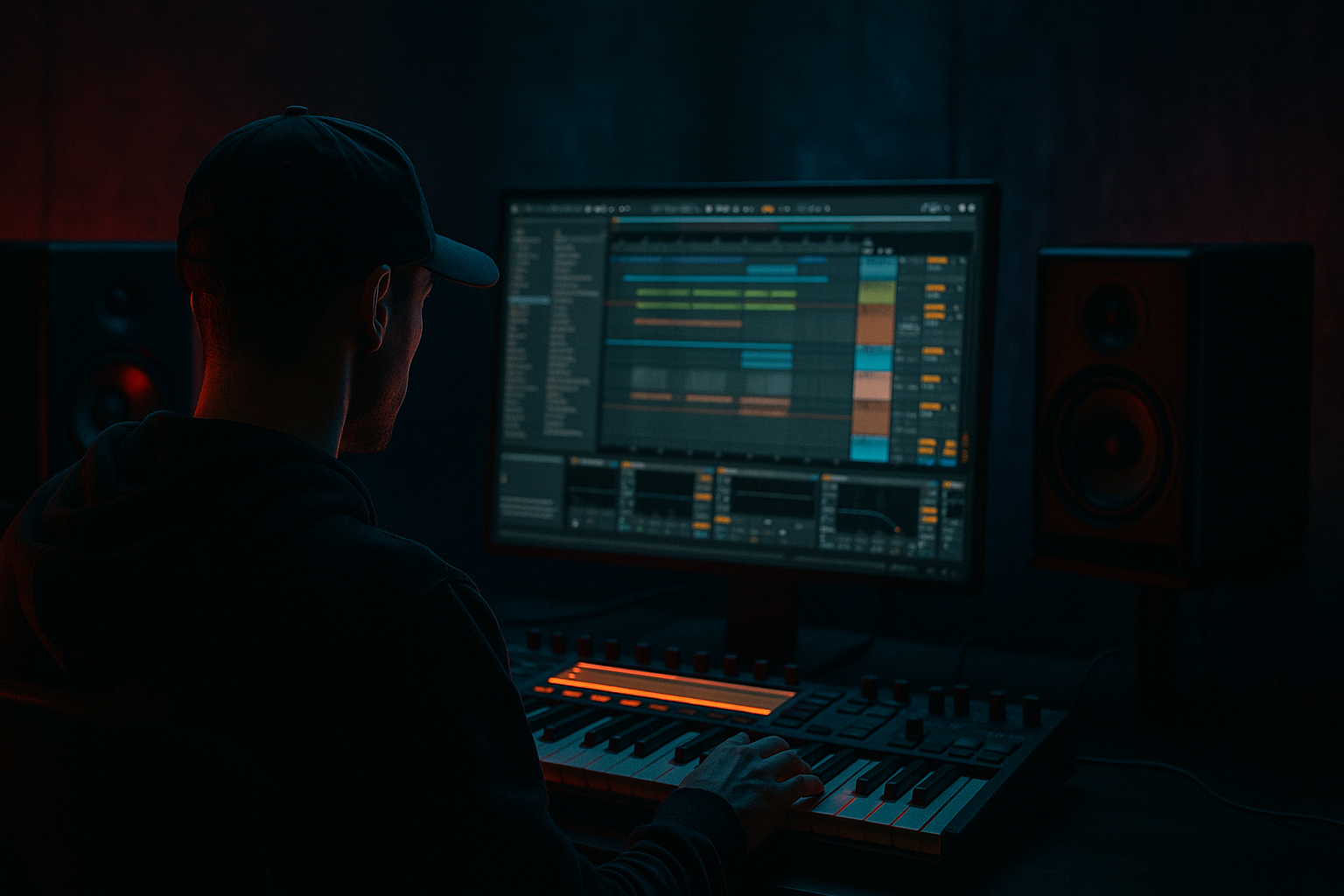
Main tutorial
Lesson Overview
In this lesson, you’ll build a DJ-friendly intro shape for an oldskool jungle / early DnB track inside Ableton Live 12, with a strong focus on FX-driven arrangement. The goal is not just to “make an intro,” but to create a section that:
- works in a mix for DJs
- slowly reveals the track’s identity
- carries tension using atmosphere, edits, and filtering
- leads naturally into the drop without sounding too modern or overproduced
- a filtered atmospheric bed with vinyl-like texture
- a breakbeat fragment introduced in layers
- a reese or low bass teaser that appears before the drop
- reverb and delay throws on fills and stabs
- transition FX like sweeps, noise, reverse hits, and downlifters
- a clean 8-bar and 16-bar phrasing structure that DJs can mix from
- Bars 1–8: ambience, noise, or filtered pads, minimal drums
- Bars 9–16: break fragments and ghost percussion enter
- Bars 17–24: bass hints, tension FX, more groove
- Bars 25–32: pre-drop lift, snare roll or fill, final impact into the drop
- Making the intro too full too early
- Using huge risers that sound too EDM-like
- Letting reverb wash out the drum attack
- Ignoring phrasing and bar structure
- Too much low end in atmospheres and FX
- Overprocessing the break so it loses its punch
- Bass intro too loud or too wide
- Use a half-revealed reese: let only the midrange movement show in the intro, while the sub stays controlled. This builds tension without muddying the mix.
- Resample your own FX hits: print a reverse snare, filtered impact, or processed break stab, then re-edit it into the arrangement. This gives the intro a custom identity.
- Make the intro drum bus slightly gritty: a touch of Drum Buss or Saturator on the drum group can make oldskool breaks feel more alive.
- Use silence strategically: a one-beat gap before a fill or drop can hit harder than another riser.
- Try subtle Frequency Shifter movement on atmospheres or noise beds for a darker, uneasy tone. Keep it tiny so it feels haunted, not broken.
- Use parallel reverb throws: send only selected snare hits to a lush return so the groove stays dry while the transitions bloom.
- Keep the sub disciplined: if the intro needs bass presence, let the upper harmonics imply weight while the true sub arrives later.
- Reference classic jungle mixing logic: the intro should invite a DJ in, not force the track to dominate immediately.
- keep the intro DJ-friendly
- use atmosphere, break edits, and FX as arrangement tools
- filter and mono the low end
- automate energy gradually
- leave enough space for the drop to feel massive
For jungle and oldskool DnB, the intro is often where the track earns its character. Instead of jumping straight into the full drums and bass, you want a shape that feels like a vinyl-era record: a little mystery, a little space, and a clear sense of progression. That means using break edits, reverb throws, filter automation, subtle noise beds, and controlled build energy rather than huge cinematic risers.
This technique matters because in DnB, especially jungle and rollers, the intro is doing three jobs at once:
1. DJ utility — easy to mix, with a stable phrase structure and enough intro length for beatmatching.
2. Energy management — tension increases without overcrowding the mix.
3. Identity reveal — hints of the break, bass tone, and atmosphere arrive in stages.
The best intros in this style feel functional and musical at the same time. They should leave room for a DJ’s transition, while still sounding like a deliberate production statement. 🎛️
What You Will Build
You’ll build a 32-bar DJ-friendly intro for a jungle / oldskool DnB tune that starts sparse and gradually opens up into the main drop.
By the end, your intro will include:
Musically, it should feel like:
The vibe target is oldskool but polished: think raw jungle energy, but shaped with modern Ableton control so it hits clean on a sound system.
Step-by-Step Walkthrough
1. Set up a clean intro section with clear phrasing
In Arrangement View, decide your intro length first. For DJ-friendly DnB, a 32-bar intro is a strong default, especially if you want enough room for mixing. If your track is faster and more aggressive, you can still make it work with a 16-bar intro, but 32 bars gives you more space for tension and break reveal.
Place locators for:
- Bar 1: intro start
- Bar 9: first lift
- Bar 17: groove reveal
- Bar 25: pre-drop build
- Bar 33: drop
This phrasing is important because DnB arrangements often rely on 8-bar symmetry. DJs mix more easily when the intro changes in predictable blocks. A clean phrase structure also helps your FX feel intentional instead of random.
Start with a simple empty palette:
- one atmosphere track
- one break track
- one bass teaser track
- one FX return or FX bus
- one drum bus if you’re layering break processing
Keep your timeline organized from the start. In Live 12, use track colors and group tracks early so the intro can be shaped fast.
2. Build the atmosphere bed with texture, not melody
Create a new MIDI track or audio track for the intro bed. For jungle and darker DnB, this should be more than a pad, but less than a lead. Use one of these stock approaches:
- Wavetable with a soft saw/sine blend
- Analog with detuned oscillators and low-pass filtering
- Sampler/Simpler with a resampled ambient texture
- a recorded noise floor, room tone, vinyl crackle, or field ambience
Add Auto Filter after the source. Set:
- Filter type: Low-pass 12 or 24 dB
- Cutoff: around 200 Hz to 1.5 kHz, depending on brightness
- Resonance: 5–20%
- Drive: light to medium if you want grit
Then add Hybrid Reverb or Reverb on a Return track, not directly on the source if you want control. Set the reverb to feel wide and deep:
- Decay: 2.5–6 seconds
- Pre-delay: 10–30 ms
- Dry/Wet: keep low on the track, and send to the return instead
Why this works in DnB: the intro bed gives the listener a tonal world before the drums fully arrive. In jungle, atmosphere creates contrast against the break’s transient energy. That contrast makes the groove feel bigger when it lands.
Keep the bed moving subtly with LFO-style automation:
- automate filter cutoff slowly over 8 bars
- pan subtle noise left/right with Auto Pan
- use Utility to reduce width below 120 Hz if the texture has low-end content
3. Create a break intro using edits instead of full-loop overload
Drag in a classic break or your own chopped break and avoid dropping the full loop instantly. Oldskool DnB intros are stronger when the break is revealed in parts.
If you’re using an audio break:
- slice it at transient markers
- rearrange small hits and ghost notes
- leave space before full repetitions
If you’re using Simpler:
- switch to Slice mode
- create rhythmic fragments from one break sample
- sequence 1/2-bar or 1-bar phrases
A good intro tactic is:
- Bars 1–8: no full kick/snare cycle, only filtered hats or a chopped ghost hit
- Bars 9–16: introduce the snare pattern
- Bars 17–24: bring in full break energy or a second layer
- Bars 25–32: add fills and a pre-drop push
Process the break with Drum Buss and Saturator for oldskool body:
- Drum Buss Drive: 5–20%
- Crunch: use lightly, enough to add bite
- Boom: be careful; keep it controlled or bypass if it clouds the low end
- Saturator: Soft Clip on, Drive around 2–6 dB
Use EQ Eight before or after saturation:
- high-pass anything unnecessary below 30–50 Hz
- gently cut muddiness around 200–400 Hz if needed
- tame harsh snare/hat energy around 6–10 kHz only if it becomes brittle
For groove, keep the break slightly imperfect. A little swing and transient variation helps oldskool jungle feel alive.
4. Shape the break with ghost notes, micro-fills, and movement
The difference between a basic loop and a proper DnB intro is often in the micro-editing. Add ghost hits, pickup notes, or tiny fill phrases to create forward motion.
In the MIDI clip or audio arrangement:
- place a light ghost snare before the main backbeat
- add hat pickup notes in the last 1/8 or 1/16 before each phrase change
- mute one drum element for a bar to create tension
- introduce a reverse snare or reversed break slice before a transition
Use Velocity and note length carefully if programming MIDI drums:
- ghost notes around 20–55 velocity
- main hits around 90–120 velocity
- shorter note lengths for tighter hats and percussion
If you’re editing audio, use Clip Gain and volume automation to shape the accents. Avoid over-compressing the break too early; you want the natural attack to survive.
Add Glue Compressor on the break bus if needed:
- Attack: 10–30 ms
- Release: Auto or 0.1–0.3 s
- Ratio: modest, not squashing
This keeps the break cohesive without killing the transient snap that DnB needs.
5. Introduce the bass as a teaser, not the full statement
For a DJ-friendly intro, don’t reveal the full bassline immediately. Instead, tease the bass with a partial phrase, filtered version, or rhythm-only version.
A strong workflow:
- use Wavetable, Operator, or Analog for a bass sketch
- play only the first half of the bass motif
- automate a low-pass filter so it opens slightly by bar 17 or 25
- keep the sub restrained until the drop
Suggested starting point:
- Low-pass cutoff: 120–600 Hz early in the intro
- Resonance: low, around 0–15%
- Saturator Drive: 1–4 dB for harmonics
- Utility: mono the bass below 120 Hz
If the bass is a reese, keep the movement subtle in the intro:
- widen the upper harmonics only
- keep the sub almost silent or filtered
- automate filter opening over 8 bars
A useful approach is call-and-response:
- a short bass stab on bar 2
- silence or atmosphere on bar 3
- another bass hit on bar 4
- more sustained energy later
That spacing helps the intro breathe, and it leaves headroom for the DJ to blend tracks.
6. Add FX transitions that support the phrase changes
This is where the intro really comes alive. Use Ableton stock FX to underline the 8-bar changes without making the mix messy.
Create a Return track or dedicated FX track with:
- Echo
- Reverb
- Auto Filter
- Beat Repeat if used sparingly
- Frequency Shifter for unsettling movement
- Grain Delay for a more experimental grime/jungle texture
Practical FX moves:
- Echo on a snare throw at the end of bar 8 or 16
- Time: 1/4 or dotted 1/8
- Feedback: 15–35%
- Filter the repeats so they don’t clutter the sub range
- Reverb send on a single break hit before a transition
- short throw, then automate send back down
- Auto Filter on noise risers
- automate cutoff from 300 Hz to 12 kHz over 1–4 bars
- Frequency Shifter with tiny amounts for eerie tension
- Fine amount only, keep it subtle
- Beat Repeat on a fill only
- Use it for one bar or half-bar, not continuously
Make sure the FX are phrase-based. In jungle and darker DnB, FX should behave like arrangement punctuation, not decoration.
A very effective oldskool trick is a reverse crash into a snare fill at bar 31, then let the drop hit on bar 33 with no wasted space.
7. Automate energy so the intro feels like a climb
Once the parts are placed, use automation to create a clear energy slope. Don’t automate everything at once; choose 3–5 key controls and move them deliberately.
Great automation targets in Ableton Live:
- filter cutoff on the atmosphere
- reverb send level on break hits
- bass filter opening
- drum bus saturation
- master or group width of the ambience layer
Suggested progression:
- Bars 1–8: narrow, dark, filtered
- Bars 9–16: slightly brighter, break details appear
- Bars 17–24: bass harmonics increase, more transient energy
- Bars 25–32: tension peaks, then a short release into the drop
You can also automate Utility:
- slightly reduce width during the intro, then widen the upper layers before the drop
- keep the true low end centered and stable
Don’t forget the DJ context: a track intro should still feel mixable. Avoid too many sudden automation spikes that make beatmatching feel chaotic.
8. Check low-end discipline and mix balance before you call it done
A DnB intro can easily get muddy because it contains atmosphere, break layers, and bass hints all at once. Before moving on, check the intro as a mix section, not just as a vibe section.
Use these checks:
- Utility on bass and low layers to mono the sub
- EQ Eight to high-pass non-bass FX
- level-balance the break against the atmos
- make sure no riser or reverb tail is masking the snare crack
Good rough targets:
- intro should leave headroom for the drop
- no low-end element should dominate before the drop
- snare and kick transients should stay readable even through FX
Use the Spectrum device if you want a quick visual check, but trust your ears first. In this style, the intro should feel dark and controlled, not hyped and overbright.
If the intro is too crowded, remove one layer rather than compressing harder. Usually the fix is subtraction: fewer simultaneous sounds, cleaner phrase design, or shorter reverb tails.
Common Mistakes
Fix: delay the full bassline and full break until later in the phrase. Reveal the track in stages.
Fix: replace them with filtered noise, reverse breaks, snare throws, and understated tension FX.
Fix: use sends, shorten decay, and high-pass the reverb return.
Fix: build around 8-bar blocks so the track is easy to mix and easier to remember.
Fix: high-pass non-bass material aggressively, often above 100–200 Hz if needed.
Fix: use light saturation and compression, but keep transient detail alive.
Fix: mono the sub, keep the teaser filtered, and save the full width for the drop.
Pro Tips for Darker / Heavier DnB
Mini Practice Exercise
Set a timer for 15 minutes and build a stripped 32-bar intro from scratch:
1. Choose one break and one atmospheric source.
2. Chop the break into at least 4 fragments.
3. Add a filtered ambience bed with Auto Filter and Reverb.
4. Introduce the break in three stages across 32 bars.
5. Add one bass teaser that only appears in bars 17–32.
6. Create two FX throws: one reverb throw and one reverse hit.
7. Automate one filter opening and one reverb send increase.
8. Bounce or resample the intro, then listen once as if you were a DJ mixing into it.
Goal: by the end, the intro should feel like it has a clear phrase story and a clean path into the drop.
Recap
The key to a strong jungle / oldskool DnB intro is controlled reveal. Build the section in 8-bar phrases, introduce the break in stages, tease the bass instead of fully exposing it, and use Ableton stock FX to create tension and movement.
Remember the essentials:
If the intro feels mixable, dark, and purposeful, you’re on the right track.

