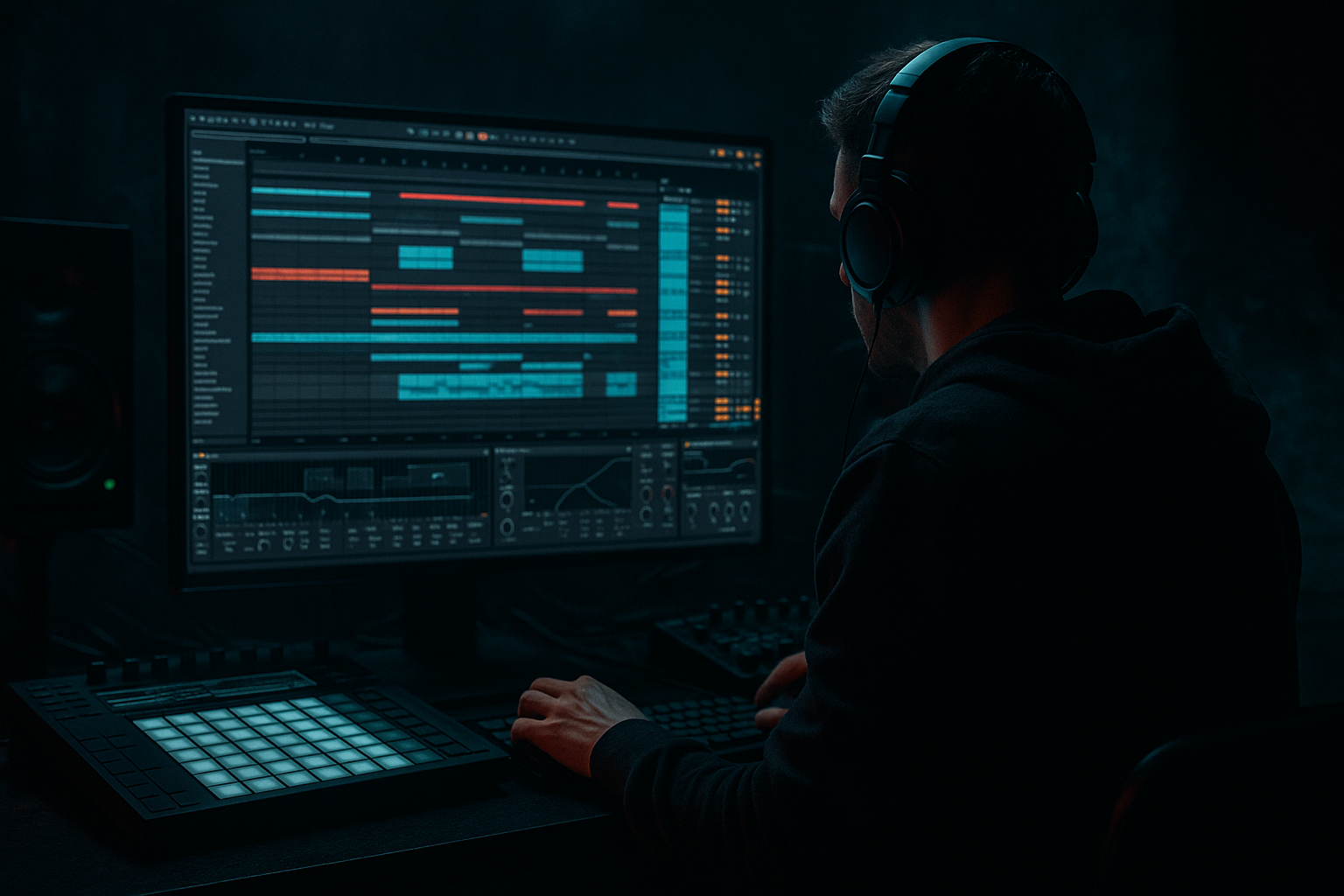
Main tutorial
Lesson Overview
In this lesson, you’ll build a classic “bassline turn” for jungle / oldskool DnB inside Ableton Live 12: a moment where the bassline flips direction, changes phrase, or answers itself to create that urgent, rewound energy you hear in vintage jungle edits and modern darker rollers.
This matters because in DnB, bass is not just a low-end support layer — it is part of the arrangement. A good bass turn can:
- mark the end of an 8-bar phrase,
- create tension before the next drum loop or drop,
- keep a repetitive roller feeling alive,
- and make a simple two-note bassline feel like it’s evolving.
- bassline programming
- break editing
- simple sound design
- basic automation
- and arrangement punctuation
- a subby bassline that feels simple but active,
- a reese-style mid bass layer for attitude,
- a bass turn / call-and-response edit at the end of a phrase,
- a breakbeat edit that supports the bass movement,
- and a basic 8-bar arrangement idea you can loop into a full tune.
- a 2-bar or 4-bar bass phrase repeating,
- then a turnaround with a quick pitch move, note change, filter movement, or short stop,
- followed by a return to the main groove.
- Making the bassline too busy
- Letting sub and mid bass fight
- Overusing distortion
- No phrase change at the end of the loop
- Break loop feels static
- Too much width in the low end
- Transitions are too flashy
- Use short rests before the bass turn
- Automate Auto Filter very slowly
- Layer a quiet noisy texture
- Use subtle Drum Buss on the bass group
- Resample and chop the turn
- Keep the snare sharp
- Use call-and-response between bass and break
- Build your jungle bassline around a simple sub + mid bass combo.
- Use a bass turn every 4 or 8 bars to create phrase movement.
- Let the break edit and bass edit answer each other.
- Keep the sub mono, the mid bass controlled, and the arrangement DJ-friendly.
- In Ableton Live, stock tools like Operator, Wavetable, Auto Filter, Saturator, Drum Buss, EQ Eight, Utility, and Simpler are enough to make a convincing oldskool DnB edit.
For beginners, this is a perfect “edit” skill because it combines:
We’ll keep it practical and very Ableton-native, using stock devices like Operator, Wavetable, Sampler/Simpler, Auto Filter, Saturator, Drum Buss, Glue Compressor, EQ Eight, and Utility.
Why this works in DnB: oldskool jungle often feels exciting because the drums and bass are constantly interacting. A bass turn gives the listener a clear phrase change without needing a huge fill. That’s especially useful in 160–174 BPM music where movement must be tight, rhythmic, and low-end focused.
What You Will Build
By the end of this lesson, you’ll have a short jungle-style section with:
Musically, the result should feel like:
Think of it like a jungle DJ tool: clean, loopable, and energetic, but with enough variation that it doesn’t feel copy-pasted.
Step-by-Step Walkthrough
1. Set up a simple jungle project
- Open Ableton Live 12 and set the tempo to 168 BPM. That sits nicely in oldskool jungle / DnB territory.
- Create three tracks:
- Drums
- Bass
- FX / Atmos
- Drag in a breakbeat loop or build a basic break from the browser using a drum rack. If you have no sample pack, start with stock drum hits and a break sample in Simpler.
- Keep the arrangement view open. We’re building an edit, so think in 2-bar and 4-bar phrases rather than long loops.
Beginner tip: loop just 8 bars for now. Don’t try to finish the whole tune yet.
2. Build the drum foundation with a break edit
- On the Drums track, load a break sample into Simpler in Slice mode if you want to chop it, or just place the loop on audio.
- If slicing in Simpler, start with:
- Slice by: Transient
- Fade around 3–10 ms to reduce clicks
- Copy the break across 2 bars and make one or two tiny edits:
- mute one kick,
- add a snare ghost note,
- or shift a hat slightly early.
- Add a Drum Buss after the break:
- Drive: 5–15%
- Boom: low, around 10–20% if needed
- Transient: +5 to +20 for extra snap
- Use EQ Eight to high-pass any unnecessary rumble below about 30–40 Hz if the break is muddy.
Why this works in DnB: jungle relies on break momentum. A slightly edited break creates “human” movement, which gives the bassline something to answer.
3. Create the sub bass with Operator or Wavetable
- On the Bass track, load Operator for a clean beginner-friendly sub.
- Use a sine wave or very simple waveform.
- Set one MIDI note pattern first: try a 2-note phrase like root note + fifth, or root + octave movement.
- Keep the notes short and rhythmic. Example:
- Bar 1: long root note
- Bar 2: shorter answer note
- In Operator, keep the envelope clean:
- Attack: 0–5 ms
- Decay: short or moderate
- Release: 50–120 ms
- Add Utility after Operator and set Width to 0% to keep the sub mono.
- Optional: add Saturator very lightly:
- Drive: 1–4 dB
- Turn on Soft Clip if needed
If you prefer a slightly more characterful bass, use Wavetable with a simple waveform and keep the low end clean. For beginners, Operator is the easiest way to get a solid jungle sub.
4. Add a mid bass layer for the reese / voltage character
- Duplicate the Bass track or create a new MIDI track called Bass Mid.
- Load Wavetable or Analog and build a simple detuned, animated bass sound.
- A beginner-friendly recipe:
- Use two saw-style oscillators
- Detune slightly
- Filter low end a bit so it doesn’t fight the sub
- Add Auto Filter:
- Set to Low-Pass
- Start cutoff around 200–500 Hz
- Add a little resonance but not too much
- Add Chorus-Ensemble lightly or use subtle unison in Wavetable for width.
- Add Saturator or Overdrive for grit:
- Saturator Drive: 2–6 dB
- Overdrive Frequency: midrange-focused
- High-pass this layer with EQ Eight around 120–180 Hz so the sub stays separate.
This is the “voltage” part: the mid bass gives the turn more electrical energy, movement, and aggression without destroying the sub.
5. Write the bassline as a call-and-response phrase
- Program a simple 2-bar MIDI loop.
- Keep the first bar strong and the second bar slightly different.
- Try this arrangement logic:
- Bar 1: bass holds the root and supports the drums
- Bar 2: bass makes a quick answer note, slide, or rest
- Use rests on purpose. In jungle, silence can make the next hit feel bigger.
- Keep note lengths tight enough to leave space for the kick and snare.
- If your bass line feels too busy, remove notes before adding effects.
Musical context example: a classic jungle phrase might sit under a break with the bass hitting on the “and” of 1 and then answering before the snare. That syncopation creates bounce without overfilling the groove.
6. Design the bass turn
This is the core of the lesson. A bass turn is a small phrase change that happens at the end of a loop, usually every 4 or 8 bars.
Try one of these beginner-friendly turn ideas:
- Pitch turn: end the phrase by moving up or down by one or two semitones
- Rhythm turn: remove one note and replace it with a longer note
- Filter turn: automate the filter cutoff open or closed over 1 bar
- Stop-turn: mute the bass for a half beat, then bring it back
- Answer note: the second half of the phrase plays a different note than the first
In Ableton:
- Use MIDI clip envelope or track automation for the filter cutoff.
- In Auto Filter, automate cutoff from around 250 Hz to 800 Hz over one bar for a rising phrase, or reverse it for a darker pullback.
- If using Operator or Wavetable, automate:
- Filter cutoff
- Oscillator level
- or wavetable position
- Add a short Utility gain dip or mute moment before the turn for a “rewind-ish” effect.
Why this works in DnB: a bass turn replaces static repetition with a phrase cue. In fast music, the listener needs landmarks. The turn tells the ear, “the loop is evolving now.”
7. Link the bass turn to the break edit
- Now make the drums respond to the bass movement.
- On the last 1/2 bar before the turn:
- add a snare fill,
- reverse a break chop,
- or place a quick ghost kick.
- If using audio break clips, try cutting one tiny slice and moving it slightly earlier or later to create a fill.
- Use Reverb sparingly on a snare or break hit:
- Decay: 0.8–1.8 s
- Dry/Wet: low, around 5–15%
- Follow that with a Utility or volume automation to make the fill feel controlled, not washed out.
Editing idea: duplicate your 2-bar break loop, then create a single variation bar at the end of every 8 bars. That small edit is enough to make the bass turn feel intentional.
8. Shape the low end so the turn hits clean
- Put EQ Eight on the Bass group or individual tracks.
- For the sub:
- cut unnecessary low-mid mud around 150–300 Hz if it gets boxy
- For the mid bass:
- high-pass around 120–180 Hz
- gently reduce harsh areas if needed around 2–5 kHz
- Use Utility or track volume to balance levels rather than over-EQing.
- Check in mono:
- keep the sub fully mono
- allow only the mid bass to have width
Beginner mixing rule: if the bass turn sounds exciting alone but messy with drums, reduce width and simplify the notes before adding more effects.
9. Arrange an 8-bar DJ-friendly section
- Build a short arrangement like this:
- Bars 1–2: break + main bass phrase
- Bars 3–4: repeat with tiny drum edit
- Bars 5–6: bass turn with filter movement or stop
- Bars 7–8: return to the main phrase with a fill into the next section
- Use Locator markers in Arrangement View for:
- Intro
- Groove
- Turn
- Return
- If you want it more oldskool, leave a slightly more open intro/outro with drums first, then bring in bass after 4 or 8 bars.
- Keep transitions practical:
- short riser,
- reversed break hit,
- one impact,
- no overcrowding.
This is a very DJ-friendly way to write jungle: loops that work in a set, but with enough edit detail that they feel like a proper tune, not just a loop.
10. Bounce or resample the bass turn for extra character
- When the bass movement feels good, resample it.
- Create a new audio track and record the bass phrase.
- Then chop the recorded audio into smaller pieces and move one piece for the turn.
- Add Warp only if needed, and keep the timing tight.
- You can also apply gentle Saturator or Drum Buss to the resampled audio for more character.
- This is a great beginner move because it turns a loop into an editable audio performance.
A resampled bass turn often sounds more “finished” than a purely MIDI one, especially for oldskool-flavored DnB where chopped audio edits are part of the aesthetic.
Common Mistakes
- Fix: reduce to 2–4 core notes and let the drums do some of the talking.
- Fix: keep the sub mono and high-pass the mid bass around 120–180 Hz.
- Fix: add just enough Saturator or Overdrive for tone, then stop before the low end gets fuzzy.
- Fix: add a small bass turn every 4 or 8 bars. Even a one-note change helps.
- Fix: add ghost notes, tiny chops, or a one-bar fill at the phrase end.
- Fix: use Utility on the sub and check mono regularly.
- Fix: in jungle, subtle often hits harder. A reversed break chop and a small filter move can be enough.
Pro Tips for Darker / Heavier DnB
- A tiny gap makes the return feel heavier and more dramatic.
- Try a cutoff sweep from 250 Hz up to 700–1,000 Hz over 1 bar for tension, then snap back down for the drop.
- Add a faint noise layer in Wavetable or Simpler and high-pass it heavily. It can make the bass feel more alive without adding mud.
- A little Drive and Transient can glue the bass turn into the break.
- Darker DnB often sounds better when the movement is committed to audio instead of endlessly tweaked in MIDI.
- If the bass is heavy, make sure the snare still cuts. Use EQ Eight to clear mud and keep transient punch.
- Let the bass hit, then let the break answer. That conversation is a huge part of authentic jungle energy.
Mini Practice Exercise
Spend 10–20 minutes making one 8-bar jungle edit using only the tools from this lesson:
1. Set the project to 168 BPM.
2. Program a simple 2-bar break loop.
3. Build a mono sub in Operator with only 2–3 notes.
4. Add a mid bass layer in Wavetable and high-pass it around 150 Hz.
5. Create one bass turn at the end of bar 4 or bar 8 using:
- a pitch change,
- a filter sweep,
- or a half-beat rest.
6. Add one small drum fill before the turn.
7. Check the mix in mono and lower anything that masks the kick or snare.
8. Loop the section and listen for whether the turn feels like a clear phrase change.
Goal: by the end, your loop should feel like it’s “telling the ear” where the next section is going, not just repeating.
Recap
The big takeaway: in jungle and DnB, a small bass change can feel huge when the drums, spacing, and phrase timing are right. Keep it tight, keep it low, and let the turn do the talking.

