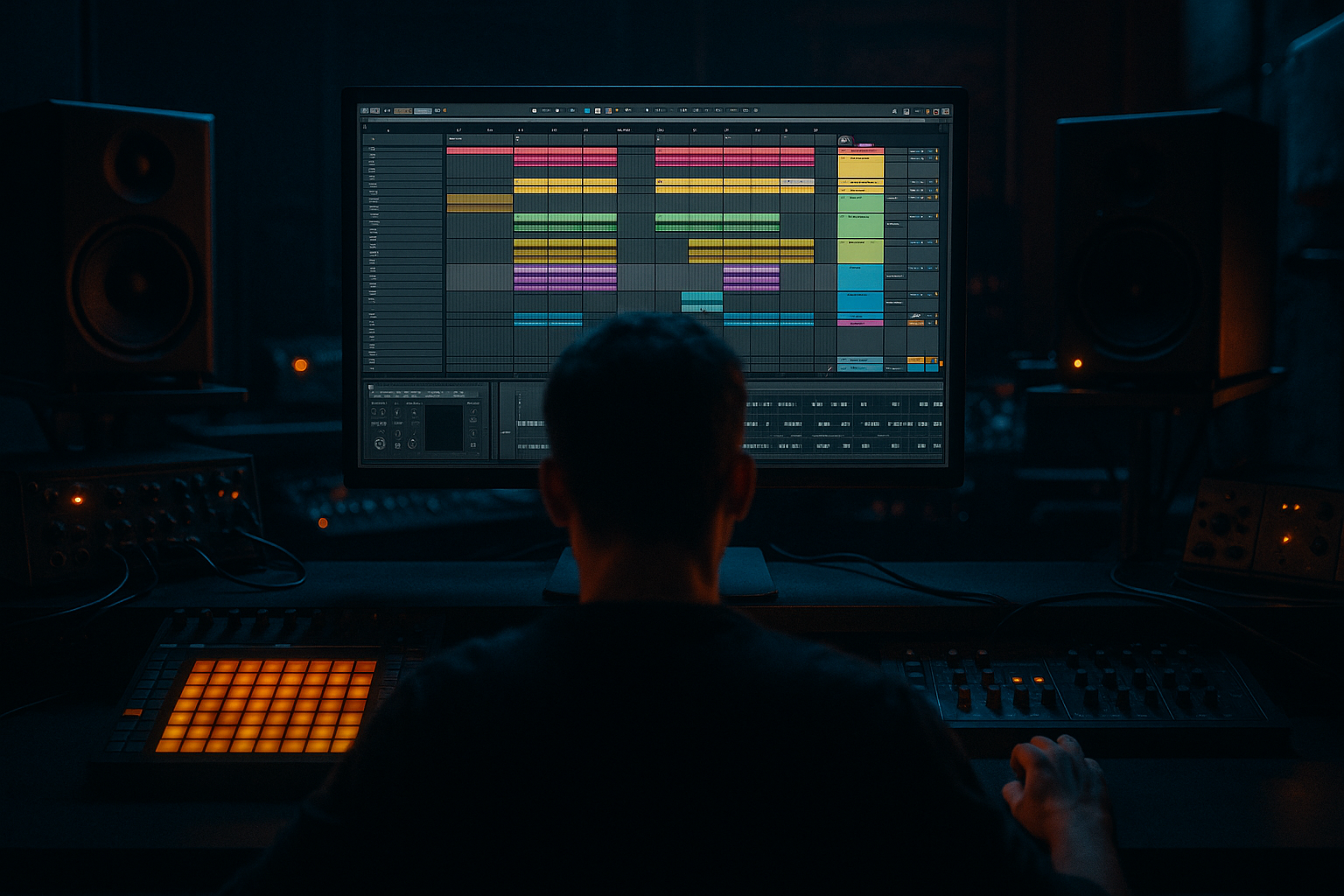
Main tutorial
Lesson Overview
This lesson is about building a filtered breakdown rebuild for a Jungle Voltage-style edit in Ableton Live 12, then resampling it into a playable DnB transition that can lead back into the drop with real pressure.
In a DnB track, this kind of move lives in the breakdown-to-drop lane: after an 8, 16, or 32-bar release section, you strip the energy down, filter the main musical idea, then rebuild tension through audio printing, filter motion, drum fragments, and bass punctuation. It matters because DnB arrangements live or die on contrast. If the breakdown is too empty, the drop feels disconnected. If it is too busy, the drop loses impact. A good filtered rebuild gives the DJ and the listener a clear sense of escalation without muddying the low end.
This technique fits especially well in:
- Jungle / rollers
- Dark DnB
- Voltage-style edits
- Breakbeat-forward club tracks
- Neuro-influenced drop transitions where you want tension before the impact
- a dark, hollow filtered tone at the start
- a rhythmic rebuild that grows in density over 8 or 16 bars
- a jungle-compatible swing and break energy
- enough midrange tension to carry interest without overpowering the drop
- clean sub management so the low end stays controlled when the drop returns
- Use band-pass for menace, low-pass for weight.
- Automate tiny filter openings on the last note of the bar.
- Resample one pass with saturation, one pass clean.
- Treat ghost notes like tension vocabulary.
- Use short delays only on transitions, not constantly.
- Protect the kick/snare hierarchy.
- Make the second half rougher than the first.
- Use only stock Ableton devices.
- Use one source loop and one break loop.
- Include one bass fragment, but keep it short and mono.
- Automate only one main filter and one secondary effect.
- Print at least one pass to audio.
- a filtered opening
- a visible rhythmic rebuild
- one bass hint
- a clear pre-drop end moment
- Start with a recognizable DnB source loop.
- Filter it down hard, then rebuild energy in 2- or 4-bar stages.
- Resample early so you can slice, reverse, and shape the transition.
- Keep the bass fragment short, mono, and supportive.
- Use break edits and automation to create forward motion, not just volume.
- Check the section in context with the drop so the payoff lands harder.
- A strong filtered rebuild should feel like the track is gathering itself for impact.
By the end, you should be able to hear a breakdown that starts as a filtered, stripped-back version of the main idea, then becomes a tight, evolving rebuild with drums, bass hints, and rising spectral energy. A successful result should feel like the track is leaning forward, not just getting louder.
What You Will Build
You will build a filtered breakdown reconstruction from scratch using Ableton stock tools only: a short musical loop, a break-based drum layer, a bass stutter or reese fragment, and a resampled transition chain.
The finished result should have:
Sonically, it should feel like a filtered memory of the track that slowly reassembles itself into a full-force cue. Musically, it should function as a DJ-friendly tension section or a second-drop lead-in. Mix-wise, it should be polished enough that you could leave it in the arrangement without embarrassment: no rogue sub buildup, no harsh top-end fizz, and no phasey stereo mess.
Step-by-Step Walkthrough
1. Set up a tight source loop with clear roles
Start with a short loop from your track idea: ideally a 1- or 2-bar phrase containing a bass motif, a stab, or a melodic fragment that can survive filtering. If you do not have a full track yet, make a simple source using:
- a Wavetable or Analog bass note pattern
- a short stab or chord hit
- a breakbeat loop at the right tempo
Keep the loop musically simple. This is not the moment for full arrangement detail; you want something with a recognizable identity after processing. In a DnB context, a loop that works here usually has:
- a strong rhythmic hook
- a short decay
- a note pattern that suggests motion even when filtered
Why this works in DnB: filtered rebuilds depend on the listener recognizing the groove before they hear the full spectrum again. If the source is too complex, the breakdown turns into blur.
Workflow tip: immediately color-code and name the audio or MIDI clips by function: `bass_source`, `stab_source`, `break_source`. That saves time once you start printing and slicing.
2. Build the filtered breakdown using EQ Eight and Auto Filter
Put EQ Eight first and Auto Filter after it on the source track or on the audio you print. Use EQ Eight to clean up problematic energy before the filter movement starts.
A practical starting point:
- High-pass around 30–45 Hz if the source has sub you do not want
- Gentle dip around 250–500 Hz if the loop feels boxy
- If the source is too bright, soften 6–10 kHz slightly before the main filter motion
Then use Auto Filter in low-pass mode for the breakdown starting point:
- Start cutoff around 180–600 Hz depending on how buried you want it
- Resonance modest, roughly 10–25%
- Map or automate the cutoff across the section so it opens over time
If you want a darker, more old-school Jungle Voltage feel, try a band-pass motion instead of a clean low-pass. Band-pass keeps the midrange alive while removing the extremes, which can make the section feel more haunted and less polite.
Listening cue #1: if the source still sounds obviously “like the full tune” at the start of the breakdown, the filter is too open. You want the listener to feel the identity, not hear the answer immediately.
3. Choose between two rebuild flavours: “ghost rebuild” or “pressure rebuild”
This is the key decision point.
A. Ghost rebuild
- Keep the source heavily filtered for longer
- Add sparse drum fragments and reverse textures
- Use fewer notes, more space
- Best for eerie intros, tension resets, or DJ-mixable breakdowns
B. Pressure rebuild
- Open the filter faster
- Bring in more break hits, bass punctuation, and automation
- Increase energy across every 2 bars
- Best for second drops, fake-out sections, or peak-time reload moments
For a Jungle Voltage edit, the pressure rebuild is often the stronger choice if you want the section to feel like it is actively climbing back into the drop. But if the surrounding arrangement is already dense, the ghost rebuild gives you more room and makes the eventual impact bigger.
What to do in Ableton: automate the filter cutoff in 2-bar stages rather than one smooth ramp. That makes the rebuild feel musical, not like a generic sweep.
4. Resample the filtered idea into audio
Now commit the filtered source to audio. This is where the lesson becomes a real resampling workflow instead of endless clip tweaking.
In Ableton, resample or record the filtered output onto a fresh audio track and capture at least:
- the first filtered phrase
- one slightly more open phrase
- a phrase where the filter opens enough to reveal the groove
Commit this to audio if the motion already feels good in context. Do not keep automating forever. Once the filtered movement and rhythm are working, print it so you can cut, reverse, duplicate, and process without being trapped in the MIDI or effect chain.
After printing, slice the audio into useful pieces:
- phrase start
- midpoint swell
- tail
- any accidental transient or glitch that sounds useful
This gives you raw material for the rebuild rather than one static loop.
Why this works in DnB: resampling creates density and specificity. Instead of a generic filter sweep, you get actual audio events that can punch between drum hits and leave space for the sub.
5. Create the rhythmic rebuild with break edits and ghost notes
Drop your printed audio into a new track and build a break-led rhythm around it. Use a stock Drum Rack or an audio track with sliced break hits. A practical chain for the break track is:
- Utility to keep the low end controlled and check mono
- Drum Buss for light punch and harmonic density
- EQ Eight to clear mud and tame harsh hats
A good starting rhythm for the rebuild:
- kick/snare anchor on the main backbeat
- chopped break ghosts around the gaps
- occasional 16th or triplet pickup before the next phrase
- one or two surprise edits every 4 bars so it evolves
Keep the break fragments tight. If your rebuild is 16 bars long, change the break pattern every 4 bars:
- Bars 1–4: sparse filtered loop, a few ghost hits
- Bars 5–8: added snare pickup, more open top end
- Bars 9–12: break slices become more active
- Bars 13–16: near-complete rhythmic reveal before the drop
What to listen for #2: the rebuild should still feel like a groove, not a pile of edits. If the snare loses its authority because the break is too busy, reduce the number of ghost hits or shorten the chopped slices.
6. Add a bass fragment that hints, not overwhelms
Bring in a bass element that acts like a memory of the drop bass, not the full drop itself. This could be:
- a single reese note cut into short pulses
- a filtered sub + mid bass stab
- a one-note bass answer at the end of every 2 bars
Stock-device chain example 1:
- Wavetable or Analog for the source
- Saturator with Drive around 2–6 dB
- Auto Filter to narrow the tone during the breakdown
- Utility to keep bass mono
- optional Compressor for controlled hits
Keep the bass line minimal. A few well-placed notes are enough. In jungle and darker rollers, bass rebuilds often work best when they leave air for the break.
Concrete parameter ideas:
- keep bass notes short, around 1/8 to 1/4 note lengths
- if using a reese, low-pass it to roughly 200–800 Hz during the breakdown
- use Saturator drive only enough to make harmonics audible on small speakers
- avoid stereo widening on anything below the midrange
If the bass feels too polite, automate a small filter opening or increase distortion slightly on the last 2 bars. If it starts stepping on the kick/snare, cut the bass note lengths before turning up the volume.
7. Shape the rebuild with automation instead of volume alone
The rebuild should gain energy through spectral opening, rhythmic density, and transient clarity, not just louder faders.
Automate:
- Auto Filter cutoff opening across 8 or 16 bars
- Dry/wet of a light Reverb on selected hits only
- Delay feedback on one or two turnaround moments
- drum bus saturation slightly increasing into the final bars
- clip gain or track volume only as a last touch
A useful arrangement move is to place a tiny automation lift at the end of every 4 bars:
- bar 4: a reversed hit
- bar 8: a snare fill
- bar 12: a bass pickup
- bar 16: a short pre-drop silence or impact
This creates phrasing the dancer can feel. The track is saying, “something is coming,” without shouting it constantly.
Stop here if the section already works with drums and bass in solo plus one full-reference beat. If it is musically convincing before extra polish, do not overdecorate it. Restraint is part of the sound.
8. Check the rebuild in context with the full drum and bass relationship
This step matters because a filtered breakdown that sounds cool alone can fail the moment the kick and sub return.
Test the section against:
- the main kick/snare
- the main sub
- any ride or top loop from the drop
You are checking for three things:
- does the rebuild make room for the drop to feel bigger?
- does the filtered bass stay out of the kick’s way?
- does the break still propel the groove forward?
If your filtered section is too full, pull back one layer:
- remove the bass fragment
- shorten the break
- reduce reverb tail
- lower the cutoff resonance
If it feels too empty, add a single high-passed percussion layer or a reverse texture rather than another bass layer. In DnB, space can sound expensive when it is deliberate.
9. Make a DJ-friendly phrase ending with a controlled payoff
Decide how the rebuild resolves. In club-oriented DnB, the transition should be clear enough for DJs to mix, but dramatic enough to reward the listener.
A reliable 16-bar format:
- Bars 1–4: filtered source + sparse break
- Bars 5–8: more open filter + ghost bass
- Bars 9–12: rhythmic lift + snare fill
- Bars 13–16: near-full energy + 1-beat or 2-beat pre-drop gap
That last gap is important. A tiny moment of subtraction before the drop makes the return hit harder. Even one beat of silence or a reversed tail can create a huge illusion of impact.
Arrangement example: if this follows a breakdown, let the rebuild begin with just the filtered loop and a low-passed break. By the final four bars, add the mid bass, then cut everything except a tail or impact for the drop entry. That contrast is what makes the section feel like a proper Jungle Voltage edit rather than a looped filter trick.
10. Do the final mix-clarity pass and print the section
Before you call it done, check mono compatibility and low-end separation.
Use Utility on the bass and any widened effects:
- keep sub elements mono
- if the breakdown uses stereo atmosphere, high-pass it so it does not cloud the low end
A practical mix pass:
- cut muddiness around 200–400 Hz if the break and bass are fighting
- tame harshness around 4–8 kHz if the hats get brittle during the filter opening
- keep the filtered section around enough headroom that the drop can still feel bigger
If the rebuild uses any stereo movement, make sure the main rhythmic shell still translates in mono. A filtered breakdown can sound huge in stereo and collapse on club systems if the important hits rely on width rather than tone.
Once it works, print the rebuild to audio as its own track. That makes future arrangement editing much faster and lets you create variants for the first drop, second drop, or DJ intro.
Common Mistakes
1. Leaving the filter too open for too long
This makes the breakdown feel like a weak drop instead of a tension section.
Fix: automate a lower cutoff at the start and open it in 2-bar stages. For example, begin around 200–400 Hz and only reveal more top end in the final third of the section.
2. Letting the sub run underneath the rebuild
This muddies the transition and robs the drop of impact.
Fix: high-pass the breakdown source and keep the true sub out until the intended return. Use Utility and EQ Eight to keep low-end control clean.
3. Over-chopping the break so it stops grooving
Too many edits make the section feel nervous instead of powerful.
Fix: anchor the rebuild with a stable backbeat and use chopped break fragments as accents, not the entire rhythm.
4. Using too much stereo width on the bass layer
Wide low-end sounds exciting in solo but falls apart in club playback.
Fix: keep bass and sub mono with Utility; if you want width, place it only above the low-mid range through filtered texture or delay returns.
5. Trying to make the rebuild “bigger” only by turning up volume
That usually causes masking and reduces the final drop payoff.
Fix: build energy through filter opening, added rhythmic density, and controlled harmonic saturation instead of raw gain.
6. Not printing the filtered idea to audio
You lose the chance to slice, reverse, and build real turnaround details.
Fix: commit to audio once the movement works. Then edit the printed waveform into fills, tails, and answer phrases.
7. Ignoring the phrase ending
A rebuild with no clear end feels unresolved in a bad way.
Fix: plan a 1-beat or 2-beat gap, reverse tail, or impact before the drop so the arrangement breathes.
Pro Tips for Darker / Heavier DnB
Low-pass keeps the section buried and heavy; band-pass makes it feel claustrophobic and haunted. For dark jungle edits, band-pass around the midrange can create a more aggressive “in the tunnel” vibe.
A small opening on beat 4 or the last 1/8 note creates forward motion without giving the game away too early.
The saturated print gives you grit; the cleaner print gives you control. Layer them lightly or choose one depending on how distorted the drop already is.
A few well-placed break ghosts are more effective than a wall of percussion. In heavier DnB, negative space makes the hits sound harder.
A 1/8 or 1/16 delay throw on a snare fill or stab tail can explode the section open, but constant delay smears the groove and crowds the break.
If the filtered rebuild starts competing with the backbeat, reduce midrange content in the bass fragment before touching the drum level. The drums should still tell you where the bar is.
A nice dark technique is to keep bars 1–8 restrained, then increase distortion or break density in bars 9–16. That progression gives the section a real underground arc.
Mini Practice Exercise
Goal: Build a 16-bar filtered breakdown rebuild that leads into a drop with real tension.
Time box: 15 minutes.
Constraints:
Deliverable: A 16-bar section with:
Quick self-check: Play it against your main drop drums. If the drop does not feel bigger after the rebuild, your section is probably too open, too busy, or too bass-heavy. Fix one of those first before adding anything new.

