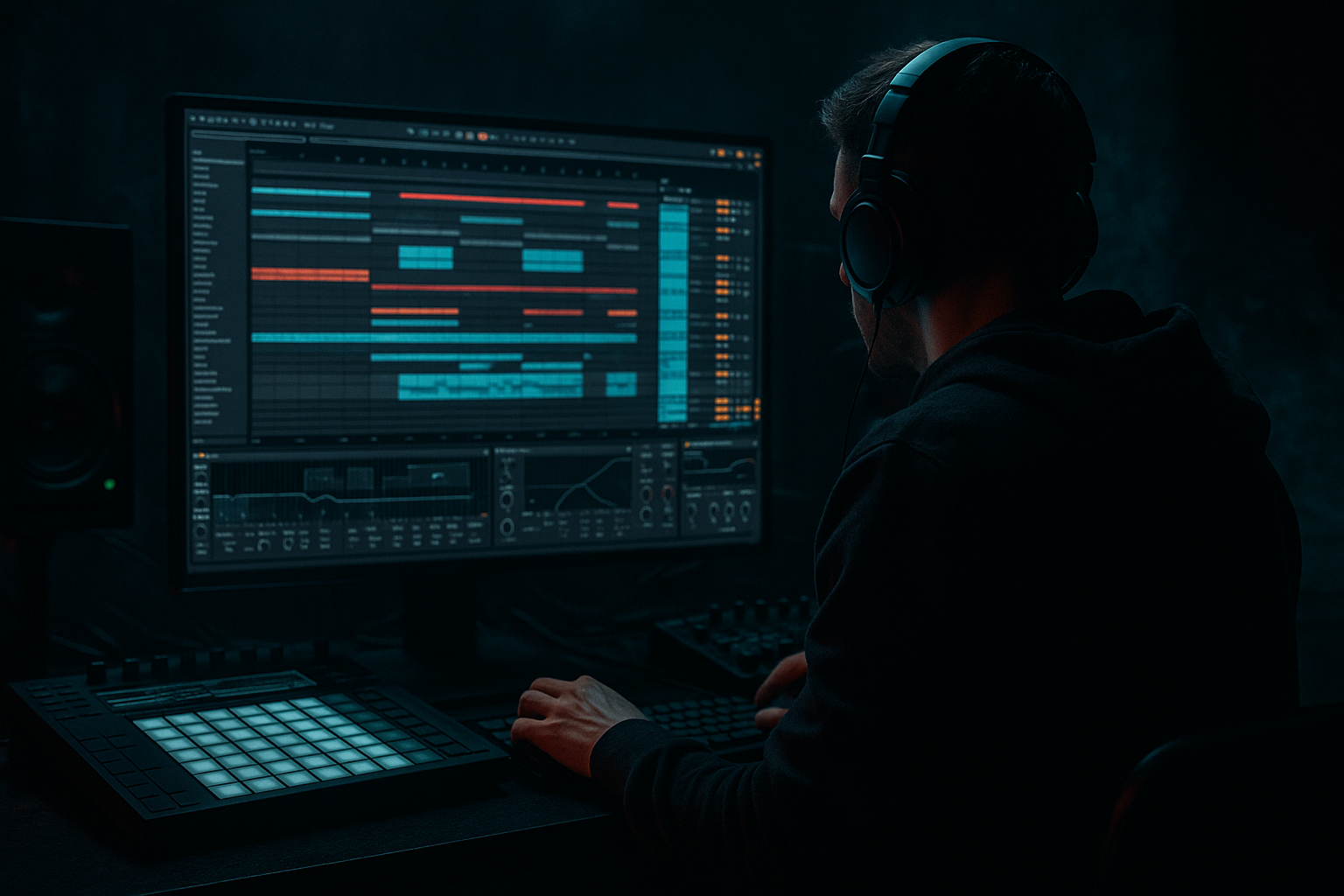
Main tutorial
Lesson Overview
In this lesson, you’re building a Jungle Warfare subsine blueprint inside Ableton Live 12: a warm, tape-style sub layer + gritty mid support system designed for DnB and jungle bass music. The aim is not just “making a bass sound,” but shaping a usable groove engine that sits under breaks, drives a drop, and keeps movement without wrecking the low end.
This technique matters because in Drum & Bass, the bassline is often doing three jobs at once:
1. Holding the sub foundation
2. Creating rhythmic tension with note phrasing
3. Adding character through saturation, distortion, and resampling
If your bass is too clean, it can feel weak against busy drums. If it’s too distorted, the kick and break lose definition. The sweet spot for jungle / rollers / darker DnB is usually a controlled sub with a slightly dirty upper layer — enough harmonics to read on smaller systems, but still disciplined in mono.
This lesson fits right in the Groove category because the bassline here is not static. You’ll build a call-and-response pattern between sub notes, ghosted movement, and short accent hits that lock into breakbeat swing. The result should feel like a track-ready foundation for a dark roller, early jungle refix, or halftime-to-double-time switch-up. 🔥
What You Will Build
By the end, you’ll have a two-part Ableton rack-based bass system:
- A pure, mono sub sine that carries the low-end weight
- A warmer mid-bass / reese-ish layer with tape-style grit and movement
- A groove-aware MIDI pattern that leaves space for drums and edits
- A resampled texture layer for extra realism and old-school jungle dirt
- A bass sound that works in a drop, breakdown, or DJ-friendly intro
- Deep in mono
- Warm rather than fizzy
- Gritty but controlled
- Rhythmically alive
- Easy to arrange into a full track
- Making the sub too busy
- Over-saturating the low end
- Too much stereo width in the bass
- Bass and drums fighting for the same rhythm space
- Not using automation
- Ignoring headroom
- Use short gaps before the snare to make the return hit harder. Silence is part of the groove.
- Layer a very quiet octave-up dirty copy of the mid bass, but high-pass it so it adds edge without clouding the sub.
- Resample your bass after saturation and then chop the audio for fills, reverses, and stutters. This is especially effective for jungle-style switch-ups.
- Use note length as a rhythmic tool. Short notes feel sharper and more neuro; slightly longer notes feel more rollers and menacing.
- Automate filter movement on the repeat phrase, not the first phrase. That keeps the hook evolving across the drop.
- Keep the kick/sub relationship clean. If your kick is punchy, let the sub enter just after the kick transient or use careful note placement so they don’t mask each other.
- Use Drum Buss on drums, not blindly on the bass group. The bass should stay defined; the drums can take more shaping.
- Try a half-bar mute before a fill. In darker DnB, removing the bass for one beat can make the re-entry feel massive.
- Build DnB bass as a sub + mid layer system
- Keep the sub mono, clean, and rhythmically simple
- Add warm grit and movement on the mid layer with stock Ableton devices
- Use automation and resampling to create jungle-style evolution
- Make the bassline interact with the break, not compete with it
- Arrange with space, tension, and return so the drop hits harder
Musically, think of it as a 4- or 8-bar DnB bass phrase where the sub holds the root notes, then the mid layer answers with short snarls, slides, or pitched hits. In a jungle or darker roller context, this could sit under chopped Amen-style drums, tight neuro percussion, or a half-time intro that later flips into a full-pressure drop.
The final sound should feel:
Step-by-Step Walkthrough
1. Set the session up for a bass-first workflow
Start a fresh Ableton Live 12 set and set the project around 174–176 BPM. That range keeps the lesson in authentic DnB territory and gives your notes enough space to breathe between break hits.
Create:
- One MIDI track for the sub
- One MIDI track for the gritty mid layer
- One Audio track for resampling later
- A Drum Rack or break track if you already have a break loop ready
Load a reference break or simple loop if you want immediate context. A good test is a sparse Amen-style chop or a clean two-step pattern, because the bassline needs to work against active drums. The key here is to think like a DnB producer: bass does not live alone — it must fit around kick, snare, hats, ghost notes, and bass pauses.
Why this works in DnB: the genre relies on tight low-end division of labor. The kick and sub can’t fight for the same space, and the bass rhythm must reinforce the drums instead of smearing over them.
2. Build the sub layer with a clean synth foundation
On the first MIDI track, load Operator. This is a perfect Ableton stock device for a proper DnB sub.
Suggested starting settings:
- Oscillator A: Sine
- Keep other oscillators off
- Filter: off, or set very gentle low-pass if needed
- Voices: Mono
- Portamento/Glide: very slight, around 30–60 ms if you want slide feel on overlapping notes
Write a simple 1- or 2-bar MIDI phrase using root notes and one passing tone. For a jungle warfare feel, keep the rhythm syncopated rather than busy:
- Long root note on the downbeat
- Short answer note just before the snare
- Occasional pickup note into bar 2 or bar 4
- Leave intentional rests
A strong example in a dark roller context:
- Bar 1: root note held for half a bar, then a short offbeat hit
- Bar 2: repeat root, add a higher fifth or octave stab
- Bar 3–4: variation with a held note into a gap
Keep this layer simple and solid. Your sub should be felt more than heard. If it starts sounding like a lead, it’s too busy.
3. Shape the sub for mono discipline and clean headroom
Add Utility after Operator. Set:
- Width: 0%
- Gain adjusted so the sub sits comfortably below the drums
Then add EQ Eight if necessary:
- High-pass only if you have unwanted rumble below the true sub range; keep it gentle
- Avoid boosting the sub excessively
- If the track feels muddy, cut a little around 120–200 Hz on the sub track, but only if needed
Keep the sub track clean. Don’t saturate it too hard yet. In DnB, the sub should remain stable while the upper layer provides the attitude. If you distort the sub too early, you lose the punch and accuracy that make fast bass music hit hard.
Practical range:
- Sub fundamental often works best in the 35–60 Hz zone depending on key
- Keep notes readable and avoid ultra-low muddy pitches if the mix is crowded
4. Create the gritty mid layer using Wavetable or Operator
On the second MIDI track, load Wavetable for a more expressive mid-bass. This layer gives you the warm tape-style grit and movement.
A strong starter patch:
- Oscillator 1: saw or slightly detuned saw
- Oscillator 2: second saw or square blended quietly
- Unison: light, not huge
- Filter: Low-pass 24 dB or gentler model, with some drive if needed
- Envelope: short decay, medium sustain if you want longer growl, or low sustain for plucks
Suggested settings:
- Filter cutoff: start around 180–500 Hz and automate upward in places
- Resonance: 10–25%
- Detune: subtle, enough to thicken but not wash out the stereo field
- Amp envelope decay: 150–350 ms for short answer notes, or longer if the bassline needs sustained tension
Add Saturator after Wavetable:
- Drive: 3–8 dB
- Soft Clip: On
- Color if useful, but don’t overdo brightness
Then add Amp or Roar if you want more aggressive character. Keep it restrained. The goal is not modern EDM distortion — it’s warm, gritty pressure that feels like it belongs with chopped breaks and smoky atmospheres.
5. Build the “tape-style” warmth and movement
To get the warm, slightly worn Jungle Warfare feel, add a small chain of movement and degradation:
- Auto Filter with a slow envelope or subtle LFO-style automation
- Redux very lightly if you want a bit of crunch
- Echo used extremely subtly, or just on selected fills
- Drum Buss on the mid layer only if you want extra smack and harmonic dirt
Good starting settings:
- Auto Filter cutoff: automate between 250 Hz and 1.2 kHz for movement
- Resonance: low to moderate
- Drum Buss Drive: subtle, around 5–15%
- Boom: usually keep off on bass layers unless you know exactly what it’s doing
For tape-style behavior, use automation rather than permanent heavy processing. That’s the trick. Old-school jungle bass often feels alive because the tone is changing over time — not because it’s crushed from start to finish.
Try this groove idea:
- Keep the first hit darker and muted
- Open the filter slightly on the reply note
- Push a louder, more harmonically rich hit at the end of the 2-bar phrase
This creates a call-and-response bass phrase that works brilliantly with breakbeat edits.
6. Program the groove against the drums, not just on the grid
Now bring in the drum context. If you already have a break, line your bass with the snare anchor points but don’t lock everything perfectly to the grid.
In DnB groove terms:
- Let the sub support the main downbeat or pre-snare tension
- Let the mid layer answer between kick/snare hits
- Leave little pockets where the break can breathe
- Add ghost notes or short pickup notes to create propulsion
Use Ableton’s Groove Pool if you want a more natural feel:
- Try a light swing groove
- Keep timing and velocity influence modest
- Apply groove to MIDI bass notes, not to the whole track blindly
If your drums are busy, simplify the bass rhythm. If your drums are minimal rollers, you can let the bassline be more active. The point is to make the groove feel intentional, not crowded.
Musical context example: over a chopped Amen loop, a bass phrase might hold the root through the first two snares, then use a short octave stab into bar 2 to create tension. That’s enough to make the track feel “written” without stealing from the break.
7. Resample the bass for authentic jungle edge
Create an Audio track and set its input to resample from your bass bus or your main bass group. Record a few bars of the full bass pattern.
Why resample?
- It lets you commit to a tone
- You can edit the waveform for a more classic jungle feel
- It gives you audio chunks you can reverse, slice, or stutter
Once recorded:
- Warp if needed, but keep the timing natural
- Slice the audio into pieces with Slice to New MIDI Track if you want playable edits
- Use Simpler in Slice mode for new variations
- Trim and fade the ends to avoid clicks
This is a huge part of authentic DnB workflow. Jungle and darker bass music often feels alive because producers turn sound design into arrangement material. A bass stab becomes a fill. A texture becomes a transition. A dirty note becomes a hook.
8. Shape the bass bus for glue, not damage
Route both bass layers to a Bass Group. On the group, keep processing minimal and purposeful.
A strong chain:
- EQ Eight for cleanup
- Compressor or Glue Compressor only if the layers need mild glue
- Utility for mono checking
- Optional Saturator very lightly if the group feels too sterile
Suggested group approach:
- Cut low-mid mud if the bass overlaps with the snare body
- Check the mix in mono
- Leave headroom so the drums can hit
A common DnB balance is:
- Kick and snare own the transient space
- Sub owns the very low end
- Mid bass occupies the midrange with controlled attitude
If the bass bus feels aggressive but blurry, reduce stereo width on the mid layer and simplify the filter motion. Clarity wins in fast music.
9. Automate energy across the arrangement
Now make the bassline useful in a real track structure.
Build a simple arrangement idea:
- Intro: filtered bass teaser or sub hints only
- Build: add mid-bass movement and tension
- Drop 1: full sub + mid layer, strongest groove
- Switch-up: remove the sub for 1 bar or half a bar, then bring it back
- Drop 2: variation with extra resampled fills or denser answer notes
Automation ideas:
- Filter cutoff opening before the drop
- Saturator drive increasing slightly at the drop
- Volume dips before snare fills
- Auto Filter sweep on the mid layer in the last 2 bars before impact
In jungle and rollers, arrangement is often about space and return. The bassline doesn’t need to be huge all the time. In fact, short reductions make the heavy return feel bigger.
10. Check the mix in context and finalize the groove
Play the bass against the drums and listen for:
- Does the sub hit without masking the kick?
- Does the mid layer add motion without harshness?
- Does the groove feel human and forward-driving?
- Is the bass phrase leaving space for snare impact and break detail?
Use Spectrum if needed to spot buildup. If the low end is foggy, reduce overlapping notes or shorten note lengths. If the bass lacks impact, adjust the mid layer’s envelope or saturation before boosting the EQ.
Final practical check:
- Mono check the low end
- Compare bass loudness against the snare
- Ensure your bass doesn’t step on the break’s ghost notes
- Export a rough 8-bar loop and test it as if it were a drop intro
Common Mistakes
Fix: keep the sub to root notes, short pickups, and intentional rests. Let the mid layer handle interest.
Fix: distort the mid layer more than the sub. Keep sub distortion subtle or absent.
Fix: keep the sub mono with Utility at 0% width. If the mid layer is wide, make sure it doesn’t smear the low mids.
Fix: rephrase the bass around the snare and break accents. In DnB, rhythm placement matters as much as tone.
Fix: automate filter cutoff, volume, and saturation drive across 4- or 8-bar phrases so the bass feels alive.
Fix: leave enough room for the drum buss and master processing. A strong DnB bassline should feel heavy without clipping the mix.
Pro Tips for Darker / Heavier DnB
Mini Practice Exercise
Spend 10–20 minutes building a 4-bar Jungle Warfare bass loop:
1. Set tempo to 174 BPM.
2. Create a sub track with Operator and write a 4-bar MIDI phrase using only 2–3 notes.
3. Add a mid layer with Wavetable and design a gritty tone using Saturator and Auto Filter.
4. Make bar 2 and bar 4 slightly different with one extra note or one filter movement.
5. Resample 4 bars to audio.
6. Slice the audio into 4–8 pieces and create one variation fill.
7. Play it with a breakbeat and ask:
- Does the bass groove feel forward?
- Is the sub clean in mono?
- Does the mid layer add character without masking the snare?
Goal: finish with one loop that already sounds like the opening of a real DnB drop.
Recap
If you get this right, you’ll have a bass blueprint that works across jungle, rollers, darker DnB, and neuro-leaning drum music — with the kind of warm tape-style grit that feels built for replay.

