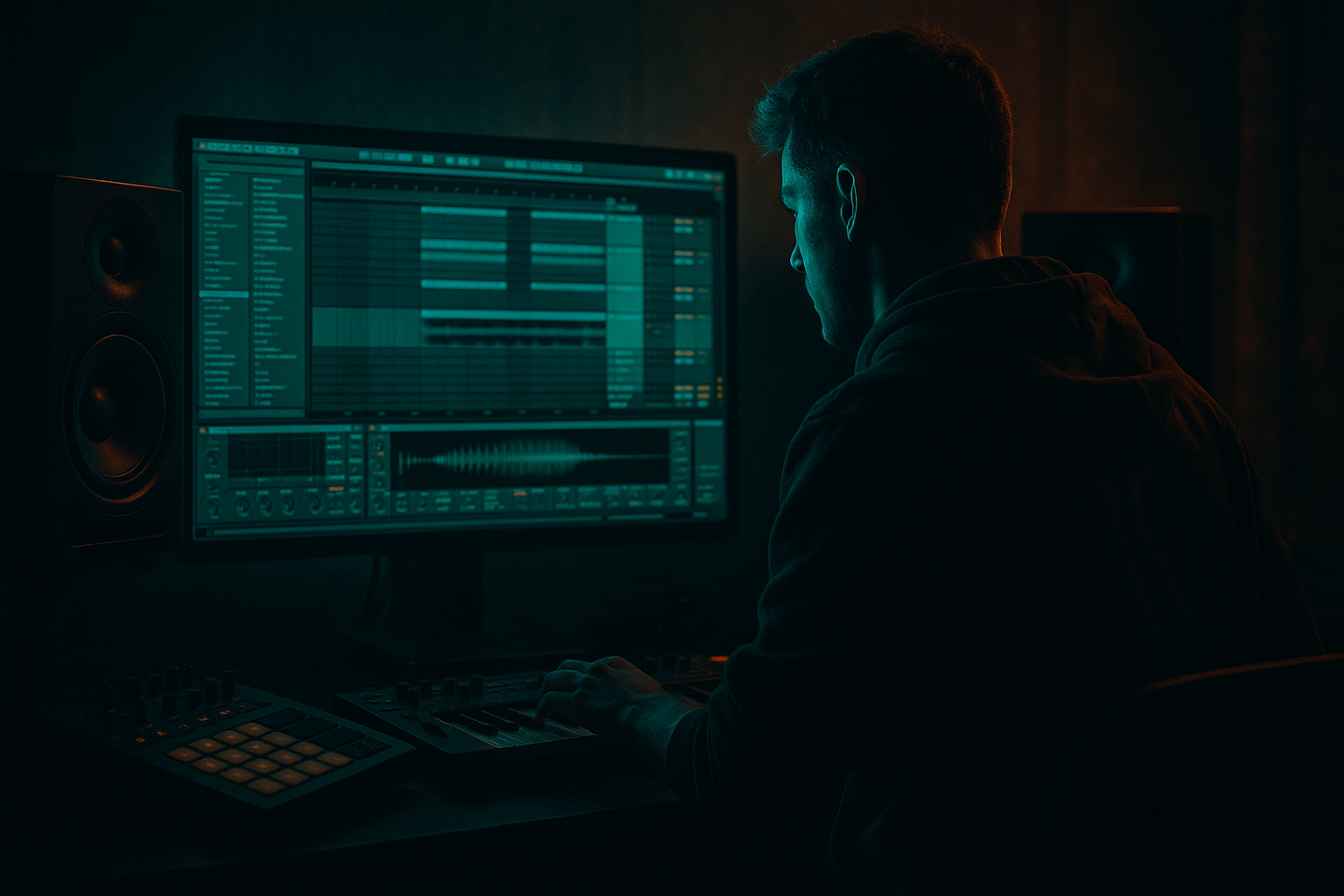
Main tutorial
Lesson Overview
This lesson is about building an Amen-style call-and-response bass riff in Ableton Live 12, then moving it from a Session View loop into a proper Arrangement View section so it behaves like a real DnB drop idea instead of a stuck 8-bar sketch.
The goal is to make a riff that answers itself: one bass phrase speaks, the next phrase replies. In Drum & Bass, that kind of phrasing is huge because it creates forward motion without needing constant note density. It leaves space for drums, gives the drop personality, and lets you arrange with tension and release instead of just looping one bar forever.
This technique lives right at the center of jungle, rollers, darker dancefloor DnB, and stripped-back club bass music. It works especially well when the drums are already driving hard and the bass needs to sound intentional, not cluttered. You’ll be combining sub discipline, mid-bass movement, and arrangement logic so the riff feels like part of the tune, not a sound design demo.
By the end, you should be able to hear a bass idea that:
- clearly answers itself across bar groups
- leaves room for the Amen or other break-driven drum loop
- works in Session View for quick looping
- can be captured into Arrangement View with a clean drop shape
- feels tight, rude, and DJ-friendly rather than messy or overdesigned
- a solid mono sub layer
- a gritty mid-bass layer with movement
- a short answer phrase that reacts to the first phrase
- enough space for the Amen break or break-style drum loop to stay readable
- a version you can launch in Session View, then record into Arrangement View for a drop section
- Use less movement in the sub than you think you need. Darkness in DnB often comes from restraint. Let the mids do the menace while the sub stays disciplined.
- Layer a very quiet mid texture above the main bass. A second mid layer with slight saturation and a filtered tone can add edge without making the patch sound busy. Keep it low in the mix so it feels like pressure, not a second lead.
- Automate filter opening by small amounts across the drop. Even a subtle change from darker to slightly less dark across 8 or 16 bars creates progression without wrecking the vibe.
- Try octave answers sparingly. An answer phrase one octave up can create a nasty lift, but don’t overuse it or the bass stops feeling grounded. Save it for the end of a phrase or a turnaround.
- Resample one version with extra grime, then keep a cleaner version underneath. This is a strong way to get underground character while preserving mono-compatible low-end weight. The dirty printed layer can be tucked in under the cleaner core.
- Use tension by removing information, not adding it. In darker DnB, a missing bass hit before the snare can feel heavier than a fill packed with notes.
- Check the bass against the kick and snare hierarchy. If the snare isn’t still the clearest transient in the loop, the bass is probably occupying too much of the same space.
- Use only stock Ableton devices
- Keep the sub layer mono and simple
- Limit yourself to 4 bass notes per bar max
- Include at least one rest in the phrase
- Make one version with short stabs and one with a held response
- A Session View clip pair labeled CALL and RESPONSE
- A recorded 8-bar Arrangement View section with the bass and drums together
- Can you still clearly hear the snare?
- Does the second bar feel like a reply, not a repeat?
- Does the bass stay solid when played back in mono?
- If you mute the bass for one second, does the loop lose energy? If yes, the riff is probably doing its job.
- Build the drum context first, then write the bass to answer it.
- Keep the sub clean, mono, and simple; let the mid layer provide character.
- Shape your riff as a call-and-response across bars, not as a never-ending stream of notes.
- Use Session View for fast testing, then record into Arrangement View to create real drop structure.
- Check the bass against the drums early, and make small variations instead of rewriting everything.
- In DnB, the best basslines are often the ones that feel tight, rude, and controlled — heavy enough for the club, clear enough for the mix.
A successful result should sound like a bassline that locks to the kick and snare, pushes energy in short phrases, and still leaves air for the drum groove to breathe.
What You Will Build
You will build a 2-bar Amen-style call-and-response bass riff with:
Sonic character: dark, weighty, slightly rude, with a controlled bite in the mids
Rhythmic feel: syncopated, bar-based, dancefloor-aware, with space between calls and replies
Role in the track: main drop bass motif or first-drop anchor
Polish level: loop-ready in Session View, then arrangement-ready after recording into the timeline
In plain terms: by the end, you should have a riff that feels like a proper DnB bass conversation — the first bar asks, the second bar answers — and it should sit cleanly with drums without turning into low-end soup.
Step-by-Step Walkthrough
1. Start with the drum context first, not the bass
Load or build a simple DnB drum loop in Session View: kick, snare, and an Amen-style break or break chop. Keep it sparse enough that the bass has room. If you already have a drum loop, duplicate it into a second clip slot so you can compare with and without bass later.
Why this comes first: a call-and-response bassline only works if you know what it’s answering. In DnB, the snare is usually your anchor, so your bass phrases should leave space around it or react to it.
What to listen for:
- the snare still feels dominant
- the kick doesn’t disappear when the bass enters
- the break’s ghost notes remain audible, not swallowed by bass resonance
If the drums are already overfull, trim them now. You are building a bassline that works in a real drop, not a solo bass loop.
2. Create two MIDI clips: one for the “call,” one for the “response”
In Session View, create a new MIDI track and make two empty clips: one 1 bar, one 1 bar, or two 2-bar clips if you prefer to think in longer phrases. Name them clearly: CALL and RESPONSE.
Keep the first pass simple:
- put the sub notes mostly on strong beats or off-beat push points
- avoid filling every 16th note
- use only 2–4 notes in the first pass
A good beginner starting point is a 2-bar shape where the first bar introduces a motif and the second bar answers with either a lower note, a longer note, or a rhythmic variation.
Why this works in DnB: the listener needs a shape they can latch onto while the drums keep the energy moving. Too many notes and the phrase stops feeling like a hook.
Good initial note choices:
- root note on beat 1
- a fifth or octave for movement
- a small jump up or down for the reply
- a return to root to stabilize the phrase
3. Build the sub layer first with a plain, stable sound
Add a simple stock instrument for the sub, such as Operator or Wavetable with a clean sine-style tone. Keep it mono if possible. You want the sub to behave like the floor under the track, not like a synth lead.
Practical settings to start with:
- oscillator: sine or near-sine
- envelope attack: very fast, around 0–5 ms
- decay/release: short to medium, around 80–250 ms depending on note length
- filter: minimal or off
- volume: conservative enough to leave headroom
If using Operator, keep it plain and clean. If using Wavetable, avoid wide, animated patches for the sub layer — save movement for the mid layer.
Why this matters: in DnB, the sub must stay stable, readable, and phase-safe. Your whole call-and-response idea falls apart if the low end is swaying around wildly.
What to listen for:
- the notes feel weighty but not blurry
- the kick still punches through
- the sub doesn’t “wobble” in volume when notes change
4. Add a second mid-bass layer for the character and call-and-response shape
Duplicate the MIDI track or create a new instrument track for the mid layer. Use a stock device chain like:
Wavetable → Saturator → Auto Filter
or
Operator → Overdrive → EQ Eight
Keep this layer higher than the sub, and make it do the expressive work.
A practical starting sound:
- wavetable or square/serrated tone
- a little saturation
- low-pass filtering to keep it dark
- some short envelope movement or filter movement
Example settings:
- Saturator Drive: 3–8 dB
- Auto Filter cutoff: roughly 150–600 Hz depending on how dark you want it
- EQ Eight: cut muddiness around 200–400 Hz if needed, and tame harshness around 2–5 kHz if it bites too hard
Why this works: the mid layer gives the riff personality while the sub handles impact. This split is very DnB-friendly because it lets you move the mids around without destroying the low-end foundation.
5. Write the actual call-and-response rhythm
Now turn the plain notes into a phrase that speaks and answers. Think in bar groups, not in isolated notes.
A strong beginner structure:
- Bar 1: Call — two short notes, then a rest
- Bar 2: Response — one longer note or a lower answer note, then a short pickup back into the loop
Example phrasing idea:
- beat 1: root note
- beat 1.3 or beat 2: short response stab
- beat 3: silence or a held note
- next bar: lower reply, then a small pickup before the loop restarts
Keep the rhythm tight enough to feel intentional, but not so busy that it fights the break.
What to listen for:
- the first phrase creates expectation
- the second phrase feels like a reply, not just a copy
- the drums still have air around the snare
If the riff feels flat, the fix is usually not more notes. Try a different note length, a rest, or a small octave shift instead.
6. Choose between two valid flavours: stabs or sustained answers
This is your first real decision point.
A: Stabby, rude, jungle-leaning
- short note lengths
- more gaps
- more percussive feel
- good for harder rollers and Amen-heavy sections
B: Held, darker, more threatening
- longer notes in the response
- heavier sustain
- more atmosphere
- good for dark halftime-feeling tension inside a DnB drop
If you want a more aggressive first drop, choose A. If you want something ominous and spacious, choose B.
In Ableton, this is easy to test: duplicate the clip, shorten or lengthen note lengths, and compare both versions while the drums loop. The right choice is the one that still feels strong when the snare hits.
7. Shape the mid-bass movement with simple modulation
Add a little motion without making the bass unstable. Use one of these stock workflows:
Option 1: Auto Filter + Envelope
- map a filter cutoff movement over the phrase
- open slightly on the call, close slightly on the response
- keep the movement subtle
Option 2: Wavetable modulation
- move wavetable position slightly
- add a mild LFO to pitch or filter only if the sound stays controlled
- keep the movement slow enough that the bass still reads as one idea
Sensible ranges:
- filter movement: small enough that the tonal identity stays consistent
- envelope decay: around 100–300 ms for a punchy bass stab
- resonance: keep modest; too much resonance can sound sharp against the Amen
Why this matters: the call-and-response needs contrast. Contrast can come from rhythm, note choice, or tone — and in DnB, tone movement is often the safest way to add interest without cluttering the drums.
8. Put the bass in context with the drum loop before you over-polish
This is your reality check. Loop the drums and bass together in Session View and listen to the drop like a DJ would hear it.
Check these things:
- does the snare still cut through on 2 and 4?
- does the bass leave enough room for break ghosts?
- does the response phrase make the second half of the loop feel like a payoff?
If the bass feels too loud, don’t just turn it down blindly. Check whether the mid layer is masking the snare around 200–800 Hz or whether the sub is too long and overlapping the next drum hit.
If the bass feels too weak, the fix may be:
- slightly more saturation
- a shorter envelope
- a tiny boost in the upper bass / low-mid character region
- or simply less drum clutter
This context check is essential because a bassline that sounds cool alone can fail completely once the Amen starts moving.
9. Commit the loop once the idea is working
Stop here if the riff already answers itself clearly and the drums feel alive around it. At this point, commit the MIDI or resample the bass layer to audio if you want to lock the character and move faster.
Why commit: in DnB, printing a working bass riff can help you avoid endless tweaking. Once the idea hits, you want to arrange, not endlessly redesign.
Good workflow tip:
- keep the MIDI version saved
- bounce or resample a version with the sound you like
- name it clearly so you can version quickly
A committed audio bass can also make future edits more decisive, especially if you want to chop the answer phrase or automate filters in Arrangement View.
10. Record the Session View performance into Arrangement View
Arm Arrangement recording and play the clips in Session View so the call-and-response idea lands into the timeline. Record at least 8–16 bars so you can hear how the riff behaves as part of a section, not just a loop.
Arrangement example:
- Bars 1–4: stripped intro with filtered drums and a hint of bass
- Bars 5–12: full drop with the call-and-response riff
- Bars 13–16: variation — remove one answer note or shift the response higher
- Second 8 bars: open the filter slightly or change the final reply to create evolution
Why this matters: a good DnB drop needs shape over time, not just a loop. Recording the Session View performance helps you see where the riff belongs in a structure with impact, breath, and repeatability for DJs.
11. Tighten the arrangement with one small variation, not a total rewrite
Make one evolution every 8 bars. For a beginner, the cleanest moves are:
- drop the response note for 1 bar
- extend the final note before the loop resets
- add a short octave jump in the second 8 bars
- automate a low-pass filter slightly more open on the second pass
Keep the variation small enough that the listener still recognizes the motif. In DnB, too much change too often can weaken the drop’s identity. The goal is recognition plus motion.
What to listen for:
- the second pass feels like an escalation, not a new song
- the drums remain the main engine
- the bass phrase is still memorable after several loops
Common Mistakes
1. Making the bassline too busy
- Why it hurts: the Amen-style drum groove loses space, and the call-and-response stops feeling like a hook.
- Fix: delete notes before adding more. Aim for a phrase that can breathe around the snare.
2. Letting the sub and mid layer play the same role
- Why it hurts: the low end gets cloudy and the riff loses clarity.
- Fix: keep the sub simple and mono, and let the mid layer carry character, movement, and bite.
3. Using too much stereo width on the low end
- Why it hurts: the bass becomes unstable in mono and the club weight drops out.
- Fix: keep anything below roughly 120 Hz centered and check the mix in mono regularly.
4. Making both the call and response equally loud
- Why it hurts: there’s no musical tension. The phrase feels flat.
- Fix: make one part slightly more dominant. Let the other answer with rhythm, tone, or octave instead of sheer volume.
5. Over-distorting the bass before the arrangement is set
- Why it hurts: harshness builds up and the bass can dominate the drums in the wrong way.
- Fix: use moderate Saturator drive first, then check the full loop before adding more grit.
6. Ignoring note length
- Why it hurts: long notes can blur the kick, while ultra-short notes can sound thin and disconnected.
- Fix: adjust note lengths in the MIDI clip until the bass lands cleanly between drum hits.
7. Building the riff only in Session View and never checking it in Arrangement View
- Why it hurts: the loop may work, but the drop may not develop properly over time.
- Fix: record the idea into Arrangement View early and test a simple 8- or 16-bar structure.
Pro Tips for Darker / Heavier DnB
Mini Practice Exercise
Goal: Build a 2-bar call-and-response bass riff that works with an Amen-style drum loop and survives a quick check in Arrangement View.
Time box: 15 minutes
Constraints:
Deliverable:
Quick self-check:

