Main tutorial
Lesson Overview
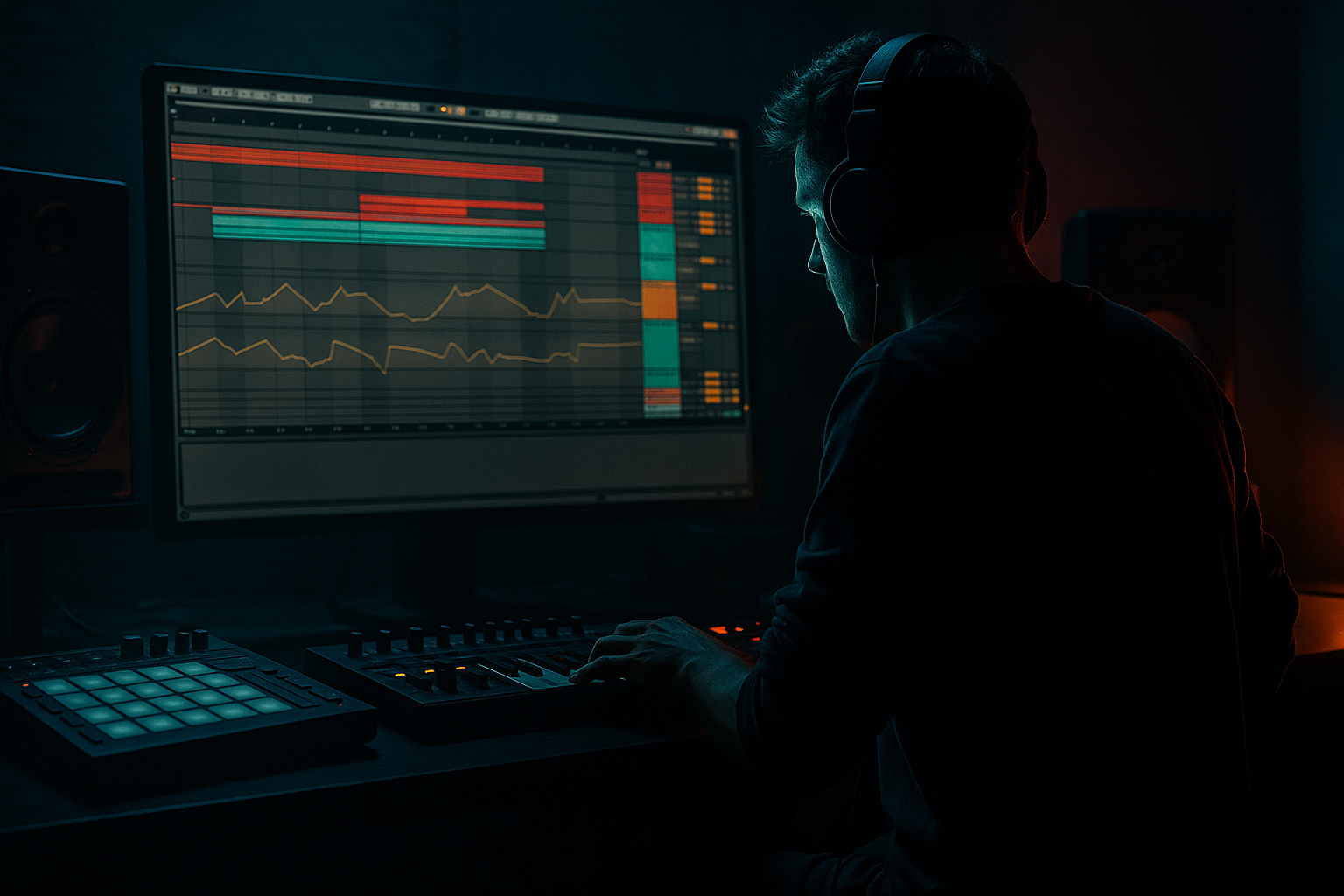
This lesson is about building a Moonlit Jungle-style top loop in Ableton Live 12 that feels alive, emotional, and ready for a sunrise set moment 🌅. The focus is not on writing a full drop from scratch, but on creating a loopable upper-layer drum-and-atmosphere bed that sits above your main kick/sub/bass foundation and helps the track feel cinematic, rolling, and DJ-friendly.
In Drum & Bass, the top loop is often the glue between the drums and the atmosphere. It carries motion, swing, texture, and emotional identity without overcrowding the low end. For sunrise set energy, the goal is a loop that feels lush, slightly nostalgic, and forward-moving — more “moonlit motion into dawn” than “peak-time aggression.” That means a careful blend of:
- chopped break percussion
- ghost hits and shuffled tops
- filtered ambience
- subtle bass harmonics
- resampled texture
- automation that breathes over 8 or 16 bars
- a chopped break-based top percussion groove
- tuned ghost hats and offbeat shuffles
- a subtle reese/harmonic texture resampled into a top loop layer
- filtered atmospheric movement that supports sunrise emotion
- automated width, filtering, and delay throws for progression
- a loop that can function in the intro, breakdown, pre-drop, or second-drop variation
- organic but controlled
- dark but hopeful
- rolling, not frantic
- detailed enough for headphones, clean enough for a system
- Making the top loop too busy
- Over-bright hats and cymbals
- Too much reverb washing out the groove
- Ignoring velocity and human feel
- Resampling too early without a source balance
- Letting top-loop processing fight the bassline
- Add a reese harmonic ghost layer, not full bass
- Use distortion in layers, not one brutal hit
- Sidechain the atmosphere to the kick for breathing room
- Lean into call-and-response phrasing
- Use reverse tails for tension before switch-ups
- Make one “dirty” version and one “clean” version
- Build the top loop from chopped breaks, ghost percussion, and atmospheric texture
- Keep the low end out and let the loop live in the upper rhythmic and emotional range
- Resample the combined groove to make it cohesive and musical
- Use Automation, EQ Eight, Drum Buss, Glue Compressor, Auto Filter, Reverb, and Echo to shape movement
- Aim for sunrise emotion: dark, rolling, and uplifting without becoming soft or generic
- Make versions for intro, breakdown, and transition so the loop actually works in arrangement
Why this matters in DnB: a strong top loop keeps energy moving when the bass is restrained, and it helps your track feel finished even before the arrangement is fully developed. In jungle, rollers, and deeper neuro-adjacent DnB, the top loop often defines whether the tune feels generic or hypnotic. We’re going to build that hypnotic layer using Ableton stock devices, resampling, and arrangement-aware sound design.
What You Will Build
By the end of this lesson, you’ll have a 4- or 8-bar Moonlit Jungle top loop made of:
Musically, the result should feel:
Think of it as the layer that makes a DJ nod and think: “This will mix beautifully, and it has atmosphere without wasting energy.”
Step-by-Step Walkthrough
1. Set up a clean DnB template and tempo
Start at 172–174 BPM. For this lesson, 174 BPM works well because it keeps the top loop energetic without forcing the groove too hard. Create:
- one drum group for tops
- one return track for delay
- one return track for reverb
- one audio track for resampling
- one atmospheric texture track
Keep headroom from the start. On your master, leave at least -6 dB peak headroom while building. That gives you room for later bass and drum bus processing.
For the top loop mood, choose a key center that feels emotional but not overly bright. F minor, D minor, or A minor are safe choices for a moody sunrise vibe.
2. Build the break backbone with a chopped top slice
Drag a classic break into Simpler or Slice to New MIDI Track. Use a break that has natural shuffle and cymbal detail. You are not making a full amen workout here — just harvesting movement.
In Simpler, set:
- Mode: Slice
- Slice by: Transient
- Envelope: short and punchy
- Filter: slightly closed, around 7–10 kHz if the sample is too bright
Program a 2-bar MIDI pattern with:
- hats on offbeats
- light snare ghosts before main hits
- occasional tiny break cuts on the “e” or “a” of the beat
Keep velocity varied. For the top loop, velocity movement is a huge part of the groove. Use MIDI velocity ranges around 50–110 so it breathes.
Why this works in DnB: chopped tops create forward momentum without fighting the kick and sub. The listener feels speed even if the low-end pattern stays minimal.
3. Create a ghost-percussion layer with Drum Rack
Add a second MIDI track and build a compact Drum Rack with:
- closed hat
- rim/click
- shaker
- short ride or broken cymbal
- one noise tick or vinyl-style transient
Process each pad lightly rather than over-processing the whole kit. Good starter settings:
- EQ Eight: high-pass each top sound around 150–300 Hz
- Drum Buss on the rack: Drive 5–12%, Boom off or very low, Crunch subtle
- Auto Pan on the shaker: Amount 10–25%, Rate synced at 1/8 or 1/16, Phase 180° for stereo movement
Program ghost notes around the main break slices rather than on top of them. The aim is call-and-response: the break says something, the percussion answers. Use tiny variations every 2 bars so the loop doesn’t feel static.
4. Design a sunrise-leaning atmospheric top layer
Create an audio or MIDI layer that adds emotional lift without becoming pad soup. This can be:
- a sliced field recording
- a processed reverb tail from a synth stab
- a high-passed noise bed
- a soft chord fragment resampled into texture
If you’re using a synth, Wavetable is a solid stock choice. Build a simple chord or note cluster, then keep it thin:
- oscillator: saw or wavetable with smooth harmonics
- low-pass filter: around 1–3 kHz
- envelope: slow attack, medium release
- subtle unison if needed, but don’t over-widen
Then resample this to audio. Put the texture on an audio track and use:
- EQ Eight with a high-pass at 200–400 Hz
- Hybrid Reverb or Reverb with short decay for shimmer
- Auto Filter automation to open slightly over 8 bars
This creates the “moonlit to dawn” emotional arc. The sound should feel like atmosphere, not a pad taking over the song.
5. Resample the groove to create a unified top loop
This is the key resampling step. Route all of your top-layer elements — chopped break tops, ghost percussion, and atmospheric texture — into a new audio track set to Resampling or by selecting the group output.
Record a 4-bar or 8-bar pass while the groove plays. Don’t worry about perfection yet. Capture multiple takes:
- one clean version
- one with delay throws
- one with slightly more filter motion
Once recorded, chop the best phrases into a new audio clip. Use this to create:
- a tighter 4-bar loop
- a variation with an empty bar
- a fill version for transitions
Add Warp only if needed. If the groove feels good, avoid over-correcting. Resampling is powerful here because it turns separate elements into one coherent rhythmic fingerprint.
Why this works in DnB: resampling locks timing, texture, and processing together. That cohesion is what makes top loops sound “record-ready” instead of pieced together.
6. Shape the loop with bus processing, not over-compression
Put your top-loop audio into a group and process the group gently. Good stock chain:
- EQ Eight: remove muddiness below 180–250 Hz
- Drum Buss: Drive 3–8%, Transients up only a little if needed
- Glue Compressor: Ratio 2:1, Attack 10–30 ms, Release Auto or 0.1–0.3 s, aiming for only 1–2 dB gain reduction
- optional Saturator: Soft Clip on, Drive 1–4 dB
Don’t flatten the loop. The top layer should still breathe. If the hats are harsh, use a narrow cut around 7–9 kHz or a very mild dynamic control using Compressor sidechained from nothing? Not necessary — better to reduce offending slices manually or with EQ.
Keep the high end controlled but alive. Sunrise emotion needs sheen, not glare.
7. Automate motion over 8 bars
A top loop becomes musical when it changes. In Arrangement View, automate at least three things over an 8-bar phrase:
- Auto Filter cutoff
- Reverb dry/wet
- Delay feedback or send amount
Example movement:
- Bars 1–4: slightly closed filter, dry-ish
- Bar 5: filter opens 5–15%
- Bar 7: increase delay send on one or two hits
- Bar 8: reduce reverb or cut to create space for the next section
You can also automate Utility width from about 80% to 120% on atmospheric layers, but keep the low elements mono or near-mono. For top loops, stereo motion is fine as long as the center stays punchy.
Arrange the loop so it feels like a sunrise DJ tool: it can sit under a mix, then bloom slightly before the drop or breakdown.
8. Add micro-edits and fills for character
Every 4 or 8 bars, introduce tiny edits:
- reverse a break slice
- mute one hat hit for tension
- add a quick snare flam
- place a short Echo throw on the last percussion hit
- create a 1-beat pickup using a reversed cymbal or sliced noise
Keep these fills subtle. In DnB, a good top loop often feels like it is constantly turning but never shouting. Your edits should support momentum, not become the main event.
A strong arrangement context example: use the full top loop in the second 8 bars of the intro, then strip it down to only hats and atmosphere for the final 4 bars before the drop. That gives the DJ a clean mix point while still maintaining vibe.
9. Check mono compatibility and low-end discipline
Since this is a top loop, it should not steal low-end real estate. Put Utility on the group and check:
- Bass/low percussion should not be living below 150–200 Hz
- width should collapse without losing the groove
- the loop should still feel clear in mono
If the loop gets thin in mono, your stereo tricks are doing too much. Reduce wide effects, keep key transients centered, and use stereo only for atmosphere and high hats.
The top loop should frame the bassline, not blur it.
Common Mistakes
Fix: remove one percussive layer and let the break breathe. If everything is active, nothing feels important.
Fix: tame harshness with EQ Eight cuts around 7–10 kHz or lower the sample brightness before adding more processing.
Fix: keep reverb on sends, high-pass the return, and shorten decay. For DnB tops, a little space goes a long way.
Fix: vary velocities and nudge select hits slightly off-grid. A static grid can kill jungle energy.
Fix: get a rough balance first. If the source layers are messy, the resampled audio will just be a polished mess.
Fix: high-pass aggressively where needed and check the loop with the bass on. If the groove disappears with bass present, you’ve probably overloaded the mids.
Pro Tips for Darker / Heavier DnB
Resample a reese or detuned synth with the low end removed. High-pass it around 250–500 Hz so it becomes a gritty upper texture rather than a bassline collision.
Try Saturator lightly on the source, then a touch of Drum Buss, then a tiny bit of clip-style intensity in the resampled audio. Small layers of grit sound more expensive than one harsh setting.
Use Compressor sidechained from the kick on the atmospheric layer only. Keep it subtle: just enough so the top loop ducks when the drum hits.
Let one 2-bar phrase be more open, then let the next phrase answer with extra shuffles or delay. This is especially effective in rollers and darker liquid/jungle hybrids.
Reverse a cymbal or ambient hit into bar 4 or 8. It’s a classic DnB transition move and works great for sunrise breakdowns.
Keep a darker, rougher resample for the intro or switch-up and a cleaner version for the main groove. That contrast helps arrangement feel intentional.
Mini Practice Exercise
Spend 10–20 minutes making a two-version top loop:
1. Create a 2-bar chopped break top at 174 BPM.
2. Add one ghost percussion layer with hats and clicks.
3. Build a simple atmospheric texture using Wavetable or a processed sample.
4. Route everything to a resample track and record two passes:
- Pass A: clean and dry
- Pass B: with more filter and delay motion
5. Chop the best 4 bars into a loop.
6. Make one variation where:
- bar 2 has a mute
- bar 4 has a reverse hit
- the filter opens slightly over the phrase
Goal: end with one loop for the intro and one loop for the pre-drop. If you can make those two versions feel different while using the same source sounds, you’ve nailed the core skill.
Recap
If your top loop feels like it can carry a DJ mix, support a bassline, and still give the listener a mood shift, you’ve built a proper Moonlit Jungle DnB layer.

