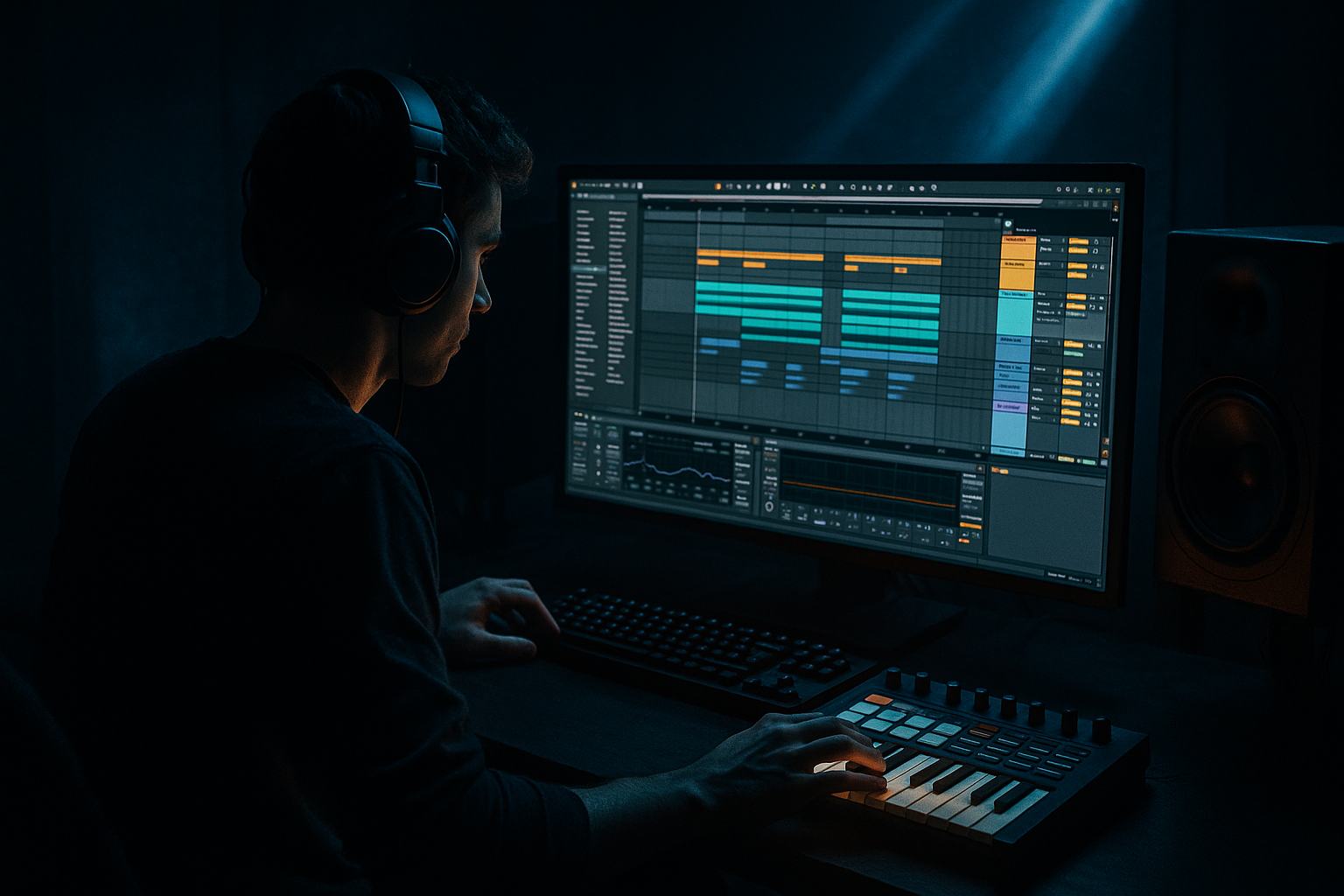
Main tutorial
Lesson Overview
Offsetting a jungle amen variation against a floor-shaking low end is one of the fastest ways to make a DnB drop feel alive, dangerous, and impossible to ignore. The core idea here is simple: instead of letting the break and bass land in perfect unison every bar, you deliberately shift the amen variation so it answers the bass line slightly late, slightly early, or on a displaced phrase boundary. That offset creates tension, syncopation, and movement without cluttering the groove.
In Ableton Live 12, this technique works brilliantly when you’re building darker rollers, jungle-inflected neuro, or stripped-back dancefloor DnB with a vocal chop or phrase riding on top. The vocal element becomes the emotional anchor while the amen edits and sub/reese bass do the physical damage. The offset is what makes the drop feel like it’s leaning forward, not just looping.
Why it matters: in DnB, the low end has to hit hard, but the arrangement also needs momentum. If your break and bass always land together, the groove can feel flat or predictable. If they’re too far apart, the tune loses weight. The sweet spot is a controlled misalignment that creates groove tension while keeping the kick, snare, and sub locked enough for club translation. That’s the entire game here.
What You Will Build
You’ll build a drop section that combines:
- A tightly edited amen-based drum phrase with one variation offset by a 1/2-bar or 1-bar displacement
- A monophonic sub layer that stays rock-solid under the kick/snare grid
- A moving reese or dark mid-bass layer that answers the drums in call-and-response
- A vocal phrase or chopped vocal texture that acts as a hook and helps mask the edit seams
- Automated FX and transition details that reinforce the offset without smearing the low end
- Offsetting everything at once
- Letting the sub drift with the break
- Too much stereo in the low end
- Vocal chopping that ignores the groove
- Over-quantized break edits
- Too much low-mid buildup
- Excessive distortion on the bass
- Use one “dirty” layer and one “clean” layer
- Automate subtle bass filter movement
- Turn the amen into a texture lane
- Make the vocal part of the percussion
- Use tension bars before the drop reset
- Reference the club, not just the headphones
- Let one section breathe dry
- Keep the sub steady and mono
- Offset only the drum variation, not the whole groove
- Use the bass as a response to the break
- Let vocals reinforce phrasing, not clutter it
- Automate movement across the 16-bar drop so the offset evolves
The result should feel like a DJ-friendly 16-bar drop with a strong first 8 bars, a subtle variation in bars 9–12, and a harder switch or vocal-led turnaround in bars 13–16. The low end should remain floor-shaking and clean on a club system, while the drums carry that chopped jungle energy and the vocal adds identity.
Step-by-Step Walkthrough
1. Set the drop grid and choose the right reference lane
Start by setting up a clean 16-bar drop section in Arrangement View. Drop in a reference track or your own premix that captures the energy level you want: think dark rollers with jungle breaks, or a stripped drop from artists in the Alix Perez / Ed Rush / Tim Reaper / Sully zone. Keep the tempo in the 170–174 BPM range if you want classic jungle pressure, or around 172 BPM for a more modern half-time-feel-with-motion approach.
Put your main vocal idea on a separate audio track first, even if it’s just a chopped phrase or one-shot words. The vocal is not just decoration here — it helps you judge how much rhythmic space the amen variation can occupy. If the vocal is busy, the drums need to breathe more. If the vocal is sparse, the break can be more active.
In Ableton Live 12, color-code tracks immediately:
- Drums
- Bass
- Vocal
- FX
- Returns
That speed matters because this technique depends on fast comparison and micro-adjustments.
2. Build the core amen loop, then make one variation feel “late”
Load your amen source onto an audio track and use Warp in Beats mode if it’s a clean loop. Slice the loop into a Drum Rack if you want full edit control, or keep it on an audio track if you prefer a more organic break feel. For an advanced workflow, I’d recommend both: keep a raw break lane for vibe, then build a tightly edited slice lane for surgical offsets.
Create a 2-bar amen phrase with:
- Bar 1: a strong foundational break pattern
- Bar 2: a variation with one displaced ghost hit, snare pickup, or kick skip
The key move is the offset. Try shifting the second-bar variation by:
- 1/16 note late for subtle drag
- 1/8 note late for a more obvious lurch
- 1/8 note early on a fill, then resolve back on the downbeat
In Live, you can do this with Clip Start adjustments, note nudging, or by moving sliced hits slightly off the grid. If you’re using MIDI slices in Drum Rack, keep the transient-heavy hits locked but offset one or two ghost notes by a tiny amount to create swing tension.
Why this works in DnB: the amen break already contains internal syncopation, so even a small displacement reads as groove rather than timing error. When the bass is steady underneath, the offset feels intentional and club-ready.
3. Design the low end as an anchor, not a competitor
Build the bass in two layers:
- Sub layer: Operator or Wavetable set to a sine or filtered triangle, monophonic, no stereo spread
- Mid layer: Wavetable, Analog, or a resampled reese with controlled movement
Keep the sub simple. Use Operator with a sine wave, short amp envelope, and no unnecessary modulation. Good starting points:
- Attack: 0–5 ms
- Decay: 150–300 ms for punchier notes, longer for sustained rollers
- Release: 40–80 ms
- Mono mode on, with legato if notes overlap
On the mid layer, use Wavetable with two detuned saws or a reese-style patch. Add:
- Auto Filter with a low-pass around 120–250 Hz if the bass is too buzzy
- Saturator with Drive around 3–8 dB
- Chorus-Ensemble very lightly if you need width above the sub region, but keep the low end mono
Program the bass rhythm so it intentionally answers the break. For example:
- Bass hits on the “and” after the snare
- Long note under bar 1
- Short stabs in bar 2 where the amen leaves holes
Use Call & Response thinking: if the amen fills the front half of the bar, let the bass answer in the back half. If the bass is sustained, let the break chop around it.
4. Use groove and micro-offsets to glue the drum edit
Open Groove Pool and test a subtle MPC-style or swing groove on the amen variation only, not the whole track. A useful starting area is around 54–60% groove amount if the break feels rigid. Don’t overdo it — jungle energy comes from movement, not wobble.
Better yet, combine groove with manual micro-offsets:
- Pull a ghost snare slightly late
- Move a kick 5–15 ms earlier to punch through the bass
- Nudge a perc hit behind the beat for drag
If the break is in Drum Rack, use Note Chance sparingly for little fill hits, but keep core snare placement reliable. Set velocity variation on ghost notes rather than randomizing your main backbeat. The aim is human pressure, not sloppy drift.
To tighten the drum bus, group your drum tracks and add:
- Glue Compressor with 1–2 dB gain reduction
- Soft Clip on the Drum Bus if peaks jump
- EQ Eight to remove sub-rumble below 25–30 Hz
This keeps the offset variation exciting while preventing the break from smearing the drop.
5. Let the vocal define the arrangement pocket
Place the vocal so it complements the offset rhythm rather than fighting it. For darker DnB, a vocal phrase often works best as:
- A hook fragment on bar 1 or 5
- A chopped response in bar 3 or 7
- A reversed tail leading into the offset variation
Try warping the vocal in Complex Pro if it’s a full phrase, then chop it into grains or phrases manually. You can also use Simpler in Slice mode for fast vocal re-editing. Use a short decay on slices so words don’t overlap the snare hit too much.
Add subtle processing:
- EQ Eight: high-pass around 120–180 Hz
- Compressor or Glue Compressor for 2–4 dB control
- Echo on a send with filtered repeats around 1/8 or dotted 1/8
- Reverb with a short decay for atmosphere, but filter the low end hard
The vocal’s job here is to create a recognizable top-line shape while the amen offset and bass movement do the heavy lifting below. If the vocal lands on the wrong side of the offset, it can make the groove feel amateur. Align the strongest syllable with either the snare or the bass answer, not both.
6. Automate the offset impact instead of relying on the loop alone
The best advanced versions of this technique evolve over the phrase. Don’t leave the offset static for 16 bars. Automate one or more of the following:
- Drum Rack filter cutoff for a brighter second variation
- Bass filter opening in bars 7–8
- Send amount to Echo or Reverb on the vocal during the transition
- Saturator Drive on the bass for the last 2 bars before the switch
- Reverb pre-delay on a vocal tail to create lift into the next phrase
A strong arrangement move is to keep bars 1–8 relatively tight, then make bars 9–12 the “offset zone” where the amen variation lands slightly displaced and the bass starts responding more aggressively. Then in bars 13–16, strip the drums for a bar or half-bar, let the vocal phrase breathe, and slam back into the full groove.
For a DJ-friendly arrangement, keep the first 16 bars readable:
- Bars 1–4: intro to groove
- Bars 5–8: main statement
- Bars 9–12: offset variation and extra bass motion
- Bars 13–16: turnaround or fill into next section
7. Shape the bass-drums relationship with sidechain and transient control
If the bass is masking the kick or eating the snare impact, use Compressor sidechain on the bass bus keyed from the kick or a ghost trigger track. Start with:
- Attack: 1–5 ms
- Release: 60–120 ms for punchy dancefloor bounce
- Ratio: 2:1 to 4:1 depending on aggression
Don’t overcompress the entire bass line. In heavier DnB, the bass should duck just enough to let the kick and snare breathe, then roar back. For more neuro-leaning pressure, use transient discipline instead:
- Drum Buss on the drum group with Drive low to moderate
- Transients slightly positive on the drum bus
- Boom very cautiously, or not at all if your sub is already strong
On the amen itself, use EQ Eight to carve room around 200–400 Hz if the low-mid region gets congested with the bass movement. If the snare loses crack, add a small boost around 2–5 kHz, but keep it controlled so the vocal doesn’t get harsh.
8. Resample the interaction and commit to the best groove
Once the offset pattern feels good, resample 8 or 16 bars of the full interaction — drums, bass, and vocal together — onto a new audio track. This is one of the strongest advanced workflows in Ableton Live because it lets you hear the actual groove as one musical event, not isolated parts.
After resampling:
- Cut the best 2-bar or 4-bar sections
- Reverse a vocal tail into a drum fill
- Duplicate one great bar and use it as a transition tool
- Add tiny fades to avoid clicks
This is especially useful in darker DnB because resampling captures the attitude of the interaction. Sometimes the best offset is not the mathematically perfect one — it’s the one that feels like the track is pulling the listener into the drop.
Common Mistakes
- Fix: Only offset one element at a time. Usually the amen variation should move while the snare anchor stays stable.
- Fix: Keep the sub rhythm intentionally simple and monophonic. The sub should feel like the floor, not like part of the break edit.
- Fix: Keep everything below roughly 120 Hz mono. Use width only on the mids and top textures.
- Fix: Reposition the vocal so it reinforces the snare or bass response. If it fights the offset, simplify it.
- Fix: Add micro-timing variation and velocity differences to ghost notes. Jungle feels alive when the break breathes.
- Fix: Use EQ Eight on the drum bus and bass bus to clear 200–400 Hz clashes. That range gets crowded fast in dense DnB.
- Fix: Saturate the mids, not the sub. If the sub becomes fuzzy, the club impact usually drops.
Pro Tips for Darker / Heavier DnB
- Keep a pure sub on one track and a distorted mid-bass on another. Blend them instead of trying to force one sound to do everything.
- A low-pass opening from about 120 Hz to 250 Hz over 8 bars can make the groove feel like it’s waking up.
- Resample one version of the break with Saturator, Redux very lightly, or Echo freeze-style ambience, then tuck it under the main break for grime and depth.
- Short vocal chops can sit on the offbeat like another percussive element. High-pass them hard and use them like rhythmic accents.
- Pull the kick out for half a bar, let the vocal echo trail, then hit the next amen variation and bass together. That contrast makes the drop feel heavier.
- On a system, the offset only works if the kick/sub relationship stays stable. Check mono and lower the bass if the groove feels huge but not weighty.
- If every bar has reverb, delay, and fill energy, the offset loses power. Keep one phrase drier so the next offset variation hits harder.
Mini Practice Exercise
Spend 15 minutes building a 4-bar loop that uses this technique.
1. Load a 2-bar amen break and make one variation by offsetting a ghost hit or fill by 1/16 late.
2. Build a sub in Operator with a simple 4-note phrase and keep it mono.
3. Add a reese/mid bass layer that answers the break with short stabs.
4. Drop in a 1-bar vocal chop or phrase and align its strongest syllable with either the snare or bass response.
5. Automate one filter or distortion parameter over the 4 bars.
6. Resample the result and listen back on loop.
Your goal: make the offset feel intentional, weighty, and club-ready in just 4 bars. If the groove feels flat, simplify the bass. If it feels messy, reduce the amount of offset and let the vocal breathe more.
Recap
The key to this technique is controlled displacement: let the amen variation shift against a stable low end, not against the entire track.
Remember these priorities:
When done right, this approach gives you that dark, rolling, floor-shaking DnB pressure where every bar feels like it’s slightly ahead of the listener 🔥

