Main tutorial
Lesson Overview
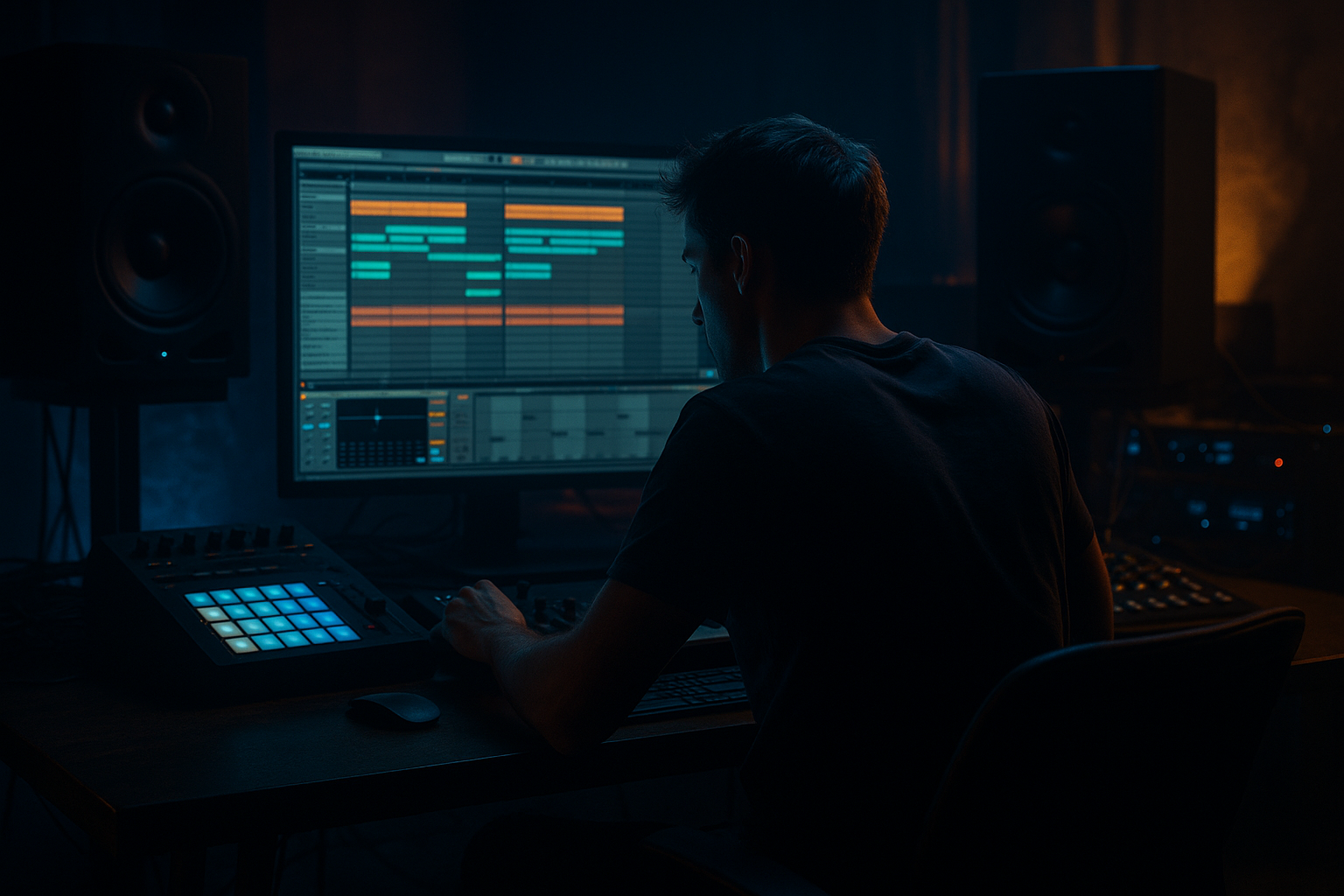
An offset jungle intro is one of the fastest ways to make a DnB track feel like it has attitude, history, and weight from the first few bars. In this lesson, you’ll build a 90s-inspired dark intro in Ableton Live 12 that feels like it could lead into a ragga-leaning jungle roller or a heavier modern DnB drop.
The goal is not to write the full track yet. Instead, you’ll create an intro that uses:
- broken-up breakbeats
- ragga vocal energy
- deep sub hints
- tense atmospheres
- off-grid editing and arrangement tricks
- a chopped Amen-style or similar break loop that enters in fragments
- an offset ragga vocal phrase that answers the drums
- a dark atmosphere bed using stock Ableton effects
- a low sub rumble that hints at the key of the tune
- small FX swells and reverse hits for transition energy
- a final 2-bar lead-in that prepares a heavy drop
- Over-quantizing every break hit
- Making the intro too busy too early
- Letting vocals mask the drums
- Using too much reverb on the break
- Ignoring low-end control
- Making FX sound “EDM” instead of dark and gritty
- Use resampling to get character
- Saturate the break, not just the bass
- Keep reese movement out of the intro until it matters
- Use mono discipline on anything below about 120 Hz
- Try one “mistake” on purpose
- Reference classic jungle phrasing
- Add tension with filter automation instead of more notes
- Does the drums-vocal relationship feel like call-and-response?
- Does the intro feel darker by bar 4 than bar 1?
- Is the low end controlled enough for a drop to come after it?
- keep the intro sparse at first
- offset a few hits for human, unstable groove
- let ragga vocals answer the drums
- preserve low-end clarity and mono control
- shape the phrase so it leads cleanly into the drop
This technique matters because DnB intros are often where you establish identity. In jungle and darker bass music, the intro can hint at the drop while still being playable by a DJ. A good offset intro gives the listener a sense of movement and danger before the main groove arrives. It also helps your track feel less “loop-based” and more like a real arrangement.
Why this works in DnB: jungle and early DnB often relied on chopped breaks, chopped vocal samples, and slightly uneven phrasing to create urgency. The “offset” part means elements don’t all hit exactly together. That small delay or stagger can make the intro feel more human, more unstable, and more authentic to 90s-inspired dark club energy. 🔥
What You Will Build
You will build a 16-bar intro in Ableton Live 12 with:
Musically, the intro will feel like a DJ-friendly opening: tense, syncopated, and moody, with enough space for the mix to breathe. Think of it as a “scene setter” for a roller or jungle tune—something that sounds like it’s coming out of a dubplate era, but cleaned up enough for a modern Ableton workflow.
Step-by-Step Walkthrough
1. Set the project up for a classic DnB intro structure
Start in Ableton Live 12 with the tempo set between 170 and 174 BPM. For this lesson, 172 BPM is a safe sweet spot for jungle and darker DnB.
Set your arrangement length to at least 16 bars so you can hear the intro as a proper phrase. If you like, create markers for:
- Bars 1–4: sparse opening
- Bars 5–8: break and vocal offset
- Bars 9–12: tension build
- Bars 13–16: drop setup
Keep your master channel clean while you build. Leave headroom and aim for your intro not to clip. A good beginner target is to keep your mix peaking around -6 dB on the master while producing.
Why this matters: DnB arrangements usually depend on strong phrase logic. A 16-bar intro is long enough to establish vibe, but short enough to keep the energy moving toward the drop.
2. Choose a break and chop it into a rough jungle pattern
Drag in a breakbeat sample or use a built-in break from your library. If you’re using an Amen-style break, great. If not, any crunchy drum break with a clear snare and ghost hits will work.
Put the break on an audio track and use Ableton’s Warp mode if needed to keep it locked to tempo. For beginners, keep the break loop simple first:
- one full 1-bar loop
- then duplicate it
- then cut out pieces to create space
Use Split and Consolidate to make clean edits. You want the intro to feel chopped, not messy.
Try this offset pattern:
- Bar 1: only a kick and a ghost hit
- Bar 2: add the snare on beat 2 and 4
- Bar 3: let a chopped fill arrive slightly early
- Bar 4: remove one hit before the downbeat so the next bar feels like it leans forward
If your break is too polite, add grit using Ableton stock devices:
- Saturator with Drive around 2–6 dB
- Drum Buss with Drive around 5–15%
- EQ Eight to remove low mud below 120 Hz if the break is fighting the sub
Beginner tip: don’t over-edit every hit. You want a little chaos, because that’s part of the jungle feel.
3. Build the “offset” feel by staggering the drum layers
The core idea of this lesson is timing separation. Instead of having every layer land exactly on the grid, delay some elements slightly so the intro feels like it’s breathing.
Here’s a simple way to do it in Ableton:
- Keep your main break on the grid
- Add a second percussion layer or a tiny snare ghost slightly late
- Nudge a vocal chop or FX hit a tiny bit ahead of the beat
You can do this by moving clips manually in Arrangement View. Even a 10–30 ms shift can change the feel.
Suggested offset moves:
- snare ghost: late by a tiny amount
- rimshot or percussion: early by a tiny amount
- vocal shout: just after the snare, not on top of it
Use Groove Pool lightly if you want swing, but keep it subtle. Jungle feels better when the push-pull is deliberate, not over-quantized.
Why this works in DnB: the offset rhythm creates tension. Your ear expects the hits to lock perfectly, but the slight displacement makes the groove feel more dangerous and more “human,” which is a big part of ragga jungle and darker rollers.
4. Add a ragga vocal phrase as a call-and-response element
This is where the Ragga Elements category really comes alive. Pick a short vocal phrase or one-shot ragga-style chant. Keep it short, direct, and energetic—something like a shout, a warning, or a hype phrase.
Place the vocal so it answers the drums rather than sitting on top of them. A classic pattern is:
- drum hit
- vocal response
- break fill
- vocal echo
In Ableton, use Audio Effect Rack or simple stock effects to shape it:
- Echo: low feedback, around 15–30%, to create a dub-style tail
- Reverb: short to medium decay, around 1.2–2.5 seconds
- EQ Eight: high-pass around 150–250 Hz so the vocal doesn’t muddy the low end
- Utility: narrow the stereo image if the vocal is too wide
You can also make the vocal more sinister by pitching it down a few semitones using Warp, but keep it intelligible. For this style, the attitude matters more than polished tuning.
Arrangement idea: place the main vocal in bars 3, 7, and 11, with a delayed echo tail leading into bars 4, 8, and 12. That creates a simple call-and-response structure that feels very natural in jungle and ragga-inspired DnB.
5. Create a dark atmosphere bed with stock Ableton tools
A strong intro needs a background layer that holds the mood. Use a pad, texture, field recording, vinyl noise, or a simple synth drone. In Ableton, you can build this with Wavetable, Analog, Operator, or even a sampled texture.
For a beginner-friendly dark bed:
- use a sustained note or two in the track’s key
- low-pass it so it sits behind the drums
- add movement with Auto Filter
Suggested settings:
- Auto Filter cutoff: around 300–1,500 Hz depending on brightness
- Resonance: low to moderate, around 10–25%
- Reverb decay: 2–5 seconds
- Chorus-Ensemble on a pad: light amount, not too wide
If the sound feels too static, automate the Auto Filter cutoff slowly over 8 or 16 bars. Open it slightly as the intro develops, then close it before the drop for tension.
Keep this layer subtle. The atmosphere should make the drums and vocal feel larger, not compete with them. A dark bed is especially useful in 90s-inspired intros because it adds cinematic dread without requiring a huge synth stack.
6. Add a sub hint or low drone to imply the drop
Even in the intro, you want the listener to feel the weight of the track coming. Add a low note or drone using Operator or Wavetable.
Keep it simple:
- one note in the root key
- long sustain
- low-pass filtering
- slight saturation for audibility on small speakers
Good beginner settings:
- Operator sine wave or simple low oscillator
- filter cutoff low enough that it stays dark
- Saturator drive around 1–4 dB
- Utility on the low end if you need to keep it centered
You can automate the volume of this sub hint so it appears briefly in bars 5–8 and again in bars 13–16. That gives the intro a sense of rising pressure.
Important mixing rule: keep the sub mono. DnB relies on a disciplined low end. If the intro’s low frequency is too wide, your eventual drop will feel weaker and less controlled.
7. Use transitional FX to separate the phrases
Offset intros work best when there are clear transitions between phrases. Add one or two simple FX elements every 4 bars so the arrangement keeps moving.
Good stock FX options in Ableton:
- Reverse cymbal or reversed vocal chop
- Noise riser made with Wavetable or a sampled effect
- Impact hit processed with Reverb and Echo
- Downlifter filtered with Auto Filter
A practical setup:
- Put a noise burst on a separate audio track
- Automate a high-pass filter opening over 2 bars
- Add Echo with short delay times for a dubby tail
- Fade the clip in and out so it supports the drums rather than dominating them
Keep FX in service of the groove. In jungle and dark DnB, transitions should feel gritty and functional, not like a cinematic trailer. The best FX are the ones that help the listener feel the next section arriving.
8. Shape the intro so it is DJ-friendly and drop-ready
Now arrange the section into a clear 16-bar phrase. A strong DnB intro often gives DJs room to mix in and still builds enough identity to feel exciting.
A simple layout:
- Bars 1–4: atmosphere, one break hit, one vocal hint
- Bars 5–8: full break enters, ragga vocal responses
- Bars 9–12: extra fill, more filter movement, sub hint
- Bars 13–16: tension peak, reverse hit, final snare fill into drop
Make sure the last 2 bars feel like a clear lift. You can do this by:
- removing some low frequencies with EQ Eight
- automating a filter to open
- adding a snare roll or break fill
- letting a vocal echo trail into the downbeat
If you are planning a heavier drop, leave a little emptiness right before it. Silence or near-silence can hit harder than overloading the transition.
Common Mistakes
Fix: nudge a few hits off-grid or use subtle swing. Jungle feels better when it breathes.
Fix: start sparse. Add one new element every 4 bars instead of stacking everything at once.
Fix: high-pass the vocal, lower its level, and place it in call-and-response space.
Fix: keep the drum transient clear. Use short ambience, not huge wash, unless it’s a very specific effect.
Fix: keep sub mono, cut mud, and make sure the intro doesn’t steal headroom from the drop.
Fix: use simpler dub-style delays, filtered noise, and restrained impacts.
Pro Tips for Darker / Heavier DnB
Bounce your break or vocal processing to audio, then re-chop it. This often creates the unstable, battered feel that suits darker jungle.
A little Saturator or Drum Buss on the break makes ghost notes and snares pop through on smaller systems.
If you add a reese hint, automate it in quietly. Use Wavetable or an audio reese sample, but don’t full-send it before the drop.
In dark DnB, the low end should feel centered and intentional. Use Utility to check mono compatibility.
A late vocal, a chopped snare, or a missing break hit can make the intro feel more like a real dubplate than a clean loop.
Listen to how older tracks leave space for the vocal and break to breathe. The emptiness is part of the vibe.
Beginners often add too many parts. In DnB, a well-automated filter sweep is often stronger than another layer.
Mini Practice Exercise
Spend 10–20 minutes making a 4-bar micro intro based on this lesson:
1. Set the tempo to 172 BPM.
2. Load one break loop and chop it into 4 pieces.
3. Add one ragga vocal one-shot or phrase.
4. Add one low drone note with Operator or Wavetable.
5. Automate a filter on the drone so it slowly opens.
6. Offset the vocal slightly after a snare hit.
7. Add one reverse hit into bar 4.
8. Bounce the 4 bars to audio and listen back.
Your goal is not perfection. Your goal is to hear the difference between a straight loop and an offset jungle intro with tension.
Ask yourself:
Recap
An offset jungle intro works because it combines broken rhythm, staggered timing, ragga vocal energy, and dark atmosphere into a phrase that feels alive. In Ableton Live 12, you can build it with stock tools: chopped breaks, simple vocal processing, low drones, filter automation, and restrained FX.
The key takeaways:
If you get this right, your intro will sound like it belongs in real jungle and darker DnB arrangements—not just a loop, but a scene.

