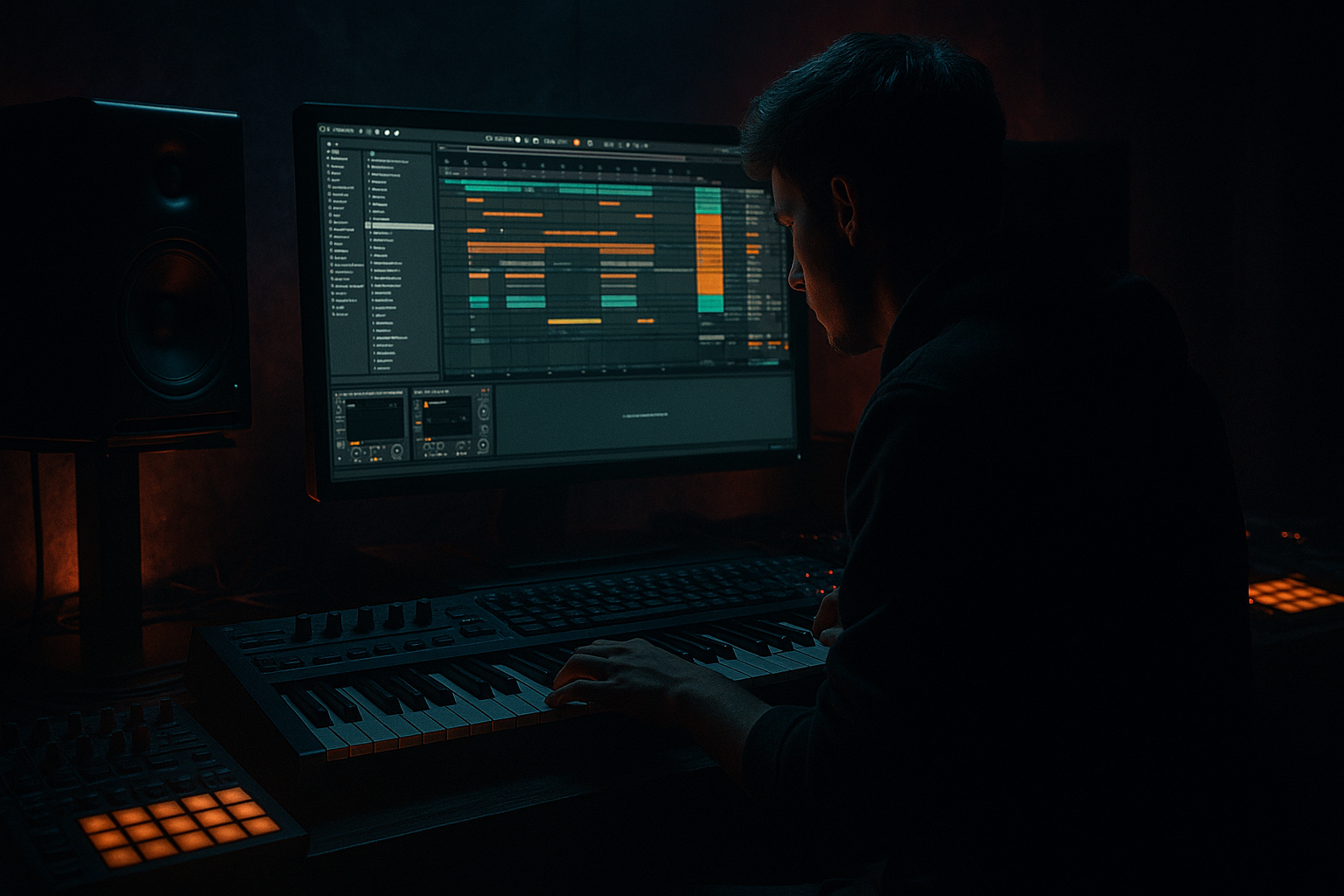
Main tutorial
Lesson Overview
This lesson is about giving an Amen-style bassline that gritty, ragga-inflected VHS-rave color inside Ableton Live 12 — not by making it “retro” in a cheesy way, but by shaping a bass part that feels like it was mutated through tape haze, warehouse pressure, and old rave energy. In DnB terms, this sits right in the sweet spot between jungle attitude, rollers weight, and darker bass music tension.
The core idea: you’ll build a bassline that responds to an Amen break, uses pitch movement as a hook, and has enough call-and-response phrasing to feel like a real drop, not just a loop. The “VHS-rave” vibe comes from slightly unstable pitch behavior, degraded harmonics, lo-fi modulation, and movement that feels sampled, resampled, and lived-in. 🎛️
Why this matters in DnB:
- A lot of basslines are technically strong but emotionally flat.
- In ragga-adjacent DnB, the bass often behaves like a vocal phrase: short, rude, syncopated, and answerable by the drums.
- Pitching the bassline with intent gives you tension and release without needing melodic harmony to do all the work.
- In a mix, a pitched bassline can create identity in the drop while still leaving room for the Amen to breathe.
- A monophonic bass patch with sub plus mid-range character
- A pitched Amen-style phrase that locks to break accents
- A call-and-response pattern with ragga-style punctuation
- Controlled tape-worn modulation and subtle instability for VHS-rave color
- A bass bus that is strong in mono, aggressive in the mids, and clean enough to sit under chopped drums
- A short arrangement concept: intro, first drop, switch-up, and exit
- Root note center with quick pitch lifts/drops around it
- Short notes that land like a toasting vocal cadence
- Occasional glide-up accents at the end of phrases
- A bass tone that sounds old, corroded, and physical, but still mix-ready
- Making the bass too melodic
- Letting the sub wobble or widen
- Over-distorting the whole bass
- Ignoring the Amen’s phrase
- Too much low-mid buildup
- Static loop syndrome
- Use resampled pitch drift on the mid bass only. A tiny bit of instability makes the phrase feel more “tape era” and less computer-perfect.
- Try a parallel dirt chain: duplicate the bass mid, crush it with Redux + Saturator, then blend it quietly under the clean layer.
- For more menace, emphasize a minor 2nd or tritone passing tone in the phrase, but use it sparingly so it reads as tension, not harmony.
- Use frequency-based arrangement: keep the first half of a phrase darker and closed, then open the filter slightly for the answer.
- If you want more impact on the drop, mute the bass for the last 1/4 beat before the re-entry. The ear hears the return as heavier.
- Add tiny ghost notes in the bass MIDI to mirror break ghost hits. Even low-velocity notes can make the groove feel more human and more jungle.
- For heavier rollers energy, keep the pitch movement minimal and let timing and tone do the work. For more VHS-rave flavor, exaggerate the pitch jump and then degrade the tail with a little lo-fi processing.
- Build the bass in two layers: stable mono sub and character-rich mid.
- Make the pitch movement part of the rhythm.
- Phrase the bass to answer the Amen break with space, not constant notes.
- Use Ableton stock devices like Wavetable, Operator, Saturator, Auto Filter, Utility, Glue Compressor, and Redux.
- Resample for the VHS-rave feel: small instability, chopped edits, and worn texture.
- Keep the low end clean, mono, and controlled so the groove hits hard in a real DnB mix.
We’ll stay inside Ableton Live stock tools and build something that can work in a jungle-informed roller, a darker halftime switch, or a modern amen-led drop.
What You Will Build
By the end, you’ll have:
Musically, think:
Step-by-Step Walkthrough
1. Set up a clean DnB bass rack and routing
- Create a MIDI track and load Instrument Rack.
- Put Wavetable on one chain for the mid bass and Operator on another for the sub.
- Keep the sub chain dead simple: sine wave, mono, no spread.
- On the Wavetable chain, use a saw/pulse combination or a wavetable with strong odd harmonics.
- Set the rack so the sub and mids can be processed separately. This is crucial for DnB because the sub must stay stable while the mid movement can get dirty.
- Practical starting points:
- Sub oscillator in Operator: Sine, -12 dB to -18 dB relative to mids
- Wavetable unison: 1 voice or very low spread, to avoid low-end smear
- Filter on the mid chain: low-pass around 140–300 Hz depending on how much growl you want
2. Write a bassline that answers the Amen break
- Put your Amen on a separate audio track, chopped or looped.
- Build a 1–2 bar MIDI bass phrase that hits against the break accents, not on every kick/snare.
- In DnB, bass works best when it interlocks with the drum edit. Let the break speak, then answer it.
- Start with a simple rhythmic grid:
- Hit on the “and” of 1
- Another note before the snare
- A held note or glide on the end of bar 1
- A short reply after the snare in bar 2
- Use short notes for the ragga phrasing and one or two longer notes for tension.
- If your break is busy, keep the bass sparse. If the break is more stripped, you can push the bass more forward.
- Why this works in DnB: the Amen already carries a lot of movement; the bassline feels bigger when it leaves space and converses with the break rather than masking it.
3. Design the pitch behavior as the hook
- In the MIDI clip, make the pitch shape part of the phrase, not just a correction.
- Use Pitch MIDI effect before the synth if you want fast transposition of note groups, or directly edit MIDI notes for precise phrasing.
- For a VHS-rave vibe, use a small set of pitch moves:
- Root note
- +2 semitones for a cheeky lift
- +5 semitones for tension
- -2 semitones for a rude drop or answer
- Advanced move: use glide/portamento in Wavetable or Operator for specific note transitions only. Set glide time around 40–120 ms so the pitch movement is audible but not sloppy.
- Keep the pitch contour rhythmic. Ragga elements work when the bass sounds like it’s talking in chunks, not singing long melodies.
- If you want a more authentic jungle feel, pitch some notes slightly higher in the second half of the bar to mimic sampled bass phrases being re-triggered.
4. Shape the tone with controlled saturation and filtering
- On the Wavetable chain, insert Saturator after the synth.
- Start with:
- Drive: 2–6 dB
- Soft Clip: ON
- Output adjusted so you don’t fool yourself with louder gain
- Add Auto Filter after Saturator.
- Low-pass mode
- Drive: low to moderate
- Envelope amount: small, if you want pluck motion
- Use filter automation to open the bass slightly on the start of a phrase or during a switch-up.
- For VHS-rave color, let the mid bass breathe a little brighter than a modern neuro bass would. You want texture, not sterile perfection.
- If the bass feels too clean, add Redux very lightly:
- Downsample: subtle
- Bit Reduction: just enough to roughen the edges
- Don’t overdo it. The goal is “worn tape energy,” not aliasing soup.
5. Build the ragga character with transient phrasing and space
- Make the bassline shorter than you think at first.
- Ragga-influenced DnB bass often hits like a phrase from a vocalist: clipped, declarative, and then gone.
- In the MIDI editor:
- Shorten most notes to 1/8 or shorter
- Leave occasional rests before or after snare hits
- Use velocity variation to make repeated pitches feel human and percussive
- Add a second, slightly different phrase for the response section of the bar.
- Example arrangement context:
- Bar 1: bass answers the break with a root + pitch rise
- Bar 2: bass drops lower and leaves the snare exposed
- Bar 3–4: call-and-response motif returns with a filtered variation
- If you want the bass to feel like a vocal sample without using one, use Transient shaping through note length and envelope decay rather than extra effects.
6. Resample the bass for VHS-rave instability
- Once the basic bassline feels good, record it to audio.
- Create a new audio track and set input to resample or route the bass track to it.
- Record 4–8 bars, then slice the resampled audio into phrases.
- In Simpler or Slice to New MIDI Track, re-trigger the best moments.
- Now you can:
- Reverse tiny fragments
- Pitch individual hits up or down
- Add micro-pauses before a snare
- This is where the VHS character really appears: the sound stops behaving like pristine synthesis and starts feeling like an old chopped sample.
- Add Warp carefully if needed, but avoid over-warping the low end. Keep the sub original if possible, and only resample the mid layer for character.
7. Lock the low end and widen only the top character
- Keep the sub mono. Use Utility on the sub chain and set Width = 0% if needed.
- Check the bass in mono early, not at the end.
- If you need more perceived width, widen only the mid layer using:
- Chorus-Ensemble very subtly
- Echo with very short times and filtered feedback
- Or a parallel chain with Auto Pan set to near-static movement
- For DnB, stereo excitement belongs above the fundamental. The sub should feel like a fixed pillar.
- Useful mix targets:
- Low end from the bass should occupy roughly one clear mono center
- Any stereo movement should avoid the area below about 120 Hz
- If the bass and kick fight, sidechain the bass bus with Compressor or Glue Compressor using the kick as input. Start with fast attack, medium release, and only enough gain reduction to create pocket, not pumping chaos.
8. Automate the drop so the bass evolves like a live edit
- DnB drops often fail when the first 16 bars are too static.
- Automate at least three things:
- Filter cutoff
- Saturator drive or output
- Pitch bend or transpose on selected notes
- In the second 8 bars, automate a small tonal opening:
- Filter cutoff up by 10–20%
- Extra drive on the mid chain by 1–2 dB
- Tiny pitch lift on the last note of the phrase
- Add a switch-up around bar 9 or 17:
- Remove the sub for half a bar
- Let the Amen fill the space
- Reintroduce the bass with a higher-pitched answer
- This gives you arrangement motion without writing a brand-new bassline.
- In a jungle or rollers context, this kind of phrasing keeps DJs and dancers locked because the groove mutates without losing identity.
9. Process the bass bus like a DnB record, not a demo
- Route sub and mid chains to a Bass Group.
- On the group, try:
- Glue Compressor with 1–2 dB gain reduction for cohesion
- EQ Eight to trim any harshness around the upper mids if the ragga bite gets too sharp
- Saturator very lightly if the whole bass needs more glue
- Then compare against the drums:
- Kick and snare should stay punchy
- Bass should feel like it sits under and around the break, not on top of the transient picture
- If the bass gets nasal or metallic, reduce resonance before adding more distortion.
- A good rule: distortion should enhance the phrase, not replace it.
10. Design the arrangement like a DJ tool with character
- Build a version that works as a real DnB drop:
- 8-bar intro with filtered drums and hints of bass
- 16-bar main drop
- 4-bar switch-up
- 8-bar return with a new pitch variation
- Keep the intro/outro DJ-friendly by thinning the low end early and late.
- Use automation to reveal the bass in stages:
- First 4 bars: no sub, only texture
- Bars 5–8: sub enters
- Bars 9–16: full call-and-response
- For ragga flavor, a small vocal-like pickup or chopped shout can sit just before the bass re-entry. Even if you’re not using vocal samples, you can mimic that with a pitched bass stab.
- This structure keeps the track functional for mixes while still sounding like a proper statement.
Common Mistakes
- Fix: reduce note count and keep the phrase rhythmic. DnB bass should feel like a riff, not a song lead.
- Fix: keep the sub mono, simple, and separate from the mid layer.
- Fix: distort the mid layer more than the sub. Preserve fundamental clarity.
- Fix: move bass notes so they answer the break’s snare and ghost note pattern.
- Fix: carve space around 180–400 Hz if the bass and break feel cloudy.
- Fix: automate filter, pitch, or note length variations every 4–8 bars.
Pro Tips for Darker / Heavier DnB
Mini Practice Exercise
Spend 15 minutes making a 2-bar bass phrase over an Amen loop.
1. Load an Amen break and loop it for 2 bars.
2. Build a bass patch with Operator sub + Wavetable mid.
3. Write a 2-bar MIDI phrase using only:
- Root note
- +2 semitones
- -2 semitones
- One glide note
4. Make bar 1 answer the first snare.
5. Make bar 2 leave a gap before the snare, then re-enter with a higher pitch.
6. Add Saturator and Auto Filter to the mid chain only.
7. Resample the phrase and chop one hit into a reversed pickup.
8. Check the whole thing in mono and lower the mid bass if the sub disappears.
Goal: by the end, you should have a bassline that feels like it is speaking with the break, not sitting beside it.

