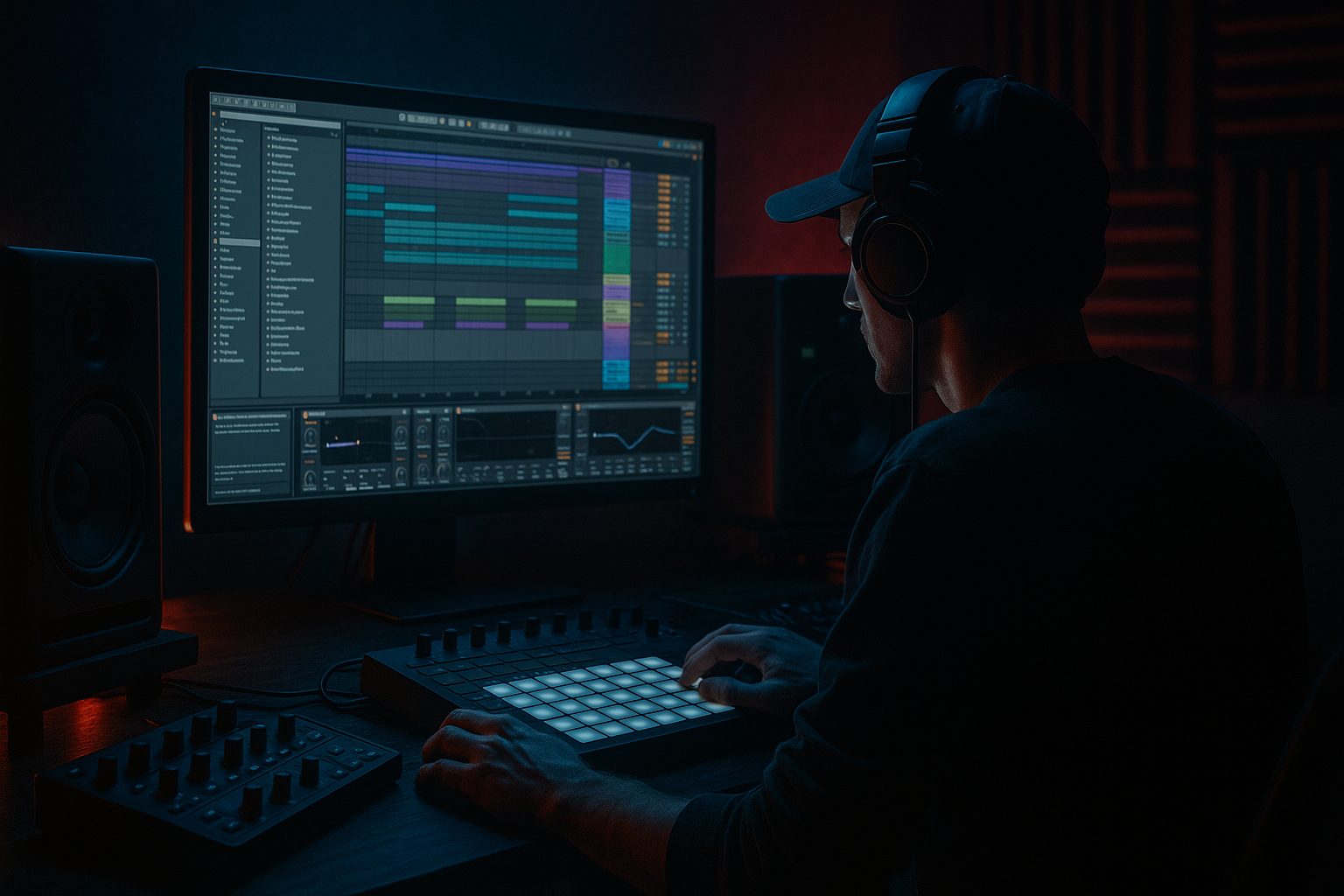
Main tutorial
```markdown
Pitching Rave Vocals for Modern Control with Vintage Tone (DnB in Ableton Live) 🎤⚡
1) Lesson overview
In drum & bass, rave vocals are more than nostalgia—they’re hooks, tension builders, and ear-candy that can cut through dense drums and bass. The challenge: classic pitched/warped vocal energy often comes with aliasing, time-stretch artifacts, harsh sibilance, and inconsistent tone.
This lesson shows you a modern, controllable workflow in Ableton Live to:
- Pitch vocals like classic jungle/DnB (think sped-up MC shouts, diva stabs, ragga phrases)
- Keep them tight to tempo, in key, and mix-ready
- Add vintage tone on purpose (instead of “bad warp” by accident)
- A “Rave Vocal Rack” with:
- A short DnB arrangement idea:
- Short phrases with attitude (“come again”, “listen up”, “ready”, ragga one-liners)
- Sustained vowels (“yeahhh”, “oh”, “ah”) for that classic pitched-rave glide
- Minimal reverb printed (you can add your own)
- Your track key (e.g., G minor).
- Your vocal target notes: often root (G), minor 3rd (Bb), 5th (D).
- Whether the vocal is hooky (melodic) or percussive (shouts/texture).
- Insert Tuner after the vocal (temporary) and play the raw clip.
- If it’s not tonal, treat it rhythmically (you still pitch for vibe).
- Warp Mode: Complex Pro
- Formants: ON
- Envelope: 128–256
- Grain Size doesn’t apply here—keep it simple.
- Complex Pro, Formants ON
- Beats mode for choppy rhythmic artifacts (classic sampler vibe)
- Tones mode for vowel-y, synthetic smearing (great for diva bits)
- Texture for grainy time-stretch (classic “rubbery” warp)
- HP filter: 80–140 Hz (steeper if your mix is heavy)
- Dip harshness: 2.5–5 kHz (-2 to -5 dB, Q ~2)
- Air shelf: 10–12 kHz (+1 to +3 dB) if needed
- Add Multiband Dynamics
- Solo the High band, set crossover around 5.5–7 kHz
- Compression settings (High band):
- Keep it subtle—aim to tame “S” spikes, not dull the whole vocal.
- Mode: Analog Clip or Soft Sine
- Drive: 2–6 dB
- Output: match level (don’t get fooled by loudness)
- Optional: enable Soft Clip for controlled peaks.
- Drive: 5–15
- Crunch: 0–10 (tiny amounts go far)
- Boom: usually OFF for vocals (or very low, freq 120–180 Hz if you want chest)
- Bit Reduction: 10–14 (start high = subtle)
- Downsample: 1.2–2.5
- Mix it with a Dry/Wet 5–15% or use an Audio Effect Rack for parallel.
- Glue Compressor:
- Width: 70–110%
- Bass Mono: not present on Utility, but you can keep lows mono by using EQ Eight M/S:
- EQ Eight → Multiband Dynamics (de-ess) → Glue
- Redux (heavier) → Saturator → Auto Filter (band-pass) → Reverb (short)
- Auto Filter: Band-Pass
- Reverb:
- Take a 1-bar phrase (e.g., “ARE YOU READY”).
- Warp it tight, then:
- Add Beat Repeat (last 2 bars only):
- Put vocal chops on the offbeats or just after snare hits:
- Sidechain vocal subtly from snare using Compressor:
- Slice one syllable (“hey”, “yo”, “nah”)
- Pitch it to the track key
- Layer it like a stab—same rhythm role as a horn hit.
- Over-warping everything in Complex Pro: it can smear transients and make vocals “phasey.” Use parallel warp modes for character instead of forcing one mode.
- Pitching up without formant control: chipmunk vocals aren’t “rave,” they’re just wrong (unless you want that on purpose).
- Ignoring sibilance after saturation: distortion makes “S” and “T” explode. De-ess before heavy saturation, and sometimes again lightly after.
- Too wide vocals in a bass-heavy drop: wide vocals + wide reese = messy mono collapse. Use Utility/EQ M/S.
- Not committing: resampling is part of the sound. Print versions and pick the one that hits.
- Pitch down + formant up is the secret sauce for “demon MC” tone that still cuts.
- Midrange aggression without harsh top:
- Rhythmic gating that locks to rollers:
- Reverb discipline:
- “Phone/radio” drop moment:
- Use Complex Pro + formants for modern, mix-ready pitching.
- Create vintage tone intentionally via parallel warp modes (Beats/Texture/Tones), saturation, and subtle Redux.
- Resampling is your authenticity button—print versions and choose the best.
- In DnB, rave vocals work best when arranged like percussion: tight placement, controlled width, and automation for hype.
We’ll treat vocals like a serious sampling instrument: clean → pitch/time control → character → mix glue → arrangement impact.
---
2) What you will build
You’ll build a reusable Ableton chain + workflow that gives you:
- Controlled pitching (real-time and resampled)
- Vintage grit (without destroying intelligibility)
- Tight dynamics + de-essing
- Stereo shaping that stays mono-safe
- Vocal used as a pre-drop tension loop
- A call/response vocal phrase in the drop
- A “stutter fill” for 2-step/rolling patterns
---
3) Step-by-step walkthrough
Step 0 — Pick the right source (and prep it)
Best sources for rave-style pitching:
Prep checklist:
1. Drag the vocal into an audio track.
2. Consolidate a clean region (`Cmd/Ctrl + J`) so you’re working with one clip.
3. Remove dead air at the start/end (tight clips respond better to warping + gating).
---
Step 1 — Establish key + target pitch movement
DnB often sits around F minor / G minor / A minor vibes. Decide:
Quick method:
---
Step 2 — Warp mode strategy (this is the big one)
Open the clip view and enable Warp.
#### A) For intelligible vocals (modern control)
Why: Complex Pro keeps phrases understandable when pitching/time-stretching.
#### B) For vintage rave tone (controlled “old school” edge)
Duplicate the track so you have two versions:
Track 1: Clean/Modern
Track 2: Character/Vintage
Choose based on desired artifact:
- Preserve: 1/8 or 1/16
- Transients: 0–30
- Grain Size: 20–40
- Grain Size: 80–120
- Flux: 10–25
Key idea: You’ll blend modern clarity with vintage grit in parallel.
---
Step 3 — Pitching workflows (choose one or combine)
#### Workflow 1: Clip Transpose + Formant control (fast + controlled)
1. In the clip, adjust Transpose:
- For classic rave energy: try +3 to +7 semitones (faster, brighter)
- For darker weight: try -2 to -7 semitones (thicker, nastier)
2. If using Complex Pro, adjust:
- Formants slightly down (e.g., -10 to -30) when pitching up
→ keeps it from sounding like chipmunks.
- Formants slightly up (e.g., +10 to +25) when pitching down
→ keeps it from becoming muddy and subby.
DnB tip: A small formant move often beats extreme EQ.
---
#### Workflow 2: Resample like a hardware sampler (vintage authenticity) 🧠
This is the “sounds like it came from a dusty 12-inch” method.
1. Set your vocal track to the pitch you want (Transpose).
2. Create a new audio track called VOC RESAMPLE.
3. Set Audio From = the vocal track.
4. Arm and record 4–16 bars of vocal performance/edits.
5. Now disable Warp on the resampled audio (or re-warp gently).
Why: Resampling “prints” the artifacts and makes timing/pitch feel more committed—very jungle/DnB.
---
#### Workflow 3: Slice into Sampler for playable rave chops 🎹
Perfect for call/response in a drop.
1. Right-click the vocal clip → Slice to New MIDI Track.
2. Choose slicing:
- Transient for natural chops (shouts)
- 1/8 or 1/16 for rave gating patterns
3. In Sampler, set:
- Voices: 1 (monophonic for tight phrases) or 2–4 for overlaps
- Filter: LP24, Drive 2–6
- Pitch Envelope: Amount +12, Decay 50–120 ms (subtle “yip” attack)
4. Add Glide (Portamento):
- Time 40–90 ms for old-school pitch slides.
DnB use: Create a 2-bar MIDI riff that answers the main bass.
---
Step 4 — Build the “Rave Vocal Rack” (stock devices)
Put this chain on your vocal (or on the resampled print). Suggested order:
1) EQ Eight (cleanup + tone)
2) De-esser (DIY with Multiband Dynamics)
Ableton doesn’t have a dedicated De-Esser stock, so do this:
- Threshold: -25 to -35 dB
- Ratio: 2:1 to 4:1
- Attack: 1–5 ms
- Release: 40–120 ms
3) Saturator (warmth + density)
4) Drum Buss (vintage bite, controlled)
5) Redux (careful! for vintage digital edge) 🎛️
Use as parallel or extremely subtle:
6) Compressor or Glue Compressor (control + forward)
- Attack: 3–10 ms
- Release: Auto or 0.1–0.3s
- Ratio: 2:1
- Aim: 1–3 dB GR on peaks
- Soft Clip: ON (optional)
7) Utility (stereo discipline)
- Put EQ Eight in M/S mode
- On the Side, high-pass around 150–250 Hz
---
Step 5 — Parallel “Vintage Layer” for controlled old-school grit 🧪
Create an Audio Effect Rack with 2 chains:
Chain A: Clean
Chain B: Dirt
Suggested Dirt settings:
- Freq: 800 Hz – 3.5 kHz (sweep until it “speaks”)
- Resonance: 0.7–1.2
- Decay: 0.6–1.2 s
- Pre-delay: 10–25 ms
- High Cut: 6–8 kHz
- Dry/Wet: 8–18%
Blend Dirt chain at -12 to -20 dB under the clean chain.
This gives “tape/rave” vibe without losing the lyric.
---
Step 6 — Arrangement ideas (DnB/jungle-rooted)
#### A) Pre-drop tension loop (8 bars)
- Bar 1–4: filter closed (Auto Filter LP, 400 → 2k)
- Bar 5–8: open filter + increase Dirt chain
- Interval: 1 Bar
- Grid: 1/8
- Chance: 10–25%
- Variation: 10–20
This creates hype without turning into chaos.
#### B) Call/response in the drop (2–4 bars)
- Example placement: snare (beat 2/4) → vocal response at 2.3 or 4.3
- Sidechain input: Snare group
- Ratio: 2:1
- Attack: 1–3 ms
- Release: 60–120 ms
- GR: 1–2 dB
#### C) Jungle-style “talkback stab”
---
4) Common mistakes
---
5) Pro tips for darker/heavier DnB 🖤
- Try: Transpose -5, Formants +15, then add Drum Buss Drive 10.
- Band-pass the Dirt chain around 1–3 kHz, keep highs rolled off.
- Use Auto Pan as a tremolo (Phase 0°, not stereo):
- Amount: 40–80%
- Rate: 1/8 or 1/16
- Shape: square-ish (turn Shape up)
- Put reverb on a return and gate it with sidechain compression from drums to keep the mix punchy.
- Automate a band-pass (Auto Filter) + Redux downsample for 1 bar before the full vocal returns clean.
---
6) Mini practice exercise (15–25 minutes) ⏱️
1. Choose a 1–2 bar rave phrase.
2. Make two tracks:
- Track A: Complex Pro, Formants ON
- Track B: Texture or Beats mode (your choice)
3. Pitch both:
- Version 1: +5 semitones
- Version 2: -5 semitones
4. Build the Rack:
- EQ Eight → Multiband Dynamics (de-ess) → Saturator → Glue → Utility
5. Create an 8-bar loop at 174 BPM:
- Bars 1–4: vocal filtered + low dirt blend
- Bars 5–8: open filter + Beat Repeat last 2 bars
6. Resample the best 8 bars to a new audio track and commit.
Deliverable: one clean modern vocal + one gritty layer, blended and arranged into a pre-drop riser.
---
7) Recap
If you tell me your track key + the type of vocal (ragga shout, diva line, MC bar), I can suggest exact transpose/formant targets and a matching rack macro layout. 🎚️
```

