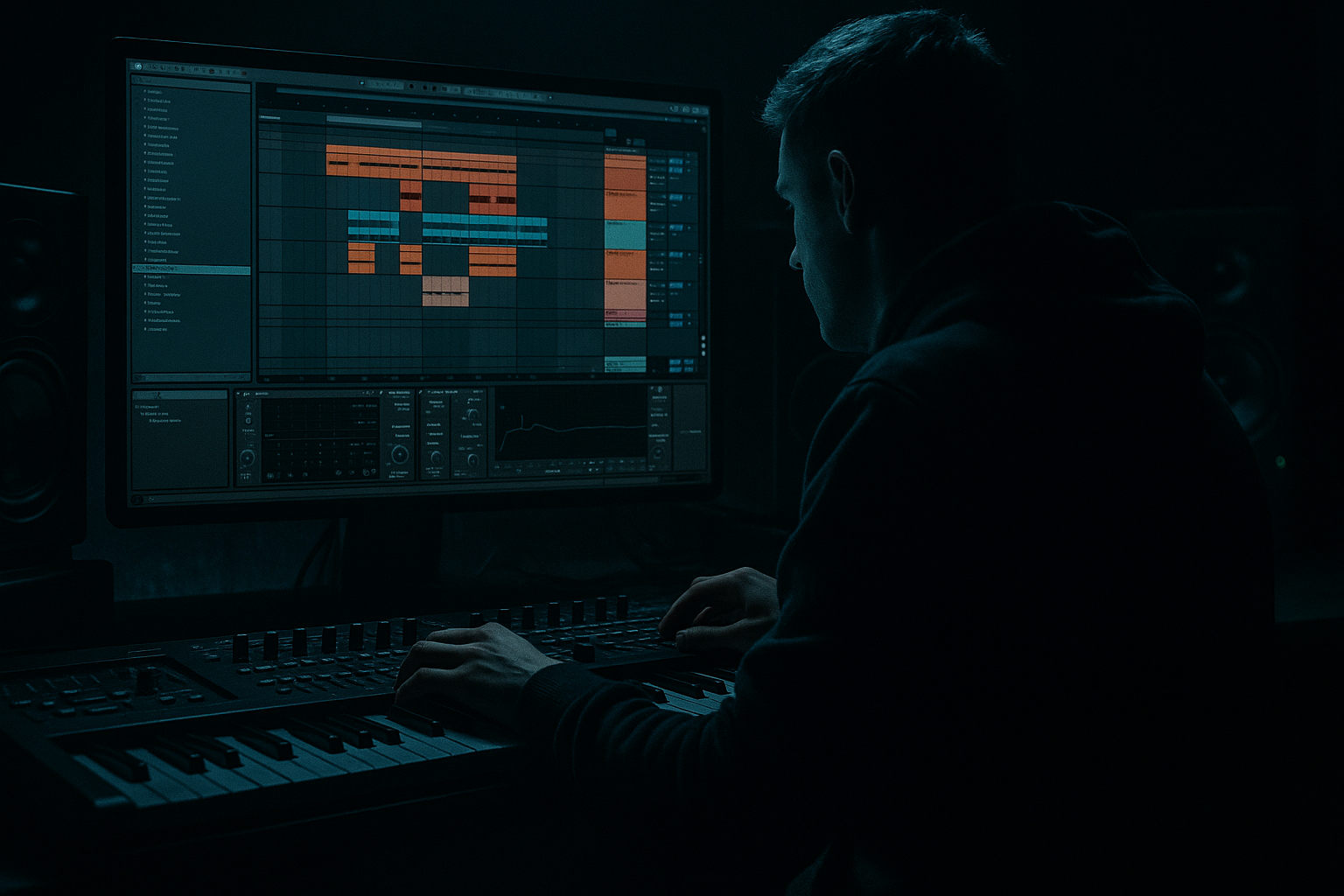
Main tutorial
Lesson Overview
This lesson is about turning a solid Amen break into a finished DnB drum bus that feels gritty, controlled, and expensive — the kind of breakbeat processing you hear in jungle, dark rollers, neuro-adjacent half-time sections, and modern broken-beat DnB. The goal is not to “clean up” the Amen into something sterile. It’s to preserve the character of the sampler-era crunch while making the drums hit harder, sit tighter with the bass, and survive a full arrangement.
In an actual track, this approach fits anywhere you want drums to feel alive: intro loops, first-drop pressure, 16-bar rollers, switch-up sections, or breakdown-to-drop transitions. A polished Amen bus is especially useful when your bassline is dense — reese movement, midrange growl, or sub-heavy pressure — because the drums need to stay sharp without becoming brittle.
Why this matters: in DnB, the drum bus often carries the energy signature of the track. If the break has weight, texture, and a controlled transient shape, the whole tune feels more confident. If it’s too flat, the drop collapses. If it’s too distorted, the groove disappears. The sweet spot is a bus that sounds sampled, worn-in, and intentional — but still mixes cleanly at club level.
What You Will Build
By the end, you’ll have an Amen-style breakbeat bus in Ableton Live 12 that sounds like this:
- A chopped or looped Amen with crunchy sampler coloration
- Tight transient control with preserved swing and ghost-note detail
- Parallel-driven density that adds body without flattening the groove
- Controlled low-mid grime for darker DnB weight
- A bus chain that can be automated for intros, drops, fills, and breakdowns
- A result that feels like it belongs in a dark roller, jungle-tech hybrid, or neuro-leaning break section
- Over-distorting the break
- Flattening the groove with too much compression
- Removing all low-mid content
- Making the top end fizzy and harsh
- Quantizing away the jungle feel
- Letting the drum bus fight the bassline
- Use two crunch stages instead of one huge one: a little Saturator on the bus, plus a dirt return with Redux. This sounds more complex and less fake.
- Emphasize the snare crack around 2–4 kHz and the body around 180–220 Hz only if it doesn’t mask the bass.
- For neuro-leaning darkness, automate a subtle Auto Filter sweep on the texture return during builds. Keep resonance modest so it feels tense, not whistly.
- Try a short Room Reverb on selected snare ghosts only, then resample. This can create that damp warehouse tail without washing the full break.
- If the Amen feels too polite, layer a separate clipped snare transient on the backbeat, but keep it very short and lower in level than the source.
- Use Glue Compressor on the full drum group for a final adhesive pass, but only after the parallel texture is balanced.
- If your bassline is a reese with motion, keep the drum bus slightly more centered and controlled. Let the bass move; let the drums anchor.
- For darker rollers, make the drums evolve every 8 or 16 bars with tiny automation moves rather than big fills. Subtlety sounds bigger in a club.
- Keep the Amen’s groove and ghost notes alive.
- Use Drum Buss, Saturator, Redux, EQ Eight, Compression, and Utility as your core Ableton toolkit.
- Build crunch in layers: main bus control plus parallel dirt.
- Resample when the break feels close, then edit for sampler-style authenticity.
- Automate texture over the arrangement so the drums evolve with the track.
- Always check the break against the bassline in mono and protect headroom.
Think: dusty top-end shimmer, snappy snare crack, articulate hats, and a slightly broken, old-sample edge — but still punchy enough to sit against a subby bassline and aggressive atmospheres.
Step-by-Step Walkthrough
1. Start with a strong Amen source and commit to phrasing
Load a clean Amen sample onto an audio track or Drum Rack pad. If you’re working with a loop, first decide whether the break should live as:
- a full 1-bar loop,
- a 2-bar variation,
- or a chopped MIDI-driven pattern.
For advanced DnB work, the best move is usually to slice the Amen into a Drum Rack using Ableton’s Slice to New MIDI Track. This lets you preserve the original groove while making tiny edits: swapping hits, removing clutter, or adding ghost notes.
Practical rule:
- Keep the core kick/snare grid intact.
- Use edits on the spaces between those anchors for movement.
- Don’t over-quantize. A light groove is part of the jungle feel.
If the source is too clean, duplicate it before processing so you always have one untouched reference.
2. Build the break inside a Drum Rack for surgical control
Put your Amen slices into a Drum Rack and group similar hits:
- kick-ish hits
- snare hits
- hats/ride fragments
- ghost notes and pickup ticks
For advanced editing, route key hits to separate chains inside the rack if needed. This makes it easier to process snare emphasis and top-end texture differently.
Useful move: use Simpler in Classic mode on selected slices when you want sample-style behavior. Set:
- Warp mode to Repitch or Complex Pro only if you need timing correction; otherwise keep it more sample-authentic.
- Filter off or very gentle if the source already has character.
- Start/End points tight to prevent flamming.
If you want that crunchy sampler feel, Simpler’s playback plus later saturation often sounds more authentic than trying to “clean” the break first.
3. Shape the core transient behavior with Drum Buss and EQ Eight
Put a Drum Buss on the break bus first, but don’t overcook it. You want cohesion, not smashed transients.
Starting point:
- Drive: 5–18%
- Crunch: 5–25%
- Boom: usually 0–15%, tuned carefully or left off if the break already has low-end residue
- Transients: small positive movement for bite, or slight negative if the break is too spiky
Then follow with EQ Eight:
- High-pass gently around 25–35 Hz if the break has unnecessary sub rumble.
- Cut muddy buildup around 180–350 Hz by 1–3 dB if the bus clouds the bassline.
- If the snare loses presence, try a narrow boost around 1.8–4 kHz only after distortion, not before.
Why this works in DnB: the Amen often carries transient energy in the upper mids, and DnB basslines often occupy the low-mid and sub area heavily. Tightening the low end of the drum bus leaves room for bass weight while keeping the break aggressive.
4. Add sampler-style crunch with Saturator and Redux in parallel
The “crunchy sampler texture” comes from layered coloration, not just one heavy distortion device.
On the break bus, try a subtle Saturator:
- Drive: 2–7 dB
- Soft Clip: On
- Base: leave neutral unless you’re intentionally shifting tone
- Output: trim to unity
If you want more obvious sampler grit, add Redux after Saturator or on a parallel return:
- Downsample: gentle first, around 1.2x–2.5x reduction feeling
- Bit reduction: light, often 10–14 bits is enough
- Mix: keep it around 10–35% on the bus, or 100% on a return
Advanced approach: create a return track with Redux + Saturator + EQ Eight. Send the break to it lightly, then automate more send in fills or transition bars. This gives you switchable grime without permanently trashing the core loop.
Keep the crunch focused in the midrange and upper mids. If the break starts sounding like digital fizz, reduce the send and trim harshness with EQ Eight after distortion.
5. Use transient shaping and compression to glue the groove, not flatten it
Add Compressor or Glue Compressor after tonal shaping. The goal is to keep the Amen sounding locked, especially if your edits introduce tiny level jumps.
Starting ideas:
- Ratio: 2:1 or 4:1
- Attack: 10–30 ms for more punch, or 1–10 ms if the hits are too sharp
- Release: Auto or around 80–200 ms depending on tempo
- Gain reduction: aim for 1–4 dB, not more unless it’s a creative crush
If the groove gets too stiff, back off compression and let the transient irregularities breathe. Breakbeats in DnB often sound better with a little instability because it preserves that sampled, humanized edge.
For extra movement, try parallel compression:
- Duplicate the bus to a return or parallel chain.
- Compress the parallel heavily.
- Blend it underneath at low level.
This adds density without stealing the attack from the main break.
6. Enhance the sampler illusion with resampling and tiny timing offsets
A great advanced trick is to resample the processed break once the basic chain is working. Freeze or record the bus to audio, then re-import the resampled file.
Why? Because sampled breaks in classic jungle and early DnB often have:
- slight gain changes,
- baked-in saturation,
- imperfect timing interactions between hits,
- and a more “printed” feel.
Once resampled, you can make micro-edits:
- nudge selected ghost notes a few milliseconds late for swing
- shorten a noisy tail with Clip Gain or fades
- layer a second version of a snare hit underneath only on downbeats
- reverse tiny fragments for fills
You can also use Warp Markers sparingly if you want a certain hit to lock better without destroying the overall feel.
Arrangement context example: in a 174 BPM roller, keep the main Amen loop steady for 8 bars, then resample and introduce a slightly more mangled version on bars 9–16 with extra crunch and a small fill before the drop returns. That creates evolution without losing DJ-friendly consistency.
7. Separate top texture from body with parallel chains
For advanced control, split the break bus into two lanes:
- Body chain: preserve core snare/kick impact and low-mid weight
- Texture chain: emphasize hat noise, crackle, and grit
On the texture chain:
- High-pass with EQ Eight around 250–500 Hz
- Add Saturator or Redux more aggressively
- Optionally add Auto Filter with subtle movement
- Keep this chain lower in the mix
On the body chain:
- Keep saturation moderate
- Use compression and EQ for solidity
- Preserve punch around the snare fundamental and kick thump
Blend these with a Group Track or parallel returns. This is especially effective in darker DnB, where you want the break to feel expensive and layered without becoming brittle.
8. Automate energy across arrangement sections
A polished drum bus should change over the track. Static drums get tiring fast in DnB.
Use automation on:
- Saturator Drive
- Redux mix or send amount
- Drum Buss Crunch
- Compressor threshold
- Auto Filter frequency or resonance
- Reverb return send for special fills only
Smart arrangement ideas:
- Intro: filter the break down to hat texture and distant snare ghosts
- Pre-drop: automate more crunch and a slight high-shelf lift
- Drop: full-frequency Amen with tight glue
- 8-bar switch-up: mute the kick-heavy fragments and let the snares and ghosts carry the groove
- Fill bar: push the parallel dirt return harder, then cut it back on the next downbeat
In DnB, these changes help maintain tension and release while keeping the loop recognizable. The break feels “performed,” not copied and pasted.
9. Lock the drum bus against the bassline
The final polish step is making sure the break and bass feel like one system.
Put an EQ Eight on the bass group and carve space around the drum bus, or vice versa. Typical moves:
- If the bass is heavy in the low mids, dip the drum bus a touch around 200–300 Hz
- If the drums are bright and the bass has bite, control overlap around 2–5 kHz
- Keep sub below about 120 Hz mono and clean
Use Utility on the drum bus if needed:
- Width: narrow only if the break’s sides are messy
- Bass Mono: not usually necessary on the drums unless the sample has weird low stereo content
- Gain: trim to maintain headroom
Mono check the session. The Amen should still feel strong when collapsed to mono, especially the snare and main ghost rhythms. If the texture disappears completely, you’ve pushed the crunch too far into side-only territory.
Common Mistakes
- Fix: reduce Drive/Crunch, and use parallel distortion instead of inserting more on the main bus.
- Fix: ease off gain reduction. Let ghost notes and hit velocity differences survive.
- Fix: don’t high-pass the break too aggressively. Many Aments need some 150–300 Hz body to feel real.
- Fix: tame 6–10 kHz with EQ Eight after saturation, or lower the Redux mix/send.
- Fix: preserve a little push-pull. Use groove intentionally, not rigid grid perfection.
- Fix: carve space with EQ and compare in mono. In DnB, kick/bass/drum loop relationships matter more than soloed polish.
Pro Tips for Darker / Heavier DnB
Mini Practice Exercise
Spend 15 minutes building a polished Amen bus from scratch:
1. Load an Amen break into a Drum Rack or audio track.
2. Create one main drum bus and one parallel dirt return.
3. Apply Drum Buss, Saturator, EQ Eight, and Glue Compressor in that order on the main bus.
4. Add Redux on the return and send the break to it lightly.
5. Automate the return send so bars 1–4 are restrained, bars 5–8 get dirtier, and bar 8 has a brief fill spike.
6. Resample 4 bars of the result and make two edits:
- one ghost-note variation
- one snare emphasis variation
7. A/B against the original loop in mono and adjust until the processed version still grooves harder than the source.
Goal: the processed break should sound more intentional, more textured, and more mix-ready without losing swing.
Recap
If the break still feels like an Amen after processing — just heavier, dirtier, and more focused — you’ve nailed it.

