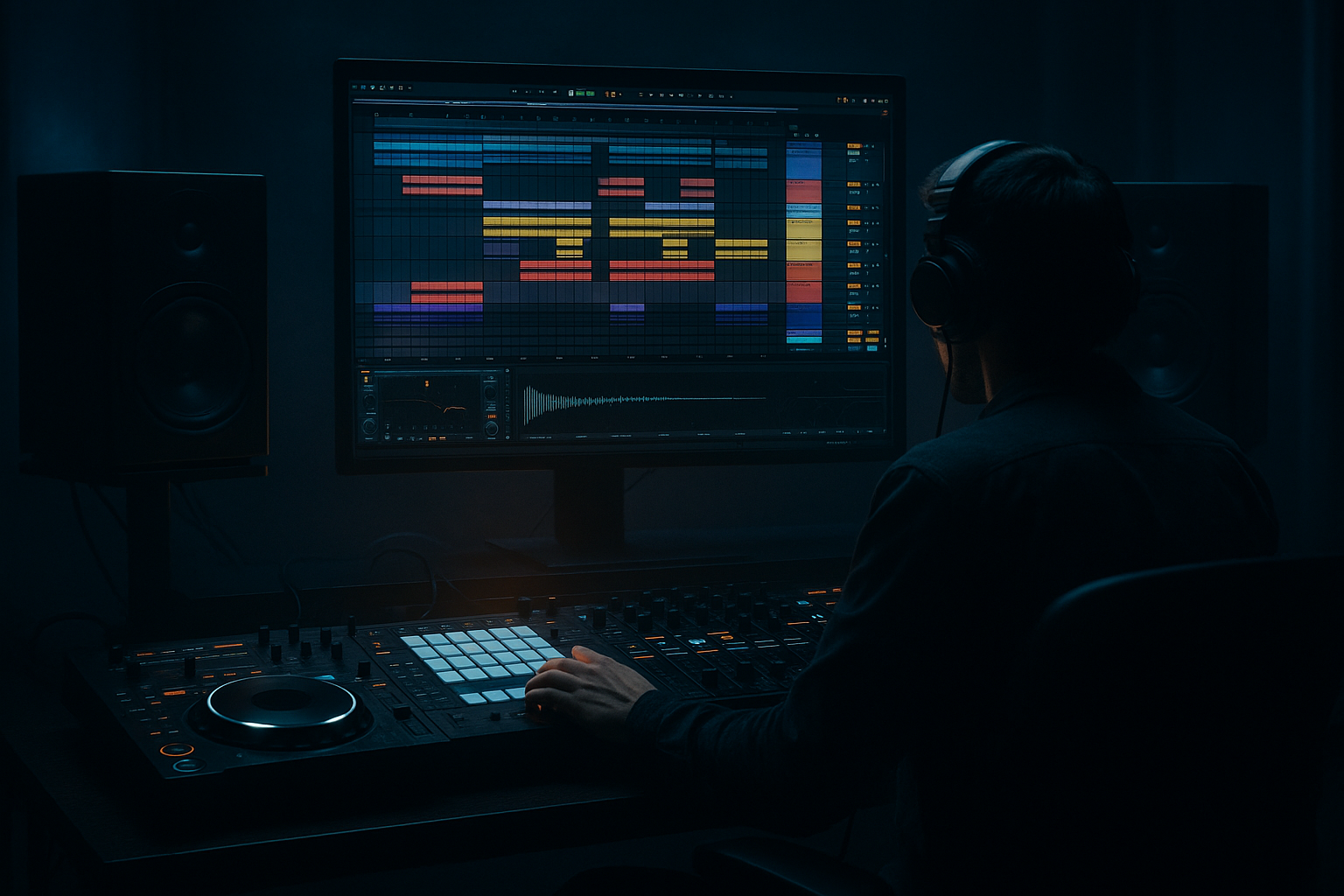
Main tutorial
Lesson Overview
This lesson is about rebuilding a retro rave DJ intro from scratch in Ableton Live 12 so it feels like a proper jungle / oldskool DnB transition tool rather than a generic “intro loop.” The goal is to make something a DJ can actually mix with: a front-end that gives time, cue points, tension, and identity before the drop lands. In DnB, especially jungle and older rave-influenced material, the intro is not just decoration — it is part of the arrangement language. It tells the DJ where the energy sits, how long they can blend, and what kind of world the tune is entering.
This technique lives right at the start of a track, but it also matters for radio edits, mix intros, DJ tools, and intro rebuilds for finished tunes. It is especially useful if you have a strong drop but the front section is weak, or if you want to convert a loop into a proper arrangement with club logic. Technically, it matters because a DJ intro has to preserve low-end discipline, groove clarity, and phrase readability while still sounding exciting. Musically, it has to hint at the record’s identity without giving the whole game away.
Best fit: jungle, oldskool DnB, hardcore-leaning rave edits, rollers with classic sampling energy, darker breakbeat material with DJ-friendly openings. By the end, you should be able to hear a clean intro that feels intentionally built, not pasted together: it should breathe, it should count in naturally, it should leave space for mixing, and it should clearly set up the drop without smearing the energy.
What You Will Build
You will build a DJ intro rebuild in Ableton Live 12 that sounds like a retro rave / jungle opening section: chopped break fragments, a controlled bass hint, select vocal or stab accents, and enough FX motion to create tension without cluttering the low end. The finished result should feel rough, kinetic, and intentional — like a record that came from the era of sampler culture, but with modern arrangement discipline.
Sonically, it should have:
- a break-led rhythmic bed
- a subtle mid-bass tease rather than full bass dominance
- a few rave-signature accents such as stabs, vocal cuts, or filtered hits
- transitions that feel DJ-usable
- a mix that is not yet final-master polished, but absolutely clean enough to sit in an arrangement and guide a blend
- Keep the first 8 bars more skeletal than you think. Dark intros hit harder when the atmosphere is restrained and the groove is clearly audible. Leave space for the DJ and for the eventual drop to feel bigger.
- Use midrange menace instead of sub overload. A filtered reese fragment or detuned mid layer around 180–700 Hz can suggest danger without contaminating the low-end slot. Let the sub stay disciplined.
- Resample your best accidental moments. If a break edit or stab cut sounds nasty in the right way, resample it to audio and reintroduce it as a hit or transition element. This often produces more character than endlessly tweaking the source.
- Keep the main low-end mono, but allow controlled stereo above it. A dark intro can feel wide in the hats, room, and texture while staying firm in the center. That contrast makes the record sound larger on systems.
- Use short negative-space dropouts to create pressure. A single beat of silence before a turnaround can feel more ominous than a huge riser if the preceding groove is already strong.
- Let one sound be the villain. Pick one element — a stab, a vocal slice, or a gritty break chop — and let it carry the identity. Darker DnB often feels stronger when the intro has a clear menace source instead of multiple competing themes.
- If the intro needs more underground character, roughen the edges, not the whole mix. A small amount of saturation on a sample or break can add grit, but don’t flatten the transients across the entire intro bus. Keep the punch alive.
- Use only one break, one identity sample or stab, and one bass hint
- Keep the bass mostly out of the first 8 bars
- Automate only one main filter move and one level move
- Check the result in mono once before finishing
- A 16-bar Ableton arrangement with a clear start, midpoint lift, and transition into the drop
- Bounce the intro as audio if it feels structurally right
- Can you count the phrase without guessing?
- Does the break remain clear and danceable?
- Does the intro feel like it is opening a door into the track, rather than already being the whole record?
Rhythmically, it should move with 2-bar and 4-bar phrasing, with enough syncopation to imply the drop’s groove without revealing every detail too early. The role in the track is to give the DJ a dependable starting section and to establish the record’s energy class before the drop.
A successful result should sound like this: the intro opens with space and attitude, the groove gradually tightens, the listener can feel the upcoming drop, and the whole thing stays clear enough that a DJ could mix over it without fighting a messy low end.
Step-by-Step Walkthrough
1. Start by defining the job of the intro before you touch sound design
In Ableton, create a fresh arrangement section and decide the intro’s exact function: is this a 16-bar mix-in, a 32-bar DJ opener, or a longer 64-bar scene setter? For an advanced DnB workflow, don’t start by throwing sounds onto the timeline. Start by naming the intent. If it is a DJ intro rebuild, the intro should usually do three things: provide a stable phrase count, reveal the tune gradually, and leave the drop with enough contrast.
A practical layout for oldskool/jungle vibes:
- Bars 1–8: filtered break texture + atmosphere + minimal cue
- Bars 9–16: introduce stab or vocal cut + more break detail
- Bars 17–24: add bass hint, turnaround, and transition motion
- Bars 25–32: pre-drop tension or breakdown lift into the main section
Why this matters: jungle and retro rave arrangements often rely on DJ-readable phrase blocks. If the intro is too free-form, it becomes hard to mix. If it is too empty, it loses character. Your job is to make the front end feel like a functional record opener, not a demo loop.
2. Build the rhythmic spine with one break as the anchor, not three competing drums
Drop a clean break loop or chopped break audio onto an audio track. Use Warp only as much as needed to keep it locked; do not overcorrect it into a sterile grid if the source has good shuffle. If the break is already strong, keep it as the core and support it with controlled layers rather than rebuilding the whole thing from scratch.
Useful stock processing chain:
- EQ Eight: high-pass around 25–35 Hz to remove sub-rumble; gentle cut around 200–350 Hz if the break is boxy; tiny shelf or bell boost around 6–10 kHz if you need snap
- Drum Buss: Drive around 5–15%, Boom low or off for now, Damp used cautiously
- Saturator: Drive around 1–4 dB if the break needs hair and density
If the break is too flat, use Transient shaping by editing rather than overprocessing. In Ableton, slice the break into beats or regions and nudge individual hits so the kick and snare speak clearly. For jungle, the groove should feel alive but still centered.
What to listen for:
- The snare should still feel like the anchor.
- The kick should not disappear under saturation.
- The break should retain swing, not become a rigid 1/16 pattern.
3. Choose your intro flavour: A or B
This is a key creative decision point.
A. More “classic rave tool”
- Stronger stab presence
- More obvious vocal chops or crowd-cue energy
- Slightly more filtered openness
- Best for high-energy jungle, oldskool, or rave-forward rollers
B. More “dark DJ utility”
- More restraint
- Tighter break focus
- Less melodic exposure
- More atmosphere and tension, fewer obvious hooks
- Best for darker DnB, minimal jungle, or heavyweight mix intros
In Ableton, make this choice early because it changes the rest of the arrangement. If you choose A, you will foreground stabs and turnarounds. If you choose B, you will build the intro around negative space, subtle movement, and filtered hints of the drop.
Trade-off: A is more immediately memorable; B is often more mixable and more “serious” for long DJ blends. For an advanced builder, either is valid — just commit to one aesthetic so the intro doesn’t feel indecisive.
4. Add a second layer that answers the break instead of fighting it
Bring in a complementary top layer: a chopped tambourine, shaker, rimshot, ghost perc, or a very short hat pattern. Keep it role-specific. This layer should not replace the break; it should clarify momentum and help the intro read on smaller systems.
Stock-device route if you’re sampling from the same session:
- Put the layer on a track with Simpler if you want fast slicing and note-triggered control
- Use EQ Eight to high-pass aggressively around 200–400 Hz
- Add Auto Filter with a gentle low-pass at the start of the intro, opening over time
- Optional Utility to keep the layer narrower if it starts to smear the groove
Keep this top layer tight and dry. In retro rave / jungle intros, too much space FX on the percussion can make the break feel blurred. You want the groove to feel like it is coming into focus bar by bar.
What to listen for:
- Does the new layer make the break feel more urgent?
- Or does it clutter the snare grid and steal attention?
If it steals attention, reduce the layer’s level by several dB and remove low-mid content before trying anything else.
5. Place the signature accent: stab, vocal, or sample hit
Now add one iconic element that says “this tune has identity.” That might be a rave stab, a chopped vocal phrase, a classic-style synth hit, or a short sample phrase. Place it in a way that feels like a DJ tool, not a lead hook. Usually that means one hit every 2 or 4 bars, not constant repetition.
A strong Ableton chain for a stab:
- Simpler or Sampler to control the source
- Auto Filter with a low-pass starting around 300–1,200 Hz and opening across the intro
- Reverb with short-to-medium decay, roughly 1.2–2.2 s, and a controlled dry/wet amount
- Delay sparingly, maybe a short ping or slap feel, if the sample needs motion
- EQ Eight to trim harshness around 2.5–5 kHz if the stab is too forward
Put the accent in a musical place relative to the break. The classic move is to let the break carry the bars while the stab acts as a phrase marker at the top of every 4 bars or just before a turn. That gives DJs a sense of where they are in the record.
Successful result: the stab should feel like a memory of the tune’s main identity, not the whole arrangement screaming at you from bar 1.
6. Create movement with filters, not constant new sounds
The fastest way to make an intro feel expensive is to automate movement on already-selected elements. In Ableton, use Auto Filter, Utility, Reverb, and level automation across the intro so the section evolves without bloating the arrangement.
Practical automation ideas:
- Open a low-pass filter from around 200–500 Hz up to full range over 8–16 bars
- Automate reverb send up slightly before a turnaround, then pull it back on the next downbeat
- Use Utility to widen a texture gradually, but keep low-end sources mono
- Automate a small gain lift on the stab or break accents to create a sense of lift toward the drop
Don’t automate everything at once. The intro becomes powerful when only one or two elements change at a time. That creates readable tension. If the break opens, then the stab opens, then the atmosphere widens, the DJ and listener can feel the progression without getting lost.
Why this works in DnB: the genre rewards rhythmic continuity with selective contrast. You don’t need huge harmonic development in the intro. You need a controlled path from “tool” to “statement.”
7. Introduce bass as a hint, not a full reveal
This is where many retro intro rebuilds go wrong: the bass shows up too early and the DJ utility collapses. In a jungle/oldskool intro, the bass should often be implied first. Use a short sub pulse, a filtered reese fragment, or a low-mid answer note, but keep the full bassline withheld until the drop or near-drop section.
Stock-device chain for a teased bass layer:
- Operator or Wavetable for the source
- Saturator for harmonics
- EQ Eight to carve unwanted mids
- Auto Filter or automation to keep it narrow at first
- Utility with width kept at 100% or less only if the top harmonics need a little spread; the sub itself should remain mono
A useful bass intro approach:
- Keep the sub below roughly 120 Hz centered and stable
- Let any movement happen in the 150–700 Hz region
- Use short notes or held notes with filter motion, not fast melodic runs
What to listen for:
- Does the bass hint add weight without making the intro feel like the drop already arrived?
- On mono, does the low end remain clean and anchored?
If the bass causes the intro to feel too “full,” remove the lowest octave from the teasing layer and let the kick/break own the fundamental space.
8. Check the intro against drums and arrangement context, not in solo
This is the point where you stop treating the intro as a loop and verify it against the surrounding track. In Ableton, listen from the transition into the drop and from the previous section into the intro. The intro must work as a bridge in the full arrangement, not as a standalone sound design sketch.
Put the intro next to the main drums and bass:
- Does the intro leave enough room for the drop’s kick/snare impact?
- Is there a clear energy jump when the drop arrives?
- Can you imagine a DJ mixing over this without fighting the intro’s midrange?
Arrangement example:
- 16-bar DJ intro
- 8-bar filtered build
- 4-bar pre-drop lift
- drop on a clean phrase start
If you’re rebuilding an existing tune, align the intro so the first strong cue lands on a 4-bar boundary. For a DJ tool, that matters more than “coolness.” A clean phrase boundary is what makes a blend feel professional.
Workflow efficiency tip: once the intro works, commit the break and sample-heavy parts to audio. This reduces CPU, forces decisions, and prevents endless micro-editing. If the groove is right, stop polishing the loop forever.
9. Shape the transition into the drop with negative space and a controlled turnaround
Use a turnaround that feels authentic to the style: a brief drum drop-out, a reversed texture, a short fill, or a snare lift that clears the runway. Keep it functional. The goal is not to overwhelm the listener; it is to reset attention so the drop lands hard.
Try one of these:
- Option 1: Drum cut — remove the kick for half a bar or a bar, keep a snare or hat echo, then hit the drop cleanly
- Option 2: Filter lift + reverse tail — open a filter gradually and let a reversed hit pull into the first drop beat
Use Reverb and Delay automation briefly, then cut them or duck them so the drop starts dry and punchy. If the pre-drop is too wet, the drop will feel smaller.
What to listen for:
- The final bar should feel like the floor is leaning forward.
- The drop should sound bigger because the intro got more restrained, not because the intro got louder.
Stop here if the transition feels mushy. Fix it by shortening the turnaround, removing one layer, or reducing low-mid buildup around 150–300 Hz.
10. Do a mono and balance check before calling it done
This is a DJ-intro rebuild, so mono compatibility is non-negotiable for the low end and highly desirable for the core drum energy. In Ableton, use Utility to check the intro in mono and listen for anything that vanishes or gets phasey — especially wide stabs, stereo breaks, and textured bass hints.
Pay attention to:
- Does the break still feel anchored?
- Do the bass harmonics collapse or hollow out?
- Does the stab lose identity when summed?
If the intro loses impact in mono, reduce stereo widening on anything with important rhythmic or low-mid content. Keep ambience wide if you want, but let the kick, snare, and bass fundamentals stay centered. A retro rave intro can be wide in spirit, but the club translation comes from solid center mass.
Final mix-clarity move: if the intro is fighting the drop, trim the intro’s top-end brightness slightly rather than boosting the drop too aggressively. That gives the drop a cleaner arrival.
Common Mistakes
1. Making the intro too “finished” too early
- Why it hurts: if the intro sounds like the drop already peaked, there is nowhere for the arrangement to go.
- Fix in Ableton: strip one layer out, reduce the bass reveal, and keep only the break + one identity element for the first 8 bars.
2. Using too many break layers with similar transient content
- Why it hurts: snare and ghost hits blur, and the groove loses hierarchy.
- Fix: keep one primary break, high-pass supporting percussion, and use EQ Eight to carve overlap around 200–500 Hz.
3. Letting the sub appear too early
- Why it hurts: DJs lose headroom and the drop loses impact.
- Fix: keep the intro sub hint narrow, mono, and sparse; remove the fundamental below roughly 120 Hz until the intended reveal point.
4. Over-widening the intro
- Why it hurts: wide textures sound exciting in headphones but can phase badly in club systems.
- Fix: use Utility to narrow important elements, check mono, and reserve width for ambience or top textures only.
5. Automating too many parameters at once
- Why it hurts: the intro becomes indecisive and the listener cannot feel the phrase.
- Fix: automate one primary movement per 4–8 bars — usually filter, level, or send amount — and let the rest stay stable.
6. Forgetting DJ phrase logic
- Why it hurts: a great sound can still be hard to mix if cues land randomly.
- Fix: align key accents to 4-bar or 8-bar boundaries, especially the entry of the main identity sample and the transition into the drop.
7. Over-processing the break with compression or distortion
- Why it hurts: the break loses swing, which is fatal in jungle-flavoured intros.
- Fix: use lighter Drum Buss settings, preserve transient shape, and commit to audio once the character is right rather than stacking more processing.
Pro Tips for Darker / Heavier DnB
Mini Practice Exercise
Goal: Build a 16-bar retro rave DJ intro that can sit before a jungle drop without muddying the mix.
Time box: 15 minutes
Constraints:
Deliverable:
Quick self-check:
Recap
A strong retro rave DJ intro is about function first, character second, and polish third. Build around one solid break, reveal identity in controlled doses, keep the sub disciplined, and automate movement with intent. Align the intro to phrase logic, check it against the full arrangement, and make sure it still works in mono. If the result feels like a DJ can mix into it and the drop still lands with force, you’ve built it correctly.

