Main tutorial
Lesson Overview
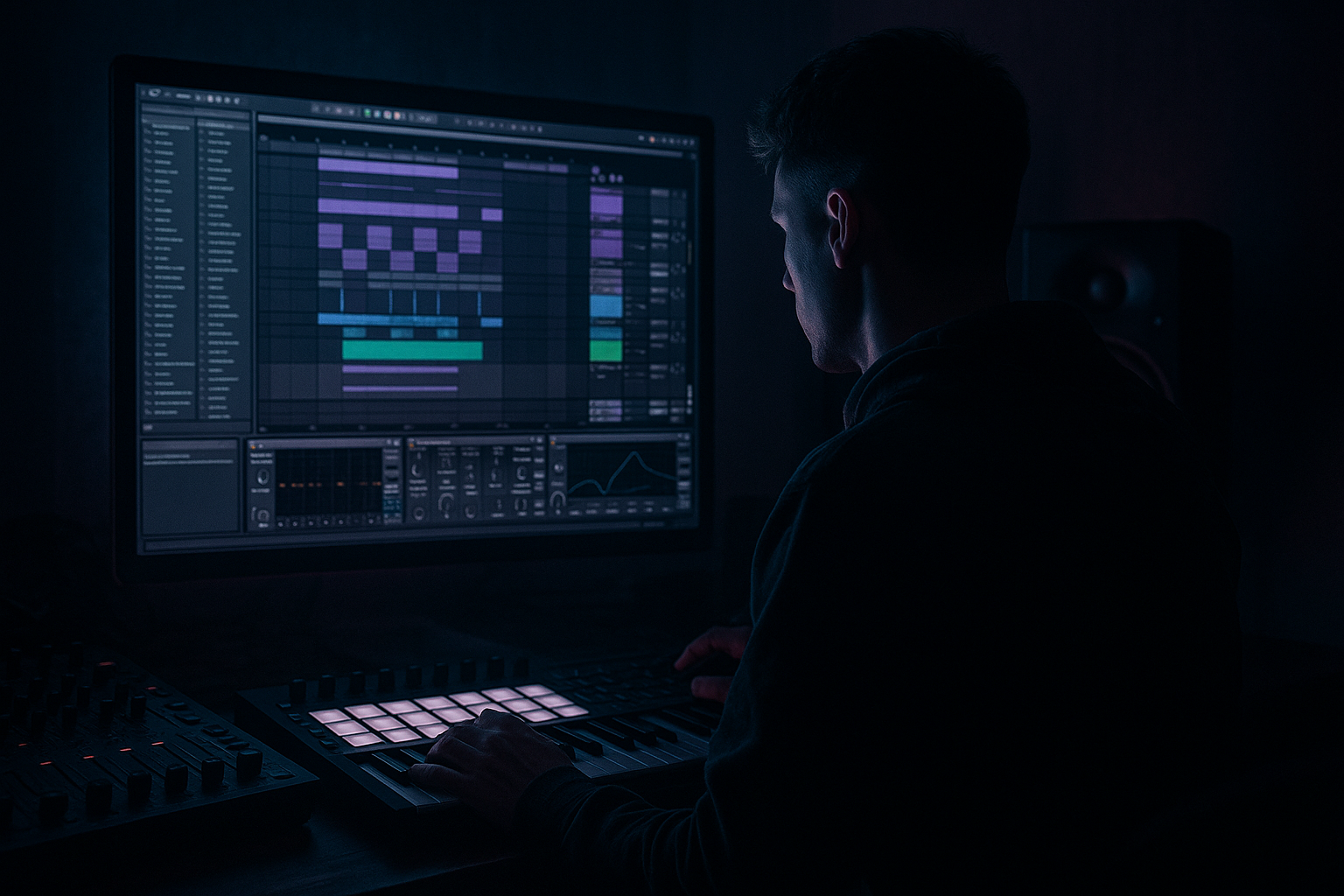
In this lesson you’re building a retro rave ragga edit from scratch in Ableton Live 12: a chopped vocal-driven DnB tool that feels part jungle, part warehouse rave, part dubwise hype cut. The goal is not just to make a vocal loop “cool,” but to turn it into a track-moving edit that works in a real Drum & Bass arrangement.
This technique lives in the intro, drop transitions, switch-up sections, and second-drop variation of a DnB track. In jungle and rave-leaning DnB, a ragga cut can act like a crowd-grabber: it gives the tune identity, injects human energy into the drums, and creates the kind of rhythmic call-and-response that locks to a roller or breakbeat.
Musically, this matters because DnB often relies on repetition and precision. A strong ragga cut breaks that repetition without wrecking the groove. Technically, it matters because a sampled vocal can easily clutter the midrange, smear the low-end, or feel too static. Done right, it sits like an instrument: tight, repeatable, filtered, distorted, and arranged with purpose.
This lesson best suits jungle, retro rave, jump-up-informed rollers, dark rave DnB, and break-heavy club tracks where you want attitude and motion rather than polished pop vocal treatment. By the end, you should be able to hear a vocal edit that feels snappy, chopped, rhythmically on-grid but still human, and ready to sit over drums and bass without fighting them.
What You Will Build
You will build a ragga-style vocal cut route made from a sampled phrase, edited into a rhythmic hook and processed into a gritty, dancefloor-ready DnB element.
The finished result should sound like:
- a short, aggressive vocal motif with a clear identity
- a call-and-response tool that can answer the snare or the bass phrase
- a retro rave / jungle-flavoured texture with controlled grit, not washed-out reverb mush
- a part that can live in an intro, bridge, or drop layering role without masking the kick, snare, or sub
- something mix-ready enough to survive on the arrangement timeline, even if you later refine it further
- Use a dark filter sweep before the drop, then open only partway. A full-bright vocal can feel too clean for darker DnB; a partially opened filter keeps menace while preserving articulation.
- Layer a quiet octave-down print, but keep it narrow and tucked. This can add weight to a ragga line, but only if the main vocal remains the rhythmic focus. If the low octave gets too loud, it turns the phrase blurry fast.
- Resample a processed version and re-chop it. Print the vocal after saturation and delay, then slice the printed audio again for a grittier, more “baked-in” jungle feel. This often sounds more authentic than endlessly tweaking one live chain.
- Let the vocal phrase breathe around the snare. A darker cut often works best when the vocal leaves a small pocket for the backbeat to dominate. That space makes the drop feel harder, not emptier.
- Use short delay throws on the last word of a phrase. One delayed tail at the end of a bar can give the section character without washing the whole groove. This is especially effective before a switch-up or turn-around.
- Prefer gritty midrange over big low-end in the vocal itself. The sub belongs to the bassline and kick. The vocal’s job is attitude, rhythm, and texture.
- If the edit feels too modern, degrade it a little. Slightly rougher time-stretching, harder saturation, or a narrower filtered band can move the sound toward retro rave and away from polished EDM vocal treatment.
- Use only one vocal sample
- Use only stock Ableton devices
- Limit yourself to three core processes: cleaning, distortion, and space
- Make the phrase fit a 2-bar call-and-response
- Keep the dry vocal centered
- one main hook
- one variation
- one transition fill into bar 4
Success sounds like this: when the drums hit, the vocal cut feels like it’s punching through the groove, bouncing in time, and adding attitude without stealing the mix.
Step-by-Step Walkthrough
1. Find or record a vocal phrase with the right attitude
Start with a ragga, MC-style, or dancehall-leaning vocal phrase that has clear consonants and a strong cadence. In Ableton, drag the sample into an audio track and turn on warp if needed. For a retro rave cut, you want phrases with short bursts, hard consonants, and room for chopping rather than long sung lines.
A good starting point is a phrase around 1–2 bars long, but even a single word can work if it has a strong attack. Trim out silence so the sample starts tightly. If the source is messy, use Clip Gain to even out the level before processing.
What to listen for: the sample should already have personality in the first 200 milliseconds. If the consonants are weak, the edit will feel soft later, even after distortion.
2. Set the cut to the track’s tempo and decide the rhythmic role
Warp the audio so it locks to your project tempo. For most DnB, you’ll want the vocal to feel locked to either straight 1/8 or 1/16 movement, depending on the energy. If the source is rhythmically loose, place warp markers on the strongest syllables only.
Now make a decision:
- Option A: tight rhythmic hook — slice the phrase into small hits and place them in a syncopated pattern
- Option B: looser rave chant — keep larger phrase chunks and let the groove feel more swaggering
For a retro rave edit, Option A usually works best in the main drop because it gives you the fast, chopped identity DnB needs. Option B is useful for breakdowns, intros, or callouts before the drop.
Why this works in DnB: the drum pattern is already busy. A vocal cut must either lock tightly to the grid or deliberately sit in a strong pocket. Half-loose phrasing often sounds like it’s lagging behind the break.
Workflow efficiency tip: once you’ve found the phrase, Duplicate the clip before any destructive slicing. Keep one clean version in case you need to re-edit later.
3. Slice the phrase into playable chunks
Use Ableton’s Slice to New MIDI Track or manually duplicate the audio clip and cut it into useful pieces. For this style, I’d keep:
- 1–2 short “attack” slices
- 1–2 body syllables
- 1 tail/release or crowd-noise fragment
- maybe one shouted accent hit
Map those slices to a Drum Rack or a MIDI track so you can play them like percussion. You are not treating the vocal like a lead singer here; you are treating it like a rhythmic instrument.
Place the slices on a pattern that answers the snare. A strong starting point is to place a vocal hit just before or just after the backbeat to create push or drag. Try a pattern where the vocal fires on the “and” of 2, then again on the “a” of 3, with a slightly longer tail into 4.
What to listen for: the cut should feel like it’s dancing with the break, not sitting on top of it like a disconnected loop.
4. Build the route: cleanup, tone, and bite
Use a practical stock-device chain on the vocal route. A reliable starting chain is:
- EQ Eight
- Saturator
- Compressor or Glue Compressor
- Auto Filter
First, EQ the vocal. High-pass around 120–200 Hz if there’s low rumble or room noise. If the sample has harshness, notch or gently dip around 2.5–4.5 kHz. If it’s boxy, trim around 300–600 Hz.
Next, add Saturator. Keep it controlled; start around 2–6 dB drive depending on the source. Use it to sharpen the consonants and bring the vocal forward without making it brittle.
Then use Compressor or Glue Compressor to tame peaks. Aim for a few dB of gain reduction, not heavy pumping. This helps the chopped vocal stay stable when multiple slices hit quickly.
Finish with Auto Filter to create movement. A band-pass or low-pass sweep can help you automate intro tension or drop build-up. For dark rave cuts, a low-pass around 6–10 kHz during buildup and then opening into the drop often works well.
If the sample starts sounding flat, the issue is usually not “more processing” — it’s that the consonant rhythm got lost. Fix the edit before stacking more devices.
5. Shape the groove against the drums
Bring your vocal route into the context of the kick, snare, and break. This is where the edit becomes a track element instead of a sample experiment.
Loop 8 bars of drums and bass, then place the vocal cut in one of three roles:
- snare answer: vocal replies after the snare hit
- offbeat stutter: vocal fills the spaces between break accents
- pickup phrase: vocal builds into bar 1 of the next section
For a retro rave feel, a good phrasing move is a 2-bar call and response:
- bar 1: short vocal hook
- bar 2: response chopped tighter or processed differently
This keeps the edit musical and avoids one-note repetition.
Check the groove with bass active, not just drums. If the vocal masks the bass phrase or makes the kick feel less defined, reduce the vocal’s midrange or move a slice off the sub-heavy beat.
What to listen for: the best version feels like the vocal is pulling the drums forward, not sitting in a separate pocket.
6. Add space and grit without washing out the impact
For ragga cuts, you usually want the space to feel like a club system echo, not a glossy pop reverb. Use Echo or Reverb sparingly and shape it hard.
A solid chain is:
- Echo with short feedback and filtered repeats
- Reverb with short decay and rolled-off low end
- optional Utility to control the wet return’s width
Try these starting points:
- Echo feedback: 15–35%
- Delay time: 1/8 or dotted 1/8 for rave movement, or 1/16 for tighter chatter
- Reverb decay: 0.8–1.8 s
- Reverb low cut: above 200 Hz
- Reverb high cut: around 6–9 kHz
Keep the wet signal on a return track if you want better control. This makes it easy to duck, mute, or automate without reprocessing the dry vocal.
The trade-off: more space sounds bigger, but too much reverb will smear the rhythmic edges. In DnB, the vocal needs to still read as a percussive accent.
If the echoes clutter the mix, shorten the feedback before turning down the send. That keeps the flavour but restores clarity.
7. Choose your character path: cleaner rave chop or dirtier dubwise tear-up
Here’s your A/B creative fork:
- A: cleaner retro rave cut — brighter, tighter, more cut-up, with sharper transient definition
- B: dirtier dubwise cut — more saturation, darker filtering, more “toasted” and worn-in character
For A, keep the vocal brighter by reducing low-pass filtering and leaning on EQ Eight + subtle Saturator. For B, push the saturation harder, low-pass more aggressively, and let the vocal feel slightly torn.
Use this decision based on the track:
- If the drums are already dense and aggressive, A may keep the mix readable.
- If the tune is more stripped-back, B can add menace and identity.
This is a real DnB decision, not just taste. The more complex your bassline and drums are, the more the vocal should stay rhythmically clear and spectrally disciplined.
8. Commit the best version to audio
Once the slice pattern works, print it to audio. This is the point where you stop treating it like a loose sketch and start treating it like a record element.
Why commit here: audio lets you edit the phrasing more precisely, reverse tiny fragments, trim tails, and create one-off fills without reopening the whole slice instrument every time. It also keeps your session lighter and helps you make arrangement decisions faster.
After printing, cut the audio into versioned variants:
- main hook
- fill version
- stripped intro version
- reversed pickup version
Stop here if the vocal already has clear attitude, locks to the drums, and doesn’t fight the bass. Don’t overwork it just because it’s possible.
9. Automate for arrangement movement
The vocal edit should evolve across the tune. In Ableton, automate filter cutoff, send level, and volume to create section changes.
Useful arrangement moves:
- Intro: low-pass the vocal, letting only texture and a few words appear
- Pre-drop: increase delay send or echo feedback briefly
- Drop 1: full dry cut with tight rhythm
- Drop 2: add an alternate chop pattern, octave-down layer, or heavier distortion
A strong arrangement example:
- bars 1–8: filtered vocal texture
- bars 9–16: short call-and-response chop
- bars 17–24: full drop hook with bass and drums
- bars 25–32: remove every second vocal hit for tension
- second drop: switch to a more aggressive rhythm or darker filter tone
This is where the sample becomes a section marker. In club terms, it helps DJs and dancers feel the progression instead of hearing a loop that never changes.
10. Check mono compatibility and low-end separation
Because ragga edits often get widened by delay or reverb, check the mix in mono with Utility on the vocal return or on the master for a quick reality check. If the vocal disappears or turns phasey, the width is coming from the wrong place.
Keep the core vocal mostly centered. If you want width, let it live in the echo/reverb return, not in the dry transient. This protects translation on club systems and keeps the kick/snare lane stable.
Also make sure the vocal doesn’t crowd the bass phrase around 150–500 Hz. If needed, carve a little more from the vocal rather than boosting the bass. In DnB, a clear vocal cut over a strong sub is better than a huge vocal that weakens the groove.
What to listen for: in mono, the vocal should still feel intentional, and the snare should still hit with authority.
11. Final context check with the full drop
Put the vocal in with drums, bass, and any lead or noise layers. Listen for three things:
- does the vocal create excitement without masking the snare?
- does it still work when the bass re-enters on the drop?
- does it add momentum or just occupy space?
If the vocal feels too busy, simplify the pattern by removing one or two hits per bar. In DnB, less can hit harder because the drums are already doing a lot of the movement.
If the vocal feels too polite, increase consonant contrast: shorten the note lengths, add a tiny bit more saturation, or move one hit earlier by a small amount so it leans into the groove.
Common Mistakes
1. Making the vocal too long and loop-like
- Why it hurts: the edit starts feeling like background audio instead of a rhythmic feature.
- Fix: chop it into shorter hits and build a 1–2 bar call-and-response pattern in MIDI or audio.
2. Leaving too much low-mid buildup in the sample
- Why it hurts: it masks the snare body and muddies the bass region.
- Fix: use EQ Eight to high-pass around 120–200 Hz and trim some 300–600 Hz if needed.
3. Over-widening the dry vocal
- Why it hurts: wide low-mid vocal layers can collapse badly in mono and smear the groove.
- Fix: keep the dry hit centered with Utility, and move width to the delay/reverb return instead.
4. Using too much reverb on the actual chop
- Why it hurts: the vocal loses its percussive edge and fights the drums.
- Fix: shorten decay, filter the reverb return, or automate the reverb only in transitions.
5. Ignoring how the vocal answers the snare
- Why it hurts: the phrase feels random rather than rhythmically intentional.
- Fix: reposition slices so they land as a response to the backbeat or as a pickup into the next bar.
6. Distorting before cleaning the sample
- Why it hurts: rumble, clicks, and muddy mids get exaggerated.
- Fix: EQ first, then saturate, then compress, then add atmosphere.
7. Not checking the vocal in the full drop
- Why it hurts: a cool loop soloed can still wreck the bass/drum balance.
- Fix: audition it with drums and bass active, and remove slices if they compete with the groove.
Pro Tips for Darker / Heavier DnB
Mini Practice Exercise
Goal: Build a 4-bar ragga cut that works over a DnB drum loop and bassline without masking the groove.
Time box: 15 minutes
Constraints:
Deliverable:
A printed 4-bar audio edit with:
Quick self-check:
Loop it with drums and bass. If you can still clearly hear the snare, the sub stays solid, and the vocal makes the section feel more dangerous rather than more crowded, the exercise is working.
Recap
A strong retro rave ragga cut in DnB is about rhythmic function first, character second. Chop the phrase tightly, make it answer the drums, keep the low end clean, and use saturation, filtering, and controlled delay to give it attitude. Print it to audio once the idea works, then shape the arrangement so it evolves across the tune. The best result should feel urgent, ragged, dancefloor-ready, and locked into the groove without fighting the bass.

