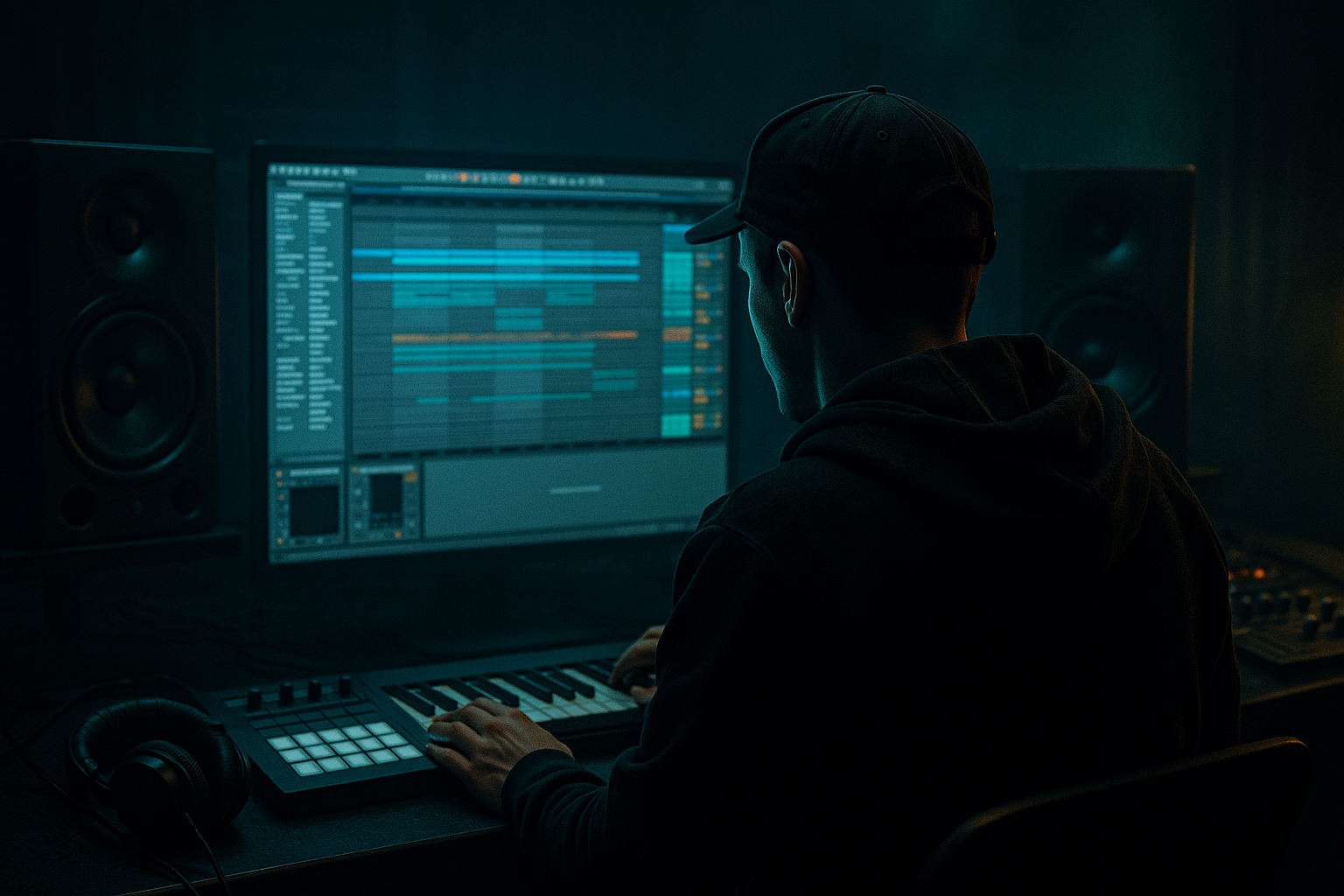
Main tutorial
Lesson Overview
This lesson is about building an Amen-style call-and-response riff in Ableton Live 12 that feels like proper jungle / oldskool DnB, not a generic loop with a break over it. The goal is to make a short musical phrase from the Amen break that answers itself across 1–2 bars, using automation to create movement, tension, and drop energy without wrecking the groove.
This technique lives right in the heart of a jungle drop or a second-drop variation: the drums keep the dancefloor moving, while the riff gives the listener something to latch onto. In oldskool DnB, that call-and-response language matters because it creates momentum without needing busy bass design or huge arrangement tricks. It also matters technically because the Amen is full of transient detail, so if your automation is careless, you’ll flatten the swing, smear the kick-snare relationship, or make the loop feel random instead of intentional.
This works best for jungle, ravey oldskool DnB, roller variants with break emphasis, and darker tracks that want a chopped, human, restless feel. By the end, you should be able to hear a short break-led phrase that feels like it asks a question, answers it, and leaves space for the bass and snare to drive the track forward.
What You Will Build
You will build a 1–2 bar Amen-style riff in Ableton Live where one part of the break acts as the “call” and the next part acts as the “response,” with automation shaping filter movement, texture, and dynamics over time.
The finished result should have:
- a gritty, syncopated jungle character
- clear rhythmic conversation between two phrases
- enough movement to stay alive through the loop
- mix-ready drum balance with the break still punchy
- controlled grit, not washed-out chaos
- use only stock Ableton devices
- use only one Amen break source
- use no more than three automation moves
- keep the break usable with drums and bass, not just soloed
- one 2-bar loop with a distinct call in bar 1 and response in bar 2
- at least one automated filter or tone change
- one small fill or variation at the end of bar 2
- can you clearly hear two different phrases?
- does the response leave space for a bassline?
- does the loop still feel like one coherent jungle idea in mono?
Success sounds like this: the break feels edited and performed, not just looped. You can hear the first phrase lean forward, the second phrase answer with slightly different tone or density, and the whole thing lands cleanly against your kick, snare, and bass without fighting for low-end.
Step-by-Step Walkthrough
1. Set up a clean Amen lane and choose your source material
Start with a new audio track in Ableton Live and load a clean Amen-style break clip. If you already have an Amen chopped into slices, great; if not, place the loop on an audio track and make sure Warp is on so it follows your project tempo.
For a beginner-friendly approach, keep the starting tempo somewhere in the jungle zone, around 160–170 BPM. That range helps the break feel like DnB without making the automation feel too slow.
Now make one decision:
- A: use a rawer, more open Amen for classic jungle bite
- B: use a tighter, more processed Amen for darker, more controlled modern DnB
If you want the oldskool feel, choose A. If you want the riff to sit inside a heavier modern mix, choose B.
Why this matters: the call-and-response idea depends on the break having enough detail in the mids and tops to change character when you automate it. A flat, over-compressed source will not “speak” clearly.
2. Chop the break into a simple two-part phrase
In Arrangement View, duplicate the Amen so you have a 2-bar loop to work with. Keep the first bar as your “call” and the second bar as your “response.”
If you are working in Simpler, drag the break into Simpler and use Slice mode so you can trigger the kick, snare, ghost hits, and hats separately. If you are staying in audio clip land, split the clip at the grid and move slices manually.
For a beginner, aim for a simple structure:
- Call: kick-heavy opening with a few busy break hits
- Response: snare-led answer with a different rhythm or extra ghost notes
Keep the first pass very readable. You are not trying to reinvent the Amen yet. You are trying to make the listener hear two distinct ideas inside one riff.
What to listen for: the first bar should feel like an invitation; the second should feel like a reply, not a copy.
3. Build the core rhythm before adding automation
Place your main hits so the break keeps the classic jungle swing. A useful starting point is to let the snare or main backbeat remain clear on the 2 and 4 feel, while the chopped hits dance around it.
If you use slices, try this basic shape:
- first half of bar 1: kick and a couple of ghost notes
- second half of bar 1: a quick snare or hat reply
- bar 2: shift the emphasis toward the snare and a short fill into the next bar
Do not overfill every sixteenth. Oldskool DnB breathes because of what is left out.
Workflow tip: color-code the call and response slices differently. Even basic visual separation makes automation easier later because you can see which section is supposed to lead and which section answers.
4. Add a drum-shaping chain that keeps the Amen punchy
Put an EQ Eight before any heavy processing and high-pass only the absolute sub-rumble below about 30–40 Hz. You are not thinning the break; you are removing useless low-end wash so the kick and bass have room.
Then use one of these stock-device chains:
Chain A: clean grit for jungle clarity
- EQ Eight
- Drum Buss
- Saturator
Useful starting points:
- Drum Buss drive: around 5–15%
- Crunch: low to moderate, just enough to roughen the texture
- Saturator drive: subtle, around 1–4 dB
- Soft Clip: on if the break gets spiky
Chain B: darker movement with more tone shaping
- EQ Eight
- Auto Filter
- Saturator
- Glue Compressor
Useful starting points:
- Auto Filter cutoff: somewhere around 200 Hz to 8 kHz depending on the section
- Resonance: low to moderate; enough to add edge, not whistling
- Glue Compressor attack: slower side, around 10–30 ms
- Release: Auto or a moderate release to keep the groove breathing
Why this works in DnB: the Amen has natural transient life already. You are not trying to “fix” it; you are trying to control where the ear focuses during each phrase.
5. Automate a filter move across the call and response
Now create the actual call-and-response motion with automation. The easiest beginner move is Auto Filter cutoff automation on the break track or an audio effect rack.
Set the call phrase to be slightly more open and the response phrase slightly more filtered, or do the reverse if you want a “reveal” effect.
A practical starting shape:
- call: cutoff around 3–6 kHz
- response: dip toward 1.5–3 kHz, then open back up at the end of the bar
- keep resonance modest so the Amen stays musical
If you want a more haunted jungle vibe, automate a narrow dip in the mids around 400 Hz–1.2 kHz using EQ Eight instead of a filter sweep. That gives the second phrase a hollow, tape-worn answer.
What to listen for: the automation should feel like the break changes mood, not like someone is turning a random knob. If the groove starts disappearing, the move is too extreme or too fast.
6. Decide what your “response” is supposed to do
This is the big creative decision point. Choose one of these valid options depending on the vibe you want:
- A: same break, different tone
Use the same Amen slices, but automate filter, saturation, or EQ so the second bar sounds like an answering version of the first. This keeps the phrase cohesive and works well in DJ-friendly jungle rollers.
- B: same rhythm, different detail
Keep the rhythm similar, but swap one or two ghost hits, add a snare flam, or move a hat slice. This gives a more conversational feel and is great for breaks that need extra personality.
For a beginner, A is safer and usually stronger. B is useful if the track feels too looped or predictable.
Check the idea in context with drums and bass here. Put your bassline under the riff and listen to whether the response leaves enough room for the bass note to speak. If the bass disappears, your response is too dense or too bright.
7. Shape the automation in musical phrases, not random motion
Think in 1-bar or 2-bar sentences. A classic jungle phrasing move is:
- bar 1: open the call slightly
- bar 2: close down or roughen the response
- last beat of bar 2: quick lift or fill to launch the next loop
You can automate more than one parameter, but keep it simple:
- Auto Filter cutoff
- Dry/Wet on Saturator or Drum Buss
- Send amount to a reverb or delay return for just the response hit
- Volume automation for a tiny lift on the last ghost note
A useful concrete move: automate a short reverb send only on the last snare of the response. Keep the send low, often just enough to be felt rather than heard clearly. That creates a phrase ending without smearing the groove.
What to listen for: if the listener can predict every change too easily, the phrase is too static. If it feels disjointed, the changes are happening too often.
8. Tighten the groove against the kick and bass
Now place the bassline and kick around the riff and make sure the Amen is not stealing the low-end job. In jungle and oldskool DnB, the break often provides midrange rhythm while the kick/bass supply the weight, even if the break still carries some thump.
Keep your bass mono below roughly 120 Hz, and if the Amen has a heavy low kick hit, consider high-passing the break a little more or trimming just that slice. This is a mix-clarity move, not a tone-killing move.
If you have a kick drum reinforcing the groove, the Amen should complement it, not double it exactly. Too much identical low-end information makes the groove feel blurred instead of urgent.
Listen in mono for a few seconds. If the riff suddenly loses body or the snare feels thinner, you may have too much stereo width or phasey processing on the break. Reduce widening, simplify the chain, or keep the low-mids more centered.
9. Commit the phrase if the automation starts to feel right
Once the call-and-response is working, stop and bounce or consolidate the best pass to audio. This is especially useful if you’ve built several automation moves and the riff is becoming hard to manage.
Commit to audio if:
- the rhythm is right
- the automation gives the phrase identity
- you want to chop the response further or reverse a tail
- you need to preserve CPU and move faster
After committing, you can slice the audio and make tiny performance edits: a reversed snare tail, a one-hit fill, or a slightly earlier ghost note before the next bar.
This is a classic workflow efficiency move in Ableton: once the idea is alive, print it and treat it like an arrangement element, not an endless edit loop.
10. Place the riff in an arrangement and test the payoff
Don’t judge the phrase only in isolation. Put it into a 16-bar section:
- 4 bars intro tease
- 8 bars main drop with the call-and-response riff
- 4 bars variation or fill
- second 8 bars with a slightly more intense response
For the second drop, you can make the response more aggressive by opening the filter a little wider, adding more saturation, or dropping in an extra ghost snare at the end of bar 4 or 8. That gives the track progression without changing the core identity.
A successful result should feel like the Amen is talking back to itself while the drop keeps moving forward. It should make the head nod, not just loop.
Common Mistakes
1. Making the response too busy
Why it hurts: the second phrase stops sounding like an answer and starts sounding like clutter, which kills the oldskool call-and-response feel.
Fix in Ableton: delete one or two slices from the response, then automate tone instead of adding more notes.
2. Automating the filter too wide
Why it hurts: a huge sweep can swallow the snare body or make the break feel like a transition effect instead of a rhythm.
Fix in Ableton: reduce the cutoff range and keep the move more subtle, like a tone shift rather than a full sweep.
3. Leaving too much low-end inside the break
Why it hurts: the Amen starts fighting the kick and bass, and the groove gets muddy fast.
Fix in Ableton: use EQ Eight to trim below 30–40 Hz, and if needed dip some low-mid buildup around 180–350 Hz.
4. Over-saturating the break
Why it hurts: too much saturation destroys the transient shape that makes Amen edits feel alive.
Fix in Ableton: back off Drive, use Soft Clip only if needed, and compare the processed break against the dry one at matched volume.
5. Ignoring mono compatibility
Why it hurts: widening the break or using phase-heavy effects can make the riff collapse when played in mono, especially on club systems.
Fix in Ableton: keep the low end centered, reduce stereo widening, and check the loop in mono by simplifying the chain and listening for loss of snare or body.
6. Making every bar the same
Why it hurts: a true jungle riff needs phrasing. If every bar repeats exactly, it becomes a static loop.
Fix in Ableton: automate one detail every 2 or 4 bars, or change one ghost note in the response.
7. Automating while ignoring the bassline
Why it hurts: the riff may sound good solo but it will clash with the bass in the drop.
Fix in Ableton: audition the Amen with kick and bass playing, then reduce brightness or density where the bass note needs space.
Pro Tips for Darker / Heavier DnB
1. Use tone shifts more than big volume moves
In darker DnB, a small change in filter cutoff or saturation often feels heavier than raising the level. A darker response can come from a slightly closed top end and a thicker midrange, not just more aggression.
2. Keep the sub discipline ruthless
If the Amen carries any low kick thump, carve it so the sub stays owned by the bass or kick. Heavy tracks hit harder when the low end is assigned clearly.
3. Print a distorted version and blend it quietly
A parallel-style approach inside Ableton can work well: duplicate the break track, make one copy dirtier with Saturator or Drum Buss, and keep it lower in level. Blend just enough to add menace without blunting the transient.
4. Make the response feel like a shadow of the call
For a darker vibe, let the response be slightly narrower in tone, slightly drier, or slightly shorter in decay. That contrast reads as tension.
5. Use micro-edits sparingly
A tiny reversed hit, a one-sixteenth snare lead-in, or a chopped hat before the snare can add underground character. The trick is to place only one or two of these per phrase so the groove stays readable.
6. Check the riff against the first bass note of the bar
In heavier DnB, the first bass movement after the riff often decides whether the drop feels huge or messy. If the Amen is still speaking too loudly at that exact moment, trim the tail or automate a quick filter close-down.
Mini Practice Exercise
Goal: build a 2-bar Amen call-and-response loop that sounds clear, musical, and ready to sit under a bassline.
Time box: 15 minutes.
Constraints:
Deliverable:
Quick self-check:
Recap
Build the Amen in two phrases, not one endless loop. Keep the call clear, make the response feel like an answer, and use automation to shift tone, density, or energy rather than just piling on more hits. In Ableton, the winning move is usually simple: edit the rhythm cleanly, automate one or two parameters with intention, check the loop against kick and bass, and print it once it starts feeling alive.

