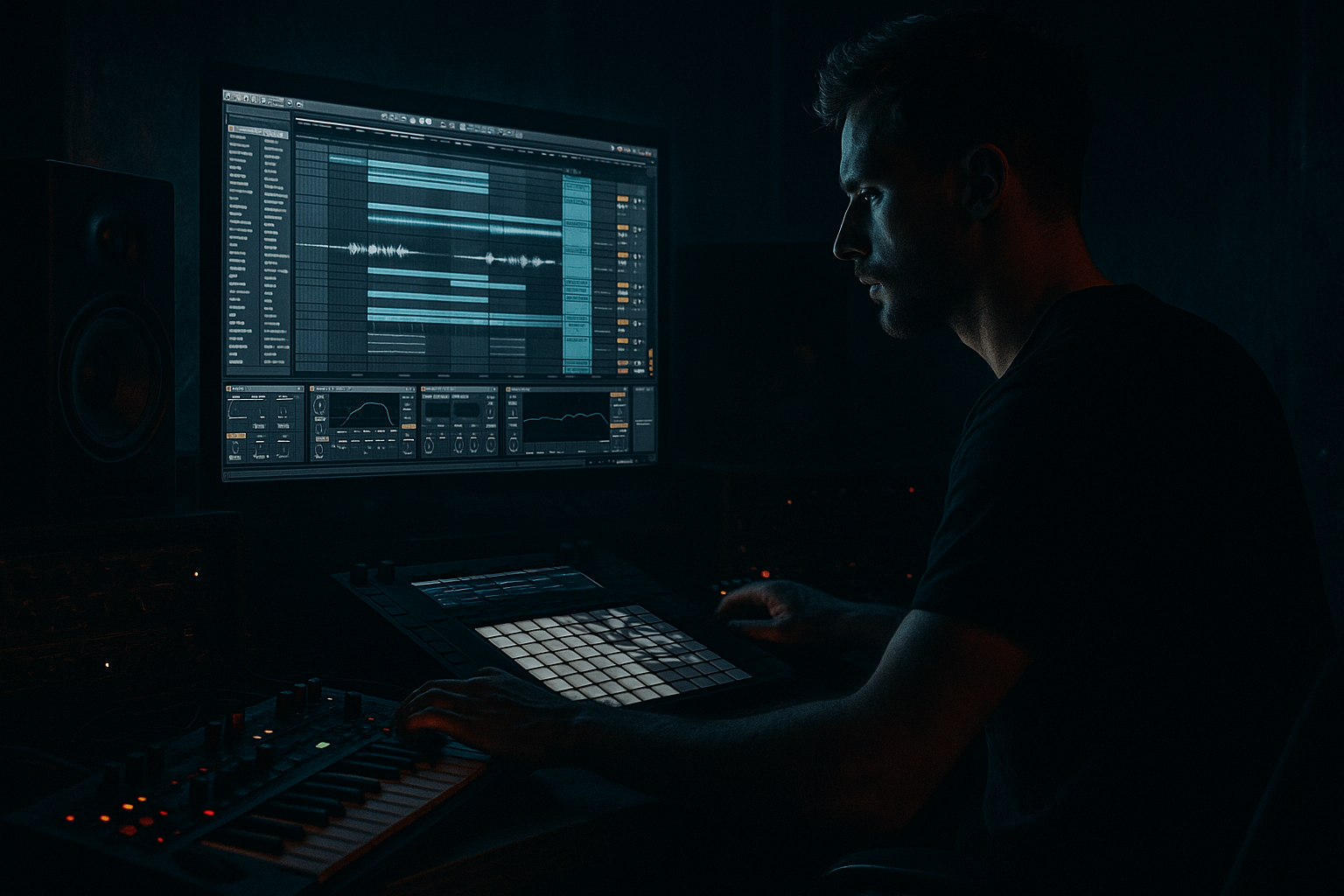
Main tutorial
Shape an Intro for Smoky Warehouse Vibes in Ableton Live 12
Advanced Drum & Bass / Jungle Composition Tutorial 🥁🌫️
1. Lesson overview
In this lesson, you’ll build a dark, smoky, tension-heavy intro for an oldskool jungle / DnB track in Ableton Live 12. The goal is to create that warehouse-after-midnight feeling: hazy atmospheres, broken-up drum ghosts, rumbling subs, and enough movement to pull the listener into the drop without giving too much away.
This is not about filling every bar. It’s about controlled restraint, textural depth, and rhythmic suggestion. For jungle and oldskool DnB, the intro should feel like the room is waking up before the amen storm hits. ⚡
We’ll focus on:
- building a dark atmospheric bed
- designing smoky intro drums
- creating a subtle bass tease
- using arrangement and automation to shape tension
- making it feel rooted in DnB/jungle language, not generic cinematic ambience
- 8–16 bars of atmosphere
- a filtered breakbeat / ghost percussion layer
- dubby FX and vinyl-style texture
- a sub or bass hint that appears sparingly
- a rising sense of pressure leading into the drop
- cold warehouse air
- distant train-track reverb
- cigarette-smoke haze
- flickering light on concrete
- old sampler energy, but polished for modern ears
- Tempo: 160–174 BPM
- Key center: minor mode, often D minor, F minor, or G minor works well
- Drums: chopped amen, break fragments, or loose one-shots
- Bass: filtered sub or a low drone, not the full bassline yet
- Texture: tape hiss, vinyl crackle, room tone, industrial field recordings
- Tempo: set to 170 BPM as a flexible middle ground
- Global quantization: 1 Bar
- Warp mode: use Complex Pro for atmospheric material, Beats for drums
- Set up color coding:
- Use a saw + sine blend or a soft pulse
- Low-pass filter: cut around 2–5 kHz
- Envelope attack: 20–80 ms
- Release: 2–6 seconds
- Detune slightly for width, but don’t overdo it
- High-pass at 120–200 Hz
- Gentle dip around 300–500 Hz if muddy
- Optional shelf cut above 8–10 kHz if the pad is too glossy
- Use lightly for width
- Keep it subtle: too much chorus turns “warehouse” into “dream trance”
- Use a convolution room or dark hall
- Decay: 4–8 seconds
- Pre-delay: 20–40 ms
- Lo-cut: 150–250 Hz
- Hi-cut: 6–9 kHz
- Reduce width slightly if the pad is too spread
- Keep low frequencies mono-compatible
- Dm7 → Bbmaj7
- Fm9 → Ab
- Gm → Eb
- Vinyl Distortion
- Redux
- Erosion
- Auto Filter
- Grain Delay (use carefully)
- Echo
- Hybrid Reverb
- Vinyl Distortion
- EQ Eight
- Auto Filter
- Hybrid Reverb
- vinyl crackle
- field recordings
- metal hits
- distant train rumbles
- crowd murmur
- room tone
- short reversed cymbal swells
- chopped amen fragments
- isolated snare ghosts
- kick hints
- shuffled hats
- reversed percussion
- kick
- snare
- closed hat
- amen snare/ghost slice
- rimshot or woodblock
- ride tap
- reverse cymbal
- Drive: moderate
- Crunch: low to moderate
- Boom: very subtle, or off if it clouds the intro
- Soft Clip: on
- Drive: 1–4 dB
- High-pass at 80–120 Hz if kick and sub are elsewhere
- Notch out harsh frequencies if the break has brittle top end
- Use light glue, not heavy squash
- Aim for controlled movement, not flatness
- let the snare ghost answer the pad
- place hats off-grid slightly for human feel
- use syncopated fill-ins every 2 or 4 bars
- leave one or two bars almost empty before a change
- Start with a sine wave
- Add a second oscillator lightly for harmonic edge
- Keep it simple
- Low-pass around 80–250 Hz during intro
- Automate cutoff to open slightly toward the drop
- Adds harmonics so the bass is audible on smaller systems
- Only if you need it controlled against the kick or FX
- Keep mono
- Bass below ~120 Hz should stay centered
- Use short sub swells on the offbeat
- Try one root note and a minor fifth occasionally
- Avoid full bass patterns too early
- Let the low-end feel like it’s “arriving through the fog”
- Atmosphere only
- Vinyl noise or field recording
- One chord or drone
- Very sparse percussion, maybe a single hit every 2 bars
- Bring in chopped break fragments
- Add a snare ghost or rim every 2 bars
- Slight filter movement on atmos
- Maybe a tiny bass note at the end of bar 8
- Add more rhythmic detail
- Open the filter slightly
- Bring in a short reverse cymbal or noise swell
- Add a second percussive layer or higher break hat
- Reduce atmosphere density slightly or automate a high-pass
- Add a short fill in bar 15 or 16
- Introduce a bass tease that lands on the turnaround
- Use a riser or impact to transition
- Auto Filter cutoff
- Reverb wet/dry
- Delay feedback
- Pad volume
- Break high-pass filter
- Noise level
- Stereo width
- Bass filter cutoff
- Start dark: low-pass around 1–2 kHz
- Slowly open to 4–6 kHz by the end of the intro
- Increase wet amount in the early bars
- Pull it back slightly before the drop so the main groove hits harder
- Keep it muffled early
- Let the snare crack open a bit more every 4 bars
- Fade in the bass tease very gradually
- Let the final bar hit a stronger low note or resonance peak
- reverse break hit into a snare
- short tape-stop style drop-out
- one-bar drum mute before the drop
- dub echo tail into silence
- a final impact layered with a sub hit
- Echo for rhythmic delay throws
- Reverb for tail blooms
- Utility for quick mute/width moves
- Auto Filter for sweep-outs
- Frequency Shifter for metallic tension
- Grain Delay for splintered texture
- automate all ambience down by 2–4 dB
- reduce low-pass filter on bass briefly
- cut the break for a half bar or full bar
- then slam into the drop
- Sub: mono, clean, controlled
- Atmos: wide, but filtered
- Breaks: punchy in the mids, not harsh
- FX: tucked behind the groove
- Cut unnecessary lows from atmos and FX
- Keep the break’s body around 180–400 Hz if needed
- Control harsh hats around 6–9 kHz
- Make space for the bass tease below 120 Hz
- atmos = long hall
- percussion = shorter room
- FX = medium-sized space
- bass = mostly dry
- EQ Eight
- Saturator
- very light compression
- Saturator
- Erosion
- Drum Buss
- No full bassline
- No lead melody
- No more than 5 active layers
- Use at least 3 automation lanes
- Use at least 2 stock Ableton devices for sound shaping
- the room is empty but alive
- the groove is approaching
- the drop is inevitable
- Bars 1–2: atmosphere only
- Bars 3–4: add filtered break fragments
- Bars 5–6: introduce bass tease
- Bars 7–8: automate tension and clear space for drop
- headphones
- studio monitors
- a small speaker
- Start with a dark atmospheric foundation
- Add texture and sampler-era grit
- Use ghost breaks instead of full drums
- Tease the bass, don’t reveal it
- Shape tension through automation and arrangement
- Keep the mix deep, mono-aware, and controlled
- Let space and restraint do the heavy lifting
---
2. What you will build
By the end, you’ll have an intro section that includes:
Target vibe
Think:
Core musical ingredients
---
3. Step-by-step walkthrough
Step 1: Set up your project for fast decisions
Start with a clean Live 12 set.
Project basics
- Drums = red/orange
- Atmospheres = blue
- Bass = purple
- FX = green
Create four core tracks
1. Atmos Pad
2. Break Layer
3. Ghost Perc / Hits
4. Bass Tease / Sub
5. Optional: Riser / Impact
6. Optional: Noise / Texture
This keeps your intro organized and makes automation easier.
---
Step 2: Build the atmospheric bed first 🌫️
A smoky intro needs a continuous harmonic or textural base. In jungle and oldskool DnB, this can be a chord stab, pad smear, or sampled atmosphere.
Option A: Pad chain using stock Ableton devices
On an Instrument Track, load:
1. Analog or Wavetable
2. EQ Eight
3. Chorus-Ensemble
4. Hybrid Reverb
5. Utility
Suggested sound design settings
#### Analog/Wavetable
#### EQ Eight
#### Chorus-Ensemble
#### Hybrid Reverb
#### Utility
Musical idea
Use a minor 2-chord vamp or a single suspended chord and let it breathe.
Examples:
For oldskool jungle, the harmony can be very simple. The atmosphere is the main event.
---
Step 3: Add texture like a sampler-era record
Now layer in grain, noise, and movement.
Good stock devices
Practical texture chain
On a separate audio or MIDI texture track, try:
Vinyl Distortion → EQ Eight → Auto Filter → Hybrid Reverb
#### Settings
- Drive: low to moderate
- Pinch: subtle
- Mechanical Noise: very low, just enough to feel alive
- High-pass at 150 Hz
- Slight cut if harsh around 2–4 kHz
- Use a low-pass with slow modulation
- Assign an LFO if needed for gentle movement
- Long tail, dark tone
- Keep the wet signal low
Texture sources
Use:
These should feel like they were sampled off a grimy cassette, not like a cinematic trailer package.
---
Step 4: Program a ghost break instead of full drums
For a smoky intro, don’t bring the full break immediately. Build anticipation with fragmented breakbeats.
Drum approach
Use:
In Ableton Live 12
Create a Drum Rack and load:
Break processing chain
On the break track:
Drum Buss → Saturator → EQ Eight → Compressor
#### Drum Buss
#### Saturator
#### EQ Eight
#### Compressor
Rhythm strategy
Use negative space. In intro bars:
For jungle flavor, a classic trick is to imply the break rather than fully state it. This makes the eventual drop feel huge.
---
Step 5: Create a bass tease, not a full bassline
The intro should hint at the low end without fully opening the floodgates.
Good options
1. Low sine drone
2. Filtered Reese preview
3. One-note sub pulses
4. Reverse bass swell
5. Dub siren-style tonal stab
Stock device chain for a bass tease
On a MIDI track:
Operator → Saturator → Auto Filter → Compressor → Utility
#### Operator
#### Auto Filter
#### Saturator
#### Compressor
#### Utility
Writing tips
---
Step 6: Shape the intro arrangement bar by bar
Here’s a practical 16-bar intro blueprint.
Bars 1–4: establish the room
Goal: tell the listener where they are
Bars 5–8: introduce the break ghost
Goal: make the groove start breathing
Bars 9–12: increase tension
Goal: suggest the drop without revealing it
Bars 13–16: pre-drop pressure
Goal: create a clean runway into the main section
---
Step 7: Use automation like a DJ would ride the room
Automation is where the intro becomes cinematic without becoming cheesy.
Automate these parameters
Practical automation moves
#### Filter opening
#### Reverb wash
#### Break brightness
#### Bass presence
Pro tip
Use automation in curves, not only straight lines.
A curved ramp feels more natural and musical in DnB.
---
Step 8: Use arrangement transitions that feel oldskool
Oldskool jungle intros often rely on tension devices more than modern festival-style transitions.
Effective intro transitions
Ableton tools for this
Simple pre-drop trick
In the last 1–2 bars:
The contrast makes the drop feel heavier than adding more layers ever could.
---
Step 9: Mix the intro so it feels deep, not muddy
Smoky does not mean blurry. The intro still needs depth and separation.
Mix priorities
Key EQ moves
Spatial trick
Use different reverb sizes for different layers:
This creates a believable warehouse depth.
---
4. Common mistakes
1. Making the intro too busy
If every bar has a new sound, the intro loses mystery.
Fix: keep only 2–4 elements active at once in most bars.
2. Using too much top-end brightness
Oldskool jungle intros are smoky, not glossy.
Fix: darken pads, noise, and FX with EQ or filters.
3. Dropping the full bass too early
If the full bassline appears in the intro, the drop loses impact.
Fix: tease low end with one-note swells or filtered hints only.
4. Overusing reverb
Too much reverb turns the mix into a washed-out cloud.
Fix: use filtered, controlled reverb and automate it intelligently.
5. Forgetting the breakbeat language
A DnB intro still needs rhythmic identity.
Fix: use chopped breaks, ghosts, and syncopation even if the arrangement is sparse.
6. No contrast before the drop
A good intro needs a moment of near-space.
Fix: pull elements back in the final bar or half-bar.
---
5. Pro tips for darker/heavier DnB
1. Use mono low-end discipline
Keep all sub elements below about 120 Hz mono using Utility.
Heavy DnB lives and dies by low-end clarity.
2. Layer a ghost kick under the ambience
A very low, filtered kick pulse can create a heartbeat-like tension.
Process with:
3. Resample your own intro
Bounce a few bars of atmosphere + break + FX, then re-import and chop it again.
This is a very jungle-friendly workflow and often creates the best results.
4. Use resampled grit as a layer
Take a washed-out print of the intro and blend it behind the clean version for weight.
5. Keep the harmony minimal
Dark DnB doesn’t need complicated chord movement.
One dark progression or even one note with motion can be enough.
6. Introduce one “signature sound”
A strange metallic hit, ghostly vocal chop, or dub siren can give the intro identity.
Keep it sparse and memorable.
7. Use parallel distortion for attitude
Send drums or atmos to a return with:
Blend quietly for grime without destroying the main signal.
---
6. Mini practice exercise
Exercise: Build an 8-bar smoky intro
Create an 8-bar intro using only these elements:
1. One atmospheric pad
2. One chopped break loop
3. One bass tease note
4. One noise FX layer
5. One transition effect
Constraints
Goal
Make it feel like:
Suggested workflow
When finished, bounce the result and listen on:
If it still feels heavy and mysterious on all three, you nailed it. ✅
---
7. Recap
To shape a smoky warehouse intro for jungle/oldskool DnB in Ableton Live 12:
The best DnB intros don’t just introduce the track — they pull the listener into the rave room before the beat even fully drops. 🔊
If you want, I can also give you:
1. a 16-bar MIDI arrangement template,
2. a stock Ableton device chain preset recipe, or
3. a jungle intro example in a specific key like F minor or G minor.

