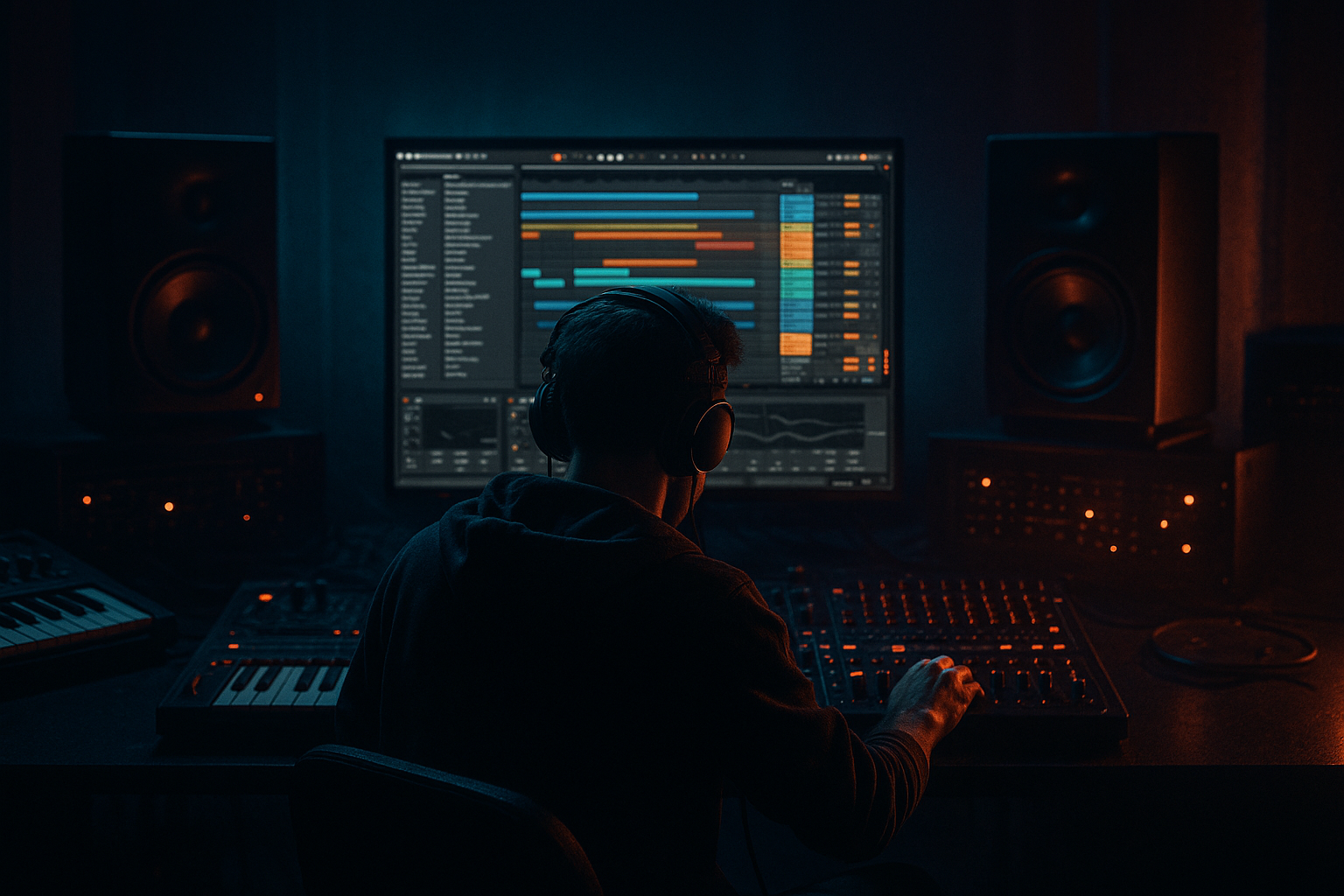
Main tutorial
```markdown
Stepper Bassline Modulate Course (Crisp Transients + Dusty Mids) in Ableton Live 12 🥁⚡️
Skill level: Intermediate
Category: Arrangement (with sound + modulation workflow)
---
1. Lesson overview
In this lesson you’ll build a classic stepper/roller bassline that has:
- Crisp transient definition (so it reads on small speakers and cuts through breaks)
- Dusty midrange grit (oldskool jungle / 90s DnB vibe)
- Musical modulation over time (“modulate course”) so it evolves across 16–64 bars without losing the groove
- Pure or near-pure sine/triangle
- Tight envelope
- Mono, stable, no unnecessary distortion
- Slightly reese-ish/saw-ish tone
- Saturation + transient shaping
- Filter movement and subtle chorus/phase for width (kept under control)
- A/B variations every 8 bars
- Call-and-response fills
- Automations that increase intensity into drops and switches
- Tempo: 165–174 BPM (try 170 BPM)
- Meter: 4/4
- Key: Pick something bass-friendly (e.g., F minor or G minor)
- Have a drum loop running (break + kick/snare) while designing the bass—bass decisions without drums are usually wrong in DnB.
- Intro (1–17)
- Drop (17–49)
- Switch (49–81)
- Think “hit… hit… hit-hit… hit” around the kick/snare pocket.
- In 170 BPM jungle, a reliable pattern is:
- Place notes on:
- Start with root note (e.g., F1 for sub weight), and add one variation note (e.g., Eb1 or G1) every 2 bars.
- Main hits: 100–115
- Ghost/pickups: 55–80
- BASS (SUB)
- BASS (MID)
- Instrument: Wavetable (stock)
- Osc 1: Sine (or Basic Shapes → Sine)
- Voices: 1
- Warp: Off
- Filter: Off (or gentle lowpass if needed)
- Attack: 0.0–2 ms
- Decay: 200–350 ms
- Sustain: -inf (or very low)
- Release: 50–120 ms
- MIDI > Note Length
- Width: 0% (mono)
- Bass mono: if needed, keep everything mono anyway.
- Instrument: Wavetable (or Analog if you prefer old-school)
- Osc 1: Saw
- Osc 2: Saw
- Detune: 5–12 cents
- Voices: 2 (not huge—keep it tight)
- Noise: small amount (-30 to -24 dB) for “air dust”
- Type: LP24
- Cutoff: 250–800 Hz (we’ll automate)
- Drive: 2–6
- Envelope amount: 10–25
- Env decay: 200–450 ms
- Width: 80–120% (mid layer only)
- If your mix feels unstable, reduce width and rely on saturation instead.
- Macro 1: Filter Cutoff (Auto Filter cutoff)
- Macro 2: Saturator Drive
- Macro 3: Drum Buss Transients
- Macro 4: Chorus Amount (or width via Utility)
- Map LFO → Auto Filter Cutoff
- Rate: 1/8 or 1/4 (sync)
- Amount: small, 5–15%
- Offset: set so it never opens too bright
- Add a little Jitter (very small) for “dusty” non-perfect motion
- Filter cutoff lower (darker)
- Less saturation drive
- Transients moderate
- Slightly raise cutoff
- Add a touch more transients (+2 to +5)
- Introduce a 1-bar fill at bar 16 (remove last hit or add a 16th pickup)
- Cutoff higher (more bite)
- Saturator drive +1 to +3 dB
- Optional: add an extra ghost note every 2 bars
- Momentary filter “yanks” (quick dips) every 4 bars
- Add slight chorus amount on bar 29–32 to widen the energy
- End of 32: a clean stop or a lowpass sweep for transition
- Sidechain input: Kick (or a Kick group)
- Ratio: 3:1–6:1
- Attack: 2–10 ms (don’t kill transient completely)
- Release: 60–140 ms (tempo dependent)
- Gain reduction: aim 2–5 dB
- Add Gate after saturation on the MID layer
- Sidechain it from a ghost MIDI “bass trigger” converted to audio or from the kick/snare rhythm
- This can create that “chopped” stepper feel, but use carefully.
- Redux
- Follow with EQ Eight
- Freeze and Flatten MID (or record to audio)
- Do the same for SUB if you want absolute stability
- Cut bass tails cleanly before fills
- Reverse tiny bits for transitions
- Fade/clip gain per phrase for dynamics
- Go darker by filtering, not by turning down highs:
- Add “weight” in the 120–200 Hz zone carefully (mid layer only):
- Make the bass “talk” with breaks:
- Parallel distortion for aggression without losing transient:
- Use Roar (if you want modern heavy while staying jungle):
- With drums
- Without drums
- You built a stepper bassline by prioritizing rhythm and note length.
- You layered it into SUB (clean, mono, stable) and MID (dusty, transient-defined, modulating).
- You created macro-based modulation that evolves across 32 bars like real DnB arrangement.
- You locked it to the drums using sidechain + tight envelopes.
- You added controlled “dust” (Redux/saturation) without losing clarity.
We’ll do it with Ableton Live 12 stock devices, a clean workflow, and arrangement moves that feel authentic to jungle/rolling DnB.
---
2. What you will build
A 32-bar bass arrangement made of two layered bass roles:
1) Sub Layer (clean + consistent):
2) Mid Layer (dusty + transient bite):
Then you’ll arrange it like proper DnB:
---
3. Step-by-step walkthrough
Step 0 — Session setup (fast and correct) ✅
Arrangement view: Make markers:
---
Step 1 — Write a stepper bass MIDI pattern (the groove is the identity) 🧠
Create a MIDI track called BASS (MID) for now. We’ll split layers later.
Classic stepper rhythm idea (1 bar):
- Notes on 1, the “and” of 1, 3, and a quick pickup before 4.
Practical starting pattern (1 bar, 1/8 + 1/16 grid):
- 1.1.1 (quarter note start)
- 1.1.3 (8th note)
- 1.3.1 (beat 3)
- 1.4.3 (8th before the bar ends)
- Optional ghost/pickup: 1.4.4 (16th)
Pitch:
Velocity (important for transients later):
> Jungle tip: Keep the bassline rhythmic first, melodic second. The breaks provide the “melody” in many oldskool tunes.
---
Step 2 — Split into two layers (Sub + Mid) 🔧
Duplicate the MIDI track:
Make sure both receive the same MIDI pattern.
---
Step 3 — Build the SUB (clean, stable, mono) 🧼
On BASS (SUB) load:
Wavetable settings:
Amp envelope (tight):
Adjust so notes don’t overlap too much—steppers like definition.
Add MIDI effect (optional but very useful):
- Mode: Trigger
- Length: 120–220 ms
This gives consistent “plucks” and avoids messy overlaps.
Sub processing chain (simple):
1. EQ Eight
- HP off (don’t high-pass the sub)
- Gentle cut if muddy: -2 to -4 dB at 200–300 Hz (wide Q)
2. Saturator
- Drive: 1–3 dB
- Soft Clip: On
- Output: trim so level matches pre-sat
This adds harmonics so the sub is audible on smaller systems without becoming mid-bassy.
Utility
---
Step 4 — Build the MID (dusty grit + transient edge) 🪵
On BASS (MID) load:
Wavetable starting point (reese-ish but controlled):
Filter (key to dusty mids):
Mid layer device chain (stock)
1. EQ Eight
- High-pass: 24 dB/oct at 90–130 Hz (leave sub to SUB track)
- Gentle boost if needed: 700 Hz–1.5 kHz (wide, +1 to +3 dB) for “dusty presence”
2. Saturator
- Drive: 4–8 dB
- Soft Clip: On
- Try mode: Analog Clip for vibe
3. Drum Buss (for transient “crack” + density)
- Drive: 5–15 (watch level!)
- Crunch: 5–20
- Transients: +5 to +20 for crisp pick attack
- Boom: Off (usually—Boom can blur bass)
4. Auto Filter
- Type: LP12 or BP
- Envelope: subtle or none
- We’ll use it for arranged movement (automation/LFO)
5. Chorus-Ensemble (optional, for oldskool movement)
- Amount: 10–25%
- Rate: 0.15–0.35 Hz
- Width: 50–90%
- Keep it subtle—too much ruins punch
Utility (width discipline):
---
Step 5 — Make “modulate course” movement (musical evolution over 32 bars) 🌀
This is where the bass feels alive without sounding like random wobble.
#### A) Create a Macro rack for hands-on automation
Group the MID chain into an Audio Effect Rack (select effects → Cmd/Ctrl+G).
Map these to Macros:
Now you can automate four musical intensity controls in Arrangement.
#### B) Use LFO for subtle internal motion (Live 12 stock) 🎛️
Add LFO (MIDI Modulators / Max for Live if included in your Live suite; in Live 12 it’s commonly available depending on edition). If you don’t have LFO, do manual automation—still valid.
Result: The bass “breathes” inside the groove—classic roller energy.
#### C) Arrangement automation plan (32 bars)
Use this as a practical roadmap:
Bars 1–8 (A1):
Bars 9–16 (A2):
Bars 17–24 (B1 / Drop energy):
Bars 25–32 (B2 / Push):
This is “modulate course”: slow macro arcs + small rhythmic motion.
---
Step 6 — Lock the bass with the drums (arrangement discipline) 🔒
DnB bass isn’t just sound design—it’s placement.
Sidechain (clean + classic):
On both SUB and MID tracks, add Compressor:
This creates punch without audible pumping (unless you want that oldskool pump).
Gate trick (optional for ultra-steppy definition):
---
Step 7 — Add “dust” without ruining clarity (oldskool vibe) 🌫️
Old jungle often feels gritty because of sampling, bandwidth limits, and gentle distortion.
Tasteful dust chain on MID only (optional):
- Bit Reduction: 10–14 bits
- Downsample: 1.2–2.5
- Dry/Wet: 5–15%
- Small dip if harsh: 2–4 kHz
- Small boost for “cardboard/room”: 400–800 Hz if needed
Keep dust subtle—your transients should remain crisp, not sandblasted.
---
Step 8 — Print/Resample for arrangement control (pro workflow) 🎚️
Once the 32-bar modulations feel good:
Now you can:
This is how many DnB producers get tight arrangement fast.
---
4. Common mistakes ❌
1. Sub has distortion + width
Keep sub mono and simple. Put the “fun” in the mids.
2. Too much chorus/unison = weak stepper punch
Big width can smear transients. Use minimal voices and controlled chorus.
3. No real arrangement movement
If your bass is identical for 64 bars, the track feels unfinished. Automate intensity.
4. Over-saturating before EQ
You’ll generate harshness and mud. Typically: shape → saturate → re-shape.
5. Ignoring note length
Overlapping notes blur the groove. Use Note Length or adjust releases.
---
5. Pro tips for darker/heavier DnB 🕶️🔥
Lower cutoff + add saturation = dark but present.
A tiny wide boost can feel huge—check on monitors/headphones.
Leave micro-gaps before snares, especially on bar transitions. Silence = impact.
Create a return track with Roar or Saturator + Drum Buss, blend lightly (5–20%).
Keep it subtle: mild drive, band-split focused on mids, and don’t touch the sub band.
---
6. Mini practice exercise 🎯
Goal: Make a 16-bar stepper bass that evolves and hits hard.
1. Write a 1-bar stepper pattern (root + one variation note).
2. Duplicate to 16 bars.
3. Add SUB + MID layers as above.
4. Automate MID Macro 1 (Filter Cutoff):
- Bars 1–4: low
- Bars 5–8: slightly higher
- Bars 9–12: highest
- Bars 13–16: dip down, then quick rise at bar 16
5. Add one fill:
- Remove the last bass hit on bar 8 OR add a 1/16 pickup on bar 16.
6. Resample MID to audio and do one clean chop before a snare for extra punch.
Export a quick loop and A/B it:
If it only sounds good without drums, revisit the groove and sidechain.
---
7. Recap ✅
If you want, tell me your BPM + key + what drum style you’re using (Amen-heavy, 2-step, rollers), and I’ll suggest a specific 32-bar bass arrangement map (where to add fills, mutes, cutoff moves, and switch-ups) tailored to your vibe. 🥁
```

