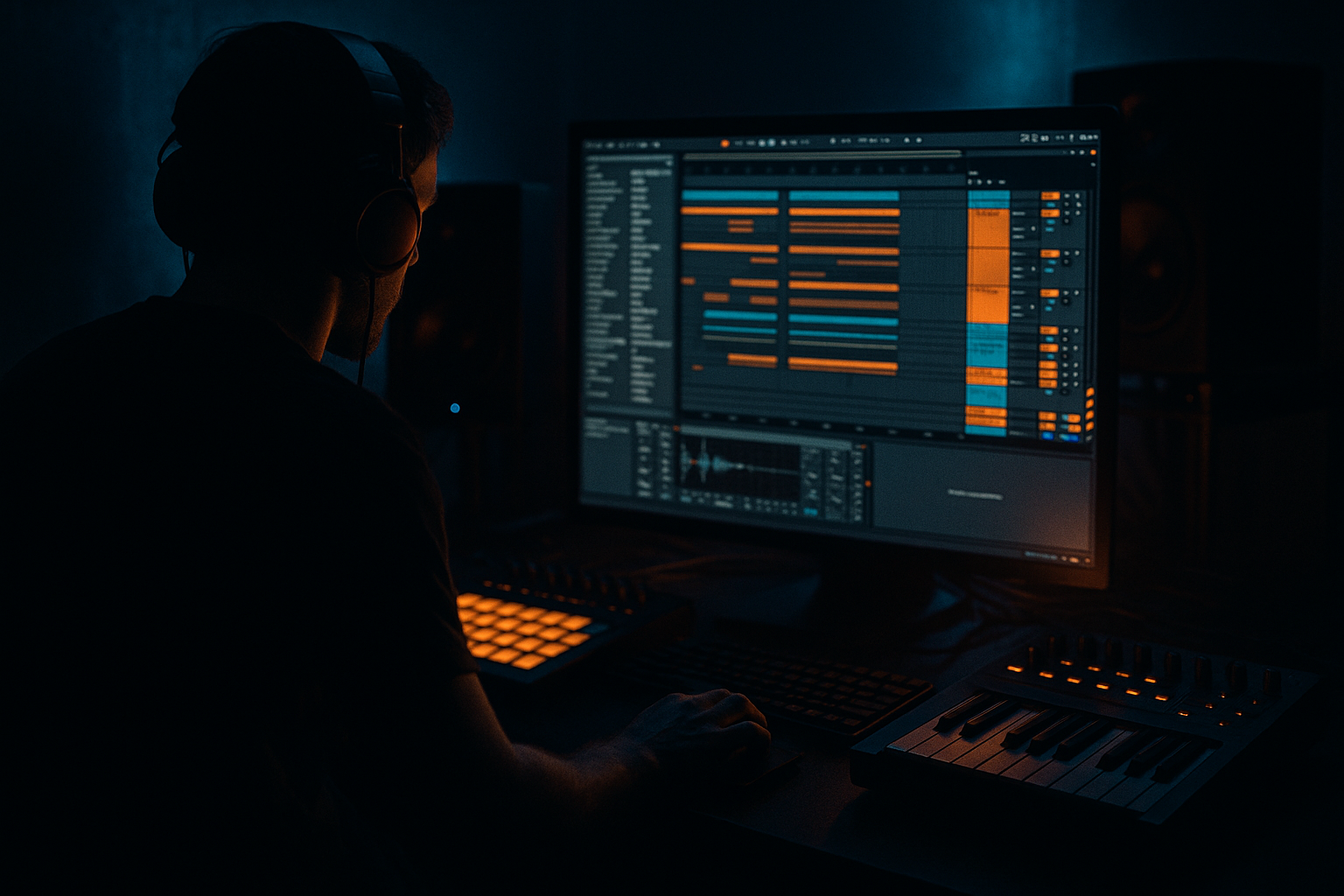
Main tutorial
Lesson Overview
In this lesson, you’re building a sub route framework for an oldskool-leaning DnB / jungle edit in Ableton Live 12: a setup where your sub stays pure, your punch stays modern, and your midrange carries vintage soul without turning the low end into mud. This is the kind of workflow that makes an edit feel like a real record instead of a loop pasted into an arrangement.
The goal is to create a bass system that can handle:
- deep sub fundamentals for rollers and jungle
- tight punch for modern DnB impact
- characterful mids that nod to Reese, ragga, and oldskool energy
- editable routing so you can switch phrases, mute layers, and build arrangement tension quickly
- a Sub track carrying clean sine/triangle low end
- a Punch track with short transient impact and controlled harmonics
- a Soul / Character track for Reese-style movement, vintage grit, or sample-based bass tone
- a Bass Bus that glues the layers together
- optional parallel dirt and sidechain control
- an arrangement-ready system for call-and-response bass edits, drop variations, and breakdown movement
- a deep 2-step sub note supporting a break edit
- a short kick-bass hit punching through the first bar of a drop
- a moving mid bass phrase that answers the sub in the second bar
- a filtered oldskool jungle switch-up before the next section
- Letting the soul layer contain too much sub
- Making the punch layer too wide or too low
- Over-saturating the sub
- Writing a bassline that never leaves space
- Using too much sidechain pump
- Ignoring mono compatibility
- Over-editing the arrangement
- Add a very subtle frequency dip around 250–400 Hz on the bass bus if the low-mid cloud gets thick after layering.
- Use Auto Filter with envelope or LFO on the soul layer for tension, but keep the movement slow enough to preserve focus.
- For a darker neuro-leaning edge, try small pitch envelope movement on the punch layer — very slight drops can make the attack feel more aggressive.
- Resample the soul layer and reverse short sections for eerie oldskool breakdown vibes.
- Use Drum Buss on the bass bus only if it enhances transient weight; don’t crush the low end.
- For more vintage jungle emotion, automate the soul layer’s filter open in the last 2 bars before the drop, then cut it abruptly on the downbeat.
- If the bass feels clean but lifeless, add a little controlled dirt above the sub rather than raising the sub level. That usually reads heavier on a system.
- Build one version of the bassline where the punch layer drops out for a bar. That negative space often makes the re-entry hit harder than constant density.
- sub stays mono and controlled
- punch gives you modern impact
- soul brings oldskool movement and identity
- routing through a bass bus makes editing faster
- arrangement should use space, switches, and call-and-response
- resampling turns the framework into real DnB edit material
This matters because in DnB, the bassline is not just a sound — it’s the arrangement engine. In an edit, you’re often reworking an existing groove, sample, or loop into something more powerful and more playable. If your sub, punch, and soul layers are routed well, you can reshape a tune fast: drop switches, breakdowns, half-time fakeouts, and 2-step-to-jungle flips become much easier to execute.
Why this works in DnB: the sub must stay mono, stable, and readable while the punch and harmonics can move, distort, and widen a bit. That separation lets the track hit hard on big systems while still feeling animated on smaller speakers. It’s especially useful for oldskool jungle vibes, where the energy comes from contrast: dirty breaks, rolling low end, and quick edit decisions.
What You Will Build
By the end, you’ll have an Ableton Live 12 bass routing setup with:
Musically, this will feel like:
You’ll end up with a framework you can use for rollers, oldskool edits, darker halftime crossovers, and neuro-leaning DnB bass design too.
Step-by-Step Walkthrough
1. Set up your bass routing template first
Create three MIDI tracks and name them clearly:
- `SUB`
- `PUNCH`
- `SOUL`
Then create one Audio Track called `BASS BUS` and set each bass track’s audio output to that bus. In Ableton Live, you can route each MIDI track’s output to `Sends Only` if you want the bus to handle final processing, or route directly to the `BASS BUS` audio track for more control.
Practical starting point:
- Sub track: only low-end duty
- Punch track: transient + upper bass bite
- Soul track: movement, texture, character
Keep the routing simple and visible. For edits, speed matters. A clean template lets you audition variations without rebuilding the mix every time.
2. Design the sub layer with absolute discipline
On the `SUB` track, load Operator and initialize it if needed. Use a single sine wave oscillator. If you want a slightly rounder oldskool feel, a triangle wave can work, but sine is usually the safest starting point.
Suggested settings:
- Oscillator level: full or near full
- Filter: off or fully open
- Voices: mono
- Legato: on
- Portamento/glide: 20–60 ms for slurs, or off for clean stepped sub
- Amp envelope: very fast attack, medium-short release
If you’re writing a jungle-style bassline, keep the sub pattern simple and let the rhythm come from note length and syncopation rather than overplaying. A classic move is to use staggered notes with tiny gaps to breathe around the break.
Add Saturator after Operator for a touch of harmonic visibility. Use:
- Drive: +1 to +4 dB
- Soft Clip: on
- Output compensated so level stays controlled
This helps the sub translate on systems that don’t reproduce pure 40–60 Hz as clearly. Do not overdo it — the sub should feel present, not fuzzy.
3. Build the punch layer for modern impact
On the `PUNCH` track, use Wavetable, Operator, or even a resampled bass hit if you already have one from an edit. The punch layer should be short, focused, and rhythmically clear.
A strong starting approach:
- Use a short bass envelope with quick decay
- Tune the note content around the root and fifth
- Add a controlled transient with saturation or amp-style drive
- High-pass the layer so it doesn’t fight the sub
In EQ Eight, put a high-pass around:
- 90–140 Hz for punch layers
- sometimes higher, around 150 Hz, if the sub is very full
Then use Saturator or Drum Buss:
- Drum Buss Drive: 5–20%
- Crunch: subtle, around 5–15%
- Transients: a little positive if you need more edge
The punch layer is what gives the bassline “speak” on smaller speakers. In modern DnB, this layer often carries the initial attack so the sub can stay clean and weighty underneath.
4. Create the soul layer with movement and vintage character
On the `SOUL` track, this is where the oldskool DNA lives. You can use:
- Analog for a warm detuned bass
- Wavetable for a Reese-like timbre
- sample-resampled bass material if you’re editing from breaks or old records
If you want a classic jungle / oldskool edge, make the layer slightly unstable:
- Use two detuned oscillators
- Detune lightly, not excessively
- Add slow LFO movement to filter cutoff or wavetable position
- Use Auto Filter in low-pass or band-pass mode
Good starting ranges:
- Filter cutoff: 150 Hz to 1.5 kHz depending on section
- Resonance: 10–30% for a nasal vintage edge
- LFO rate: 1/2, 1 bar, or even 2 bars for slow movement
Add Redux very gently if you want grime:
- Downsample: subtle
- Bit reduction: minimal, just enough to roughen texture
This layer is not meant to overpower the sub. It’s the “soul” in the edit — the part that makes the bassline feel like it has history and attitude.
5. Split the frequency roles with EQ and utility control
Now make each layer obey its job.
On `SUB`:
- Use EQ Eight
- Low-pass around 80–120 Hz if any unwanted top is present
- Keep it mono with Utility
- Width: 0%
- Bass Mono if available in your workflow via Utility and careful stereo discipline
On `PUNCH`:
- High-pass around 90–140 Hz
- Slight notch if there’s boxy energy around 250–400 Hz
- If it pokes too hard, tame 2–5 kHz with a gentle bell cut
On `SOUL`:
- High-pass 120–200 Hz
- Cut harsh fizz if needed around 3–6 kHz
- Keep enough low-mid body to feel organic, but don’t let it cloud the kick/sub relationship
On the `BASS BUS`:
- Use Glue Compressor lightly
- Attack: 10–30 ms
- Release: Auto or 0.1–0.3 s
- Gain reduction: around 1–3 dB
Why this works in DnB: separation lets the sub remain stable while the punch and soul layers create movement above it. That gives you punch without losing the root note, which is crucial for fast bass music where the low end has almost no time to smear.
6. Program the bassline like an edit, not a loop
In the MIDI editor, write 2–4 bar phrases that feel like an actual arrangement idea. Don’t just repeat a static ostinato.
For an oldskool jungle-style edit:
- Bar 1: sub lands with the break
- Bar 2: punch layer answers with a short syncopated phrase
- Bar 3: soul layer rises or filters open
- Bar 4: mute one layer for a tease or fill
Use MIDI note lengths to shape groove:
- Short notes for stepped momentum
- Slightly longer notes for rollers
- Tied notes for sustained pressure before a drop
A strong arrangement context example: in the first drop after a 16-bar intro, let the sub hit alone on beat 1, bring in punch on beat 3, then let the soul layer “talk back” in bar 2. That call-and-response feel is very DnB — it mimics how drums and bass trade space instead of all hitting at once.
Use clip envelopes to automate:
- filter cutoff
- operator glide
- volume drops on selected phrases
- saturation intensity for a switch-up
7. Shape the bass against the drums, not in isolation
Load your break edit or drum loop and compare the bass against the kick/snare energy. In jungle and rollers, the bass line often works around the break’s ghost notes and snare accents rather than sitting on top of them.
Practical move:
- If the kick is short and punchy, let the bass land slightly after it for groove
- If the break is busy, use more space in the bassline
- If the snare feels masked, reduce mid bass content around the snare hit
Use sidechain compression carefully:
- On the `BASS BUS`, add Compressor
- Sidechain from the kick or a ghost trigger
- Attack: 1–10 ms
- Release: 50–150 ms depending on tempo
- Aim for subtle movement, not pump city
For edits, you can also automate the punch layer off for certain break fills. That contrast creates a more musical arrangement than constant full-on bass.
8. Add parallel dirt and transition automation
Create a return track or duplicate track for parallel processing if you want extra aggression without wrecking the main tone.
Good stock options:
- Pedal for distortion character
- Overdrive for midrange bite
- Amp + Cabinet for rougher band-limited grit
- Echo for space on fills only
- Auto Filter for sweep transitions
Useful automation ideas:
- Filter the soul layer down during breakdowns, then reopen on the drop
- Increase saturation on the punch layer in the last 2 bars before a switch
- Mute the sub for a half-bar moment before the drop to create tension
- Automate bass bus width to stay mono in the drop, then open slightly in breaks only if it serves the vibe
Keep transitions short and intentional. In DnB, too much FX can blur the groove. One well-timed filter move often hits harder than a pile of generic risers.
9. Render, edit, and tighten the framework
Once the routing feels right, resample the bass bus to audio. This is where the “Edit” category really matters: you’re turning a playable bass system into a fast arrangement tool.
Use Resampling or freeze/flatten style workflows:
- Bounce 2-bar loops of the bass bus
- Chop the audio into phrases
- Reverse tiny fills
- Cut out one note for a fakeout
- Reuse a transient hit as a transition element
Ableton Live 12 makes this especially practical if you keep your clips organized. Name your audio clips by section:
- `BASS_DROP_A`
- `BASS_FILL_1`
- `BASS_BREAKDOWN`
- `BASS_SWITCH`
This gives you the speed to create an edit with variation while preserving the original routing idea in case you need to revise the sound later.
10. Do a mono and low-end reality check
Before calling it done, check the bass in mono with Utility on the master or bass bus.
Listen for:
- sub disappearing
- punch layer getting thin
- soul layer dominating the center too much
- clashes with kick fundamentals
If the bass loses strength in mono:
- reduce stereo widening on the soul layer
- keep chorus-like movement above 150–200 Hz only
- make sure the sub is truly mono
- simplify the arrangement so the low end is not fighting itself
The target is a bassline that feels powerful on headphones, monitors, and systems with serious low-end response.
Common Mistakes
- Fix: high-pass it harder. Keep the low end for the dedicated sub track.
- Fix: keep it centered and cut below roughly 90–140 Hz.
- Fix: use light saturation only. If you hear fuzz before 100 Hz, back off.
- Fix: create call-and-response phrasing. Let drums breathe.
- Fix: in DnB, the groove should feel integrated, not like a house track.
- Fix: check Utility mono, especially for the bass bus and soul layer.
- Fix: keep the core phrase strong. One smart switch-up beats five random fills.
Pro Tips for Darker / Heavier DnB
Mini Practice Exercise
Set a 15-minute timer and do this:
1. Build the `SUB`, `PUNCH`, `SOUL`, and `BASS BUS` routing.
2. Program an 8-bar DnB bass phrase at 170–174 BPM.
3. Make bars 1–4 feel like a simple drop.
4. In bars 5–8, add one edit:
- filter automation on the soul layer, or
- mute the punch layer for half a bar, or
- add a one-note sub pickup before bar 8
5. Resample the full bass bus to audio.
6. Chop the resample into two versions:
- one clean
- one with a switch-up or fill
7. Check the result in mono and make one adjustment for clarity.
Goal: finish with one usable bass edit that feels like a real jungle/DnB arrangement piece, not just a loop.
Recap
The key idea is simple: separate your sub, punch, and soul into clear roles so your bassline can be both modern and vintage, heavy and musical, clean and characterful.
Remember the core wins:
If you build this once in Ableton Live, you’ll have a repeatable system for jungle edits, rollers, darker DnB, and bass-heavy switch-ups that actually translate on a proper soundsystem 🔥

