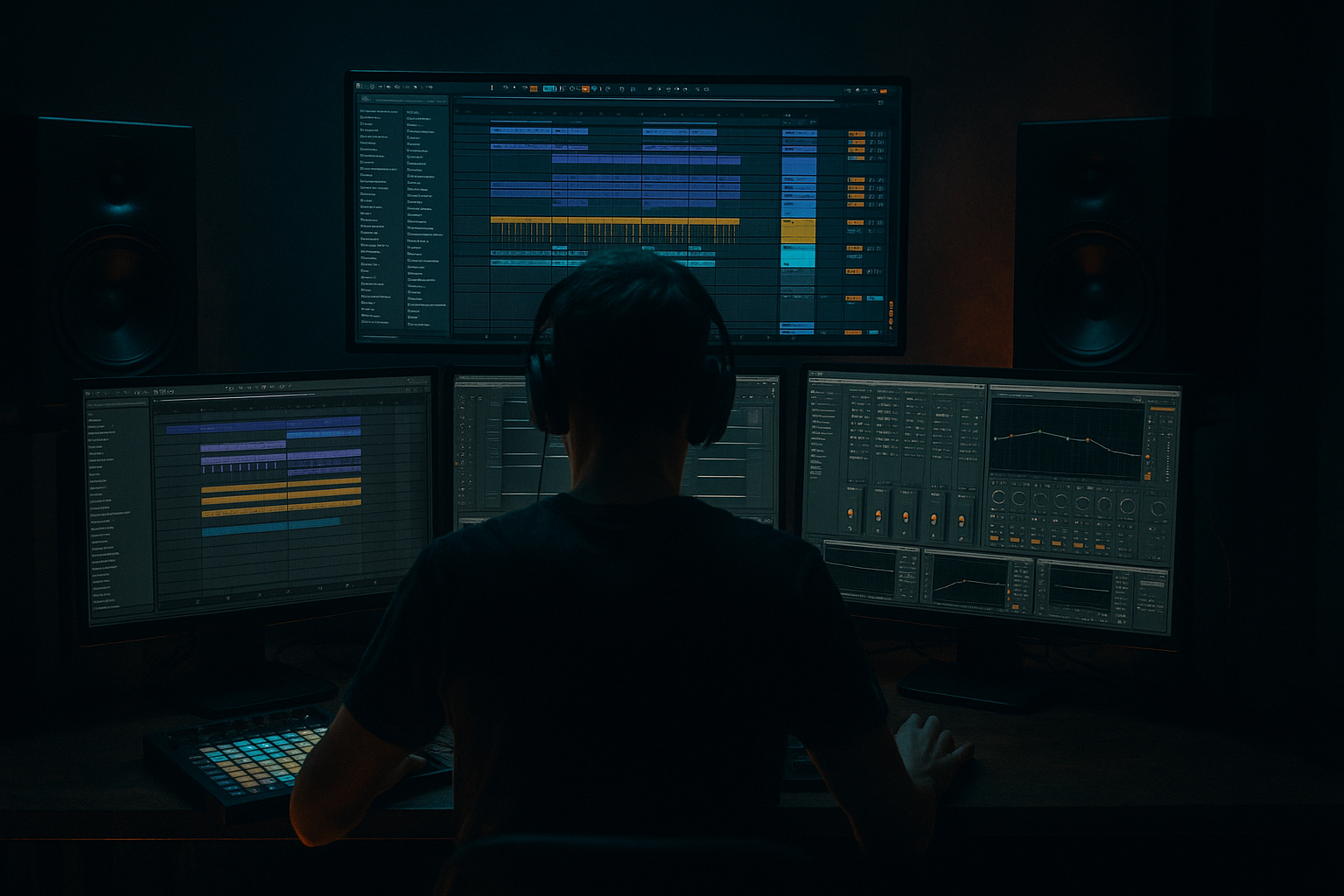
Main tutorial
Swing an Amen-Style Drop using Session View → Arrangement View in Ableton Live 12 (Beginner, Atmospheres)
1) Lesson overview
In this lesson you’ll build a drum & bass / jungle-style drop using the Amen break, add swing the right way (so it grooves without falling apart), and then perform/record your Session View clip launching into Arrangement View for a proper DnB arrangement. 🎛️🥁
We’ll keep it beginner-friendly but real—you’ll use stock Ableton devices, practical settings, and a workflow you can repeat for future drops.
---
2) What you will build
By the end you’ll have:
- A 16–32 bar Amen-style drop at 170–175 BPM
- Swinged break that stays tight with the grid (no messy drifting)
- A dark atmospheric bed (pads/air/noise) suitable for rolling DnB
- A Session View performance recorded into Arrangement View with:
- In Groove Pool, select the groove and set:
- Right-click the clip → Commit Groove
- Kick/Snare layers around -12 to -18 dB to start.
- On KICK: EQ Eight (HP 20–30 Hz, small click boost 2–4 kHz if needed)
- On SNARE: Reverb (short) via send, not insert (see atmos section)
- You’ll see your clip launches recorded as an arrangement.
- If you moved knobs during recording, those automations are captured too. 🎚️
- Select an area → Cmd/Ctrl + J (Consolidate) to make neat sections
- Fix any messy transitions by dragging clip edges to align on bar lines
- Add crash/impact at the drop point (FX track)
- Warping wrong downbeat: If 1.1.1 isn’t correct, everything feels off even if it “loops.” Always set the first kick transient accurately.
- Too much swing: Heavy swing can make DnB feel like broken hip-hop. Keep it subtle (Timing ~20–40%).
- Swinging the main snare: If your 2 and 4 snare drifts, the drop loses authority. Swing the details, not the anchors.
- No sidechain on atmos: Big reverbs + breaks = muddy. Sidechain your atmosphere or filter its lows.
- Over-saturating the Amen: If the top end turns brittle, reduce Drum Buss/ Saturator drive and use EQ Eight to tame 6–10 kHz.
- Parallel distortion for menace:
- Make the room feel underground:
- Tighter roll with transient control:
- Darkness = less 10k, more 200–600 control:
- Automate tension into the drop:
- You warped the Amen correctly and looped it cleanly.
- You added swing using Groove Pool (and learned manual warp swing as an option).
- You built DnB-ready processing with EQ Eight → Drum Buss → Saturator → Glue Compressor.
- You created atmospheres with Hybrid Reverb / Echo and made them breathe with sidechain compression.
- You performed your drop in Session View and recorded it into Arrangement View for a real arrangement. ✅🔥
- Drop variations (fills, mutes, filter moves)
- Simple breakdown → drop structure
---
3) Step-by-step walkthrough
Step 0 — Set up your project (tempo, routing, view)
1. Set tempo to 174 BPM (classic DnB zone).
2. Set time signature 4/4.
3. Create these tracks:
- Track 1: AMEN (Audio)
- Track 2: KICK (Audio or MIDI)
- Track 3: SNARE (Audio or MIDI)
- Track 4: SUB (MIDI)
- Track 5: ATMOS (Audio or MIDI)
- Track 6: FX (Audio) (optional)
Tip: Color-code tracks now so you don’t get lost mid-flow. 🎨
---
Step 1 — Load an Amen and warp it correctly (this matters!)
1. Drag an Amen break audio file into Track 1 (AMEN) in Session View (drop it into an empty clip slot).
2. Click the clip to open Clip View (bottom panel).
3. In Clip View:
- Turn Warp = ON
- Set Seg. BPM close to the sample’s original if Live guesses wrong
- Set Warp Mode:
- Beats for classic choppy transients
- Preserve: Transients
- Envelope: ~10–30% (start at 20%)
- (Alternative: Complex Pro if it’s getting clicky, but Beats is the jungle vibe.)
4. Find the downbeat:
- Zoom in, locate the first strong kick transient.
- Right-click it → Set 1.1.1 Here
- Right-click again → Warp From Here (Straight)
This locks the sample to the project tempo cleanly.
✅ Goal: Your Amen loops tightly for at least 4–8 bars with no flam or drift.
---
Step 2 — Create tight loop clips for drop control (Session View power)
We’ll build multiple versions of the break as separate clips so you can launch variations live.
1. In Session View on the AMEN track:
- Duplicate the clip (Cmd/Ctrl + D) so you have 4 clip slots filled.
2. Name them:
- Amen – Base
- Amen – Ghosty
- Amen – Fill
- Amen – Filtered
3. Set each clip length:
- Base: 2 bars
- Ghosty: 2 bars
- Fill: 1 bar
- Filtered: 4 bars
---
Step 3 — Add swing properly (two solid beginner methods)
You’ve got two reliable ways to swing DnB breaks in Ableton. Start with Method A (fast + musical), then try Method B (more controlled).
#### Method A: Groove Pool swing (best beginner workflow)
1. Open Groove Pool (click the wavy icon on the left, or View → Groove Pool).
2. Drag in a groove:
- In the Browser: Grooves → Swing and Groove
- Try: MPC 16 Swing 57 or Swing 16-60
3. Drop the groove onto your Amen – Base clip.
Now refine it:
- Timing: 20–40% (start at 30%)
- Velocity: 0–20% (start at 10%)
- Random: 0–10% (start at 5%)
Important: Click the clip → make sure Groove is assigned in Clip View.
👉 For DnB, you usually want subtle swing. Too much and the Amen will feel drunk instead of rolling.
Optional: Once it feels right, you can Commit the groove:
This bakes timing into the clip (useful if you want consistent playback without Groove Pool).
#### Method B: Warp marker micro-swing (more manual, very “Amen science”)
Use this when you want swing without changing overall loop length.
1. In Clip View, show warp markers.
2. Focus on off-beats (16ths), especially hats/ghost snares.
3. Nudge selected warp markers slightly late:
- Start with +5 to +12 ms on off-beats
4. Keep the main kick + snare anchors locked on the grid (1 and 2/4).
✅ Goal: The backbone stays tight, the details swing.
---
Step 4 — Make it hit: drum processing chain (stock devices)
On the AMEN track, add this device chain (in this order):
1. EQ Eight
- HP filter: 30–40 Hz (remove rumble)
- Small dip: 200–350 Hz if boxy (try -2 to -4 dB)
- Gentle shelf: 8–10 kHz +1 to +3 dB if it needs air
2. Drum Buss
- Drive: 5–15% (start 8%)
- Crunch: 0–10% (taste)
- Boom: 0–10% (careful—Amen + sub can clash)
- Damp: adjust so highs don’t get harsh
3. Saturator
- Mode: Analog Clip
- Drive: 2–6 dB
- Soft Clip: ON
4. Glue Compressor
- Attack: 3 ms
- Release: Auto
- Ratio: 2:1
- Gain reduction: aim 1–3 dB on peaks
This chain gives you: bite + glue + weight without wrecking transients. 💥
---
Step 5 — Layer a kick/snare to stabilize the drop (optional but very DnB)
Amen breaks can be inconsistent; layering gives the “modern” punch.
1. Add Track 2 KICK and Track 3 SNARE.
2. Load one-shots (or from Packs if you have them).
3. Program a simple DnB backbone (2-step style):
- Kick on 1
- Snare on 2 and 4
- Optional extra kick on 1.3 or 1.3.3 depending on vibe
Tip: Keep layers quiet—your Amen is still the character.
Processing:
---
Step 6 — Build the Atmosphere (category focus) 🌫️
You want a drop that feels deep, dark, and spacious, not just drums.
#### Option A: Simple atmospheric bed with stock devices (beginner-friendly)
1. On ATMOS track, drop in a long noise/field recording/pad sample.
2. Add Auto Filter
- Mode: Low-pass
- Cutoff: 300–2kHz (sweep to taste)
- Resonance: 10–25%
3. Add Hybrid Reverb
- Algorithm: Hall or Shimmer (subtle)
- Decay: 4–10s
- Dry/Wet: 15–35% (start 25%)
4. Add Echo
- Time: 1/4 or 3/16
- Feedback: 20–40%
- Filter: roll off lows below 200 Hz
#### Sidechain the atmosphere to the drums (classic DnB space)
1. Put Compressor on ATMOS (not Glue).
2. Enable Sidechain
3. Input: AMEN (or a Drum Group if you have one)
4. Settings:
- Ratio: 3:1
- Attack: 1–5 ms
- Release: 80–150 ms
- Threshold: lower until you see 2–5 dB reduction on hits
Result: the drums punch through while the air “breathes.” 🫁
---
Step 7 — Create Session View scenes for drop performance
This is where Session View becomes your arrangement weapon.
1. Make scenes (rows) on the right side:
- Scene 1: Intro Atmos
- Scene 2: Pre-drop Tension
- Scene 3: DROP A (Base)
- Scene 4: DROP A (Ghosty)
- Scene 5: DROP A (Fill → Base)
- Scene 6: DROP B (Filtered / Half-time tease)
2. Assign clips per scene:
- Intro: ATMOS only (no Amen)
- Pre-drop: filtered Amen clip at low volume + rising FX
- DROP A: Amen Base + Kick/Snare layers + Sub
- Ghosty: Amen Ghosty (lower velocity if committed groove) + same layers
- Fill: 1-bar fill clip on AMEN
- DROP B: Filtered Amen + different sub note pattern
3. Set Global Quantization (top center):
- Start at 1 Bar (safe and musical)
- For fills, you can temporarily set 1/4—but only when confident.
---
Step 8 — Record Session View into Arrangement View (the key skill)
1. Hit the Arrangement Record button (top transport).
2. Launch Scene 1 (Intro). Let it run 8 bars.
3. Launch Scene 2 (Pre-drop) for 8 bars.
4. Launch Scene 3 (Drop A) for 16 bars.
5. During the drop, perform variation:
- Trigger Fill for 1 bar at the end of every 8 bars
- Mute ATMOS briefly for impact
- Sweep Auto Filter cutoff on AMEN (macro this if you want)
6. When done, press Stop.
Now go to Arrangement View (Tab):
Clean-up workflow (quick):
---
4) Common mistakes
---
5) Pro tips for darker/heavier DnB
- Create a Return track “DIST”
- Add Saturator (Heavy) + EQ Eight (band-pass 200 Hz–6 kHz) + Glue Compressor
- Send Amen to it lightly (-18 to -12 dB send)
- Put Hybrid Reverb on a Return “SPACE”
- High-pass the reverb return at 250–400 Hz (EQ Eight after reverb)
- In Drum Buss, increase Transient slightly (+5 to +15) if your Amen got softened
- If it’s harsh, dip around 8–10 kHz
- If it’s muddy, dip 250–450 Hz a touch
- Automate AMEN Auto Filter cutoff down in the pre-drop
- Automate reverb send up on the final 1 bar, then hard cut at the drop
---
6) Mini practice exercise (10–15 minutes)
1. Build 3 Amen clips:
- Base (2 bars)
- Ghosty (2 bars, lower high end with Auto Filter)
- Fill (1 bar, add extra Saturator drive)
2. Add one Groove Pool swing (Timing 30%, Random 5%).
3. Make 4 scenes:
- Intro (8 bars)
- Pre-drop (8 bars)
- Drop A (16 bars)
- Drop A with fills (16 bars)
4. Record the scene performance into Arrangement View.
5. In Arrangement View, add:
- A 1-beat silence right before the drop (classic fake-out)
- A crash + sub drop at the drop point
---
7) Recap
If you want, tell me what style you’re aiming for (classic jungle, rollers, neuro-ish, halftime) and I’ll suggest a matching swing amount + atmosphere chain and a simple 32-bar drop blueprint.

