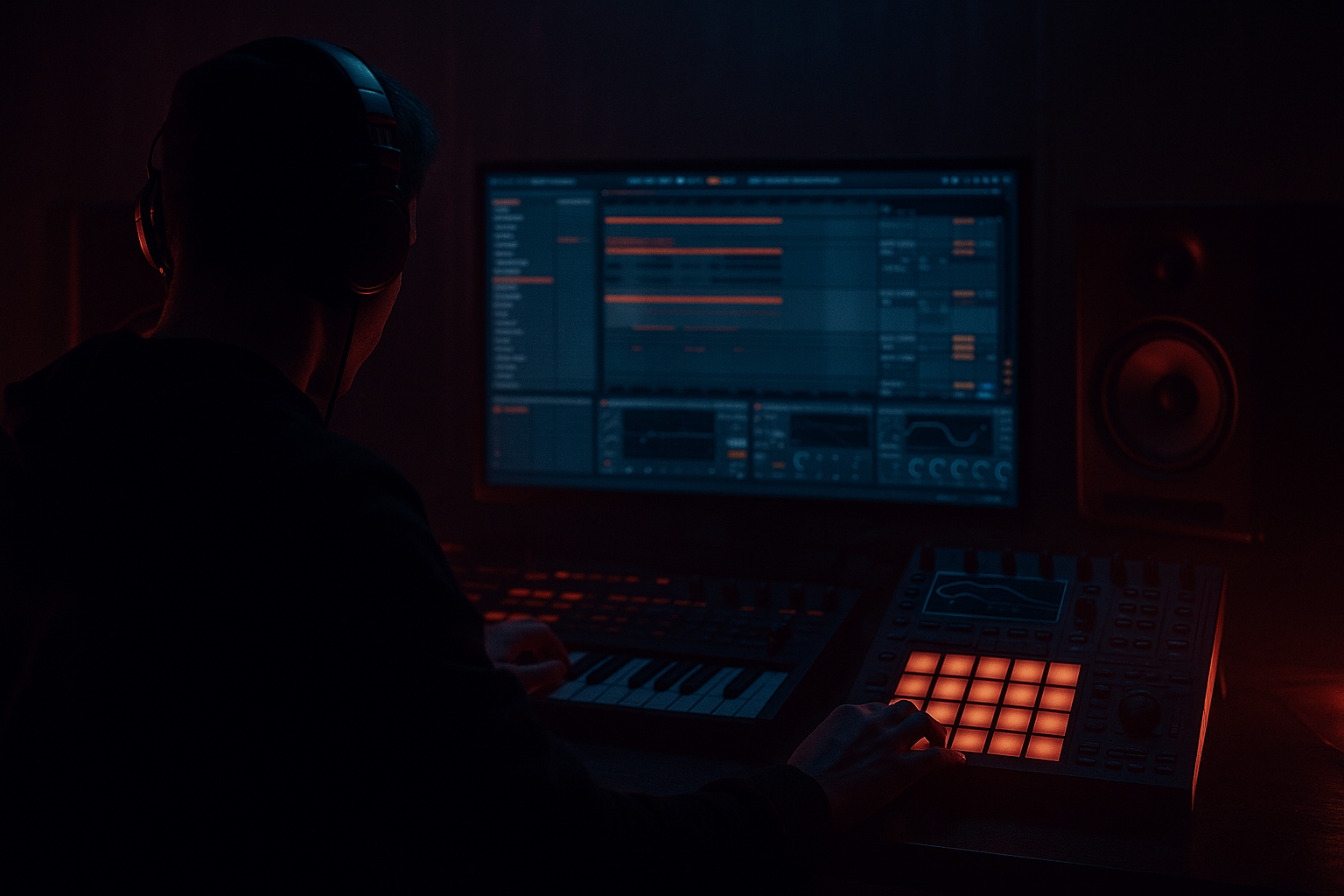
Main tutorial
Think Ableton Live 12 Mid Bass Deep Dive for Heavyweight Sub Impact for Jungle / Oldskool DnB Vibes 🔊🥁
1. Lesson overview
In jungle and oldskool drum and bass, the mid bass is not just a “top layer.” It’s the bridge between the sub and the audible punch of the groove. If your sub is clean but the track still feels small, the missing piece is usually a controlled, harmonically rich mid bass that adds weight, motion, and translation on smaller speakers without muddying the low end.
In this lesson, we’ll build a heavier mid bass system in Ableton Live 12 that supports:
- deep sub impact
- aggressive but controlled harmonic presence
- rolling jungle energy
- oldskool rave weight
- clear separation from drums and vocals
- a rack-based processing chain
- a duplicate/parallel distortion workflow
- envelope shaping for jungle-style movement
- arrangement tactics for vocal callouts and breakdowns
- Wavetable
- Operator
- Analog
- Oscillator A: Sine
- Level: 0 dB or slightly lower
- No unison
- No detune
- Filter: off or neutral
- Amp envelope:
- root notes
- fifths
- occasional octave jumps
- passing tones for movement
- Oscillator 1: saw or square-based wavetable
- Oscillator 2: optional octave above or unison layer
- Unison: 2–4 voices max
- Detune: subtle
- Filter: low-pass or band-pass depending on tone
- Envelope: short pluck or medium sustain depending on phrase
- saw + square blend
- slight filter envelope movement
- short decay for “thwack”
- subtle drive into the filter
- thick
- slightly rude
- full in the low-mid
- not too buzzy
- not too wide below 150 Hz
- Attack: 0 ms
- Decay: 120–300 ms
- Sustain: 0–40%
- Release: 30–80 ms
- Attack: 0–10 ms
- Decay: medium
- Sustain: 60–100%
- Release: 50–120 ms
- Drive: 2–8 dB depending on source
- Soft Clip: on
- Output: compensate level
- Drive: moderate
- Tone controls: darken if it gets fizzy
- Filter: tame the top end
- Keep the output controlled
- reese-ish layers
- distorted low-mid bass
- jungle tech tension
- EQ Eight
- mild Saturator
- Utility
- Auto Filter
- Saturator or Roar
- EQ Eight
- maybe Erosion for extra texture
- Preserve low-mid punch
- low-pass the highest fizz if needed
- mono or near-mono below 150 Hz
- high-pass around 120–180 Hz
- distortion more aggressive
- add movement with Auto Pan or Phaser-Flanger if it serves the vibe
- Compressor on the mid bass keyed from the kick
- Or keyed from the snare if the groove is break-led
- Or both, using an Audio Effect Rack / grouped routing strategy
- Sidechain: on
- Input: kick track
- Attack: 0.5–5 ms
- Release: 50–120 ms
- Ratio: 2:1 to 6:1
- Threshold: set for 1–4 dB gain reduction, more if needed
- grit
- attack
- movement
- audibility in the 1–4 kHz zone
- Wavetable
- Erosion
- Corpus
- Frequency Shifter
- Auto Filter
- Wavetable with a bright source
- High-pass at 250–400 Hz
- Saturator
- Erosion at subtle settings
- EQ Eight to cut harshness
- short repeated motifs
- call-and-response phrases
- octave drops into the snare
- syncopation against the kick
- space for vocal chops or MC phrases
- note on the offbeat before the snare
- stabs after the snare
- sustained note under a vocal line, then a gap
- 2-bar question and answer phrasing
- the kick transient
- the snare crack
- the break’s low-end body
- the vocal intelligibility
- cut mud around 200–400 Hz if necessary
- tame harshness around 2–5 kHz if vocals are fighting it
- if the break has strong low mids, carve a little more from the bass instead of the drums
- keep low end centered
- reduce side energy below 120–150 Hz
- allow some width only in the upper harmonics
- forces commitment
- lets you edit micro-timing
- creates authentic jungle-style phrasing
- makes bass feel more like a break element
- reverse one hit
- pitch down a note
- chop a tail into the next bar
- add a vocal tail before a bass drop
- Intro: thinner mid bass, more filtered
- Verse / MC section: keep bass rhythmic but lighter in the upper mids
- Pre-drop: automate filter open/close for tension
- Drop: full sub + mid bass + edge layer
- Vocal hook: reduce harmonic density briefly so the phrase lands
- Breakdown: strip to sub or filtered bass only
- filter cutoff on the mid bass
- distortion drive before drop
- utility gain to create breakdown contrast
- auto filter resonance sweeps for tension
- clean sub
- saturated mid
- slightly noisy top
- keep verses filtered and moody
- open up in the drop
- slightly darken again when vocals enter
- between snare hits
- after ghost notes
- in gaps between break transients
- shift: very small amounts
- mix: low
- automate slowly
- Does the bass still hit when the vocal enters?
- Is the sub clean?
- Does the mid bass feel aggressive but controlled?
- Does the drop feel bigger because of the arrangement contrast?
- build a clean sub
- design a harmonically rich mid bass
- keep the low end centered and controlled
- use saturation, EQ, and careful sidechain to shape impact
- leave arrangement space for vocals and MC lines
- use resampling and chopping for authentic jungle movement
- automate tone and density so the drop feels massive
Because this is a Vocals category lesson, we’ll also treat the bass as the supporting bed for MCs / vocal chops / phrases, so the bass is powerful but leaves room in the arrangement and mix. That’s crucial in DnB where the vocal often rides above a dense rhythm section.
We’ll use stock Ableton devices and practical routing to create a flexible bass design you can reuse across tracks. 🎛️
---
2. What you will build
You’ll build a 3-part bass system in Ableton Live:
1. Sub layer
- pure sine/triangle style foundation
- mono and tightly controlled
- focused below ~80–100 Hz
2. Mid bass layer
- harmonically rich, gritty, and punchy
- designed to feel huge on systems and headphones
- sits mostly around ~100 Hz to 800 Hz
3. Presence / edge layer
- optional higher harmonics for bite and movement
- helps bass speak in the mix without turning into noise
You’ll also create:
---
3. Step-by-step walkthrough
Step 1: Start with a sub-safe foundation
Create a MIDI track called SUB.
#### Suggested instrument options:
For the cleanest sub, Operator is the easiest choice.
#### Operator settings:
- Attack: 0–5 ms
- Decay: short if using stabs, longer if using sustained notes
- Sustain: full for rolling bass
- Release: 20–80 ms
#### MIDI note choice:
For DnB, write notes that support the kick/snare phrasing:
A classic jungle-style bassline often works well with syncopated off-beat notes, leaving room for the drum break and vocal phrases.
#### Processing chain for SUB:
Use this order:
1. EQ Eight
- low-pass if necessary around 120 Hz
- cut any unnecessary upper harmonics
2. Utility
- Width: 0%
- Bass Mono: on if needed
3. Saturator
- Drive: 1–3 dB max
- Soft Clip: on
4. Limiter only if needed for safety
Keep this layer clean and boring. The excitement happens in the mid layer.
---
Step 2: Build the mid bass layer with harmonics
Create a second MIDI track called MID BASS.
This is where we create the aggressive, heavyweight character.
#### Instrument starting point:
Use Wavetable or Analog.
##### Wavetable setup:
If you want an oldskool jungle edge, try:
#### Basic tone goal:
You want the bass to sound:
---
Step 3: Shape the mid bass envelope for jungle movement
Oldskool DnB and jungle often use dynamic rhythmic bass phrases rather than constant static notes.
Try one of these envelope styles:
#### A. Pluck-style mid bass
Good for rolling sequences and vocal space.
This gives you a sharp bass hit that feels punchy under breaks.
#### B. Held-note mid bass
Good for darker rolling sections.
This creates a more continuous wall of low-mid energy.
---
Step 4: Add controlled distortion for heavyweight impact
This is where the bass starts to feel expensive and dangerous 😈
#### Recommended Ableton device chain:
1. Saturator
2. Roar or Amp / Pedal if you want character
3. EQ Eight
4. Compressor or Glue Compressor
##### Saturator settings:
The goal is not obvious distortion at first. The goal is extra harmonics that make the bass audible on smaller systems and weighty on club rigs.
##### Roar tip:
If you have Live 12 with Roar available, use it as a parallel-friendly tonal shaper:
##### Amp / Pedal:
These can add a gritty vintage character, but use them carefully. Great for:
---
Step 5: Parallel process the mid bass for size
A massive DnB trick: split clean weight from dirty character.
Create an Audio Effect Rack on the mid bass track with two chains:
#### Chain 1: Clean body
#### Chain 2: Dirty edge
Then blend them.
##### Clean body settings:
##### Dirty edge settings:
This lets you keep the bass massive without turning the entire mix into mud.
---
Step 6: Use sidechain intelligently with the kick and break
In jungle and DnB, the bass must dance with the drum break, not bulldoze it.
#### Sidechain options:
##### Compressor starting point:
For oldskool jungle feel, you can let the bass breathe around the break rather than fully ducking it out. Too much sidechain kills the roller energy.
---
Step 7: Add a presence layer if the mix needs more bite
Create a third MIDI track called BASS TOP or keep this inside the mid bass rack.
This layer is for:
#### Good tools:
##### Example chain:
This layer should be felt more than heard. If it starts sounding like a synth lead, it’s too loud.
---
Step 8: Make the bass behave like a musical phrase
In DnB, especially jungle and oldskool, the bass should feel like it belongs to the rhythm section.
#### Write MIDI with:
#### Useful pattern ideas:
If you are using vocals, leave intentional holes in the bassline so the voice can punch through. A wall of bass under a dense vocal usually collapses the mix.
---
Step 9: Fit the bass around the drums
Your bass should complement:
#### Practical EQ moves:
On the mid bass:
Use EQ Eight in mid/side mode if needed:
---
Step 10: Use resampling for classic jungle workflow
A very useful Ableton workflow:
1. build the bass
2. bounce or resample it
3. chop the audio
4. reprocess it with new movement
#### Why this works:
Try resampling a 4-bar bass phrase, then:
This is especially effective for oldskool amen-style arrangements.
---
Step 11: Arrange the bass around the vocal
Since this is a vocals lesson category, here’s the key arranging rule:
The bass must support the vocal, not compete with it.
#### Arrangement strategy:
#### Automation ideas:
This contrast makes the drop hit harder when the vocal returns.
---
4. Common mistakes
1. Making the mid bass too wide
Anything below roughly 120 Hz should stay very controlled and centered. Wide low end can destroy club translation.
2. Distorting the sub directly
Keep the sub simple. If you want grit, create it in the mid layer, not the clean fundamental.
3. Too much low-mid buildup
A lot of DnB bass sounds “big” soloed but collapses in the mix because of 200–500 Hz mud. Cut with purpose.
4. Over-sidechaining
If the bass ducks too hard every kick, the track loses momentum. Jungle especially needs a rolling, elastic feel.
5. Not leaving space for vocals
In vocal-led DnB, the bass must leave holes. If everything is full all the time, the voice sounds pasted on.
6. Using too many layers without a plan
Three layers is usually enough. More layers often means more phase issues and more mix confusion.
---
5. Pro tips for darker/heavier DnB
Use harmonic contrast
Combine:
That contrast makes the bass sound larger than it is.
Resonate the filter carefully
A touch of resonance around the cutoff can create classic rave tension, but too much will whistle and fight the snare.
Automate bass tone across sections
For darker arrangements:
Use drum break interaction
Let bass notes land:
That creates the signature jungle push-pull.
Try frequency shifting subtly
With Frequency Shifter, tiny movements can create eerie motion:
This works well for sinister atmospheres beneath vocals.
Check on low volume
If the bass still feels heavy at low listening levels, the harmonic structure is working. If it disappears, you need better midrange harmonics.
---
6. Mini practice exercise
Goal:
Build a 16-bar jungle bass section that supports a vocal phrase.
#### Exercise steps:
1. Make a clean sub line using Operator.
2. Create a mid bass using Wavetable with a saw/square hybrid.
3. Add Saturator and EQ Eight.
4. Sidechain the mid bass lightly to the kick.
5. Write a 2-bar bass motif with:
- one offbeat stab
- one sustained note
- one answer phrase on bar 2
6. Add a vocal chop or MC-style one-shot in bars 5–8.
7. Automate the bass filter to open slightly before the drop.
8. Resample bars 9–12 and chop one bass note into a fill.
9. Compare the bass full-on vs. vocal-support sections and rebalance.
#### What to listen for:
---
7. Recap
To get heavyweight sub impact with jungle / oldskool DnB mid bass in Ableton Live 12:
The core idea is simple:
sub gives weight, mid bass gives audibility, arrangement gives impact.
If you want, I can turn this into a specific Ableton Live 12 project template with exact track names, routing, and device chains for a jungle DnB vocal drop.

