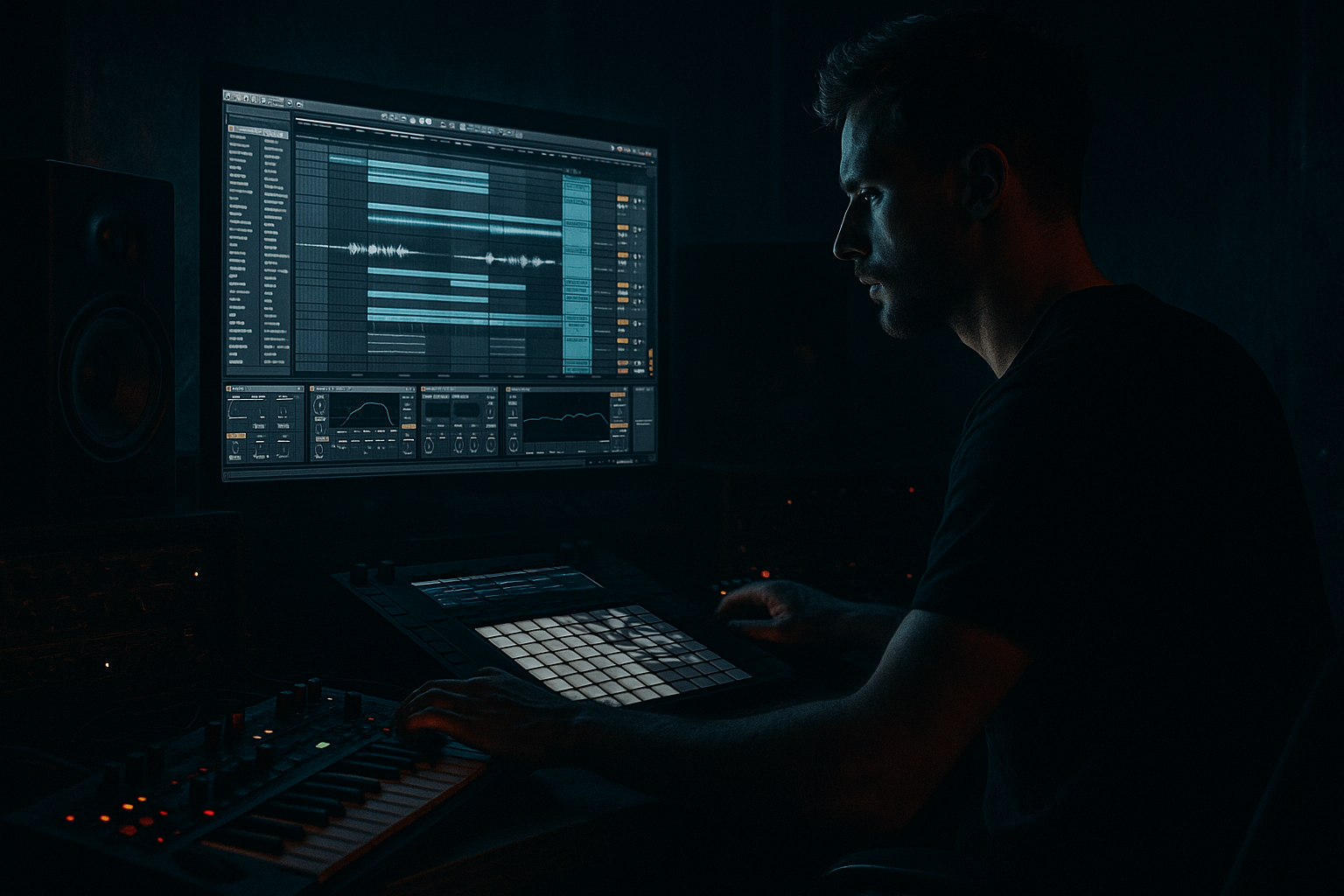
Main tutorial
Lesson Overview
A filtered breakdown route is one of the most useful arrangement tools in Drum & Bass because it lets you create a sense of movement without needing a brand-new idea every 8 bars. In a DnB track, this usually shows up between the intro and the first drop, or between the first drop and the second drop, when you want to strip the energy down, keep tension alive, and then bring the full system back in hard.
In plain terms: you take your main loop, route it through a separate “breakdown” path, and use filters, automation, and simple FX to make it feel like the track is opening up, clearing space, or diving into a darker section. This is super useful in jungle, rollers, neuro-influenced DnB, and darker club music because the genre depends on contrast: weight vs. space, sub vs. absence, drums vs. texture.
Why this matters in Ableton Live 12:
- It keeps your arrangement moving without needing endless new sound design
- It gives you a fast way to build tension before a drop
- It helps you manage energy in a DJ-friendly way
- It teaches you a clean workflow for routing, automation, and resampling 🎛️
- Your main drum and bass loop playing normally
- A second routed path that becomes the breakdown version
- A filter-swept, narrowed, atmospheric breakdown that removes low-end weight, pushes the energy back, and creates tension
- A setup that you can automate for intros, breakdowns, and pre-drop moments
- A reusable template idea for future DnB tracks
- A roller where the breakdown strips the sub and leaves ghosted breaks + foggy bass texture
- A jungle tune where the break loops get filtered and echoed before the next drop
- A darker neuro section where the bass becomes a filtered, modulated midrange tease before exploding back in
- Leaving too much sub in the breakdown
- Overusing reverb so the groove disappears
- Making the breakdown route sound like a completely new song
- Filtering too sharply too early
- Not planning the return to the drop
- Too much stereo width in the low mids
- Keep the sub mono, even in breakdowns
- Use a dirty midrange residue instead of full bass
- Automate saturation more than volume
- Use break edits as tension markers
- Try a “closed to open” filter story
- Keep the last 2 bars cleaner than the rest
- Resample a filtered section if it sounds great
- A filtered breakdown route is a powerful DnB arrangement tool for tension and contrast
- Remove the sub first, then shape the breakdown with filter automation, echo, and reverb
- Use stock Ableton devices like EQ Eight, Auto Filter, Echo, Reverb, Utility, and Saturator
- Keep the breakdown connected to the main groove so it feels like the same track
- Always design the return to the drop, because that’s where the energy payoff happens
- In DnB, less low end and more control often creates a bigger impact than adding more sounds
The goal here is not to make a “big cinematic breakdown.” The goal is to make a functional DnB breakdown route that feels like it belongs in a real track: dark, controlled, and ready to slam back into the drop.
What You Will Build
You will build a simple but pro-sounding breakdown return path in Ableton Live 12 using stock devices and routing. The result will be:
Musically, this can work for:
The key result is a breakdown that feels intentional, not empty.
Step-by-Step Walkthrough
1. Set up a clean loop that represents your main DnB groove
Start with a basic 8-bar section in Session or Arrangement View. Use:
- A drum loop or chopped break
- A sub bass or reese bass
- A small atmospheric element, like vinyl noise, pads, or distant FX
For beginners, keep it simple:
- Kick/snare or breakbeat pattern
- One bass sound
- One texture
Make sure your loop already feels like a real DnB groove. If the groove is weak here, the breakdown route won’t save it later.
Useful Ableton stock tools:
- Drum Rack for drum programming
- Simpler for break chopping
- Operator for sub bass
- Wavetable for a basic reese or midbass
- Utility for mono control
2. Group your main elements so you can route them as a system
Select your drum and bass tracks and group them into a new group called something like:
- `DRUM BUS`
- `BASS BUS`
- `MUSIC BUS`
For a beginner workflow, I recommend starting with just two buses:
- Drums
- Bass
This makes the breakdown route easier to think about. You are not redesigning the whole track; you are building a controlled alternate version of the same material.
Why this works in DnB:
- DnB relies on separation between drums and bass
- Routing by bus lets you automate energy at the section level
- It keeps your session organized, which matters when you’re making fast arrangement decisions
3. Create the breakdown route with an Audio Track and Return-style thinking
Add a new Audio Track and name it something like `BREAKDOWN ROUTE`. This track will act like your filtered path.
In Ableton Live, you can use routing to feed audio into this track from your group or from a send. For beginner clarity, keep the method simple:
- Duplicate the main audio or group output to this route, or
- Use a send/return approach if you already know basic routing
On this breakdown route, insert these stock devices in order:
- EQ Eight
- Auto Filter
- Echo
- Reverb
- Utility
Start with these broad starting points:
- EQ Eight: cut below 80–120 Hz
- Auto Filter: low-pass filter around 300–800 Hz to start
- Echo: time around 1/8 or 1/8 dotted
- Reverb: decay around 2.0–4.5 s
- Utility: width reduced to 70–100% depending on how dense it is
Keep the breakdown route quieter than the main section. This is a route for tension, not a second drop.
4. Filter out the low end first, then shape the mood
The most important move in a DnB breakdown is usually removing the sub. If your breakdown keeps the full low end, it will feel muddy instead of spacious.
In EQ Eight:
- Use a high-pass filter
- Start around 80 Hz for a fuller tune
- Push it to 120 Hz or even 150 Hz if you want a thinner, more dramatic break
- If the bass has harsh upper mids, gently dip 2–5 kHz by about 1–3 dB
In Auto Filter:
- Try Low-Pass
- Set frequency around 400–900 Hz
- Add a little resonance, around 0.20–0.45, for a more obvious sweep
What to listen for:
- The groove should still be recognizable
- The breakdown should feel like it has breathed out
- The low-end should disappear enough to make the drop feel huge when it returns
This is a classic DnB tension trick: remove the weight, keep the rhythm ghosting, then restore the full system later.
5. Automate the filter movement across 4 to 8 bars
Now you’ll make the breakdown route feel alive. In Arrangement View, automate the Auto Filter cutoff and perhaps the EQ Eight high-pass slightly.
A strong beginner-friendly automation shape:
- Start the breakdown with the filter more closed
- Slowly open it over 4 bars
- Then close it again right before the next drop
Example automation idea:
- Bar 1 of breakdown: cutoff at 350 Hz
- Bar 4: cutoff at 900 Hz
- Last 1–2 beats before drop: quickly drop it back to 250–400 Hz or mute it entirely
You can also automate:
- Echo feedback from 10% to 35%
- Reverb dry/wet from 10% to 30%
- Utility width from 100% down to 70% for a more tunnel-like feel
Keep the automation musical. In DnB, especially at 174 BPM, even small changes feel big because the groove is moving fast. You do not need extreme sweeps all the time.
6. Use the breakdown route to create a call-and-response feel
Now make the breakdown feel like it is answering the drop, not replacing it.
A good beginner arrangement approach:
- Keep the drums active in a reduced form
- Let the bass appear as filtered textures or short ghost hits
- Leave small gaps so the listener can feel the negative space
For example:
- Bars 1–2: filtered break + atmospheric bass residue
- Bars 3–4: add a few snare ghost hits or chopped break fills
- Bars 5–6: let the bass texture become more obvious
- Bars 7–8: strip it down again, then slam back into the drop
This is especially effective in rollers and darker jump-up-adjacent DnB because the track still feels like it is talking to the dancefloor. You are not stopping the energy; you are redirecting it.
7. Add movement with simple stock FX, not clutter
A breakdown route works best when it sounds like a filtered version of the track, not a totally unrelated sound collage.
Try these stock FX moves:
- Echo with low Feedback: 15–25%
- Reverb with reduced low cut inside the device to keep it clean
- Frequency Shifter very lightly for sci-fi tension on a bass texture
- Auto Pan with slow Rate if you want subtle movement
- Saturator before the filter for extra grit and harmonic density
A simple chain for darker breakdown energy:
- Saturator
- Auto Filter
- Echo
- Reverb
- Utility
Keep the saturation modest:
- Drive around 2–6 dB
- Use Soft Clip if needed
This gives the breakdown a smoked-out, underground tone without destroying clarity.
8. Transition back into the drop with a controlled rebuild
The route should help the return hit harder. Do not just stop the breakdown and suddenly unmute everything. Build the comeback.
Strong DnB return ideas:
- Open the filter over the last 1–2 bars
- Shorten the reverb tail before the drop
- Add a riser or noise swell using Operator, Wavetable, or a simple sample in Simpler
- Reintroduce the sub bass on the last beat before the drop
- Use a snare fill or break edit to lead the ear forward
Arrangement example:
- 8-bar breakdown
- Last 2 bars: filter opens, drums tighten, echo feedback decreases
- Last 1 beat: short stop or impact
- Drop hits with full drums + sub
Why this works in DnB:
- The drop feels larger because the low end has been removed
- The last-bar tension is obvious at fast tempos
- DJs and listeners both understand this kind of section change quickly
9. Commit and simplify once the route is working
Once the breakdown feels good, reduce decision fatigue:
- Freeze/flatten if needed
- Consolidate your automation lanes
- Rename tracks clearly
- Color-code the breakdown route separately from the main drop material
If your session starts getting messy, use a simple rule:
- Main drop = full energy
- Breakdown route = filtered, spaced, tension-focused
- Return = open filter, reduced FX, sub back in
This workflow mindset matters in beginner production because it stops you from endlessly tweaking. DnB arrangements often get strong when the section roles are clear.
Common Mistakes
- Fix: high-pass the breakdown route more aggressively, usually 80–120 Hz minimum
- Fix: keep reverb subtle and automate it only where it helps the transition
- Fix: keep the same core drums, bass identity, or texture family so the section feels connected
- Fix: use a slower sweep over 4–8 bars so the energy movement feels musical
- Fix: always automate a final build, cut, or opening move before the drop lands
- Fix: use Utility to narrow the breakdown if it gets foggy, and keep sub elements mono
Pro Tips for Darker / Heavier DnB
- Use Utility on the bass bus to keep the low end centered. Wide sub = weak club translation.
- High-pass the bass but leave a little reese texture around 200–800 Hz so the breakdown still has teeth.
- In darker DnB, adding harmonics can feel more powerful than just turning things up.
- Tiny drum fills, reverse hits, or chopped Amen fragments can keep the listener locked in without adding clutter.
- Start the breakdown muffled and open it gradually, or do the reverse for a more eerie effect.
- This makes the drop feel like it lands into open space, which is especially strong in neuro or dark rollers.
- Record the breakdown route to audio, then chop it like a new instrument. This is a very DnB-friendly way to build fills and transitions.
Mini Practice Exercise
Spend 10–20 minutes building one filtered breakdown route from an 8-bar DnB loop.
1. Make a simple loop with drums, bass, and one texture.
2. Duplicate or route the loop into a breakdown track.
3. Add EQ Eight and Auto Filter.
4. High-pass the breakdown route at 100 Hz.
5. Low-pass the same route around 500 Hz.
6. Automate the filter so it opens over 4 bars.
7. Add Echo with 15–25% feedback and Reverb with 2–3 s decay.
8. Mute the route for the last beat before the drop, then bring the full drop back in.
9. Listen once on its own, then listen in context with the main arrangement.
Goal: make the breakdown feel like a controlled tension section, not just a quiet loop.

