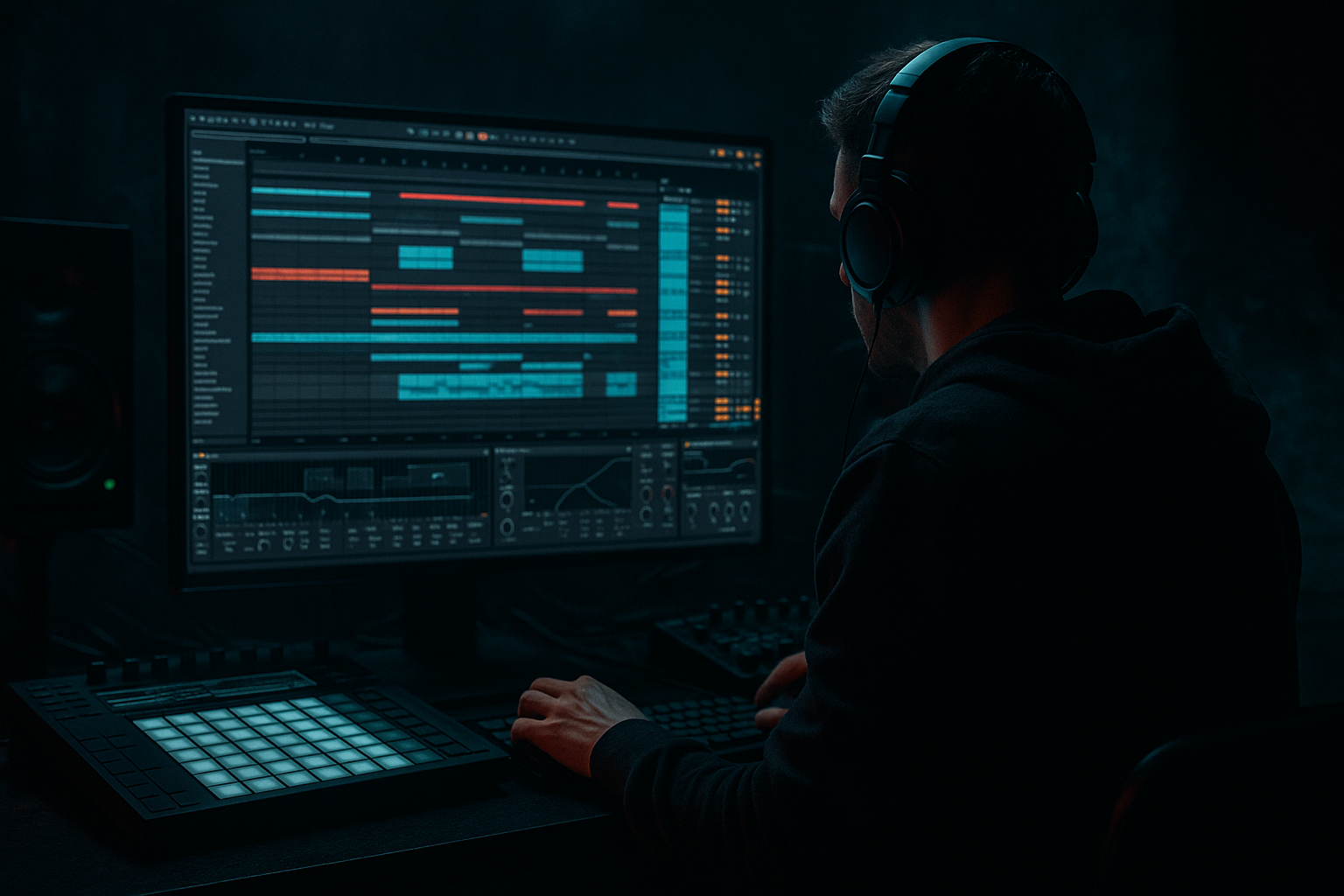
Main tutorial
Lesson Overview
This lesson is about building a subweight roller that feels like it was coded for a warehouse system: heavy, understated, controlled, and dangerous. In Drum & Bass, that means a bassline that doesn’t just sit under the drums — it locks to the kick/snare grid, pushes the room, and keeps moving without turning the low end into mush.
We’re focusing on automation because that’s where a roller becomes a track, not just a loop. A good subweight roller lives in the drop, the second-half switch, and the arrangement tension points. It needs subtle but deliberate movement: filter shifts, saturation changes, note emphasis, and occasional phrase edits that make the bass feel alive while staying DJ-friendly.
This technique suits dark rollers, warehouse DnB, stripped-back neuro-leaning rollers, and heavyweight club music where the bass should feel physical rather than flashy. The goal is not to make the bass “busy.” The goal is to make it evolve across 8-, 16-, and 32-bar phrases so the listener feels pressure building, release landing, and energy cycling without losing the floor.
By the end, you should be able to hear:
- a sub-led roller with clear weight and strong mono integrity
- automation that creates movement without low-end collapse
- an arrangement that feels intentional for a DJ mix and a dancefloor
- a bass line that can sit under drums, breathe around snare impacts, and evolve into a second-drop variation
- a deep, centered sub
- a slightly gritty mid layer for audibility on club systems
- a rhythmic, rolling phrase pattern that interacts with the drums
- automation on filter, saturation, and expression-like tone movement
- enough polish to feel mix-ready at demo stage, not just loop-ready
- Use subtraction, not just addition. A heavy roller often feels bigger when you remove one note or one harmonic layer before a major return. That gap makes the return hit harder.
- Let saturation be phrase-based. Instead of leaving a gritty tone permanently on, automate a slight drive increase into the end of an 8-bar section. That gives the drop a pressure lift without flattening the whole arrangement.
- Keep the sub boring on purpose. The sub’s job is not personality. Its job is reliability. Put the menace in the character layer and let the sub act like the floor under the room.
- Use short tonal shifts instead of big filter sweeps. A 5–15% movement in cutoff can be enough to feel like the system is opening up. Big sweeps are often too obvious for this kind of roller.
- Resample the character layer once the automation feels right. Printing it to audio can make it easier to cut, reverse, or mute specific phrases. It also forces commitment, which often improves arrangement decisions.
- Use tiny gain rides to shape emotional weight. A 1 dB lift on the last note before a phrase restart can feel bigger than another distortion plugin. In dark DnB, small changes are often the most expensive-sounding.
- Maintain drum hierarchy. If the bass starts sounding huge but the snare loses authority, you’ve crossed the line from heavy to crowded. The snare should remain the bar’s reference point.
- Use only stock Ableton devices.
- Use one sub track and one character layer only.
- Automate no more than three parameters total.
- Keep the sub mono and mostly unchanged.
- Make the bass work with a snare on 2 and 4.
- a 16-bar loop with a dark rolling bassline
- one 8-bar automation rise
- one 1-bar tension throw before the final bar
- a second phrase that feels slightly heavier or darker than the first
- Can you hear the snare clearly?
- Does the bass still feel strong in mono?
- Does the second 8 bars feel like an evolution, not a copy?
- keep the sub clean, centered, and stable
- give the character layer the movement
- automate across phrases, not randomly
- check the bass with drums, not only in solo
- use small changes to create big pressure
- keep the snare and kick readable
- make the second drop feel like an evolution, not a reset
A successful result should feel like the bass is rolling forward with authority, constantly shifting in tone and pressure, while the kick and snare stay readable and the sub never disappears.
What You Will Build
You will build a warehouse-style subweight roller in Ableton Live 12: a bass part built from a clean sub foundation plus a controlled upper bass layer, with automation used to shape energy across phrases. It should have:
The finished result should sound like a bassline that pushes hard but stays disciplined: thick in mono, clear against the kick/snare, and dynamically evolving over 16 or 32 bars so the drop gains momentum instead of staying static.
Step-by-Step Walkthrough
1. Start with a drum loop that already feels like a roller
Before you design the bass, place a drum foundation in Arrangement View: kick, snare, hats, and a break or ghost percussion layer that gives the bass something to lean on. For this style, you want a snare on 2 and 4, a solid kick pattern, and at least one rolling top layer — even a light break chop is enough.
Why this matters: the bass automation decisions depend on where the drums breathe. A subweight roller works best when the bass can answer the snare, dodge the kick, and fill the spaces between hits rather than hitting randomly.
Set your loop to 8 bars minimum so you can hear phrase movement. Keep the drum bus rough but functional. If the drums are too loud or too polished too early, you’ll make bad bass decisions because the weight relationship is hidden.
What to listen for:
- Does the drum groove already suggest a forward motion?
- Is there enough space between kick and snare for a sustained note or glide to read?
2. Build the bass in two layers: sub and character
Create two MIDI tracks.
On the first track, use Operator for a pure sub. Start with a sine wave, no unneeded movement. Keep it centred and simple. Program notes around the drum pocket: long notes for weight, shorter notes when you want the groove to stutter around the snare.
On the second track, use another Operator or Wavetable for the audible character layer. This layer can be a filtered saw/reese-style tone, but keep it controlled. High-pass it so it does not fight the sub.
Useful starting points:
- Sub oscillator: sine, no unison, no stereo spread
- Character layer: low-pass around 120–250 Hz depending on how gritty you want it
- Saturator drive on the character layer: 2–6 dB
- Character layer high-pass: roughly 80–120 Hz if the sub is separate
- Sub peak level: aim for headroom; don’t slam it into the master
Why this works in DnB: club rollers depend on a stable low foundation and a separate layer that translates on systems where sub alone can disappear. The two-layer approach lets you automate movement in the character layer without destabilizing the sub.
If you want a more clinical, sub-focused result, keep the character layer very quiet and let automation affect only tone and presence. If you want a more aggressive warehouse bite, let the character layer carry more harmonic energy.
3. Write a bass phrase that leaves room for the drums
Don’t start by filling every 16th note. In a roller, the bassline often feels heavy because it is selective. Write a phrase that emphasizes the spaces around the snare and kick, not over them.
A strong starting pattern is:
- a longer note just before or after the snare
- a short pickup note into the next bar
- a rest or thinner note where the snare needs to speak
- a repeated motif that returns every 2 bars
In Ableton MIDI, use note lengths intentionally. A note that is held for a full beat will feel very different from two shorter notes with the same pitch. For a subweight roller, that difference is the groove.
What to listen for:
- Does the bass feel like it’s pulling the bar forward?
- Can you still clearly hear the snare transient and kick attack?
If the bass feels too “looped,” reduce the number of note events before adding more. Heavy DnB often sounds bigger when the phrasing is simpler than you expected.
4. Shape the bass tone with stock device chains
On the character layer, build a controlled chain. Two reliable options:
Chain A: cleaner warehouse pressure
- Auto Filter
- Saturator
- EQ Eight
Use Auto Filter with a low-pass starting around 180–300 Hz, then automate the cutoff slowly over 8 or 16 bars. Add Saturator with a modest drive for harmonics, then use EQ Eight to remove any boxy area around 250–500 Hz if it clouds the mix.
Chain B: darker, meaner, more unstable
- Pedal or Overdrive
- Auto Filter
- EQ Eight
Use the distortion before the filter if you want the filter moves to feel smoother and more fluid. Use it after the filter if you want the movement to sound more aggressive and present. This is a valid A versus B decision:
- A: distortion before filter = smoother, more contained, often better for a rolling subweight feel
- B: distortion after filter = sharper, nastier, more aggressive, often better for darker neuro-leaning pressure
Keep the sub track separate and cleaner. Do not over-process the sub just because the character layer is spicy.
Stop here if the bass sounds wide, hollow, or phasey. Fix that before you automate anything. A subweight roller must stay solid when summed to mono.
5. Add automation to create phrase movement, not random motion
This is the core of the lesson. The bass should evolve across the drop in a way that feels coded into the arrangement.
Automate these parameters on the character layer first:
- Auto Filter cutoff
- Saturator drive
- filter resonance very lightly
- volume by small amounts
- optional frequency shift in tiny amounts if used carefully, but avoid overdoing it
Practical automation ideas:
- Over the first 8 bars, slowly open the filter from a darker position into a slightly brighter one
- In bars 5–8, add a small saturation lift for more aggression
- In bars 9–16, pull the filter back down slightly so the second phrase feels heavier but less bright
- Use very small volume rides of about 1–2 dB to emphasize phrase peaks or response notes
Why this works in DnB: the dancefloor does not need constant maximal brightness. It needs energy contour. If the bass tone stays identical for 32 bars, the drop can feel flat even when the pattern is strong. Automation gives the roller a sense of escalation and tension release.
What to listen for:
- Does the bass feel like it gets closer to the front of the room in the second phrase?
- Does the automation increase intensity without making the low end smear?
If the low end starts to wobble during automation, keep the sub track untouched and automate only the top layer. That is the safest move.
6. Use note-level edits to make the roller breathe
Automation is not just for devices. In a proper DnB bassline, MIDI note length and placement are automation by another name.
Try these edits:
- shorten a note just before the snare to make the drum hit feel bigger
- extend a note into a gap after the snare to create pressure
- move a pickup note slightly earlier to create urgency
- mute one note in every 4-bar phrase so the loop “exhales”
If your bass has glide or portamento available, use it sparingly. A short slide into a target note can sound huge in a roller, but too many slides make the line feel sloppy.
A good practical target is:
- one noticeable pitch move or glide every 2 or 4 bars
- not every bar
Check this against the drums. If a held bass note is masking the snare body, shorten it. If the kick is disappearing, remove the bass note on that exact hit rather than trying to EQ around it first.
7. Build a 16-bar arc and a second-drop evolution
A roller becomes usable in a track when its automation supports arrangement. Make the first 16 bars feel like the idea is being introduced, and the second 16 bars feel like the system is getting stressed.
One clean arrangement approach:
- Bars 1–4: darker filter, simpler phrase, fewer notes
- Bars 5–8: introduce more movement or a repeat-response note
- Bars 9–12: open the filter slightly and add a touch more saturation
- Bars 13–16: either thin the bass for a half-time-feel breath or add a one-bar fill that sets up the next section
For the second drop, change one main variable only:
- brighter filter
- different note ending
- extra octave accent on one phrase
- more obvious saturation
- a missing note that creates tension
Do not change everything at once. In DnB, second-drop evolution is strongest when the core identity stays recognizable but one element makes the listener feel the system shift.
Commit this to audio if the automation is becoming performance-like and hard to manage. Printing the character layer to audio can make arrangement edits faster and force you to make better decisions.
8. Check the bass in context with the drums and low end
Soloing bass is useful for initial tone decisions, but the real test is the groove in context. Put the drums back in and listen for the relationship between kick, snare, and sub.
Two key listening checks:
- Kick/sub relationship: the kick should retain attack and the sub should not mask its front edge
- Snare authority: the snare should still feel like the event in the bar, not just another hit under a constant bass cloud
If the bass is too dominant, use volume automation or reduce the character layer during the busiest drum moments. If the bass feels too polite, add a little more harmonic content around the 150–400 Hz zone on the character layer, but avoid turning it into a midbass that crowds the drums.
Also check mono. In a warehouse-style roller, the low end must collapse cleanly to mono without the bassline losing its shape. If the character layer gets too wide, keep width out of the low band and let only the upper texture breathe.
9. Create tension punctuation with automation throws
A subweight roller needs a few moments where the arrangement speaks loudly without becoming melodic. Use short automation throws:
- a quick filter open on the last half of a bar
- a brief saturation lift before a drop hit
- a one-beat volume dip before the snare lands
- a reverse or noise swell leading into the bass return
Keep these throws short and purposeful. Think of them like punctuation marks, not decoration.
Good values are usually subtle:
- filter throw across 1/2 bar to 1 bar
- saturation bump for one phrase ending
- volume dip of 1–3 dB before the return
The goal is to make the listener feel the next hit harder by contrast. In DnB, contrast is power.
10. Finalize the loop by reducing anything that doesn’t survive the room
Once the bass and drums are locked, strip away what does not translate. If a move only sounds good in headphones but blurs the room, it is not part of the final roller.
Practical final checks:
- mute the character layer briefly: does the sub still carry the groove?
- mute the sub briefly: does the character layer reveal enough motion to support the line?
- lower the master and see if the bassline still reads at modest volume
- check that the arrangement has a clear intro, drop, and escape route for DJs
A warehouse roller should feel big even when the mix is disciplined. If you can hear the phrase shape, feel the bass pressure, and still identify every drum event, you’ve got the balance right.
Common Mistakes
1. Automating the sub as aggressively as the character layer
Why it hurts: low-end movement becomes unstable and the groove loses weight.
Fix: keep sub automation minimal or none; automate only the upper layer’s filter, saturation, or tone.
2. Making the bassline too active in the snare space
Why it hurts: the snare stops sounding like the anchor of the bar.
Fix: shorten or mute notes on critical snare moments, then re-balance the phrase around those hits.
3. Using too much width in the low mids
Why it hurts: the bass feels impressive in solo but collapses in mono and loses club focus.
Fix: keep the sub centered and restrict stereo movement to higher harmonics only.
4. Over-automating every bar
Why it hurts: the line becomes twitchy and the drop loses its forward pull.
Fix: automate across phrases, not constantly. Use 4-, 8-, or 16-bar movement for most changes.
5. Distorting before checking EQ balance
Why it hurts: distortion can exaggerate ugly low-mid buildup and mask the kick.
Fix: place EQ Eight after distortion and remove mud around 250–500 Hz if needed.
6. Writing notes without checking drum interaction
Why it hurts: the bass line may sound strong alone but weak in context.
Fix: audition every major bass phrase with drums playing, especially around the kick/snare pattern.
7. Making the second drop too different
Why it hurts: the track loses identity and feels like two unrelated ideas.
Fix: change one key parameter — filter, note ending, saturation, or octave — and keep the core riff intact.
Pro Tips for Darker / Heavier DnB
Mini Practice Exercise
Goal: build a 16-bar subweight roller with automation that creates at least two clear phrase changes.
Time box: 15 minutes.
Constraints:
Deliverable:
Quick self-check:
Recap
A strong warehouse subweight roller in Ableton is built from control, contrast, and phrase-level automation.
Remember the essentials:
If the result feels heavy, dark, and physically rolling while staying clear in mono and easy for a DJ to mix, you’ve nailed the brief.

